


Is there anyone here that is using Australia Post for shipping?

I've been begging the creator of Phox Elements to support Fluent Cart and they finally did it! YAY! Now we get all the goodies that were available for WooCommerce in Breakdance and Oxygen, too!

Hi team! FluentCart’s checkout design is clean and modern, but there are two subtle UI/UX details that could make the form completion experience much more polished:
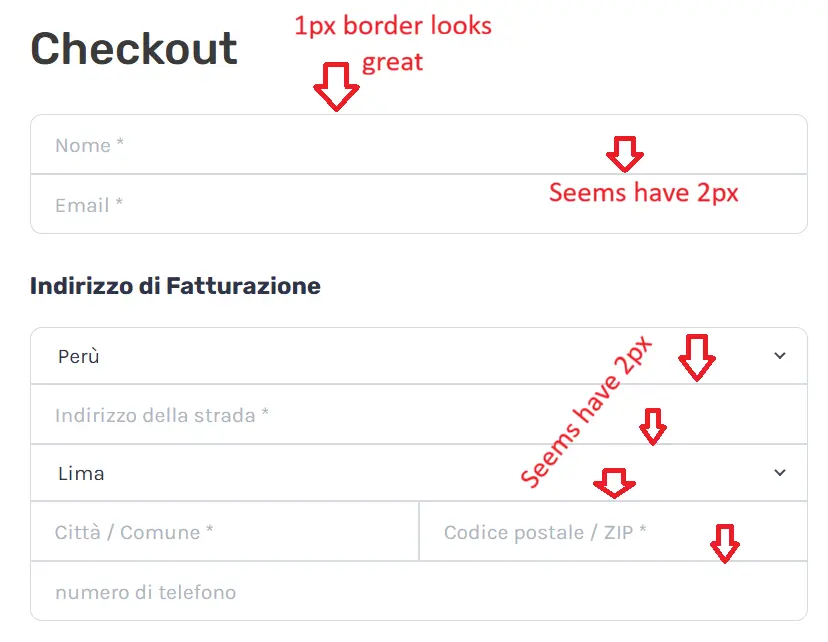
1. Border Overlap on Grouped Fields (Visual Glitch)
In the grouped input containers (like Billing Address and Contact info), the borders between adjacent inputs stack together. This creates an uneven 2px border seam at the intersections, while the exterior border remains 1px. A slight CSS tweak (e.g., using margin-top: -1px or collapsing sibling top/bottom borders) would ensure a crisp, consistent 1px stroke across the entire grid.
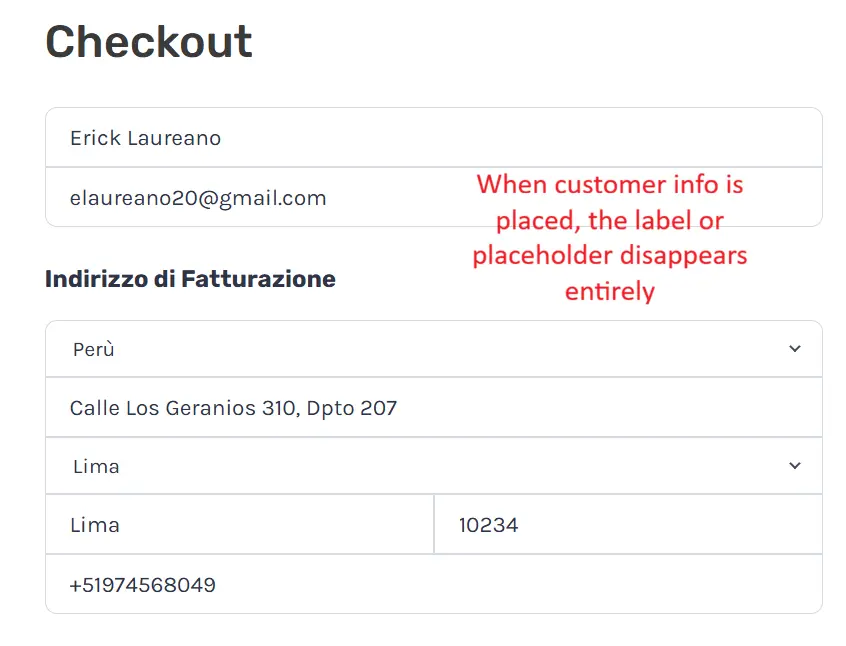
2. Floating Labels for Better Form Usability (UX) Right now, field labels rely solely on the HTML placeholder attribute. When a customer types or uses browser autofill, the placeholder disappears entirely. During final review before placing the order, there is no visible reference to tell which field is City, State, ZIP, or Address line without manually deleting the text.
Adopting Floating Labels (similar to Shopify’s checkout or Stripe Elements) or some other solutions—where the placeholder shrinks and docks to the top of the input once focused or populated—would eliminate guesswork and prevent checkout friction.
Attached are screenshots showing the difference between empty fields and filled fields. Hope this helps in the upcoming polish releases! 🚀

[See update at bottom]
Help! My purchase cart links are resolving to an empty cart when people click on them in the FluentCRM email. They work fine in the test emails. How can I turn off tracking to resolve this when I send?
My second email in the sequence, another batch of 60,000 is due to go out today and I need to fix it asap.
Update: Problem doesnt seem to be tracking related. Fluent support thinks it is caching related but my host says there is no caching on the FluentCart pages. Mystery ongoing but tracking has been eliminated as a cause.

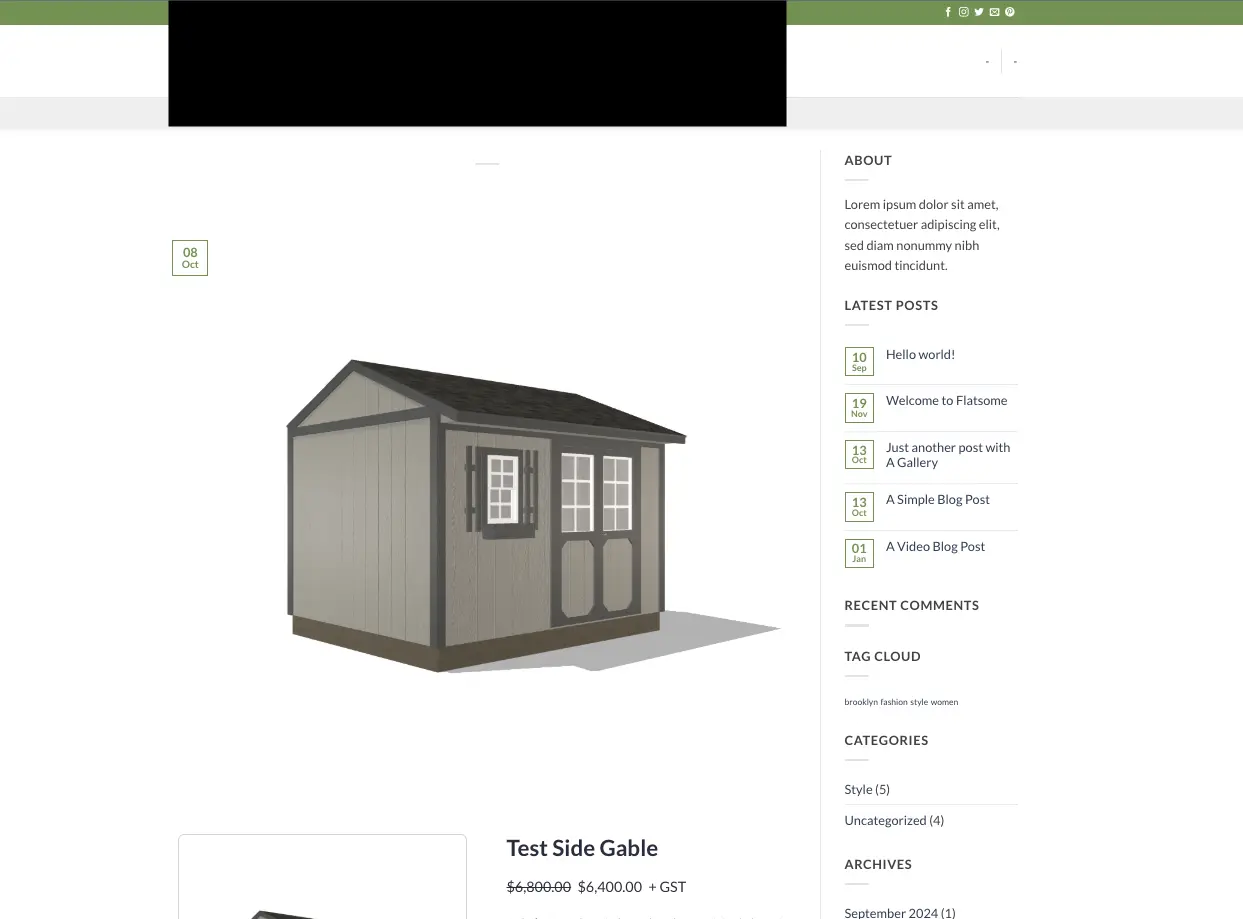
How do I customize the product page layout. It is currently defaulting to the blog layout... I can not figure it out.

Day 2, and I’m honestly super excited about this one.
You know the usual flow. Someone reads your landing page, likes the product, clicks buy… and then goes to a cart page, then a checkout page. With every extra step, we lose people.
So we removed the steps.
Now you can put the checkout right on your landing page. People read, pick, and pay on the same page. That’s it.
You can sell one product, let them choose one option (like a color or a plan), or let them build a small bundle like “pick any 2.” The price updates live as they choose.
And each landing page keeps its own cart, so nothing gets mixed up with their main cart.
It’s part of FluentCart Pro. Details here: https://fluentcart.com/blog/fluentcart-1-9-0/
If you build something with it, please share the link. I really want to see it.
Tomorrow is our birthday 🎂 and the big one, FluentCart 2.0. See you then!
I need to send emails with the exact link as they are but something is changing them.
I just sent out another promotion to 60,000 people and I'm getting tech support questions like this:
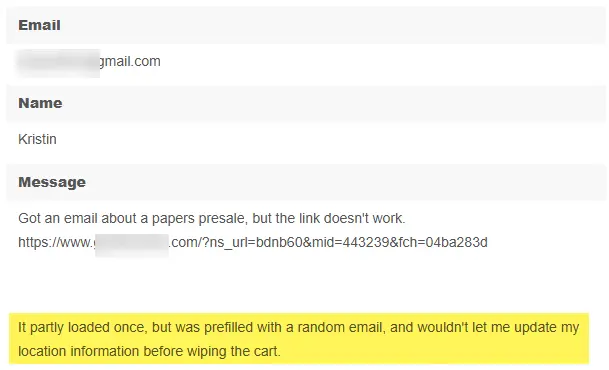
For many people, the link to purchase is auto-filling the checkout in FluentCart with random emails and won't let them change it, so they can't purchase.
It's a secret promotion, so they can't even get to it any other way.
I was expecting a conversion rate of about 1 to 2% but I'm getting about .08%
Any idea what is changing the url (looks fine in tests) and how can I make sure the url appears exactly as I write it?
My correct link looks something like this:
[https://MYWESITEADDRESS.com/?fluent-cart=instant_checkout&item_id=16&quantity=1&coupons=Pilot-Presale]()

Hi FluentCart Team,
Firstly, thank you for introducing the new Product Reviews feature. It's a welcome addition to FluentCart, and I've started implementing it on our website.
During testing, I identified a few areas where some additional options could improve customer privacy and the overall user experience.
I've managed to address these through custom code snippets, but I thought it would be worthwhile sharing the feedback in case you would consider incorporating these options into FluentCart itself.
1. Reviewer Name Privacy
Currently, reviews can publicly display the customer's username or full name.
From a privacy perspective, I would prefer not to expose this information unnecessarily, particularly when a customer's WordPress username might contain personally identifiable information.
I've implemented a custom solution that displays only the customer's first name, falling back to a generic label such as "Customer" when a first name is unavailable.
Suggestion: Provide a setting that allows store owners to choose how reviewer names are displayed publicly, for example:
- Full name
- First name only
- First name and surname initial
- Anonymous / Customer
Ideally, this setting would apply consistently across all public review displays, including review cards, popups and any associated API responses.
2. Reviewer Avatar Privacy
The review section currently displays a customer avatar or profile image.
Some customers might not be comfortable having their profile photographs displayed alongside public reviews.
I've hidden the avatars using a CSS snippet.
Suggestion: Add an option to enable or disable reviewer avatars globally.
3. Privacy Notice When Submitting a Review
When a customer clicks "Write a review", a modal opens containing their name, email address and review fields.
I've added a small privacy notice beneath the heading explaining that only their first name will be displayed publicly.
Suggestion: Allow store owners to configure a short privacy notice within the review form, ideally reflecting the selected reviewer-name display setting.
This would provide greater transparency and reassure customers before submitting their reviews.
4. Jump Link to Customer Reviews
On longer product pages, the reviews section can appear quite far below the purchase buttons.
I've added a "Read customer reviews" link below the Buy Now and Add to Cart buttons that takes visitors directly to the reviews section.
Suggestion: Consider providing an optional review jump link near the purchase buttons, or a shortcode/block that store owners could position wherever they prefer.
Final Thoughts
I appreciate that FluentCart's Product Reviews feature is still relatively new, and I'm sure further refinements are planned.
These are relatively small enhancements, but I believe they could make the review system more flexible and privacy-conscious, while reducing the need for custom CSS and JavaScript.
Thank you for your continued work on FluentCart. I'm really enjoying the direction the plugin is taking.

Apart the fact that I would really really like to have the possibility to bulk download a bunch of invoices at once, I can't find the way to download one invoice...
I mean, I get the receipt... I want the invoice. I set the invoice template... But still.
What am I doing wrong here ?
Release Week has started, and Day 1 is a big one.
Until today, the only way to lower a price in FluentCart was a coupon. Now your store can do it on its own.
Dynamic Pricing lets you set simple rules, and FluentCart automatically applies the discount or fee at checkout. No coupon codes, and nothing to remember.
A few things you can do now:
- 15% off for wholesale customers
- 10% off when someone buys 5 or more items
- Free shipping on orders over $75
- $10 off a customer’s first purchase
- 5% off for loyal customers with 5+ orders
- A small fee for orders under $20
- A discount on renewals or plan upgrades
- A weekend sale that starts and stops on its own
You can build a rule from cart quantity or subtotal, customer, product, user role, payment method, coupon, or even billing country and postcode. Mix them however you like.
Your customers see each discount as its own line at checkout, with the original price struck through. Clear and honest, no confusion.
Dynamic Pricing is part of FluentCart Pro. Turn it on from Settings → Features & Add-ons.
Also in this release (free): review sections can now show reviews from several products, or your whole store, with one combined rating. Great for your homepage or a landing page.
Full details: https://fluentcart.com/blog/fluentcart-1-8-0/
Try a rule or two and tell me what you built. I’m curious to see how creative you get 😄
See you tomorrow for Day 2. And Wednesday… you know 😉