


We just shipped Fluent Support 2.5.0 and Pro. This one includes a few things many of you asked for.
-
Scheduled Replies: Write your reply now and pick when it goes out. Handy for different time zones, or when you’re working late and don’t want the customer getting a reply at 2 am.
You can edit, send, or cancel it from the thread. If the customer writes again or the ticket closes, it pauses so you can take another look. No awkward outdated replies.
-
New Workflow Editor: Workflows now read like a simple flow: When → Only if → Then. Drag steps around, add actions anywhere, and check the logs to see what ran or failed. One failing action no longer stops the rest.
-
System Admin Tools: Three new pages under Settings to check background jobs, fix missing database tables, and clear old logs. Cleanup always keeps the last 7 days.
-
Remove sensitive data: Customers sometimes paste passwords or card numbers into tickets. Site admins can now edit those messages to remove them. Other agents can’t, and the log doesn’t store the removed text.
Also in this release
.txtand.mdattachments- Fixes for import timestamps, bulk reply formatting, reports, and dark mode
- Another round of security hardening with the OpenAI Daybreak model.
Please update both Fluent Support and Pro together.
https://fluentsupport.com/fluent-support-2-5-0/
Please note that we have rewritten some under-the-hood modules and you need to update both Free and Pro to make the reporting page work.
More cooking!

Thank you for adding "Initiated by agent", which I requested in "Proper Outbound / Proactive Ticket flow":
https://community.wpmanageninja.com/portal/space/fluent_support/post/proper-outbound-proactive-ticket-flo
It works well for contacting customers and suppliers first.
One case is still missing: logging a request that came in by phone or in person. Here the opening entry is my record of the call, written for internal use (what was asked, what we agreed, what I need to check). Today, with or without "Initiated by agent", this record is visible to the customer in their portal, and depending on the inbox email settings it may also be emailed to them.
My suggestion is a checkbox on the "Create Ticket" form, next to "Initiated by agent", such as "Start with an internal note":
- The opening entry is stored as an internal note.
- No email is sent to the customer when the ticket is created.
- The ticket does not appear in the customer portal while it contains only internal notes. It becomes visible with the first regular reply.
- The ticket waits on the agent, since the next action is ours.
- The two checkboxes are mutually exclusive.
When there is news for the customer, the agent replies normally and the customer receives the usual "Replied by Agent" email. If no reply is needed, the customer never sees anything.
Thank you for considering it.

To go along with my live chat feature request: it would be great to be able to integrate with Facebook/Instagram/Meta DM, WhatsApp, TikTok, Snapchat, SMS for multi-channel support.
This day and age, clients and customers expect brands to be where they are for a low-friction support experience by offering multi-channel support. Along with live chat on a website, this is table stakes for many e-commerce brands.
We spent this release on the things you do all day.
Tickets open about twice as fast now, and long conversations are up to 5x faster. The admin also loads 73% fewer JavaScript assets, so everything feels quicker, especially on your phone. Small delays add up when you’re answering tickets all day, so this is the part I’m happiest about.
Also new:
- Ticket Filters: every queue in a sidebar with live counts, so you see what needs attention before you click
- Smart customer search: type
city:Berlinortickets:>2and find the right customer in seconds - Phones and tablets: answer a ticket from anywhere
- Dark Mode, rebuilt properly
- Private attachments: Dropbox and Google Drive files no longer use public links, and Pro adds S3-compatible storage
If you use Dropbox, reconnect it once after updating. It needs one new permission.
Full notes: https://fluentsupport.com/fluent-support-2-4-7/
Update, open a few tickets, and tell me how it feels.
More cooking 🎉

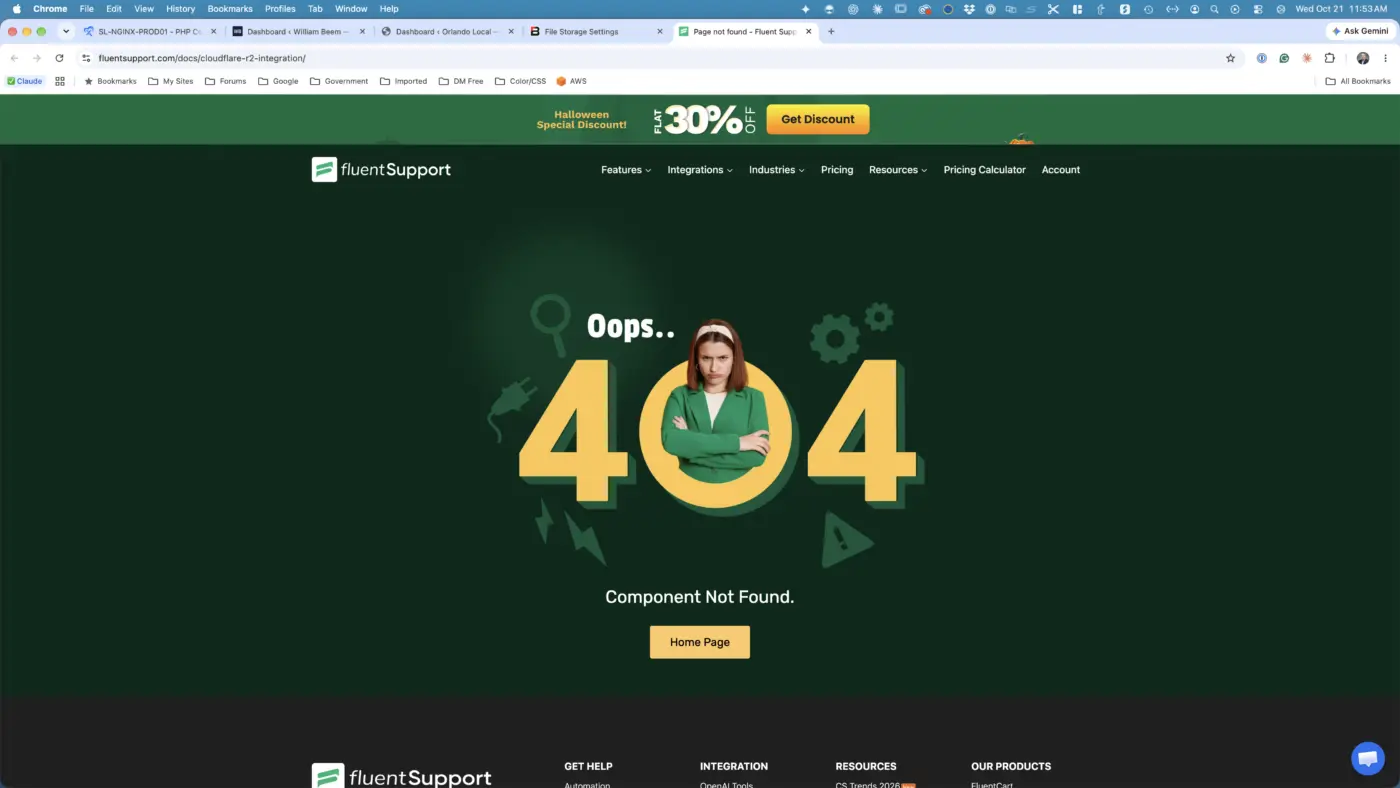
Not a major issue, but the link to the instructions for using Cloudflare R2 with FluentSupport returns a 404 error.
https://fluentsupport.com/docs/cloudflare-r2-integration/

There is no way to manage ordering of products in settings. Make it happen please!
We just shipped Fluent Support 2.4.5, and it includes something we’ve been quietly using ourselves for a long time.
-
Remote Portal: Our own helpdesk runs on a separate site, but our customers never leave our main website. They open tickets, reply, and check status right there while your support agents can reply from the subdomain.
Today it’s available for everyone. Your customers see only their own tickets, and the ticket sidebar still shows WooCommerce and EDD order info. Setup takes 3 steps with a one-time connection key.
-
Smarter workflows: 4 new triggers: ticket reopened, agent response, agent assigned and customer feedback. Plus 4 new conditions, a loop guard so a workflow can’t trigger itself forever, and a “Last Run” time in the list.
-
Better email piping: Auto-replies and bounces no longer open new tickets. They go in as internal notes. Replies now thread correctly in Gmail and Outlook, even when the subject changes.
Also, lots of improvements
- Reply collision check. If a customer or another agent replies while you’re typing, we hold your reply so you can check first. No more awkward double answers.
- Keyboard shortcuts to jump between tickets and close them
- More bulk actions, and a filter by ticket source
- A new Ticket Stats widget with first response time, reply count and time to resolve
- A “Waiting for your reply” badge in the customer portal
- FluentAuth login and signup forms in the portal when FluentAuth is active
- A faster dashboard and ticket view
Plus new MCP tools for draft replies and bulk replies, and a bunch of fixes.
Full changelog: https://fluentsupport.com/fluent-support-2-4-5/
More cooking 🙌

MCP server: `reply-to-ticket` ignores the "Draft Reply" permission. Can a draft reply tool be added?
Hi team,
First, thanks for shipping the MCP server. I connected an AI agent to Fluent Support this week and the read tools work very well.
I ran into one thing I'd like to raise, plus a feature request.
Setup
- Fluent Support MCP Server 2.4.0 (as reported by
initialize) - A dedicated agent user for the AI, connected with an application password
- Agent permissions: View Dashboard, Manage Own / Unassigned / Others Tickets, Draft Reply
- Not granted: Approve Draft Reply
What I expected
Because the agent has "Draft Reply" but not "Approve Draft Reply", I expected a reply created through the MCP tool fluent-support-reply-to-ticket to be saved as a draft that waits for approval, the same way it works in the web interface.
What happens
The reply is sent to the customer immediately.
On a test ticket, the tool returned "Reply added to ticket #… and assigned to you". The response was stored with type: response and source: mcp, the ticket moved from new to active, the activity log shows response_added_by_agent … via mcp, and the customer email went out. No draft was created and nothing waited for approval.
Why it matters
With AI agents, a human approval step before anything reaches a customer is the whole point. Today the only safe setup is to hide the reply tool from the agent entirely, which means a human has to copy the text and send it by hand. The approval gate already exists in Fluent Support. It just isn't applied on the MCP route.
My questions
- Is it intended that
fluent-support-reply-to-ticketbypasses the "Draft Reply" permission, or is that a bug? - Could the tool respect that permission, so that an agent with "Draft Reply" and without "Approve Draft Reply" creates a draft instead of sending?
- Alternatively, could you add a separate tool, for example
fluent-support-create-draft-reply, that only ever creates a draft for a human to approve in the dashboard? A matching read tool that lists pending drafts would make it complete.
Option 3 would be my preference. An explicit "draft only" tool is easy to allow on its own, and it makes it impossible for a misconfigured agent to send by accident.
Steps to reproduce
- Create an agent with "Draft Reply" and without "Approve Draft Reply".
- Connect to the MCP endpoint as that agent.
- Call
fluent-support-reply-to-ticketwith aticket_idandcontenton a test ticket. - The reply is sent and emailed to the customer, not held as a draft.
Happy to test a build or share more detail if useful.
Thanks,
Hans

Hi team, I have two requests.
1. Customizable keyboard shortcuts
The shortcuts in the Tickets section are a great addition, but it would be very helpful to be able to customize them. Several default combinations clash with OS or browser shortcuts. On Windows in particular, many rely on the Win key, which the system often intercepts, so some shortcuts simply don't work. A settings panel where each agent can remap shortcuts (ideally per user, with a "reset to defaults" option) would solve this.
2. Integration with FluentCRM custom fields
It would be great if FluentSupport could work with FluentCRM contact custom fields. For example, agents could see and edit a contact's CRM custom fields directly in the ticket sidebar, ticket custom fields could map to CRM custom fields so the data stays in sync, and CRM custom fields could be used in ticket filters, workflows, and saved replies. Many of us use Support and CRM together, and right now customer data lives in two separate places.
Thanks for considering it!

In the latest version of Fluent Support, it looks like there's no longer a way to close (or close silently) a ticket when looking at it? I have to either reply and close, or go back to the ticket list and select the checkbox and then close from there? Or was that option just moved and I can't find it?

Hi all. I'm having trouble searching in Fluent Support and can't figure out what I'm doing wrong. this doesnt happen for every search. But it happens often.
What's happening
- I search for a ticket I know exists, by subject or sender, and get no results or wrong results.
- Searching by ticket number also fails. The ticket's page shows it as #1 (breadcrumb: All Tickets › #1). When I search
#1, I get one unrelated ticket instead.
Is anyone else having issues with search inside FluentSupport?