


1.4.0 just went live. This one has a bunch of things you asked for in this space.
Inline chapter strip. Chapters can now show as a horizontal scroll strip under the player, with titles and start times. Click one and it seeks. The active chapter follows playback. @Wendy Perkins Shoef this is your request from the Chapter View/Scroll thread. Set it in Chapters display > Inline scroll.
Muted Preview autoplay. The video auto-plays silently and in a loop, with a "Play with sound" overlay on top. Click, Enter, or Space converts it to normal playback with sound. Nothing is tracked until the viewer actually converts, so analytics, milestones, and Resume Playback stay off during the loop. Your view counts stay honest. Pro adds captions during the loop, a preview range, overlays, and continue-from-preview-position.
Modal playback (Pro). Open any media in a lightbox from text, a button, an image, a thumbnail, or an icon.
[fluentplayer_modal id="123"]Watch now[/fluentplayer_modal]Good for hero sections, course previews, product demos and media cards where a full inline player is too heavy.
Better Vimeo. Quality and speed menus, chapters in the editor, caption import in Pro, and privacy-enhanced mode on by default.
Single Playback. When one player starts, the others pause. On by default. Nicolai, if you want two ambient players running at once, turn off "Pause other players when one starts" in General settings.
Fixes you reported. Grid playlists are responsive on narrow screens now ( Itachi Sensei , Peng Xie ). Resume Playback saves on pause, tab switch and navigation. Duplicate placements work as separate players. YouTube Shorts keep portrait framing. FluentCommunity gets the full player runtime back. Private Cloudflare Stream videos over an hour no longer cut off.
There is also a consent hook, fluent_player/defer_player, so YouTube and Vimeo stay uninitialized until your consent tool says go.
We also implemented signed updates for the pro plugin which is the most secure way to distribute premium plugins.
Full details here: https://fluentplayer.com/fluentplayer-1-4-0-muted-preview-modal-playback-inline-chapters/
More cooking 🙌

I haven't seen any development or updates in a month. What's happening, guys?

Hi team!
Could we add a “By media tags” option when choosing which videos should be tracked in the FluentPlayer → FluentCRM integration?
The selection would then offer three options:
- Selected media: manually choose individual videos.
- All media: track everything.
- By media tags: automatically track videos carrying the selected FluentPlayer tags.
For clarity, I’m referring to tags assigned to the videos in FluentPlayer, not contact tags in FluentCRM.
Example: I could tag videos as Marketing, Ads, or SEO, then select the groups whose playback events should be recorded in FluentCRM. This would let me track relevant content without selecting every video individually or logging activity from unrelated videos.
The important part would be making this dynamic: whenever I publish a new video with a selected tag, it should automatically be included in tracking. Removing the tag should stop future tracking under that rule, without deleting previously recorded events.
When selecting multiple tags, matching any of the selected tags would be a useful default, with an optional “match all” setting for more specific combinations.
Ideally, the same tag-based selection could also be available in FluentCRM’s video automation triggers—for example, to start a relevant follow-up when someone watches 75% of any video tagged Ads.
This would make topic-based tracking and automations much easier to maintain as the video library grows. 🙂

It would be nice if there was a way to get the shortcode from the edit media screen.
I can't figure out how to get a video to play vertically using Bunny stream. Has anyone been able to do this?
Still using Presto Player because almost all the video testimonials I'm working with (on different websites) are vertical (sent from someone's phone).

Hi team,
I'm using Fluent Player 1.4.0 + Pro 1.4.0 with Bunny Stream. Token Authentication is enabled on my Bunny library.
The issue: The URLs signed by Pro (.../playlist.m3u8?token=...&expires=...) return 403 for both playlist.m3u8 and thumbnail.jpg, so the video doesn't play.
What works: If I sign the URL with Bunny's path-based token instead, everything plays fine, including HLS segments. That token is bcdn_token=...&expires=...&token_path=/{video-id}/. I'm currently doing this with a small custom filter on fluent_player/player_settings.
Questions:
- Is this a known issue, or is there a setting I'm missing?
- Are there plans to support path-based (directory) tokens? With HLS, a per-file token doesn't cover the segment files.

I can’t quite wrap my head around why it couldn’t or wouldn’t work if the plugin is on Wordpress, generates the HTML player code, and is then embedded on a site outside of Wordpress, but maybe I’m confused. Please advise. Thank you!

Why won't the player load when the cache is enabled? I don't want to exclude the entire sales page from the cache. How can I exclude just the player?

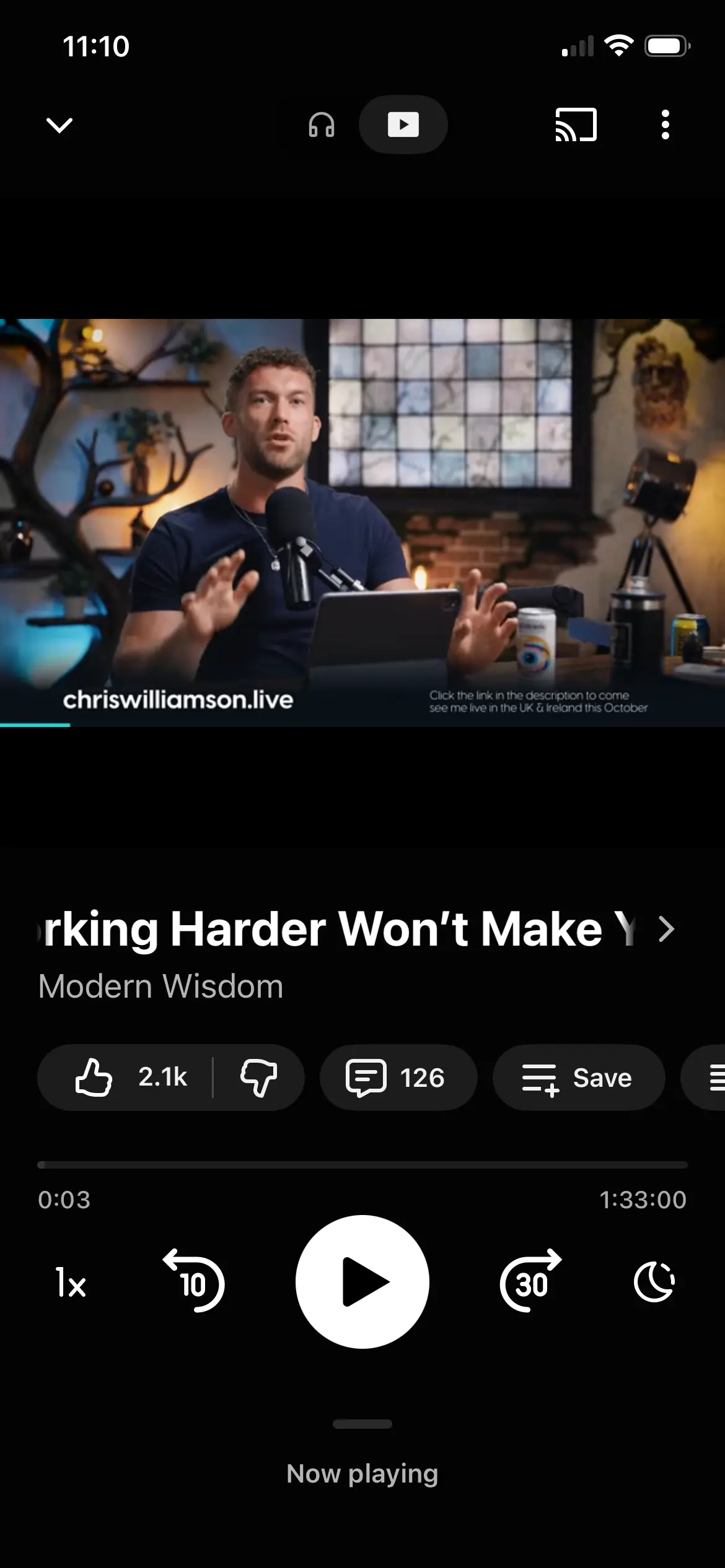
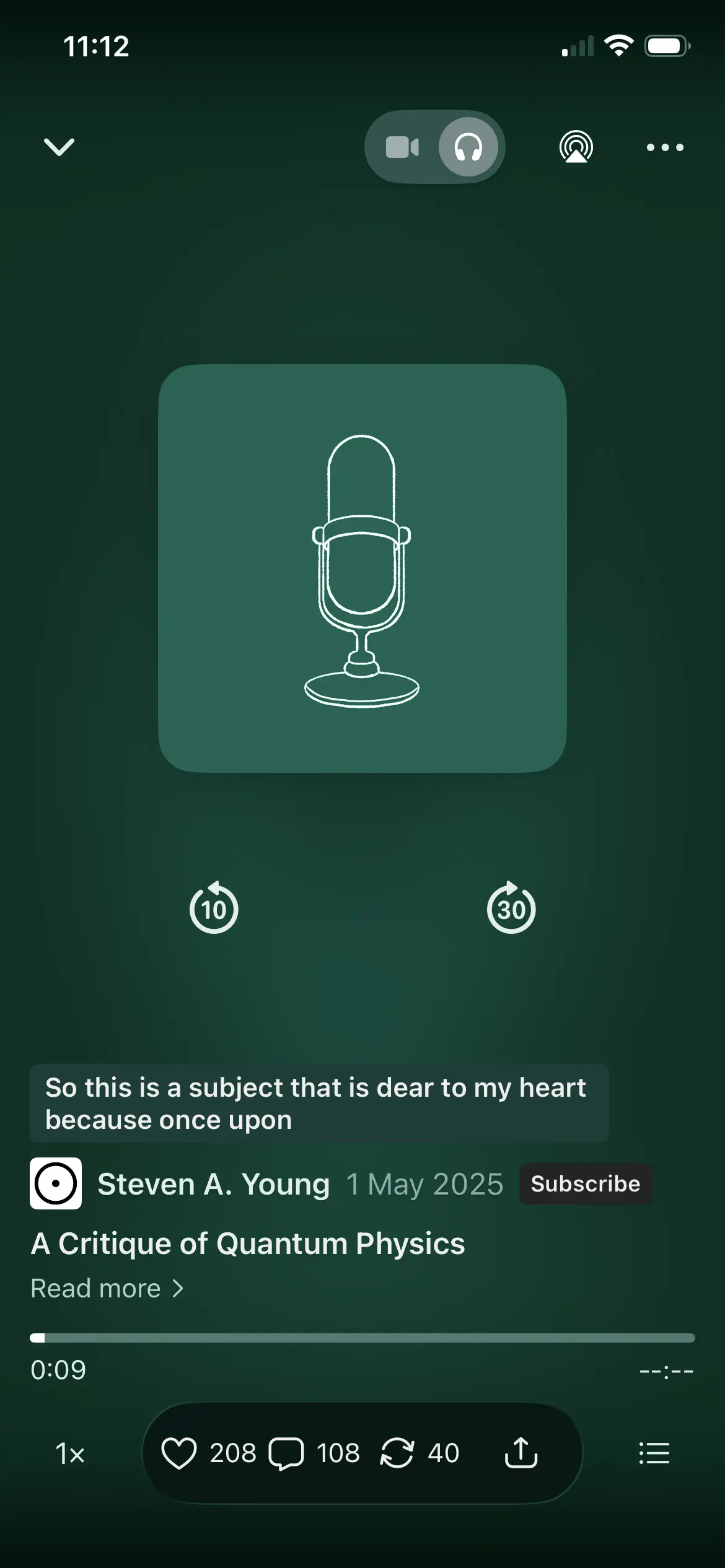
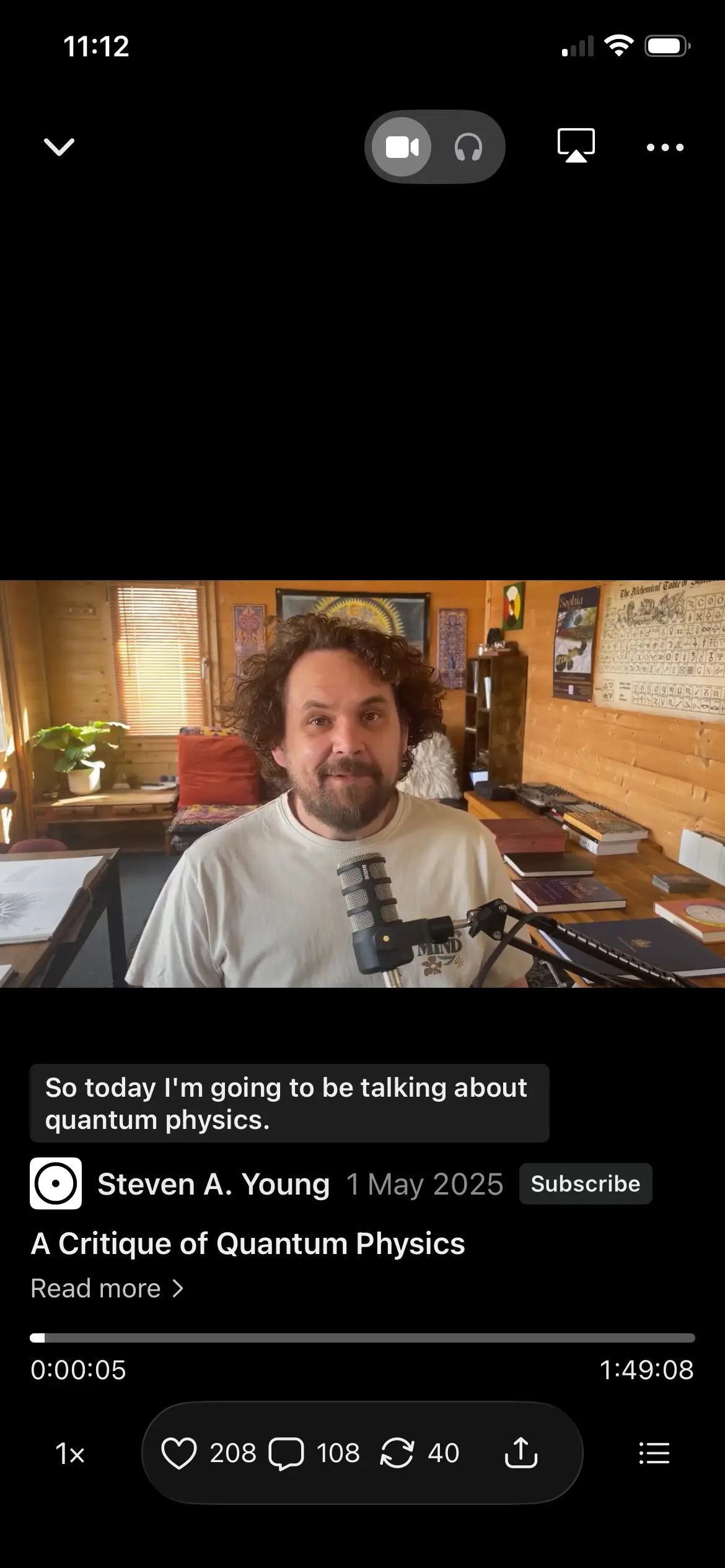
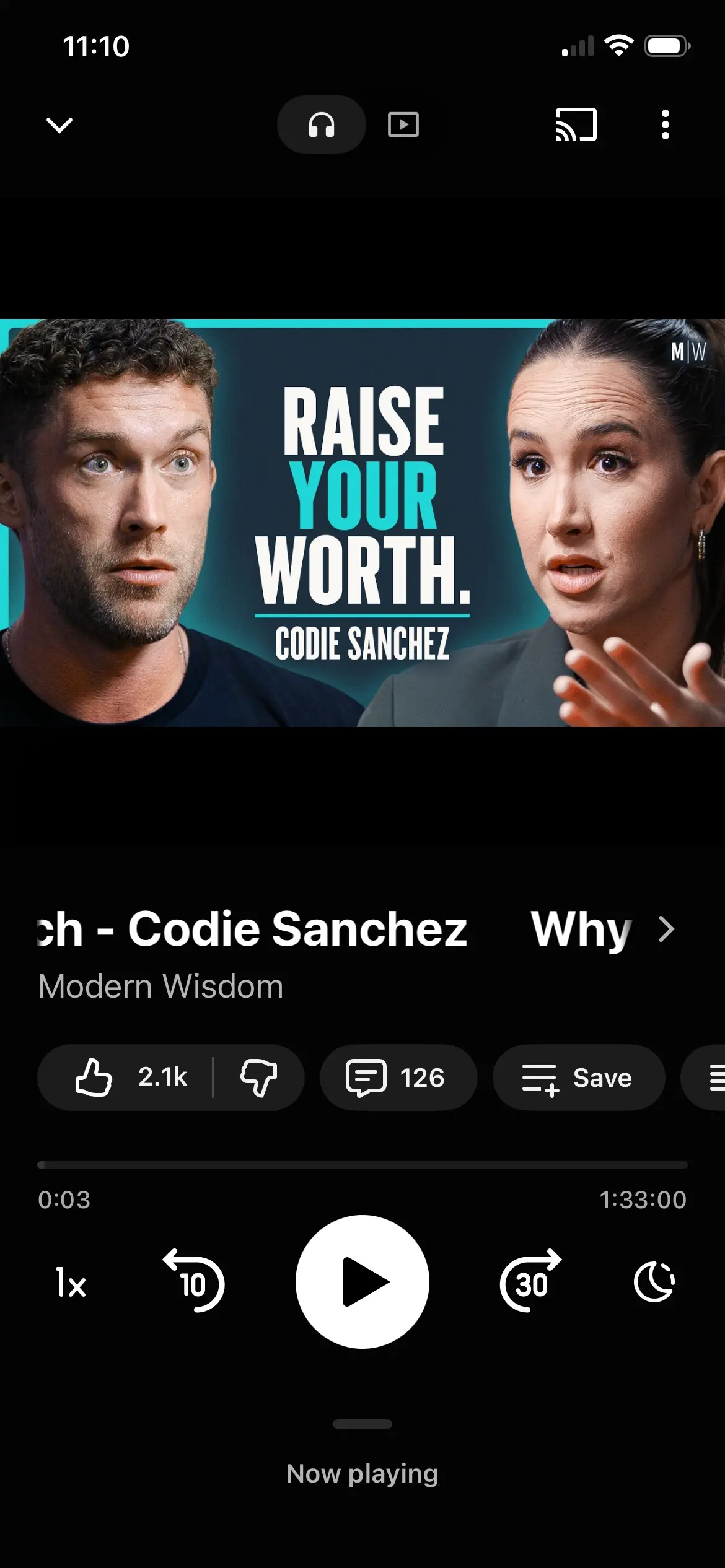
Hi. I have just seen how the Substack and YouTube Music apps allow users to switch between streaming a video version or an audio-only version of the same piece of content within the same player.
It would be very useful if FluentPlayer could support an Audio Only playback mode for video sources where the hosting provider makes an audio-only rendition available.
For example, when a Vimeo, Mux, Bunny, Gumlet or other supported video is added to FluentPlayer, the player could detect whether an audio-only stream is available and allow the viewer to switch between:
📺 Video | 🎧 Audio
This would be similar to the Video / Audio experience offered by platforms such as Substack and YouTube Music for podcast content.
In Audio mode, FluentPlayer could replace the moving video with the video’s poster image, thumbnail or featured artwork while retaining the normal player interface and its same size on the webpage, and retaining the players timeline, chapters, playback-speed controls and captions options.
Where a supported video provider exposes a separate audio rendition or track, FluentPlayer could switch to audio-only streaming while preserving the current playback position and player state, and stop loading the video rendition while Audio mode is active.
This would reduce mobile data usage and make longer videos, teaching content and podcast-style material much more practical to listen to while travelling, walking or using a mobile device.
The same FluentPlayer media item could therefore offer two ways of consuming the same content without requiring the site owner to export, upload and maintain a separate audio file.
FluentPlayer has recently added Vimeo quality selection, so conceptually Audio Only could become another available playback option when the source provider supports it.
For providers that do not expose or permit audio-only playback, the Video / Audio option could simply remain unavailable.
This could be a FluentPlayer Pro feature, that helps differentiate it from the free version.
The attached images are full screen mobile app versions of a player. That could be an option, from a playlist or as a modal display option, however as I see video as the primary delivery mode within a webpage, the overall FluentPlayer could remain 16:9, with things like inline chapters underneath, as it is currently, also in mobile.
This is beneficial especially if the FluentPlayer is in a FluentCommunity course lesson page, so any other items on the lesson page can still be seen or easily scrolled to, for example a lesson description, and other potential downloadable items in the lesson page.
When a user switches between video and audio-only versions the size and position of the FluentPlayer remains the same on the webpage. The only real difference is in audio-only mode, the streaming video is replaced by a still image. All the other aspects of the player would remain the same.

I would like to be able (via URL) to use Zoom recordings and Clips in FluentPlayer

Can anyone explain to me how the FluentPlayer works for audio? I don't get it. In the docs they say "go to FluentPlayer, then "add media" and then set the file type to "audio". But there is no such option. I want to store my audio tracks on bunny.net. But when I upload a mp3 in bunny and then add the FluentPlayer to a course lesson and select bunnyCDN as source it cannot retrieve the audio from bunny.net. It doesn't find the file. When I paste the file URL into the Player it does get the file, but not the file name. So I uploaded my file now to my wordpress library - what I definitey don't want to do in the future. Thanks for all help.