


If you run more than one Fluent plugin on the same WordPress site, you already know the friction. Fluent Forms in one WordPress admin menu, FluentCRM in another, Fluent Support somewhere else, FluentCart in its own. Same site, same business, separate experiences.
We tried to soften that quietly over the years, so you'd get little wins like:
- Purchase history showing up inside a support ticket
- Form submissions on a CRM contact profile
- License info one click from the support agent
Small bridges between islands. Useful, but you still had to hop between them every day.
Today that part changes. FluentKit puts every Fluent plugin you already have on a WordPress site under one menu in your admin. No account changes, nothing moves between accounts or sites. In this version you get:
- One dashboard for every Fluent plugin
- Collapsible menus so the ones you're not using get out of your way
- One-click install for the ones you haven't tried
- A single place where AI shows up across the lineup, starting with FluentCRM v3 yesterday, instead of thirteen different places
A quick note on what this release is. The dashboard is unified, and that's a real step forward. But the deeper stuff, like shared contacts across products and a single view of every customer in one place, is still the work we're starting on. This release is the foundation we needed first. The next six to twelve months is where it gets really fun.
So here's what would really help. Install it, play with it, and tell me what feels off.
Ten years in. Still small, still building, still listening. Thanks for being on this side of it with us.
The full launch post is here: https://wpmanageninja.com/introducing-fluentkit/
How to install FluentKit
- Download & Install FluentKit addon
- Activate the plugin, then go to FluentKit and activate the unified UI
- That’s it.
More cooking 👀

Hi community!
I'm going to build soon a WordPress site with a booking system, one site with a feature to book video calls and another site with a feature to book bodywork treatments. I have currently a license for Amelia booking, but I haven't so far used it personally. I'm considering whether to build the new sites and booking systems with Amelia or to purchase licenses to FluentBooking.
What would you consider the biggest advantages of FluentBooking over Amelia?
Hi community! I'm currently owning a license to ThriveCart, but I'm considering whether I'd purchase also some licenses to FluentCart before the LTD period ends. What are in your opinion some clearest advantages that FluentCart has over ThriveCart? Or are there any?

I've been evaluating WordPress site management with xCloud panel, MainWP, and Updraft Central. After the débâcle with Updraft Central earlier this week, I dropped it from my list like a hot potato.
Now I'm experimenting with adding extensions to MainWP to centralize control for FluentCRM, FluentCart, etc.
It started a thought. What if WP Manage Ninja introduced its own WordPress fleet management tool for self-hosted operators?

hey Shahjahan Jewel et al. Two new critical CVEs were announced for php, which requires php to be updated immediately. Will there be any issues with any of the WPMN products running with the updated version of php?
https://www.php.net/archive/2026.php
and
https://www.huntress.com/blog/php2shell-leaked-critical-php-vulnerabilities

May I ask why FluentComments is not currently included within the FluentHub ecosystem? It seems like it could be a valuable addition, especially since commenting, discussions, and community engagement are closely related to the existing Fluent products.
#I just notice that FluentNotify is also missing from FluentHub

Hello mates,
You may already have seen this, but just in case: the PHP security team has announced an update addressing two critical vulnerabilities, both rated 9.2 under CVSS v4.0.
The release is scheduled for today, Wednesday, 21 October 2026, at 14:00 UTC (16:00 CEST / mainland Spain). It may arrive earlier if vulnerability details become public or evidence of active exploitation appears.
Full technical details, affected versions and fixed versions will be published with the release, so please check the official announcement rather than assuming your current version is covered.
If you manage your own server, prepare to apply the appropriate security update... as soon as it becomes available. If your hosting provider manages PHP, contact them to confirm their patching plans and whether you need to take any action.
For WordPress site owners: this announcement concerns PHP itself. Updating WordPress or your plugins alone does not update the PHP runtime on your server.
One of the things I love about the Fluent ecosystem is that we get to keep control of our own data. That freedom also comes with responsibility: when your site holds CRM contacts, customer details, purchase histories and support conversations, a server breach could expose much more than the website itself. Keeping the underlying server software patched is part of looking after the people who trust us with their information.
Official PHP announcement:
https://www.php.net/archive/2026.php#2026-10-20-1
Sharing this as a heads-up for anyone running WordPress and the Fluent plugins. Stay safe!

The same issue is repeating itself. I can send a test text message no problem. But a test HTML fails. I think because you have some type of link in it. I was updating a password to an email on datacenterdilemma.ai. I was able to send an email from the crm with an image and that worked fine. Please advise

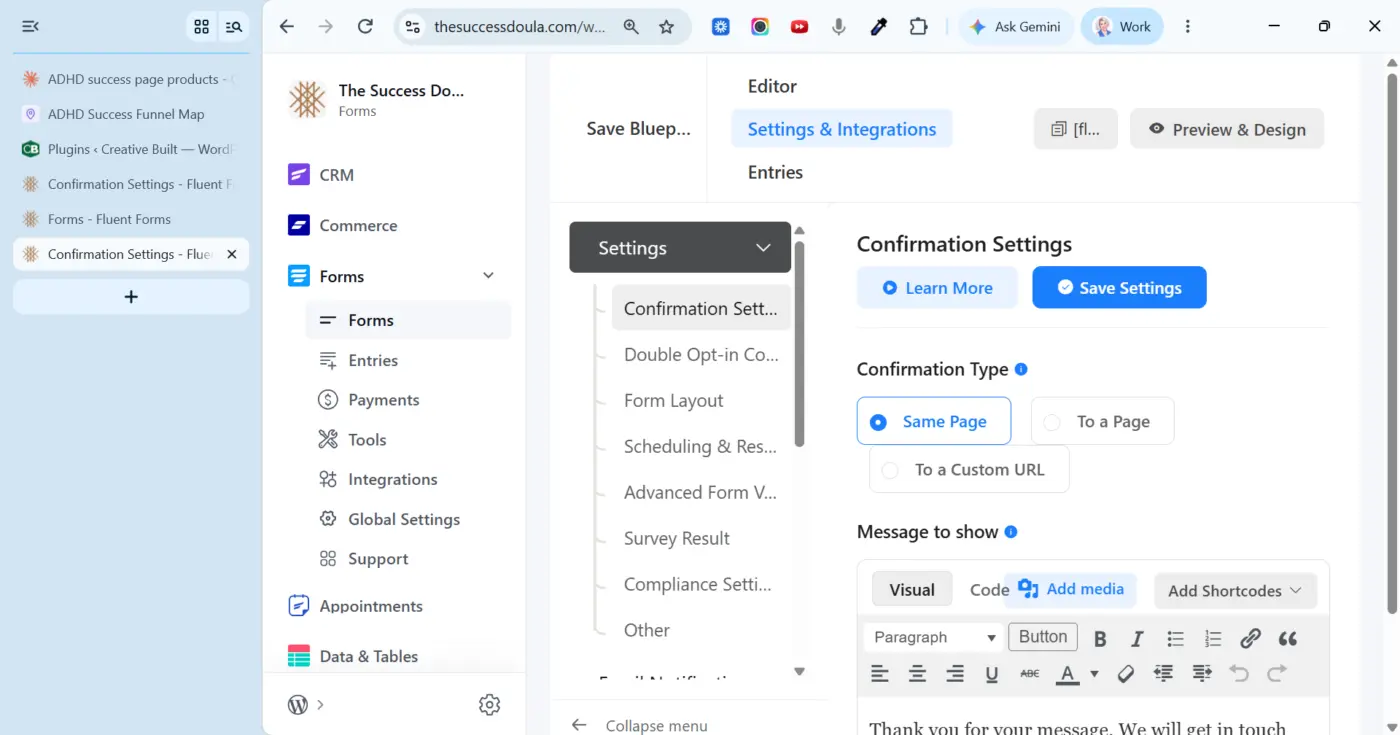
Can you add a button to collapse the sidebar in FluentHub for those of us that sometimes work on a smaller screen? (I have 3 of different sizes)
#fluenthub

Yesterday I gave you the numbers: 56 new features, 32 improvements and 20 fixes. The full article is now online, with every new feature explained and illustrated.
The highlights, in short:
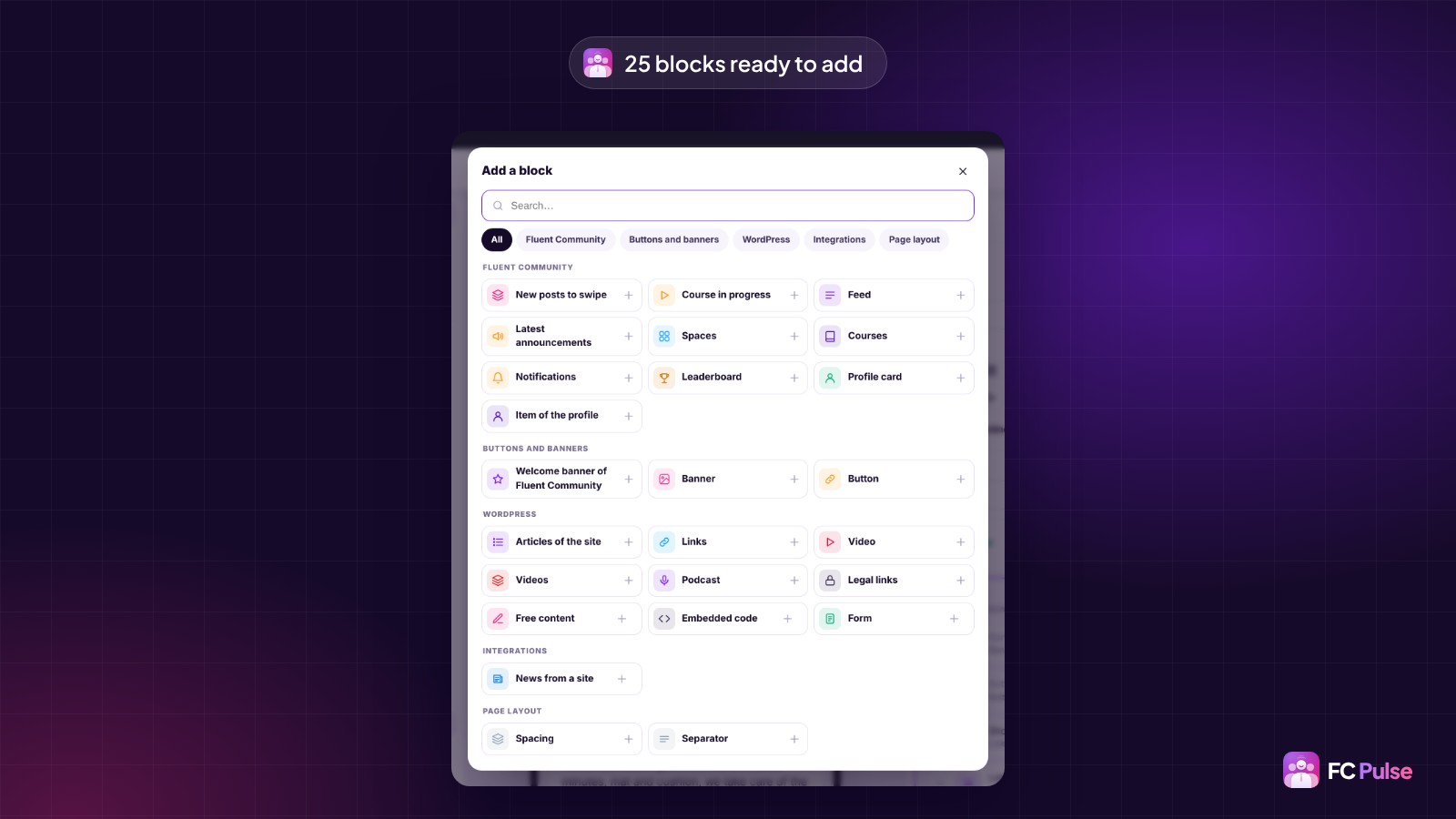
Your pages, built from blocks
You compose your app like a page of your site: 25 blocks sorted by family, five ready-made templates, and your blocks on every section of the community.
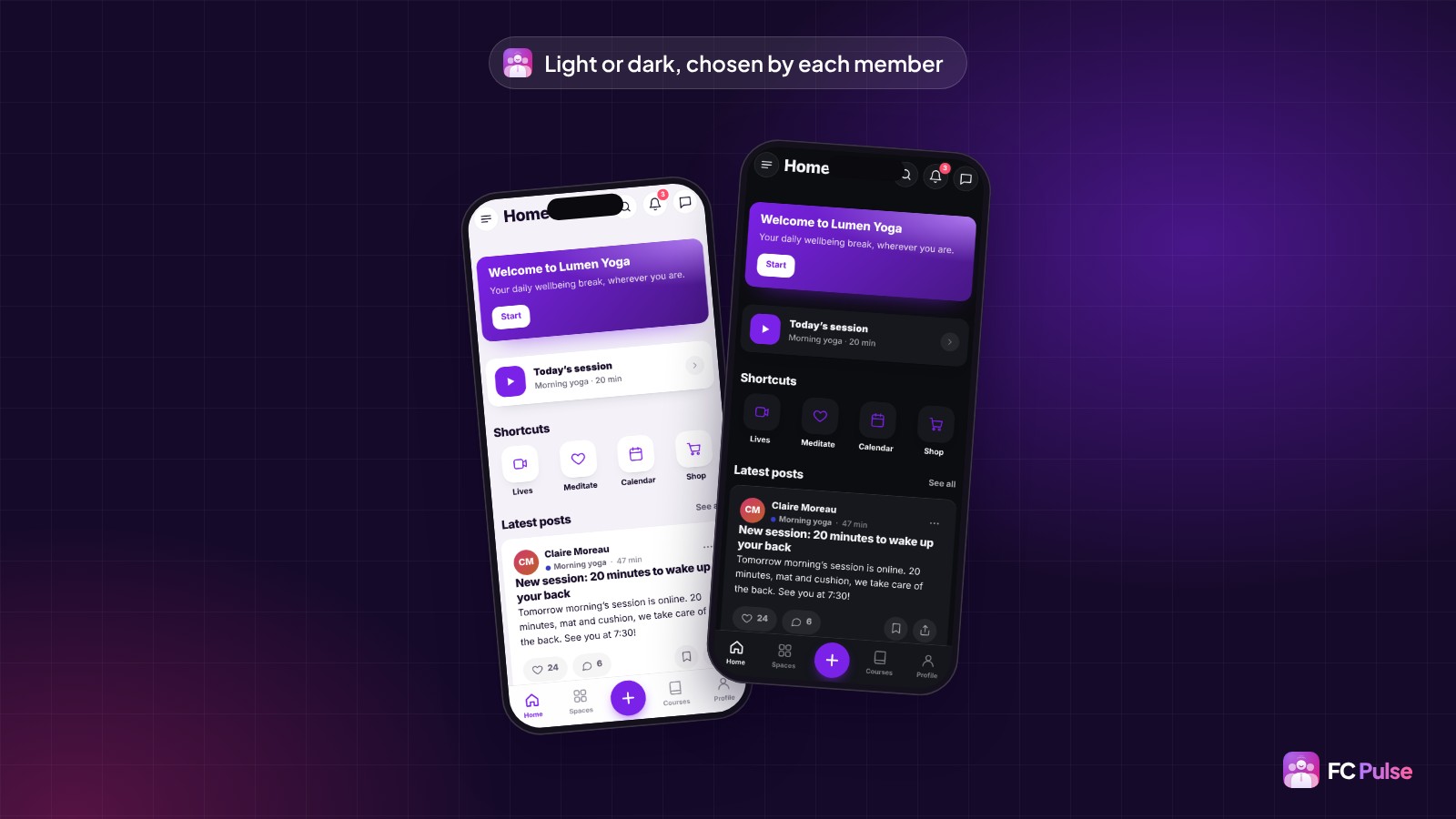
Your brand, down to the typography
Every color in light and dark, dark mode chosen by each member, your own font files or a Google Fonts typeface copied to your site.
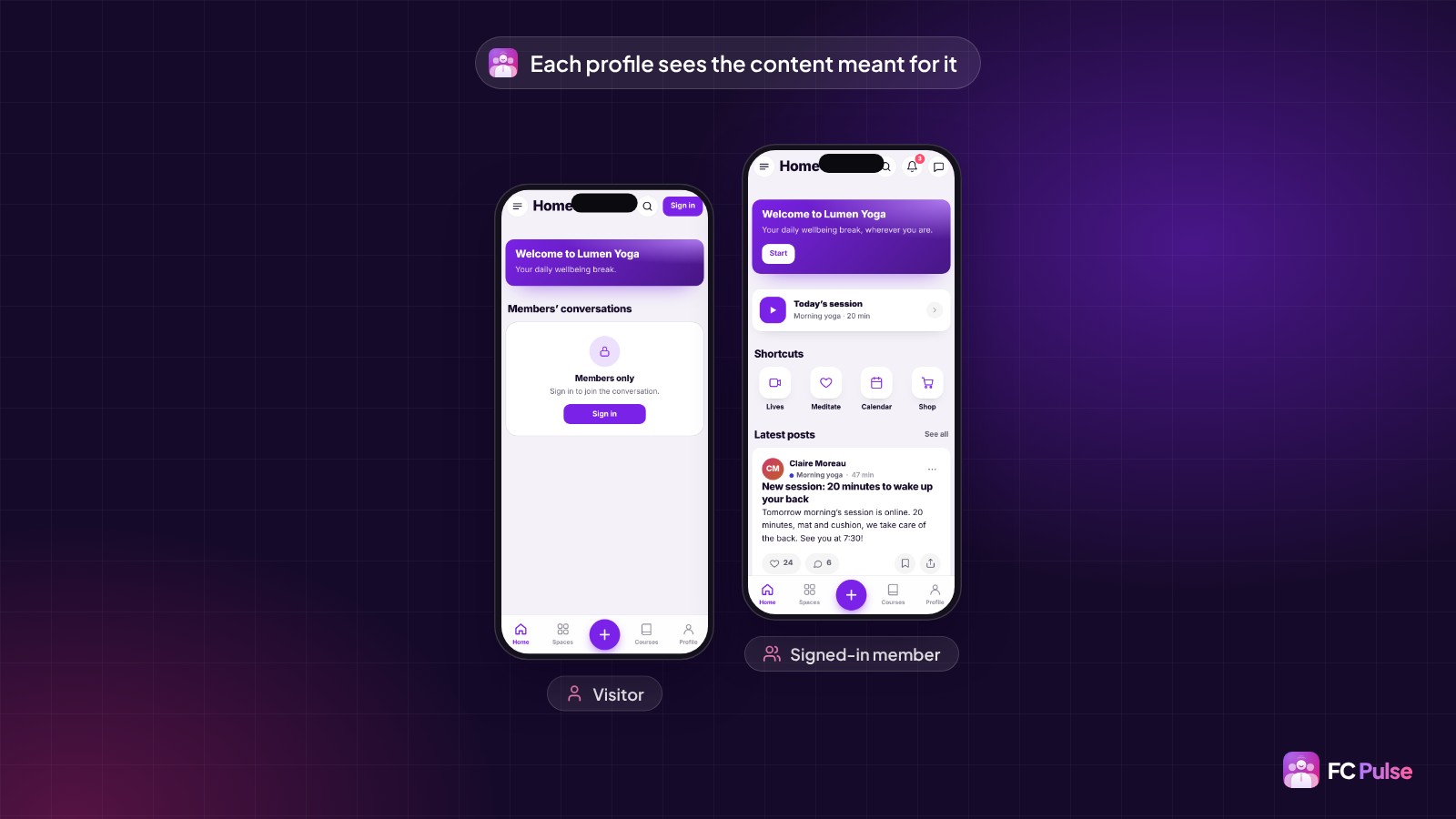
Role management
Every block, page, menu item and link shows for the people you choose: visitors, signed-in members, administrators or members of a space.
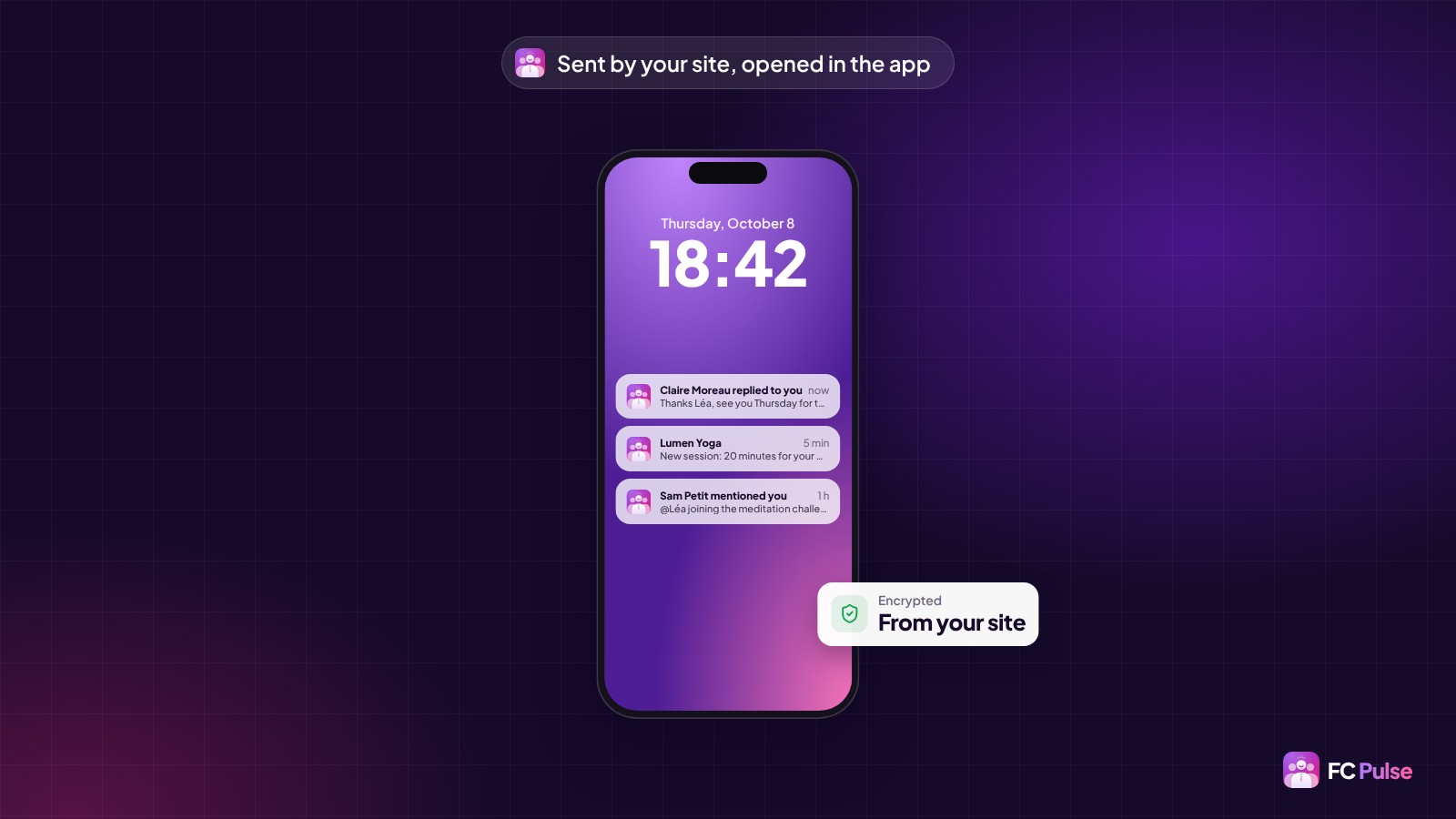
Notifications sent from your own site
The installed app receives its notifications directly, encrypted by your site. No Firebase account to create, and the comment text shows right in the notification.
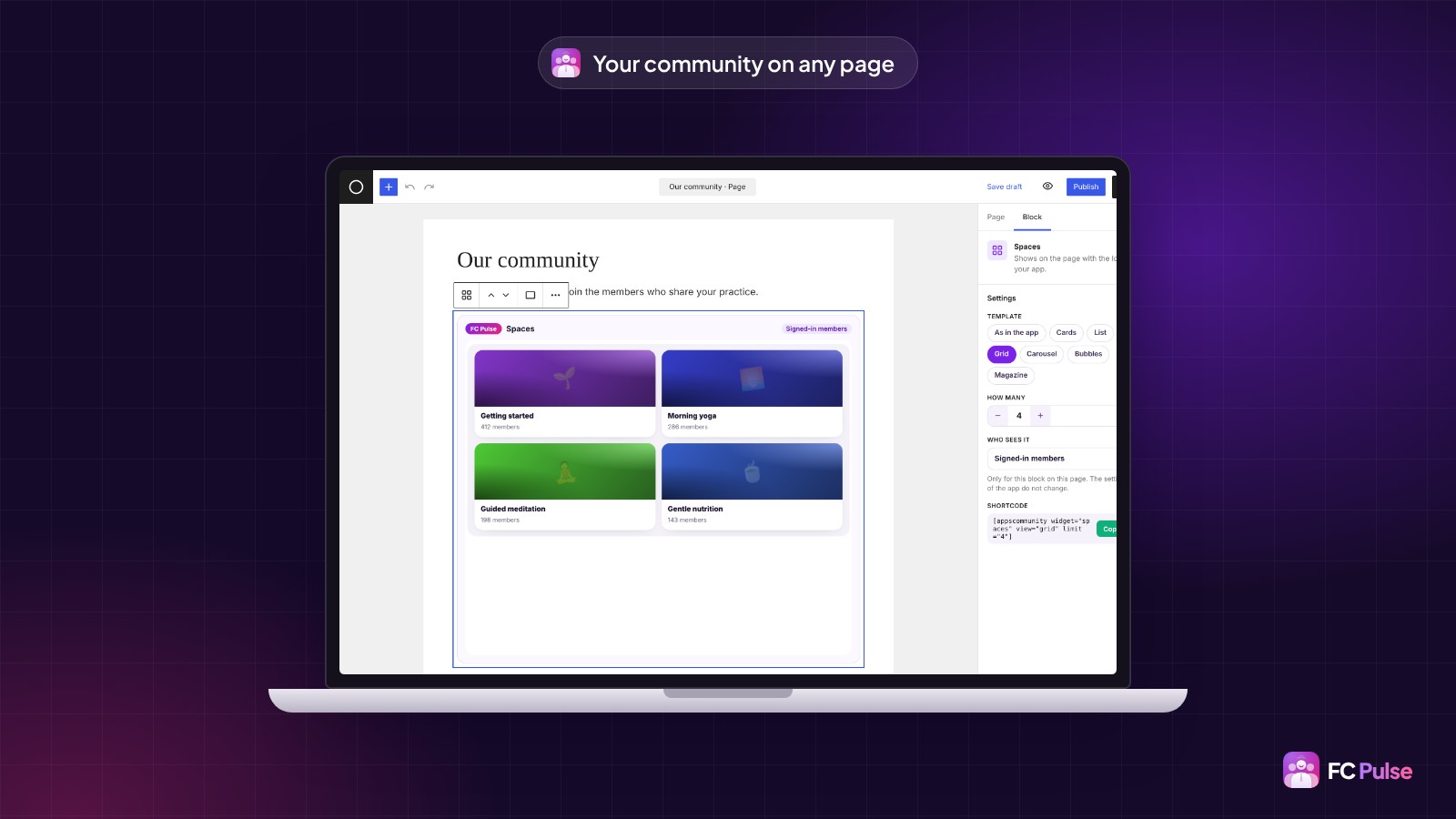
Your community on any WordPress page
14 Gutenberg blocks show the real sections of your community, each with its own settings.
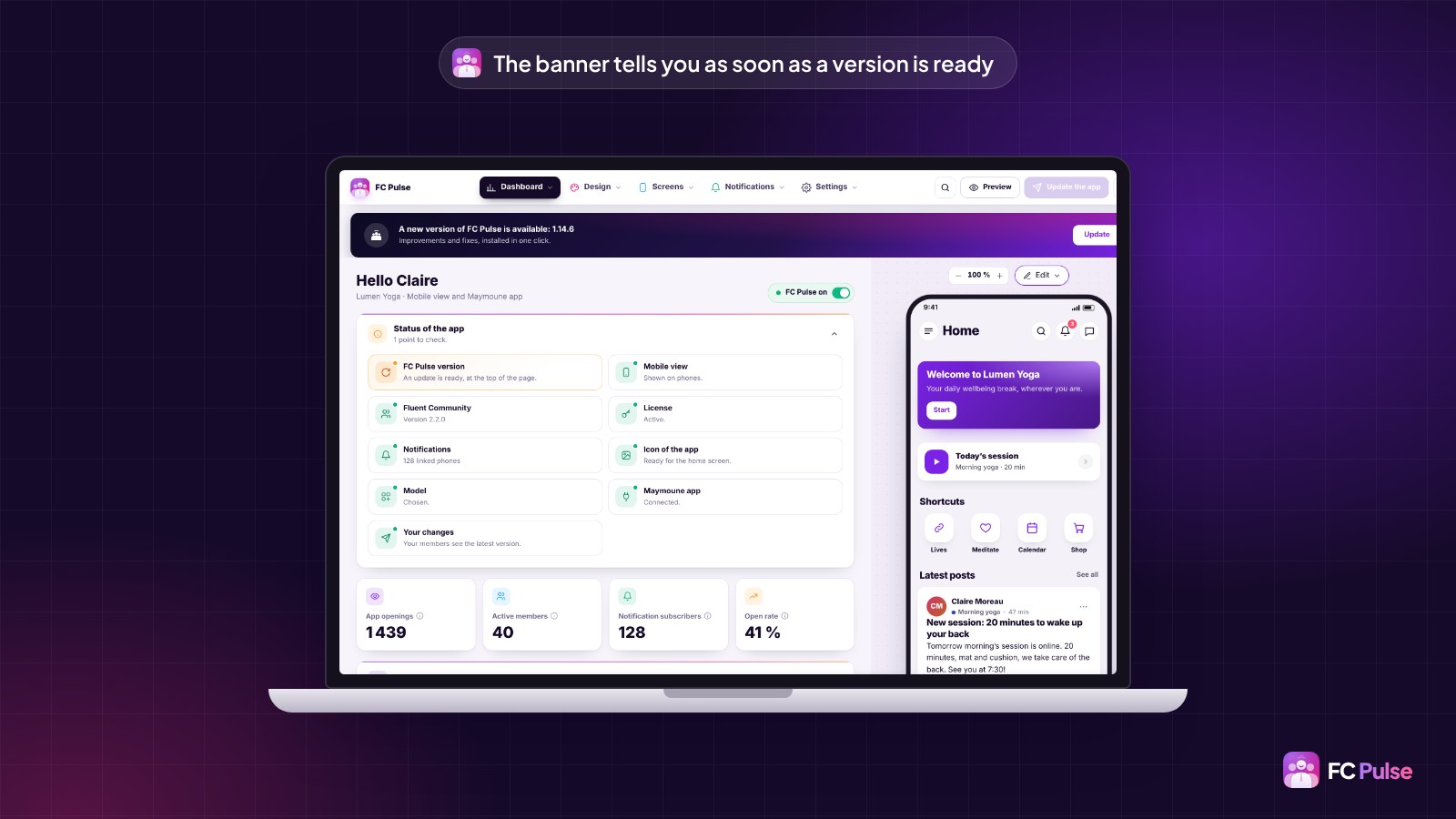
Updating takes one click
A banner tells you as soon as a new version is ready. One click on “Update”, and it installs in a few seconds, with your settings untouched.
On top of that: a redesigned dashboard you arrange your way, a side menu that fits your brand, badges and @mentions, and search in the settings. Every line is in the changelog.
Official website : https://fcpulse.pro/
LTD for founder : https://fcpulse.pro/en/#founder
Which new feature will you try first? Tell me in the comments 💜

I've been using extensively FluentHub and as I'm a dark mode fan, it shocks me this left bar on white background on Fluentboards (and other Fluent tools).
Is this something you can fix in next release/update, please?
Thanks!
![Dark Mode on FluentHub [Unified UI]](https://cdn.community.wpmanageninja.com/wpmn_community/fluentcom-splezv7IVDQxXXV9WD5TC8dDDVamk57C-fluentcom-Screenshot-2026-10-09-at-11.12.36-PM.webp)
![Dark Mode on FluentHub [Unified UI]](https://cdn.community.wpmanageninja.com/wpmn_community/fluentcom-P0Y9CqwI3wQUBs5xXIieHdSmJ9ScD0CI-fluentcom-Screenshot-2026-10-09-at-11.23.35-PM.webp)
![Dark Mode on FluentHub [Unified UI]](https://cdn.community.wpmanageninja.com/wpmn_community/fluentcom-eKQigkZdzwvubUMxmMMHGT1sMJBbQG2O-fluentcom-Screenshot-2026-10-09-at-11.22.45-PM.webp)