


I have the free version of fluent support. Is it possible to translate the email templates? My language mostly used is spanish and when I create a ticket for my clients, they receive an email in english which I cant translate with loco translate. Is there a way to change those?

FluentSupport Pro 2.3.2 is out. Normal maintenance mostly, but there is one change I wanted to talk about properly instead of burying it in a changelog line.
Updates are now signed
Until now, when your site updated FluentSupport Pro, it just downloaded the file and trusted it. No way to check it was really ours. That is how almost all commercial WordPress plugins still work.
Not anymore.
So now every release we publish gets signed with a key that lives offline. Not on our licensing servers. Not in our build pipeline. Not on the CDN. Your site checks that signature before WordPress downloads anything, and it checks four things:
- The signature is really ours
- The package is FluentSupport Pro and not some other plugin swapped in
- The file hash matches what we signed
Any check fails, the update stops. Nothing gets installed.
So even if someone took over our update infrastructure tomorrow, they could not produce an update your site would accept. There is nothing there to steal.
Nothing to configure. It is on by default.
This is going across all our premium plugins
We also publish per-file checksums for every release, so you can verify the files sitting on your server match what we shipped: https://checksums.wpmanageninja.com/
Also in 2.3.2
- WordPress 7.1 compatibility
- More security hardening from our ongoing audits
- Updated Gemini model list in AI Model Setup
- Fixed a missing FluentBoards documentation link
Next week, we are going to have a cool feature update release. 🙌

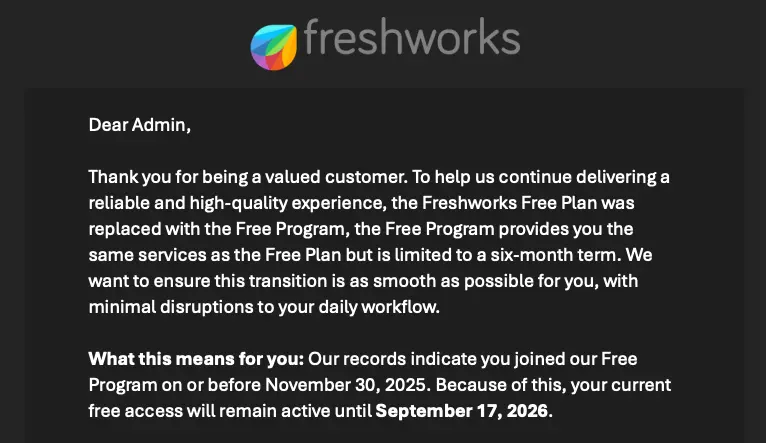
Just got an email this morning from Freshworks that the Free Plan that I've been using for the past 11 years will be coming to an end. They are offering a six-month term on their "Free Program" order to transition into a paid plan (or to something else).
I'll chalk that up to good timing that I just switched to FluentSupport over the past month!
They did seem to roll out a new data export feature (or unlock it for those on the free plan) as I don't recall seeing it before. That was one thing I had issues with in transferring my data to FluentSupport via the API. On the free plan I was rate limited on the API and made transferring data basically impossible so I just gave up and started from scratch thinking I'd just have to use FreskDesk as a read-only system for historical data.
Now I've got my data exported just in case I need it. It can be exported in XML or JSON formats and you can select what data you want to export together. I pulled down a few different bundles of data including a full export of everything in both XML and JSON.
I wouldn't import my old tickets at this point but it would be nice to be able import these files into FluentSupport. I just restarted from scratch with FluentSupport and restarted my ticket numbers back to 1 so I would have overlap but if I was to make the transition now I'd love to be able to import via a file instead of the API so I thought I'd mention it here.
I'm still adjusting to FluentSupport and have some kinks to work out but so far I'm happy I made the switch!

If you visit
/wp-admin/admin.php?page=fluent-support#/integration_statuses
And scroll to very bottom and click Learn More

The link is dead... I THINK it should be redirecting to:

I have a site that uses CRM + Forms + Community + Support and want to restrict access to the support system portal to members only. What is the best way to do this?
Non-members will be email only support via a Form, members are assigned access to the community via a CRM trigger from Surecart Purchase.

Webhook's work really well but you can't create a ticket and set it's product ID. The workaround is a workflow but seems like an odd omission for the hooks.

The FlowMattic team has recently released version 7 of their fantastic plugin and reopened their lifetime deal!
Previous versions already allowed us to use our own IMAP email accounts to fetch incoming emails and convert them into tickets in FluentSupport.
With version 7, we can now create all kinds of integrations and workflows using AI tools such as Claude, Mistral, and OpenAI, helping to speed up development tremendously.
Here is my affiliate link to their lifetime offer:

Gosh, it seems like ages since I last had a rant - long overdue!
So, email piping is still rubbish.
A 9 month old, closed ticket with the title "New blogs for website" just updated with a new email with the title "Blogs"
This means no new ticket received email and only the original agent being notified.
Is there any hope of any improvements to email piping? Either basing it on putting the ticket number in the email subject or forcing a new ticket when the original is closed?

First of all, THANK YOU to the team for all your hard work. I am so excited about this new update! 🤗
However, I am having trouble getting Codex connected. I was able to get Boards and CRM connected no problem.
This is what Codex says, "The fluent-support server still isn’t exposing any usable tools in this chat. FluentCRM and Fluent Boards are available, but Fluent Support isn’t."
Here is the troubleshooting I've tried so far:
- Refreshed the MCP servers in Codex
- Started in fresh chats (multiple times)
- Quit Codex entirely and restarted it (2 times)
- Rotated the application password to a new one
- Disabled the MCP connection and restarted it
Any other ideas?
This is a release I've been genuinely excited to ship. Fluent Support 2.3.0 is out now, and the headline is big: your helpdesk now speaks MCP.
What does that mean?
Fluent Support now ships a Model Context Protocol (MCP) server. In plain words, AI agents like Claude, Cursor, Codex, or any MCP-compatible client can now connect directly to your support data and actually work inside your helpdesk. No copy-pasting ticket threads into a chat window anymore.
And this isn't a read-only integration. We shipped 25 tools covering almost everything an agent does in a normal workday. Once connected, you can just talk to your AI assistant like this:
- "Catch me up. What's waiting on me right now, and is anything breaching SLA?"
- "Summarize ticket # 4521, check what this customer purchased, and draft a friendly reply."
- "Find all open tickets mentioning refunds, tag them 'refund-request', and assign them to Sarah."
- "How did we do last month? Average first response time, and who handled the most tickets?"
Triage, replies, internal notes, tagging, assignments, bulk actions, reports, saved replies. If you use WooCommerce, FluentCart, or FluentCRM, the AI even sees purchase history and CRM tags right in the ticket context, so it knows it's replying to a customer who bought your Pro plan two weeks ago.
Setup takes about five minutes. Go to Settings → MCP for AI Agents, flip the toggle, install FluentHub with one click (WordPress 6.9+), create an Application Password, and paste the generated config into your AI tool. Done.
Also in this release:
- Multi-Provider AI. The AI assistant is no longer OpenAI-only. Pick between OpenAI, Google Gemini, and Anthropic from the new AI Model Setup page.
- Commerce Workflow Conditions (Pro). Branch your automations on purchase history. Purchased Product, Purchased Variation, and Has Active License conditions for both FluentCart and Easy Digital Downloads. Perfect for routing tickets by product tier or enforcing SLAs by license type.
- CLI Migration for Zendesk and HelpScout. Two new WP-CLI commands to import your full ticket history, and both are resumable if a large import pauses midway.
Plus a solid round of bug fixes and security improvements. Full details and the complete changelog are here: https://fluentsupport.com/fluent-support-2-3-0/
Update from your dashboard, connect your AI tool of choice, and tell me what you ask it first. I'm really curious what workflows you'll build with this.
Happy supporting!