


Your Helpdesk Just Got an MCP Server - Fluent Support 2.3.0 🤖
This is a release I've been genuinely excited to ship. Fluent Support 2.3.0 is out now, and the headline is big: your helpdesk now speaks MCP.
What does that mean?
Fluent Support now ships a Model Context Protocol (MCP) server. In plain words, AI agents like Claude, Cursor, Codex, or any MCP-compatible client can now connect directly to your support data and actually work inside your helpdesk. No copy-pasting ticket threads into a chat window anymore.
And this isn't a read-only integration. We shipped 25 tools covering almost everything an agent does in a normal workday. Once connected, you can just talk to your AI assistant like this:
- "Catch me up. What's waiting on me right now, and is anything breaching SLA?"
- "Summarize ticket # 4521, check what this customer purchased, and draft a friendly reply."
- "Find all open tickets mentioning refunds, tag them 'refund-request', and assign them to Sarah."
- "How did we do last month? Average first response time, and who handled the most tickets?"
Triage, replies, internal notes, tagging, assignments, bulk actions, reports, saved replies. If you use WooCommerce, FluentCart, or FluentCRM, the AI even sees purchase history and CRM tags right in the ticket context, so it knows it's replying to a customer who bought your Pro plan two weeks ago.
Setup takes about five minutes. Go to Settings → MCP for AI Agents, flip the toggle, install FluentHub with one click (WordPress 6.9+), create an Application Password, and paste the generated config into your AI tool. Done.
Also in this release:
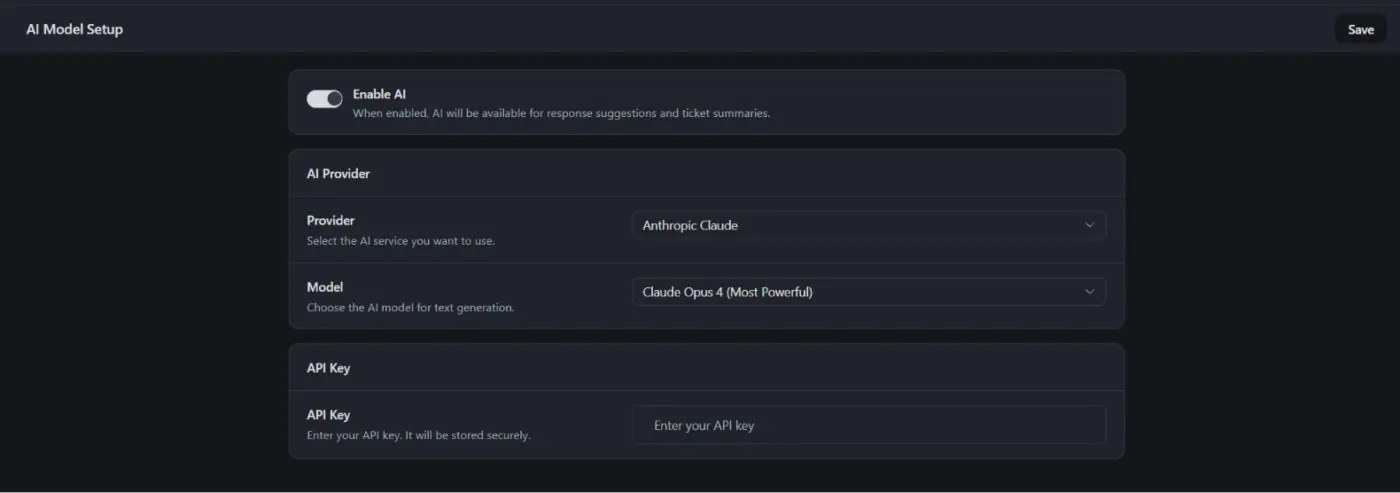
- Multi-Provider AI. The AI assistant is no longer OpenAI-only. Pick between OpenAI, Google Gemini, and Anthropic from the new AI Model Setup page.
- Commerce Workflow Conditions (Pro). Branch your automations on purchase history. Purchased Product, Purchased Variation, and Has Active License conditions for both FluentCart and Easy Digital Downloads. Perfect for routing tickets by product tier or enforcing SLAs by license type.
- CLI Migration for Zendesk and HelpScout. Two new WP-CLI commands to import your full ticket history, and both are resumable if a large import pauses midway.
Plus a solid round of bug fixes and security improvements. Full details and the complete changelog are here: https://fluentsupport.com/fluent-support-2-3-0/
Update from your dashboard, connect your AI tool of choice, and tell me what you ask it first. I'm really curious what workflows you'll build with this.
Happy supporting!

More great stuff! Thank you

And when is it going to work on fcom Spa? I mean i can easily make fcart to work in fcom Spa, but fsupport obviously not. And your own wrapper is half done and forgotten.
Im pretty sure youre doing all your plugins on vue, so what is the plan here? Will fsupport and other f plugins ever work in fcom Spa?
Please reply.

Thanks for the cool update

Please make "AI Modal Setup" with native "AI Connector" from WordPress :)
Dark Mode fix needed :)
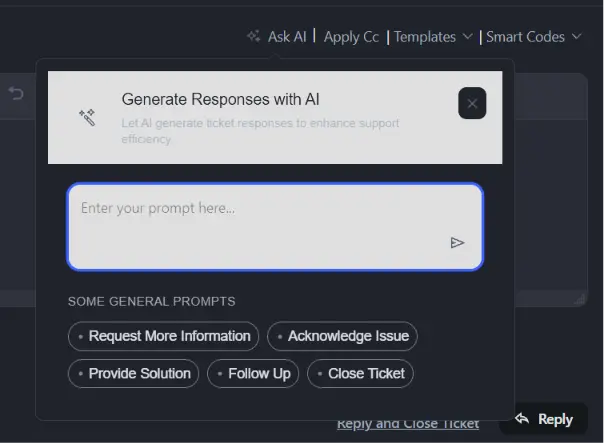

Kevin Heinrichs Thank you for your feedback. We have fixed the issue in version 2.3.1. Please update to the latest version of Fluent Support.

Love it! very thoughtful update! I will play around with it when I will get a chance.

This is all fine - but you still can't add a simple option to include a Bcc email by default or via check box? Plus the Cc option can't search for an email - so we need to enter it every time! You are adding all these lovely complex features - but this has been on for request list for quite some time - and would be a basic enhancement.

Michael West This BCC is a good idea, I need this, too.
+1
Shahjahan Jewel