We’re closing FluentCart lifetime sales on October 30. After that, FluentCart Pro will be available on yearly plans only.
For me, building a product is a long-term commitment. We don’t want to just launch something and move on. A store platform has to keep improving for the next 5 or 10 years and beyond, and for that, a sustainable recurring revenue model makes sense.
There’s still a lot we want to do with FluentCart. Better support for physical stores, more design flexibility, built-in marketing tools, and many more improvements.
If you already have a lifetime license, nothing changes. Thank you for trusting us early. ❤️ You can upgrade to a higher plan by paying the difference within this deal time.
I wrote more about this decision and our plans for year two here:
https://fluentcart.com/blog/the-end-of-lifetime-plans/
And as always, I’d love to hear what you think and what you’d like us to improve next.

Hello, does FluentCart allow users to shop directly within a FluentCommunity page? In other words, can a purchase be completed without leaving FluentCommunity, rather than having to open a separate page outside of FC?

Traffic is hard to earn. Make buying easy.
We moved to FluentCart and recorded 0.51s of server-side page generation on our checkout.
Custom regional tax rules. Beautiful store and product pages. Hundreds of customer reviews migrated.
Deloitte’s Google-commissioned study linked faster mobile sites with higher conversions and lower bounce rates.
We’re still making tweaks and testing the full loading experience across different connections. But we’re already thrilled to have our store, checkout and reviews under our own roof, with server-side performance like this.
Great work, Jewel and team! 🙌


Hi friends, can i submit this as a feature request. would love to be able to bulk export invoices and download them as PDF.

Hi everyone, I'm Yash from DevDiggers.
For years I've been selling MultiPOS, a point of sale plugin for WooCommerce. It was featured on CodeCanyon, it is quality checked by Envato, and buyers rate it 4.94 out of 5.
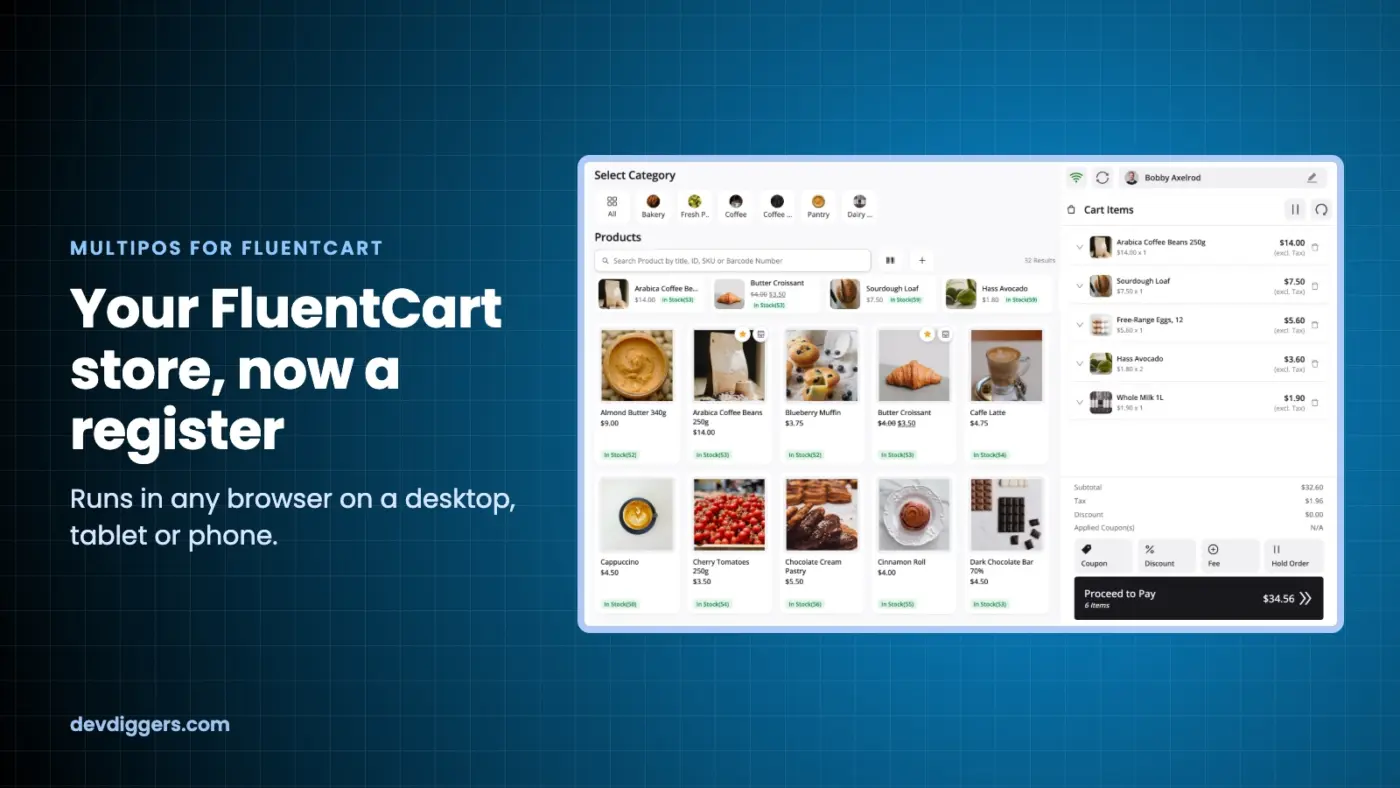
Those years in real shops taught me what a counter needs: fast checkout, offline selling and a shift close that adds up. Today I'm launching MultiPOS for FluentCart, built on that experience. It is my first add-on for FluentCart.
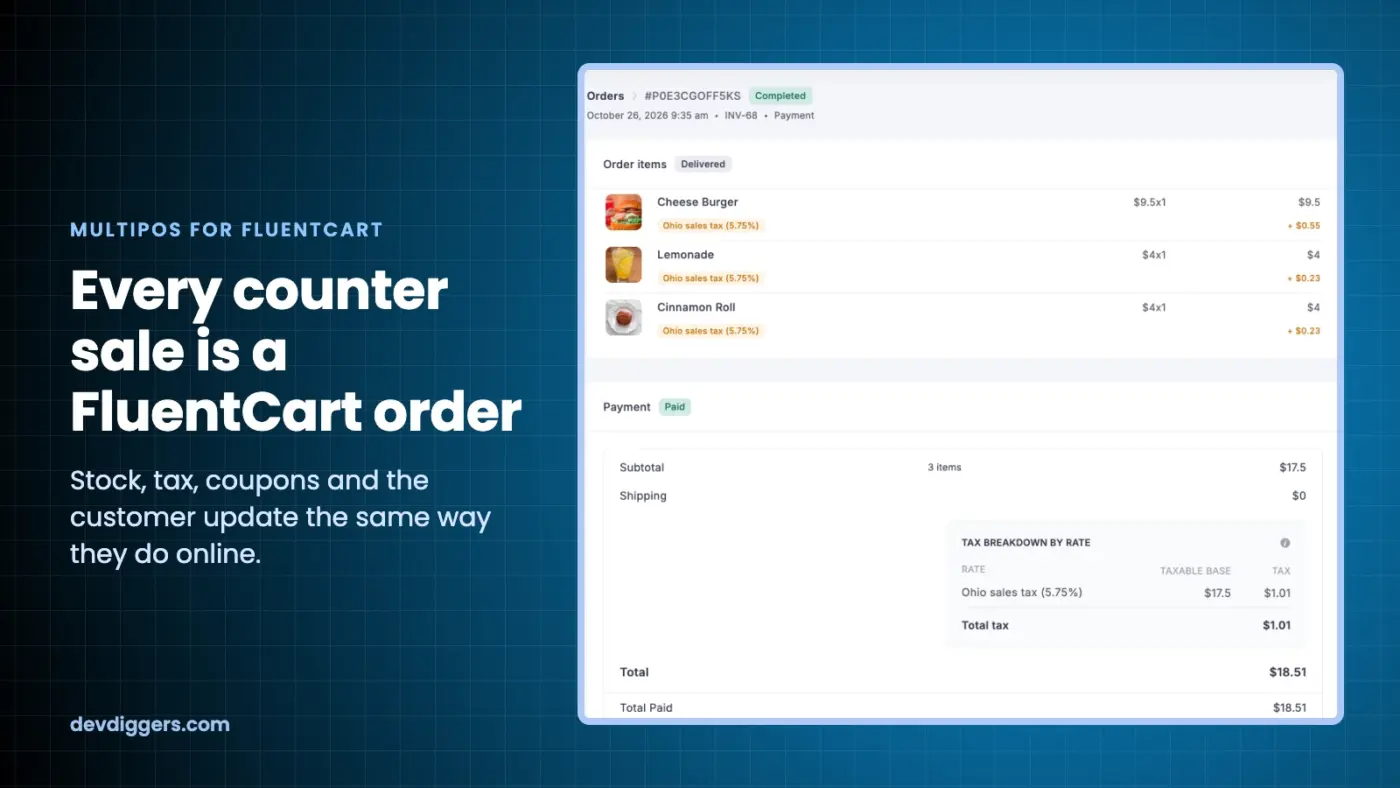
Every sale at the register is a normal FluentCart order. Stock, tax, coupons and the customer record update the same way they do online.
What it does:
- Runs in any browser on a desktop, tablet or phone
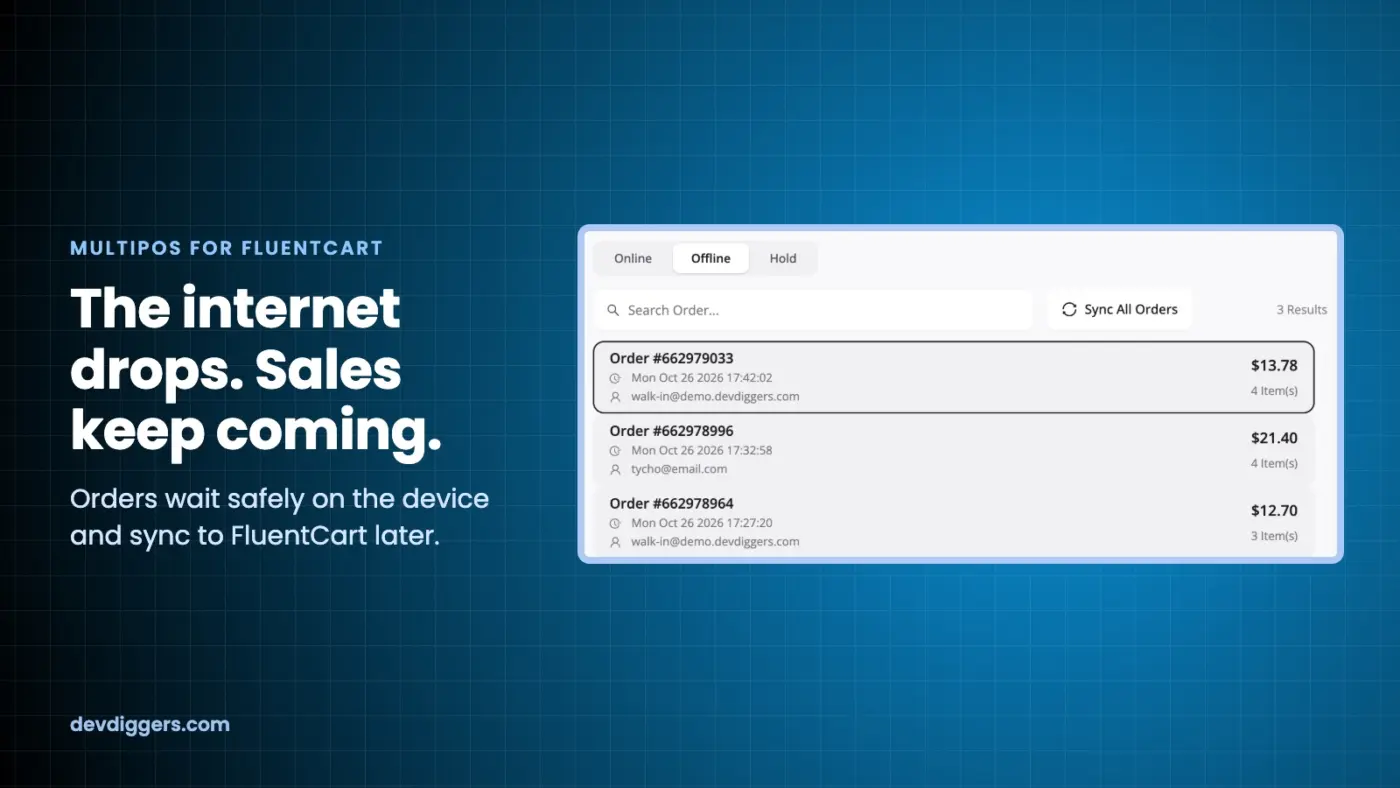
- Works offline and syncs when the connection returns
- Supports multiple outlets and cashiers
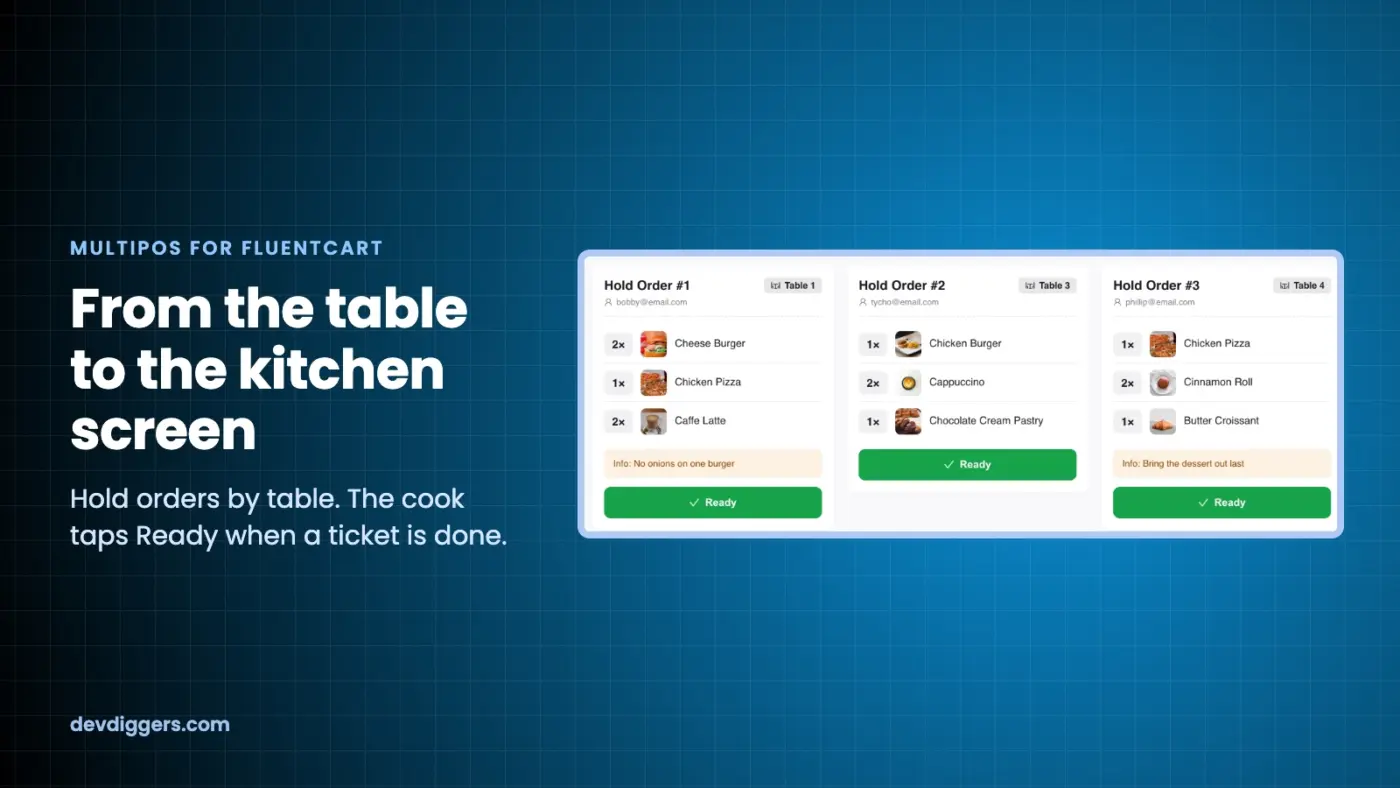
- Holds orders by table, with a kitchen screen for restaurants
- Prints barcode labels
- Closes the register with a Z report
- Has no per-register fee
Try the live demo: https://demo.devdiggers.com/multipos-for-fluentcart/
Plugin page: https://devdiggers.com/product/fluentcart-pos/
It costs $139 a year. Use code LAUNCH30 for 30% off the first year ($97).
I'd love feedback from anyone running a physical store on FluentCart:
- Which POS feature do you need most?
- Do you sell at a counter, at tables, or both?
- What would stop you from using a POS add-on?
I'll answer every comment here.

I have online classes with annual subscription. Currently they are run through StudioCart connected to Stripe. I can't seem to find anything in the documentation to tell me how I move the management of this into FluentCart.
Can someone let me know how this can be done? thx!

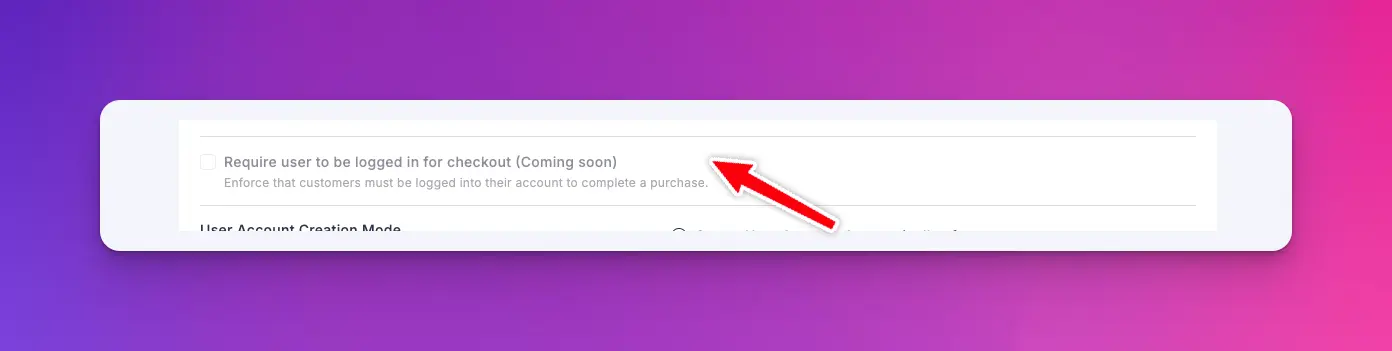
I see in FluentCart that there is a coming soon feature that requires the customer to be logged in before purchase. Is, or will there be a way to disallow the logged in customer from changing their email address?

Shahjahan Jewel On page thank you
We already have On-page checkout, now we nee On-page Thank you as well

Hello,
I'm currently using FluentCart on my WordPress website, alongside Fluent Forms Pro and FluentCommunity.
I would like to know whether FluentCart supports different Stripe accounts for individual products or subscriptions.
For example, I sell my own monthly membership using my Stripe account, but I also want to sell monthly memberships for other instructors, allowing each instructor to receive payments directly into their own Stripe account.
Fluent Forms Pro already offers this functionality through its Custom Stripe Credentials feature, which allows me to configure a different Stripe account for each form.
My question is: Does FluentCart offer something similar at the product level?
If not, is this functionality planned for a future release, or is there an officially supported workaround?
I'm also considering upgrading to FluentCart Pro, so I'd like to understand whether this feature is available in the Pro version.
Thank you for your help!
Hello,
I'm selling a monthly recurring membership with a limited Founder offer, available to the first 10 subscribers.
I've enabled Inventory Management and set the total stock to 10.
I'd like to confirm how stock management works with recurring subscriptions:
- Is stock reduced only when a customer purchases a new subscription?
- Do automatic monthly renewals affect the stock quantity?
- Once all 10 subscriptions are sold, will FluentCart automatically prevent new purchases while allowing existing subscribers to renew normally?
- If a subscriber cancels their membership, is the stock automatically restored?
I want to ensure that only 10 customers can purchase the Founder membership, while existing subscribers can continue renewing without interruption.
Thank you for your help!
Hi team,
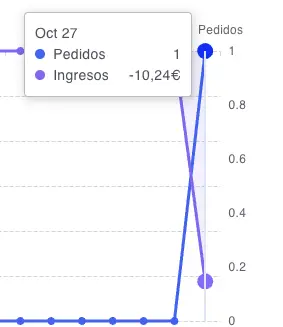
I’m seeing an issue in FluentCart’s revenue reporting: when an order is on hold or cancelled, its VAT amount appears as negative revenue.
In my test on October 27, the dashboard shows 1 order and revenue of −€10.24. That negative amount corresponds to the VAT, as shown in the attached screenshot.
I previously reported a similar issue with refunds, where the tax amount also appeared as negative revenue. This may be related, but I cannot confirm whether the underlying cause is the same.
Could you please investigate and fix the tax treatment in these reports? An unpaid on-hold or cancelled order should not create negative revenue equal to its VAT. Refund reporting should also handle the tax reversal consistently, without leaving an erroneous negative VAT amount in revenue.
These figures make it difficult to trust the dashboard and understand actual sales. Please check all three cases: on-hold orders, cancelled orders and refunds.
Thank you.