


Hi everyone,
One of my members has been running into issues with receiving email (FluentSMTP shows successful delivery, but they're just not getting the email). I'd like to be able to provide a temporary password for them to use for the time being, but then direct them to a place in the profile/account section to set their own.
1) It seems like that's not currently an option—has anyone been able to implement password change after the user logs in so we're not so dependent on email?
2) The issue seems to be with Hotmail... what is the best practice for sorting out an issue like this, where email seems to work properly on our end but the user's account appears to be doing some heavy filtering.

Hello!
What and how do you use live video sessions in your community?

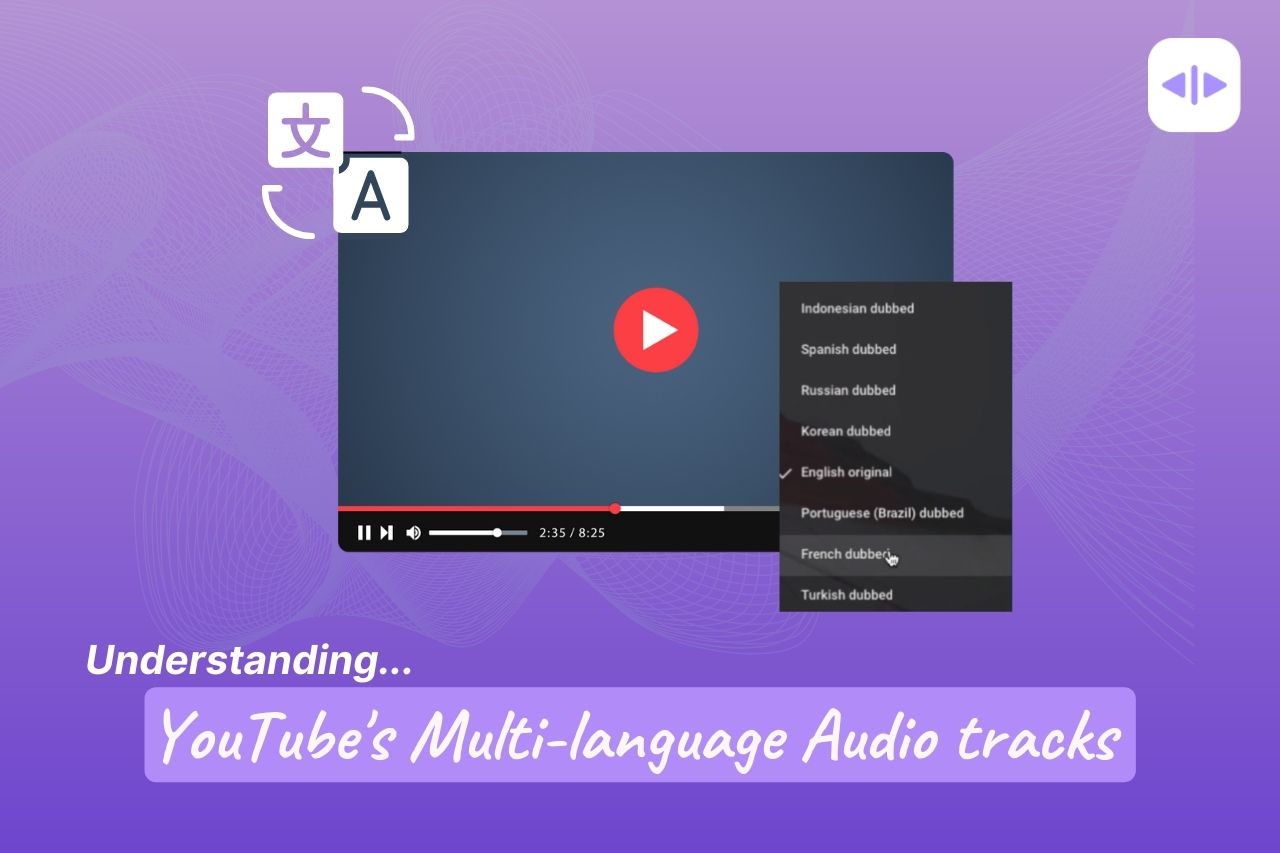
I have some videos on YouTube with Audio Dubs, at the moment, FluentPlayer does not support Audio dubs from YouTube, even though it has multi-language support, but for that, I have to upload a new video completely for the translation

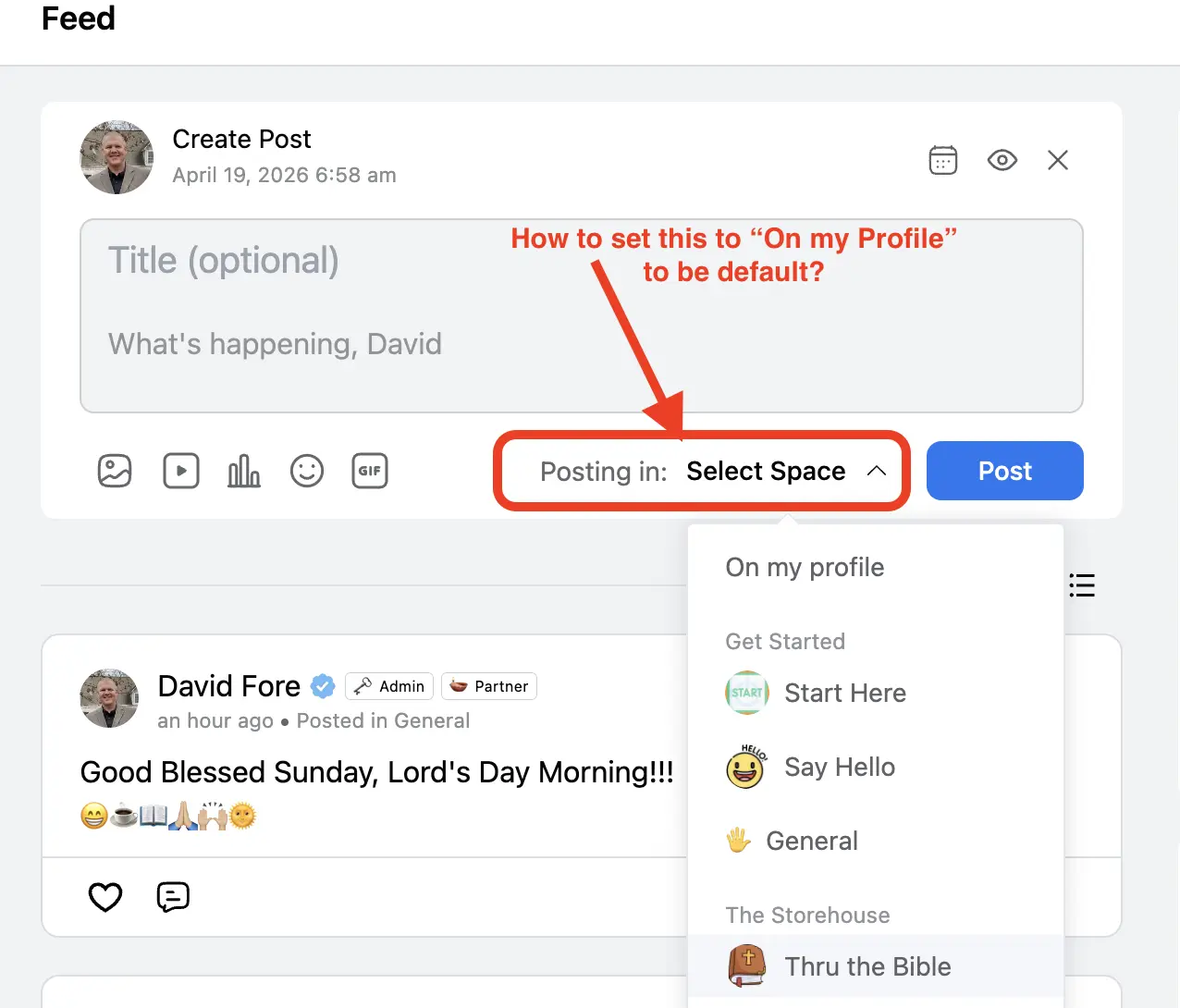
Is there a way to set the post default to be on the members profile so they don't have to select a specific space from the dropdown menu every time they make a post when on the main news feed?
For example, when a member opens the "Create Post" box, the "Posting in:" will be automatically set to be "On my profile" by default, and if they want to post in a specific space, then they can click on the words "On my profile" to select a different space to post in.

Hi everyone,
I’d like to get some insight from those of you running communities with video content.
What solutions are you using (if any) to protect your videos?
Specifically, I’m interested in:
- DRM or any kind of video protection
- Screen recording / screen capture protection
- Dynamic watermarks (e.g., user email, name, etc.)
- Any third-party services or setups that actually work well with FluentCommunity
Are you implementing any of these, or are you not focusing on protection at all?
Would really appreciate hearing what’s working (and what’s not) in real use cases.
Thanks in advance!
Is there a way, or maybe a setting I'm missing, that will automatically sync the new Community Members Profile Information in FluentCommunity with the actual WordPress User information? Including the users profile picture?

This release has the new Admin Notes (premium add-on) feature, includes the much needed i18n support for translations and proper official support for Loco Translate. It also includes a few improvements and fixes. I had intended to release this earlier but got a much needed reminder to finish the translation support from Claudy Scoufy
I have updated the webpage user manual with the new features (Admin Notes and Translations), and I am working on the PDF version and will have it online later this evening.
I have added some screenshots of the Admin Notes in a comment below. Just for clarity the Crash Test Dummy account was made a mod only after I verified the notes could not be seen and then went back to verify it could be view and the viewed by registered. Hence why it shows in the screenshots.
v1.4.0 (April 18, 2026)
– Added: Admin Notes add-on — private staff notes on member profiles with modal UI, tagging, pinning, urgent flags, image attachments, read receipts, watch notifications, viewed-by tracking, audit trail, bulk delete, CSV export, daily digest emails, and access for all FCom community and space admins and moderators.
– Added: i18n support — 387 translatable strings wrapped and POT file included for Loco Translate
– Improved: Online Now Widget — heartbeat sync ensures members age out correctly when they close their browser.
- Improved: Custom Profile Fields — visibility tags so user knows how they are displayed, improved permissions tracking, and more.
– Fixed: Timestamp Format observer rewritten to eliminate infinite loop that froze the feed on some setups.
Just as a reminder, the LTD ends tomorrow at noon (EST). LTD re-opened for 24 hours. (I will be closing it at this price tomorrow 4/22)
https://jeffbrigman.com/shop/plus-plugin-for-fluentcommunity/

I've explained everything visually in this screen recording video:
https://www.loom.com/share/6d0d27a78c8f463b90d7cf7a9822726e
Since we currently don't have an option to have new members join all Spaces automatically, it would be helpful if at least they could join spaces with a single click.
Hope this makes sense to everyone. Thank you! <3
Introducing Admin Notes — the feature I've wanted in every community platform I've ever run.
Private staff notes, right on the member profile. Your whole team stays in the loop without ever leaving the community.
Here's what's packed in:
📌 Pin important notes so they're always front and center
🚨 Flag notes as Urgent — your entire staff gets an instant email
🏷️ Tag notes to keep things organized
📸 Attach screenshots and images directly to notes
👁️ See exactly which staff members have read each note
🔔 Watch a member and get notified when new notes are added
📋 Full audit trail of every edit and deletion
🗑️ Bulk delete by member, by admin, by date range, or all at once
📊 Daily digest email so nothing slips through the cracks
Everything your moderation team needs to stay coordinated — and none of it visible to your members.
Already a licensed user? The update is being released tomorrow.
Not a licensed user yet? Eight features are completely free — Join my community, download the plugin and see what you've been missing.
https://jeffbrigman.com/community
⏰ One more thing — the Lifetime Deal ends this Sunday at noon EST. After that, it's gone for good and will be an annual license only. If you've been on the fence, this is your sign.
https://jeffbrigman.com/shop/plus-plugin-for-fluentcommunity/

Hi everyone,
When trying to change a user's email address in FluentCommunity — either from the admin side or from the user's own profile — I get this error:
"Email address already taken by someone else."
The email I'm trying to use is brand new and not associated with any existing account.
The only workaround I found is to change the email directly in the WordPress user account. It works, but it's not a viable solution for my users since I don't give them access to the WordPress backend. I want to keep things simple for them.
I've already submitted a support ticket, but curious if this is a known issue or if someone found a workaround.
Thanks!