


We are planning to setup a Community and make use of the other Fluent-Plugins as well. Coming from other Membership-Plugins I am afraid of having too many Plugins on the same Domain installed.
So I wanted to ask what would be better on the long run:
Having everything on the same Domain for best use of direct integrations?
Or better on separate subdomains, even if that means a more complicated setup?
I haven't worked with Affiliate and Support yet since I want to set them up right from the beginning. Are there big differences between the setup of the free and the pro versions?

Hi, can I insert images in the text body of a post? or only add them as attachment? for example, when I want to explain something and show it using screenshots.

I use FluentAuth to protect from spammers and scammers, and it usually works fine (I see hundreds of failed logins each month and get notified for suspicious file edits).
However it seems something bypassed it today and it's quite scary. I had a user registering with full administrator rights on wordpress without even using an email!
I have no idea how that could happen... Nothing I can see in the logs that seems relevant. The only thing that might be related is that a regular user registered moments before the admin registered, but I don't see how someone with a subscriber status could add a separate administrator user.
I changed the admin user to have no role on the website, but didn't delete them completely, in case it's useful for troubleshooting. Ironically, I had to add a fake email to the user because I couldn't change their role otherwise.
How could that happen? How can I best protect my website in the future?
I asked a few days ago and am unsure if this is a bug or not implmented.
My Community is invite-only but it is impossible to disable Registration on Login-Form, since that currently means, that the invite-links don't work as well.
Am I missing a setting or shall I write a feature-request?

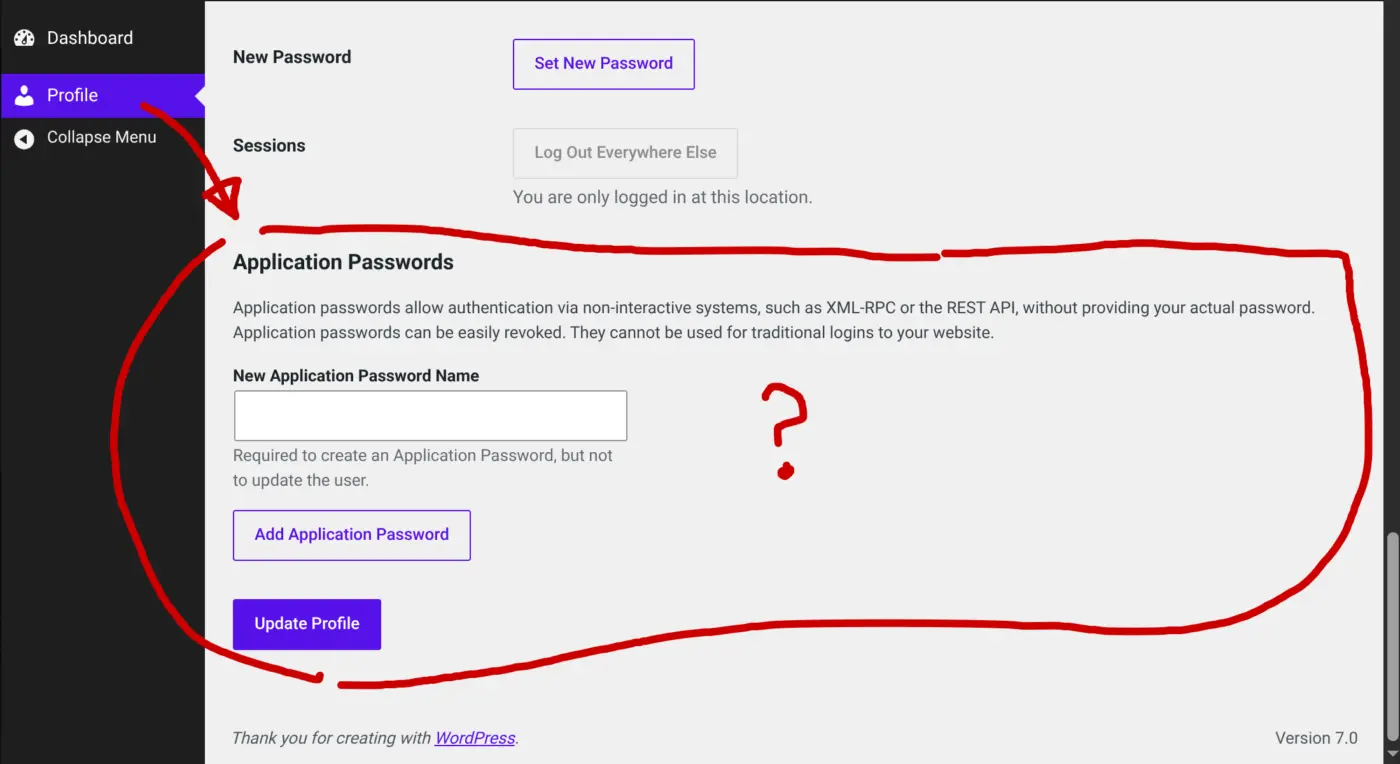
Hi.. curious how to control REST API settings, Is there a way to disable this for users of community? Or at least require admin approval? When a FluentCommunity user accesses www.site.com/wp-admin/profile.php the API setup is visible. Can this be controlled via FluentCommunity, or via wordress? Thanks

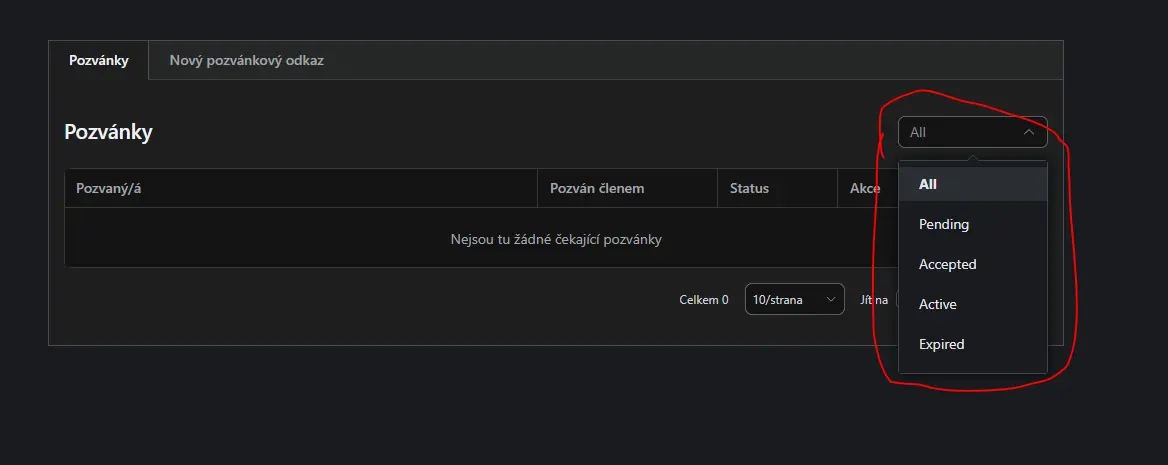
After months from my first report these strings are still not found by Loco. Invite system in spaces.

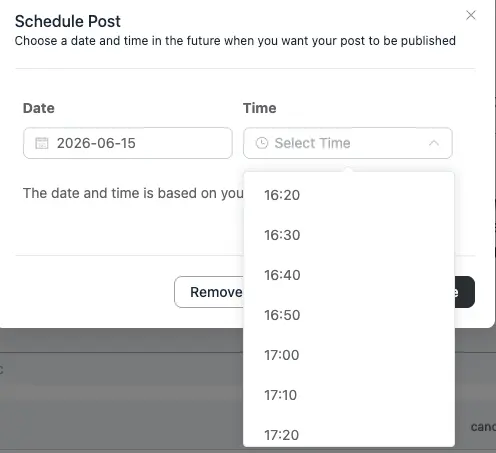
Is there anyway to change the schedule date format from military time?
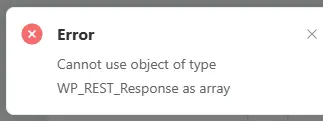
I tried uploading a file and there's an error that doesn't let me proceed.
Information that might help debug:
- I edited an existing post (didn't create a new post) in the documents area of a space.
- I have the media module configured with Cloudflare R2.
- The image attached is a screenshot of the error that appeared. The error also dissapears way too fast, so I had to repeat the process to catch it on time.
Let me know if there's anything I can do or any additional info to provide.

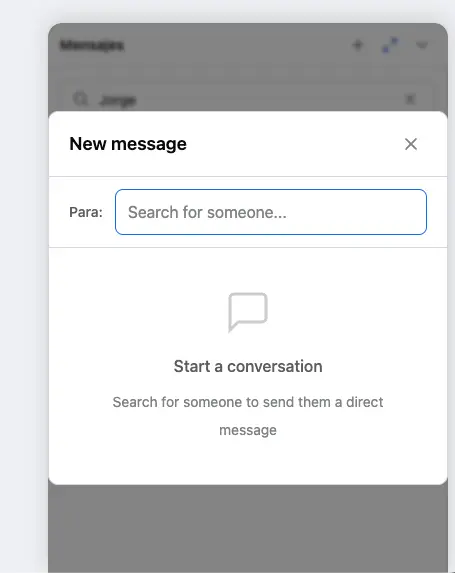
A few months ago, I reported an issue related to the Messages add-on and private communities.
As far as I can tell, users are still able to discover and search for members through the Messages interface, even when the community itself is configured as private.
For some communities this may not be a major concern, but for others (especially those operating under GDPR requirements in the EU) exposing membership information of a private community may create unnecessary privacy and compliance concerns.
This can be particularly relevant for professionals, consultants, coaches, membership sites, and companies that rely on private communities where membership itself may be considered sensitive or confidential information.
Could the team confirm whether this issue is already on the roadmap or if a fix is planned?
Thanks!
What’s a message without a proper meme? 😄
I'd love to see the Giphy integration available in the Messages add-on too, just like we already have for posts.
And while we're at it, it would be great if messages could support more than just images. Being able to share documents, PDFs, files, and other content types would make conversations much more useful and versatile.
For many communities, private messaging becomes a central communication channel, so expanding the types of content that can be shared would add a lot of value.