


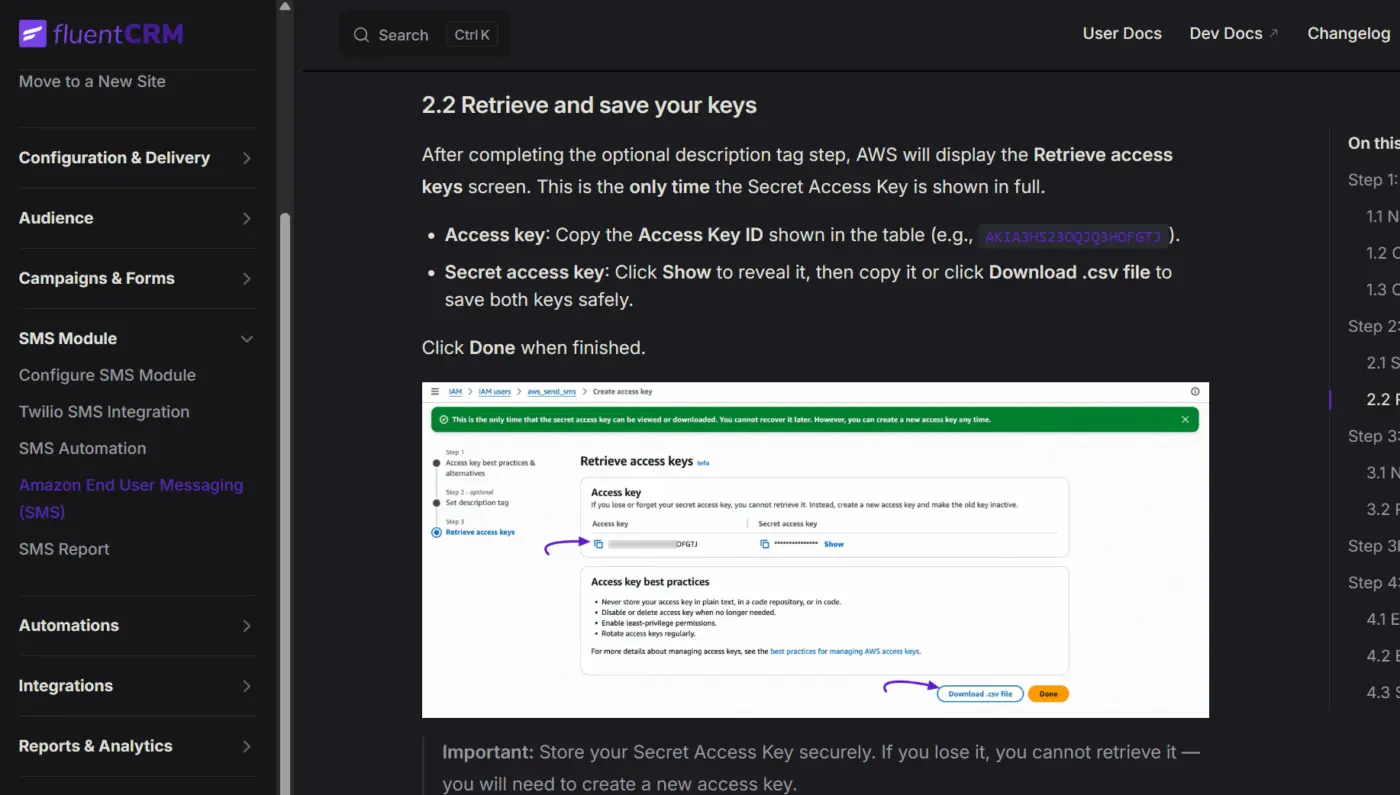
I was reviewing the new documentation page. I only have one minor observation, and it's about aesthetics.
I see that the logo used is the old version; they're not using the new one. I'm just worried they might not have noticed 😅
In dark mode, the purple color used for all the links and highlights makes it very difficult to read. Perhaps you could make it more legible.
Cheers!

When we try to access FluentCRM Pro sections and click on Contacts, Campaigns, and Automations, they are all loading as blank screens. The same issue is happening with Campaigns and Automations; they just all appear blank.
Basically, there is an empty box taking up the whole screen, pushing the rest off. Those boxes appear to be the irritating notices from plugins we always get: Auto Advance for Gravity, BuddyBoss, and possibly others.
It appears that Fluent is trying and failing to get rid of those boxes. Basically, it is suppressing the boxes, but not fully, so the boxes still appear, but they are empty and broken.
Ideas?

After switching to fluentcrm pro 3.1 the dashboard loads, but when I click on any other tab, for example to create a campaign, nothing loads. It just stays blank.
Anybody know how to resolve this?

Hello Community, does anyone can suggest a nice and free tool to insert real time countdown in emails?
Thanks in advance.

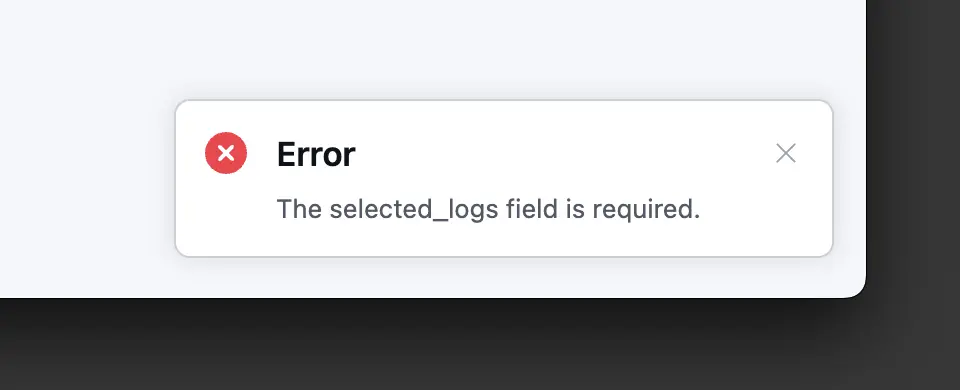
Hi guys I can't clean up the email logs in Fluent CRM 3.1.0 once selected and previewed I get Error the selected_logs field is required.
The field is selected and the preview shows the amount of email logs to be removed but nothing happens except the error when you click Delete all logs.
Any ideas why?

Hi everyone,
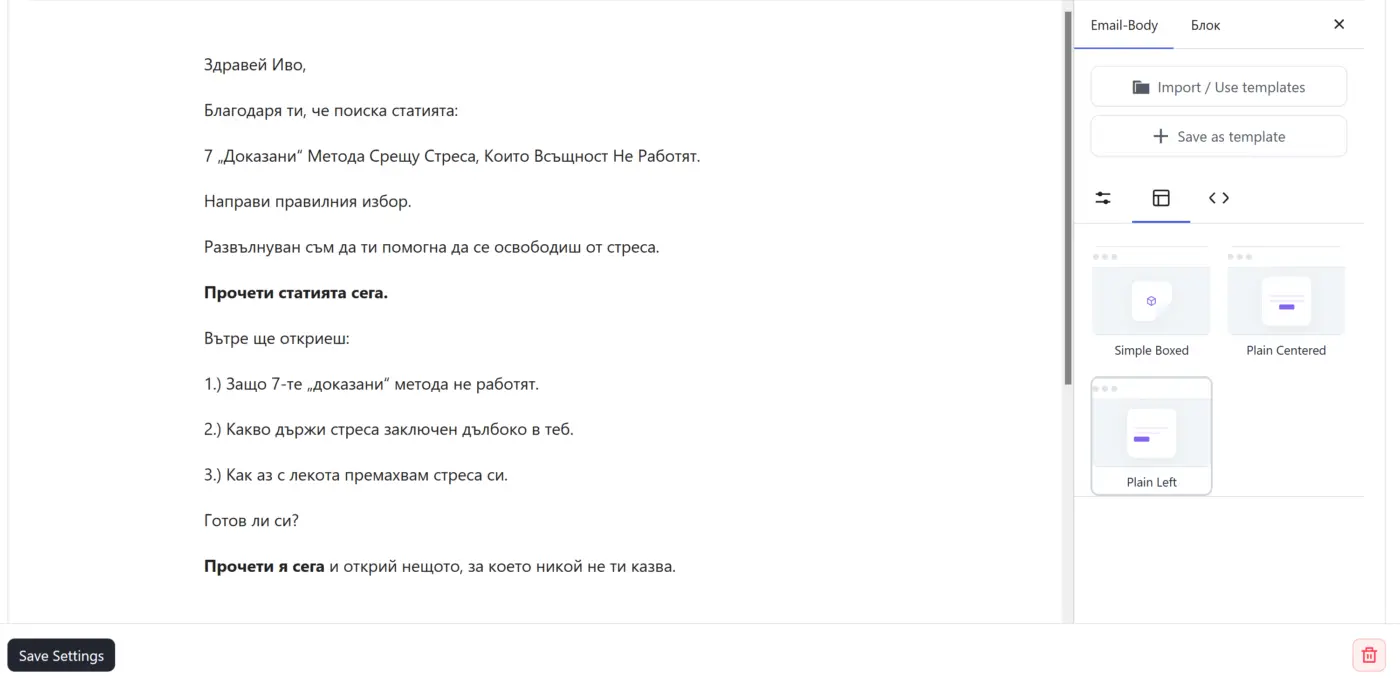
Running FluentCRM Pro v3.1.0. Tested in both Firefox and Chrome — same result. Three things happen in the automation's "Send Custom Email" editor:
-
Importing a styled template brings only the text. I built an Email Template in the block builder with a custom global style (MAX WIDTH 500, Arial, line-height 1.5, padding/margin 0). When I use "Import / Use templates" inside the action, only the text loads — the global style is dropped and MAX WIDTH falls back to the 700 default.
-
Selecting "Plain Left" resets everything else. The moment I pick the Plain Left layout to left-align the content, my previously set MAX WIDTH, padding and typography all reset to default.
-
Plain Left isn't saved at all. After applying it I click Save Settings (which closes the entire action window), then reopen the action — and the content is centered again, as if Plain Left was never applied.
For what it's worth: MAX WIDTH set manually in the action does persist on reopen — only the alignment / Plain Left choice doesn't.
Is anyone else seeing this in 3.1.0? And is there a known way to reuse one left-aligned, custom-width email across multiple automations without re-doing the style every time?
Thanks!

Since latest update fluent crm 3.0 The campaigns section is very slow. Have around 155 campaigns and 7 labels. The filtering takes around 35 seconds and crashes the page. Anyone else experiencing this?

# [Bug] v3 email editor cannot open legacy v2 "Classic"/HTML templates (`_edit_type=html`) — "invalid block" and white-text-on-lost-background broken render
## Environment
- FluentCRM: 3.1.0
- FluentCRM Pro: 3.1.0
- WordPress: 7.0
- WooCommerce: 10.8.1
- PHP: 8.3.30
- Database: MariaDB 11.4.10
- Theme: Astra child
- Note: templates were created in 2.9.x (where they work); the editor breaks them after upgrading to 3.1.0. We had to downgrade to 2.9.87 / Pro 2.9.86 so the client could keep building newsletters.
## Summary
Email templates created with the v2.9.x classic / HTML editor are stored as `fc_template` posts whose `post_content` is raw, table-based HTML with inline styles, and meta `_edit_type = 'html'` (in our case also `_design_template = 'simple'`).
When such a template is opened in the v3.0+ block-based (Vue 3) editor:
-
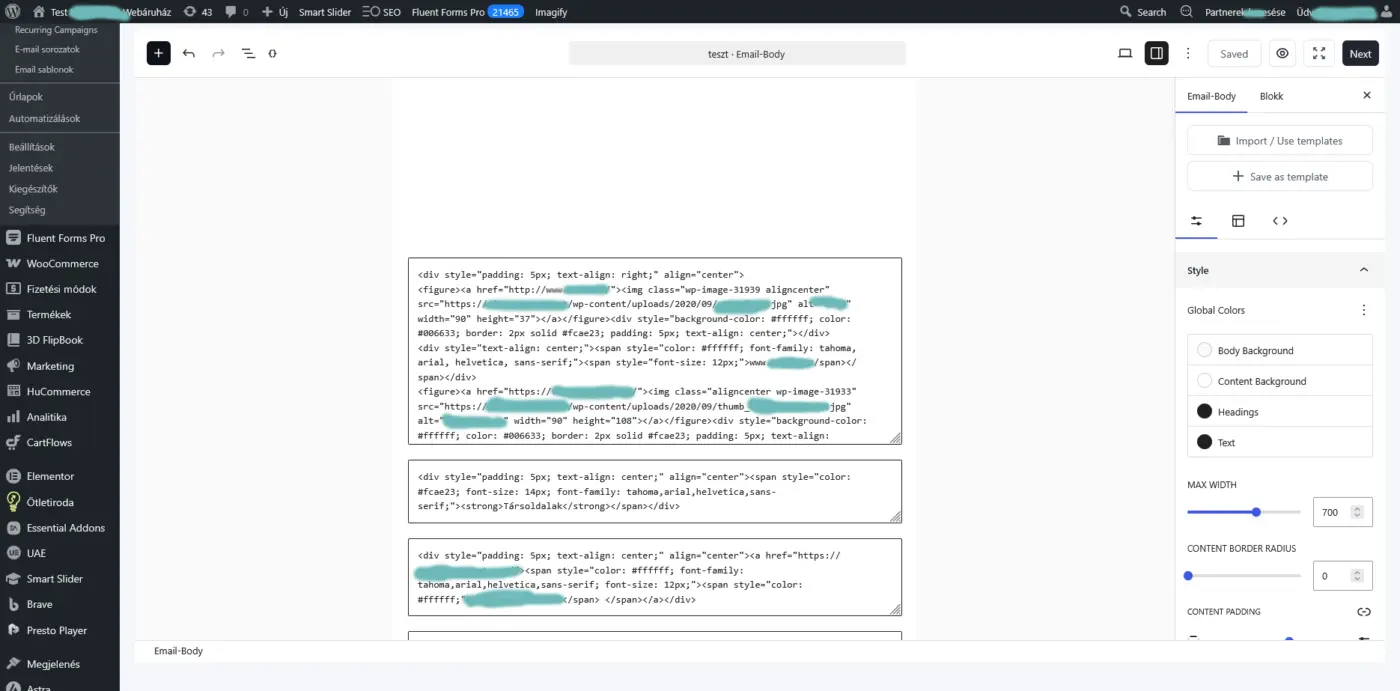
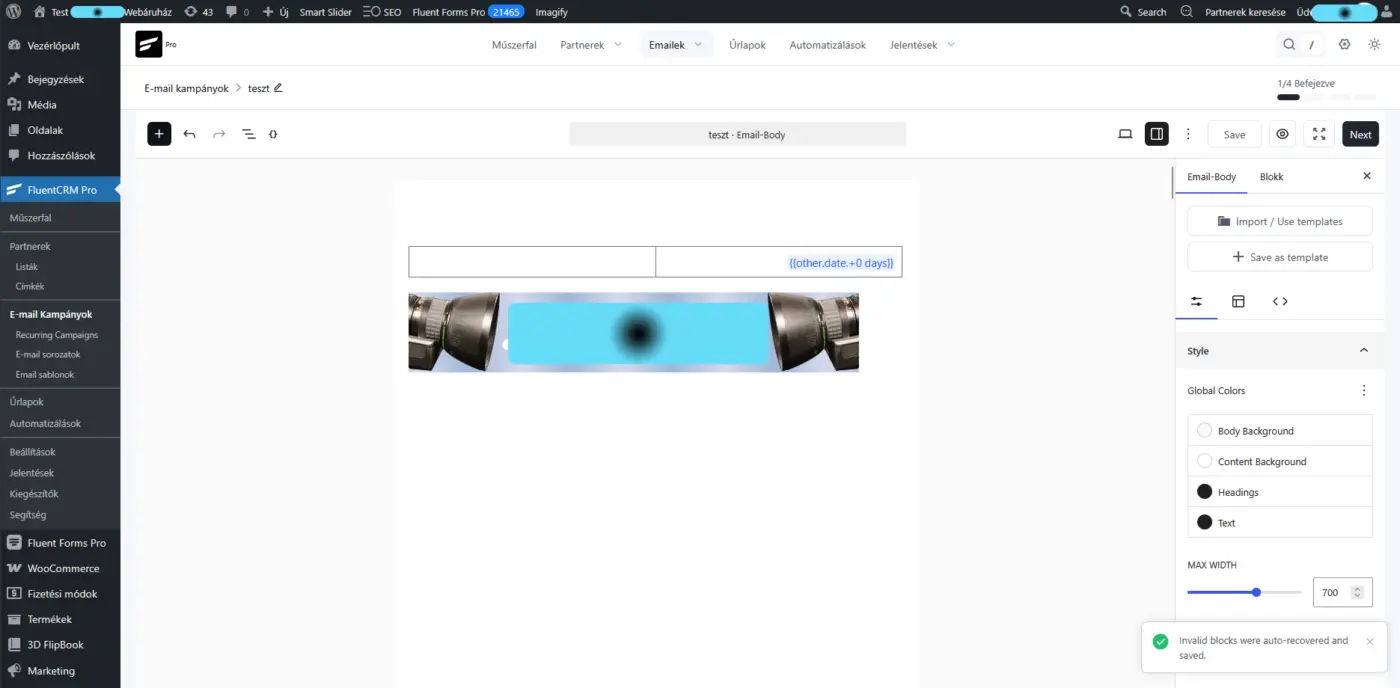
The editor shows the toast "Invalid blocks were auto-recovered and saved" and tries to "recover" the content by dumping the raw HTML into text blocks, and
-
in doing so it drops the table-cell `background-color` styling. Text that was intentionally white (`color:#ffffff`) on a colored cell then sits on a white/default background → all text becomes invisible (appears white) and the layout collapses.
Where it happens: the server side passes the legacy template through faithfully — `TemplateController::template()` returns `'edit_type' => 'html'` together with the raw `post_content` (FluentCRM 3.1.0, `app/Http/Controllers/TemplateController.php` ~L48–83). The breakage is in the v3 client-side block editor (`assets/BlockComposer.js`), which parses the `edit_type=html` content into blocks, marks them invalid, and "auto-recovers" them lossily instead of rendering the HTML faithfully.
## Reproduction
- In v2.9.x, create an email template with the Classic/HTML editor (`_edit_type='html'`) containing white text on a colored table cell, e.g.:
```html
\
\\
\
\Newsletter title\
\
\\
\
```
-
Upgrade to 3.1.0.
-
Email Templates → open the template in the editor.
-
Observe the "invalid block" error and/or the colored backgrounds gone, leaving white text invisible and the table layout broken.
Our real template had 25 `color:#ffffff` spans on `#fcae23` / `#708cb1` cells — every one of them became invisible.
## Impact
Existing customers with v2.x classic/HTML newsletter templates cannot edit or use them after upgrading to v3.x. For a business that sends a weekly newsletter from a fixed branded template, this is a blocking regression — it forced us to roll back to 2.9.x.
## Expected
The v3 editor should either:
- render legacy `_edit_type=html` templates faithfully in a compatible "classic / raw HTML" mode (preserving raw HTML, inline styles, and especially table-cell `background-color`), or
- provide a lossless one-time migration.
It must not silently drop `background-color` (which inverts white-on-color text into invisible white-on-white), and it should not reject legacy templates as "invalid block" without a fallback.
## Attachments
- Offending template export (raw HTML, `_edit_type=html`, `_design_template=simple`).
- Screenshot 1: the "Invalid blocks were auto-recovered and saved" toast + the collapsed/blank render (white text invisible).
- Screenshot 2: the raw HTML dumped into text blocks (the parser could not interpret the classic HTML).
Thanks!
# [Bug] Campaign Revenue Report: order list shows wrong/old orders and "Re-Sync Revenue" destroys cached revenue — `Collection::map('intval')` passes the array key as the `intval()` base
## Environment
- FluentCRM: 3.1.0
- FluentCRM Pro: 3.1.0
- WordPress: 7.0
- WooCommerce: 10.8.1 (tested with both HPOS-authoritative and WP-posts/legacy authoritative; compatibility sync on)
- PHP: 8.3.30
- Database: MariaDB 11.4.10
- Theme: Astra child
- Note: we had to downgrade to FluentCRM 2.9.87 / Pro 2.9.86 to recover; 2.9.x does not have this bug.
## Summary
In `FluentCrm\App\Http\Controllers\CampaignAnalyticsController::getAttributedOrderIds()`, each source branch ends with a point-free `intval` map:
```php
// woo + HPOS branch
->pluck('order_id')->map('intval')->all();
// woo + legacy branch
->pluck('post_id')->map('intval')->all();
```
The wpFluent `Collection::map()` (`vendor/wpfluent/framework/src/WPFluent/Support/Collection.php`) is implemented as:
```php
public function map(callable $callback)
{
$keys = array_keys($this->items);
$items = array_map($callback, $this->items, $keys); // <-- passes (value, key)
return new static(array_combine($keys, $items));
}
```
Because `array_map` receives the keys array as a second source, the callback is invoked as `$callback($value, $key)`. With `'intval'` this becomes `intval($value, $key)`, so the array index is used as the integer base of `intval()`. Only index `0` (base 0 = auto-detect) is parsed correctly; every subsequent order ID is corrupted.
## Reproduction
```php
$ids = ['225345','224377','223655','223194','222906','222262'];
collect($ids)->map('intval')->all();
// Actual: [225345, 0, 0, 8, 42, 312]
// Expected: [225345, 224377, 223655, 223194, 222906, 222262]
```
Why: `intval('224377', 1) === 0` (base 1 invalid), `intval('223655', 2) === 0` (`2` invalid in base 2), `intval('223194', 3) === 8` (`'22'` in base 3), `intval('222906', 4) === 42`, `intval('222262', 5) === 312`.
Real-world: open a campaign Revenue Report (or press Re-Sync Revenue) for a campaign with many attributed orders.
## Impact
-
Revenue Report order list (`getRevenueReport`): only the newest attributed order renders correctly. The rest become invalid IDs (`0` → skipped) or coincidentally-valid ancient order IDs (e.g. `8`, `42`) that are then shown as unrelated, years-old orders. The `total` counter stays correct (array length), which masks the bug.
-
"Re-Sync Revenue" (`getRevenueReSyncReport` → `reSyncSourceRevenue`) iterates these corrupted IDs through `wc_get_order()`, sums a near-random subset, and overwrites the cached `_campaign_revenue` meta with a wrong (much smaller) value. Pressing Re-Sync therefore permanently destroys a campaign's historical revenue figure. (In our case a campaign dropped from 2,350,771 to 107,903.)
The underlying `_fc_cid` attribution data is intact in both `postmeta` and `wc_orders_meta`; only the in-memory ID list is corrupted by the map call, so the damage is fully recoverable once the code is fixed.
## Suggested fix
Use an explicit single-argument closure so the key is not passed as a base:
```php
->pluck('post_id')->map(fn($v) => (int) $v)->all();
```
More broadly, consider making `Collection::map()` not forward keys to callbacks that are not key-aware (`intval`, `strval`, `floatval`, etc. are common point-free callables that silently break under a `(value, key)` invocation).
## Secondary observations (same feature; lower priority)
- `getAttributedOrderIds()` (woo + HPOS) reads `wc_orders_meta` exclusively, with no `postmeta` fallback and no sync-completeness guard. During an in-progress HPOS backfill this returns a partial set, compounding the issue above.
- `reSyncSourceRevenue()` switched to paid-net semantics (only `wc_get_is_paid_statuses()`, refunds subtracted) versus the v2.9.x all-status sum. This silently changes historical numbers after upgrade (e.g. cancelled/on-hold orders that used to count no longer do). Worth calling out in the release notes / migration guide.
Thanks!

Currently, in the social media fields for businesses or companies, it’s possible to add a link to a Facebook profile, a LinkedIn profile, and an X or Twitter profile. And that’s fine, but could you please add fields for Instagram and TikTok -since many people around the world use Instagram for their businesses?
Thank you very much!
P.S. BTW... does anyone still use Twitter? 🤪
P.S.2. I know I can add custom fields, BUT it's NOT what I'm talking about here... Thanks for not suggesting custom fields for this feature I'm requesting for. Thanks...