v3 email editor cannot open legacy v2 "Classic"/HTML templates
# [Bug] v3 email editor cannot open legacy v2 "Classic"/HTML templates (`_edit_type=html`) — "invalid block" and white-text-on-lost-background broken render
## Environment
- FluentCRM: 3.1.0
- FluentCRM Pro: 3.1.0
- WordPress: 7.0
- WooCommerce: 10.8.1
- PHP: 8.3.30
- Database: MariaDB 11.4.10
- Theme: Astra child
- Note: templates were created in 2.9.x (where they work); the editor breaks them after upgrading to 3.1.0. We had to downgrade to 2.9.87 / Pro 2.9.86 so the client could keep building newsletters.
## Summary
Email templates created with the v2.9.x classic / HTML editor are stored as `fc_template` posts whose `post_content` is raw, table-based HTML with inline styles, and meta `_edit_type = 'html'` (in our case also `_design_template = 'simple'`).
When such a template is opened in the v3.0+ block-based (Vue 3) editor:
-
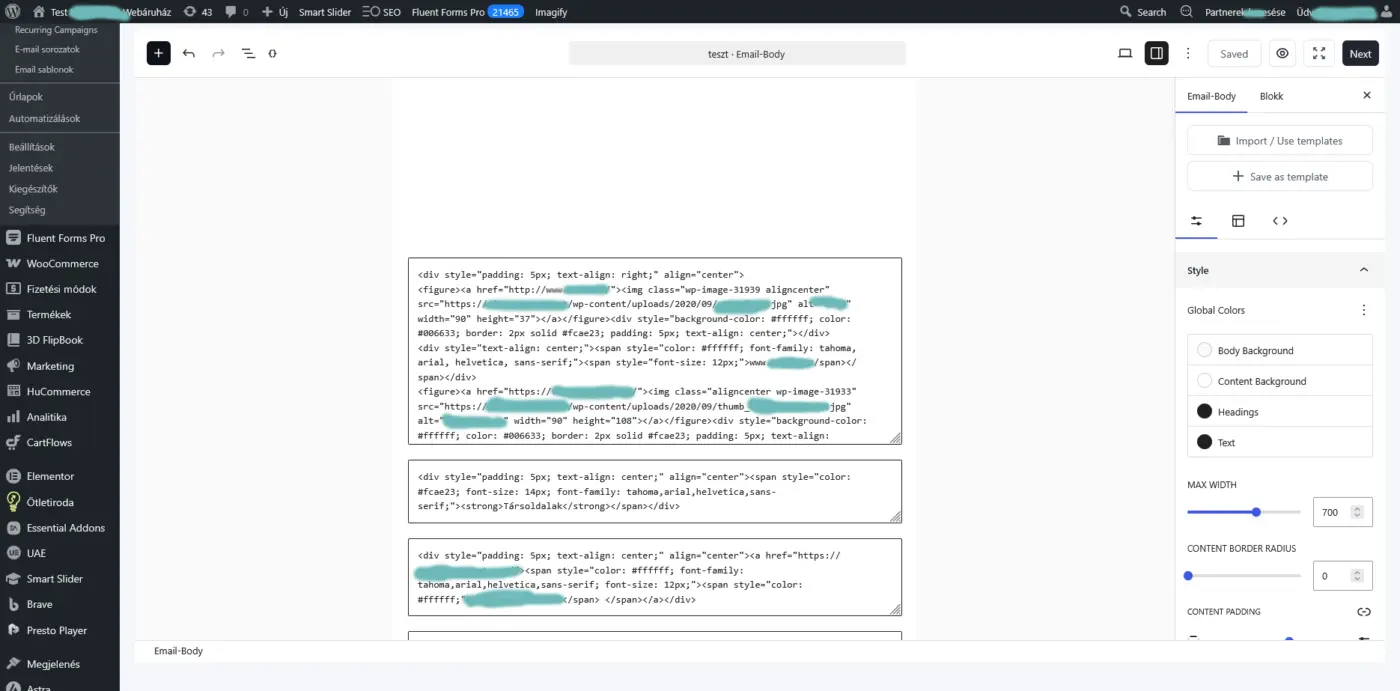
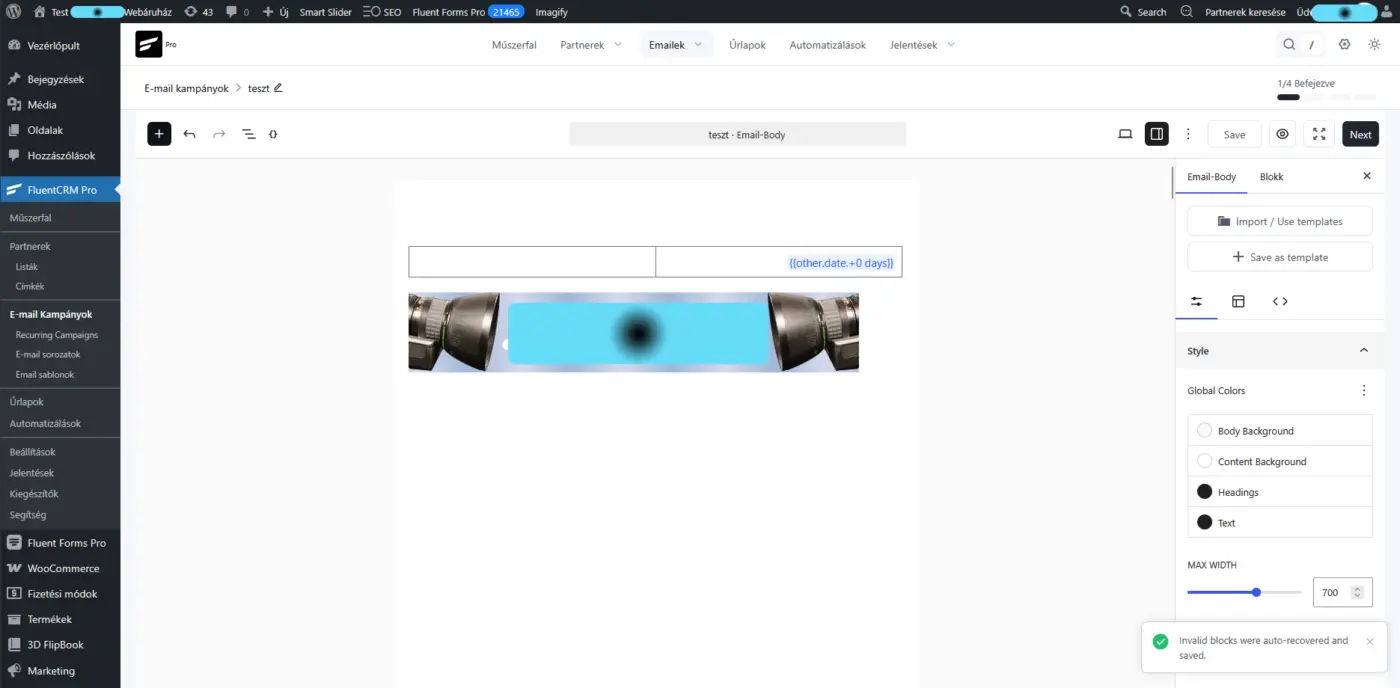
The editor shows the toast "Invalid blocks were auto-recovered and saved" and tries to "recover" the content by dumping the raw HTML into text blocks, and
-
in doing so it drops the table-cell `background-color` styling. Text that was intentionally white (`color:#ffffff`) on a colored cell then sits on a white/default background → all text becomes invisible (appears white) and the layout collapses.
Where it happens: the server side passes the legacy template through faithfully — `TemplateController::template()` returns `'edit_type' => 'html'` together with the raw `post_content` (FluentCRM 3.1.0, `app/Http/Controllers/TemplateController.php` ~L48–83). The breakage is in the v3 client-side block editor (`assets/BlockComposer.js`), which parses the `edit_type=html` content into blocks, marks them invalid, and "auto-recovers" them lossily instead of rendering the HTML faithfully.
## Reproduction
- In v2.9.x, create an email template with the Classic/HTML editor (`_edit_type='html'`) containing white text on a colored table cell, e.g.:
```html
\
\\
\
\Newsletter title\
\
\\
\
```
-
Upgrade to 3.1.0.
-
Email Templates → open the template in the editor.
-
Observe the "invalid block" error and/or the colored backgrounds gone, leaving white text invisible and the table layout broken.
Our real template had 25 `color:#ffffff` spans on `#fcae23` / `#708cb1` cells — every one of them became invisible.
## Impact
Existing customers with v2.x classic/HTML newsletter templates cannot edit or use them after upgrading to v3.x. For a business that sends a weekly newsletter from a fixed branded template, this is a blocking regression — it forced us to roll back to 2.9.x.
## Expected
The v3 editor should either:
- render legacy `_edit_type=html` templates faithfully in a compatible "classic / raw HTML" mode (preserving raw HTML, inline styles, and especially table-cell `background-color`), or
- provide a lossless one-time migration.
It must not silently drop `background-color` (which inverts white-on-color text into invisible white-on-white), and it should not reject legacy templates as "invalid block" without a fallback.
## Attachments
- Offending template export (raw HTML, `_edit_type=html`, `_design_template=simple`).
- Screenshot 1: the "Invalid blocks were auto-recovered and saved" toast + the collapsed/blank render (white text invisible).
- Screenshot 2: the raw HTML dumped into text blocks (the parser could not interpret the classic HTML).
Thanks!