


I've tried using both a Sequence and an Automation, but neither seems to fit my use-case. I have a monthly Zoom event, and it needs a series of reminder emails to go out, leading up to the Zoom meeting time. An Automation doesn't seem to allow date-definite scheduling — and in fact it sent the first email AS I WAS CREATING THE SEQUENCE, which was embarrassing.
I tried using an Automation, but Automations appear to run from the time they are triggered, not relative to a specific date in the future, or to absolute calendar dates.
So I hacked together a Sequence, controlling it by limiting the sends by day of week. But new subscribers are NOT being added to the Sequence, so it's broken in that regard for me as well, based on my use-case or intended workflow.
Am I missing something basic?

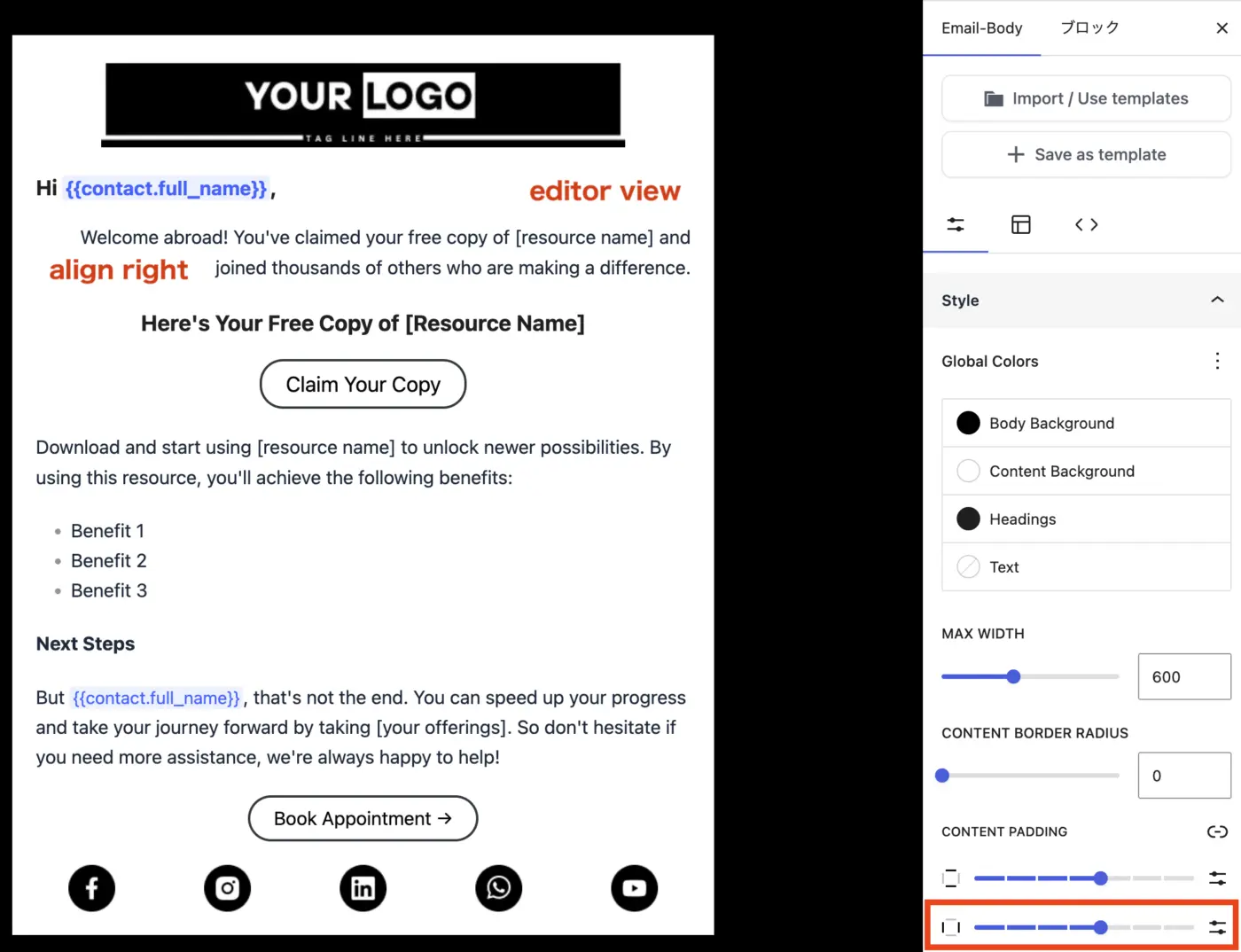
After updating to v3.0, the padding-right setting no longer appears to work correctly.
As shown in the attached screenshots, the right padding appears correctly in the editor view. However, it is not applied in the preview or in the test email.
To reproduce this issue, please align the text to the right and check the preview or test email.


I'm having trouble getting the smartcodes that use hashtags like site_url and web_preview_url etc (these are not the exact names). These do not currently get replaced in the emails as viewed by the recipients. I'm assuming that I have to configure something to get them to work. I can't find any specifics about this in the documentation. Can someone either point me to that, or give me some info on how to get these working?
Also, I'm currently using 3.1.0 and using Gutenberg editor option when I compose.
Minor complaint. The changelog seems to be lagging the releases.
https://fluentcrm.com/docs/change-log/
I guess you can get to the current information from your website's plugin page, but it would be nice to have the change log page updated too.

Hi we cant connect claude desktop some one ha ve try ? we cant add mcp config in the file because is overwrited every time
EDIT: Solved. You need to close ALL process of claude before add some changing to the config file and you need to go via claude desktop settings to find the virtual directory of the sandbox.

In Emails > All Activities , currently, we only have the option to filter by emails that are (1) Automation; (2) Campaigns.
Again, transactional emails (key in a CRM) can not be filtered here.
I am sure this would be super useful for using FCRM daily as a real CRM.
Yet, again, a pipeline is key.
But improving how transactional features works overall is a must for that hopeful future.
--
Another "funny" thing is that on the Dashboard, you can see the stats of all the "Campaign Emails". But, even Transactional emails are treated on All Activities Filter as Campaigns, we do not have any space for checking all the stats of the Transactional emails...

After upgrading to 3.1.0, sending large campaigns became extremely slow on my setup. A campaign to ~28,000 subscribers was taking many hours — in the worst case, spreading across days before finishing. Before the upgrade, the same kind of campaign finished in well under an hour. Same server, same SMTP (Elastic Email, EU), same configuration — only the plugin version changed.
Before posting publicly, I went through support. I want to be fair and share how that went:
Their first recommendation was the WP-CLI sender with multiple workers (unique option keys, staggered offsets) — which was exactly the setup I was already running — and then to ask my host (Cloudways) whether it supports persistent cron for unattended CLI workers. So the diagnosis essentially pointed at my hosting. A second reply confirmed they've escalated the 2.x-vs-3.x throughput difference and the connection-reuse question to their dev team, with no technical conclusion or ETA yet. I do appreciate the escalation.
But I needed a working system now, so I tested the one variable I hadn't: the version itself.
The numbers, measured directly:
- On 3.1.0 — large campaigns sent at roughly 5–20 emails/min. Even with multiple CLI workers I could only reach ~40/min in short bursts, never sustained.
- On 2.9.86 — the same ~25,000-subscriber campaign completed in 39 minutes, start to last email.
Here's the key point about the "it's your hosting" diagnosis: if the bottleneck were really my host or cron, the rollback wouldn't have changed anything — same machine, same cron, same SMTP. Yet the identical campaign went from days to 39 minutes. The only thing that changed was the plugin version. That rules out the host as the cause, at least for my case.
A few more findings from my testing, in case they help: CPU sat 79–88% idle during sends, EU→EU latency to my ESP was ~0.05s, the provider accepted 100% of submissions, memory was never a constraint. On 3.1.0 I also saw hundreds of cURL error 28 (connection timeout) entries at high send rates — consistent with a new HTTPS connection being opened per email rather than reused. On 2.9.86, much less of that.
On multi-threading (the usual recommendation): I had it enabled on 3.1.0. On my Kubernetes-based host it would burst for a few minutes, then the background workers got reaped and it stalled — rows cycling between processing and pending. On 2.9.86 the same built-in multi-threading just runs cleanly through Action Scheduler, no manual workers needed.
I'll leave the conclusions to each user. For me: if you genuinely depend on this system for production work, 2.9.86 is the more reliable choice right now.
And to the developers — Shahjahan Jewel , with full and genuine respect for the enormous work that's gone into 3.x — I don't think it's quite ready for production-critical workloads while a regression this serious remains. I'm sure it runs well on many setups; mine clearly isn't one of them yet. Happy to share my full diagnostics (SQL, send-rate measurements, server load, cron logs) if it helps engineering pinpoint what changed in the 3.x sending path.

I've used incoming webhooks in the past to update existing contacts. After the FluentCRM 3.0 update, it looks like every incoming webhook has only one type for creating a new contact.
If I cannot update existing contacts with an incoming webhook, this creates a severe limitation for my workflows in n8n. Here's my example.
When a timer expires in a FluentCRM Automation, it sends an outbound webhook to n8n. Then n8n processes and returns a Pass or Fail value to FluentCRM via an incoming webhook.
I don't need to create a new contact, but that seems to be the only option. Why impose this limitation on how things communicate?
Is there an alternative I haven't considered? This sort of limitation is screwing up some client work I'm doing now. I appreciate any insight about this change and how to get around it.

Maybe I'm missing the way... Maybe you can shed some light... lol
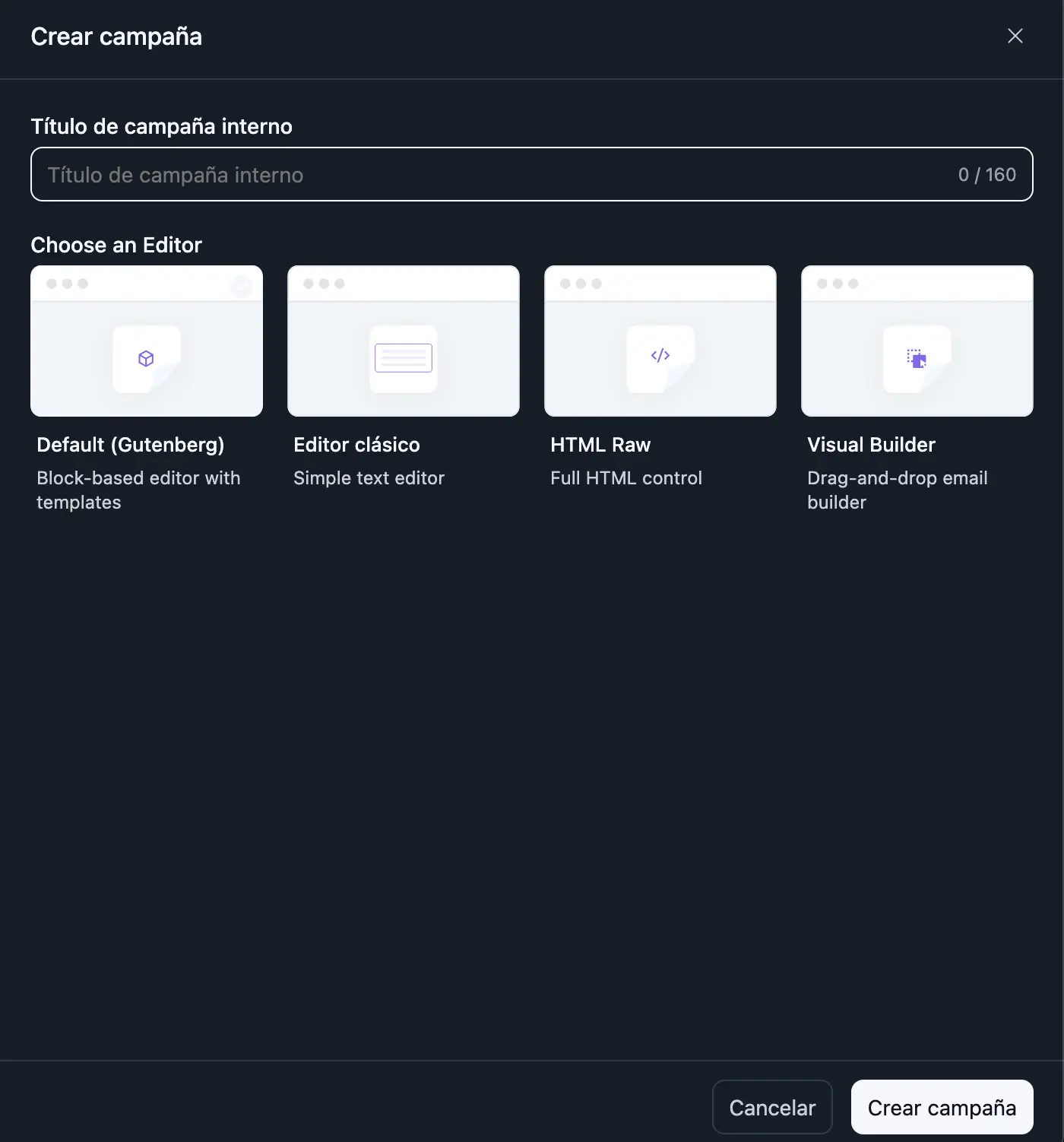
Every time I create a campaign, I can choose an editor (honestly, I'd prefer to set one as default and avoid the unnecessary step).
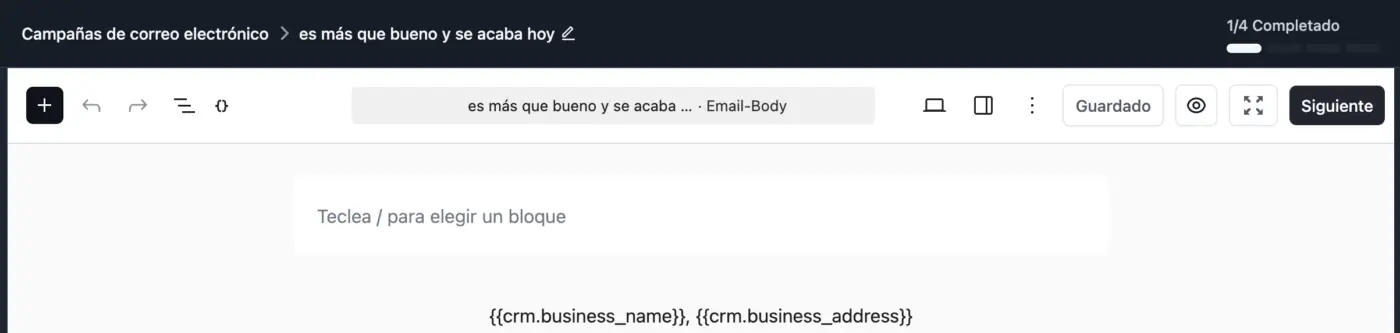
As I don't choose any of them, I'm assigned to the default editor (blocks).
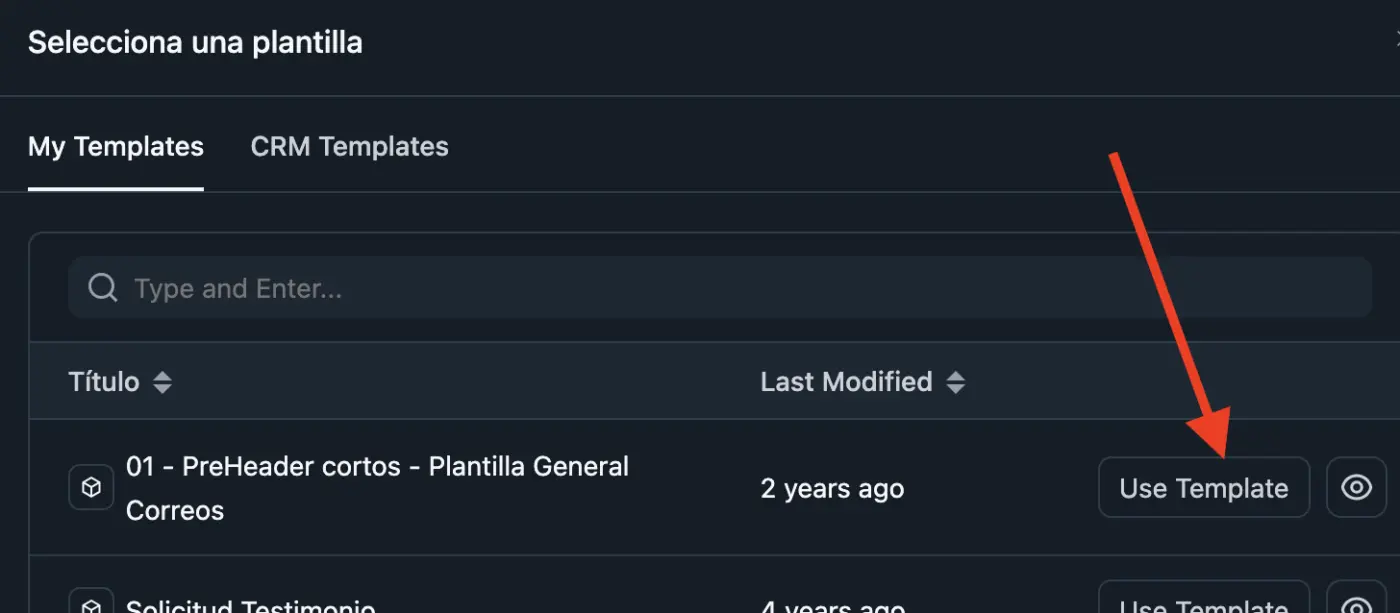
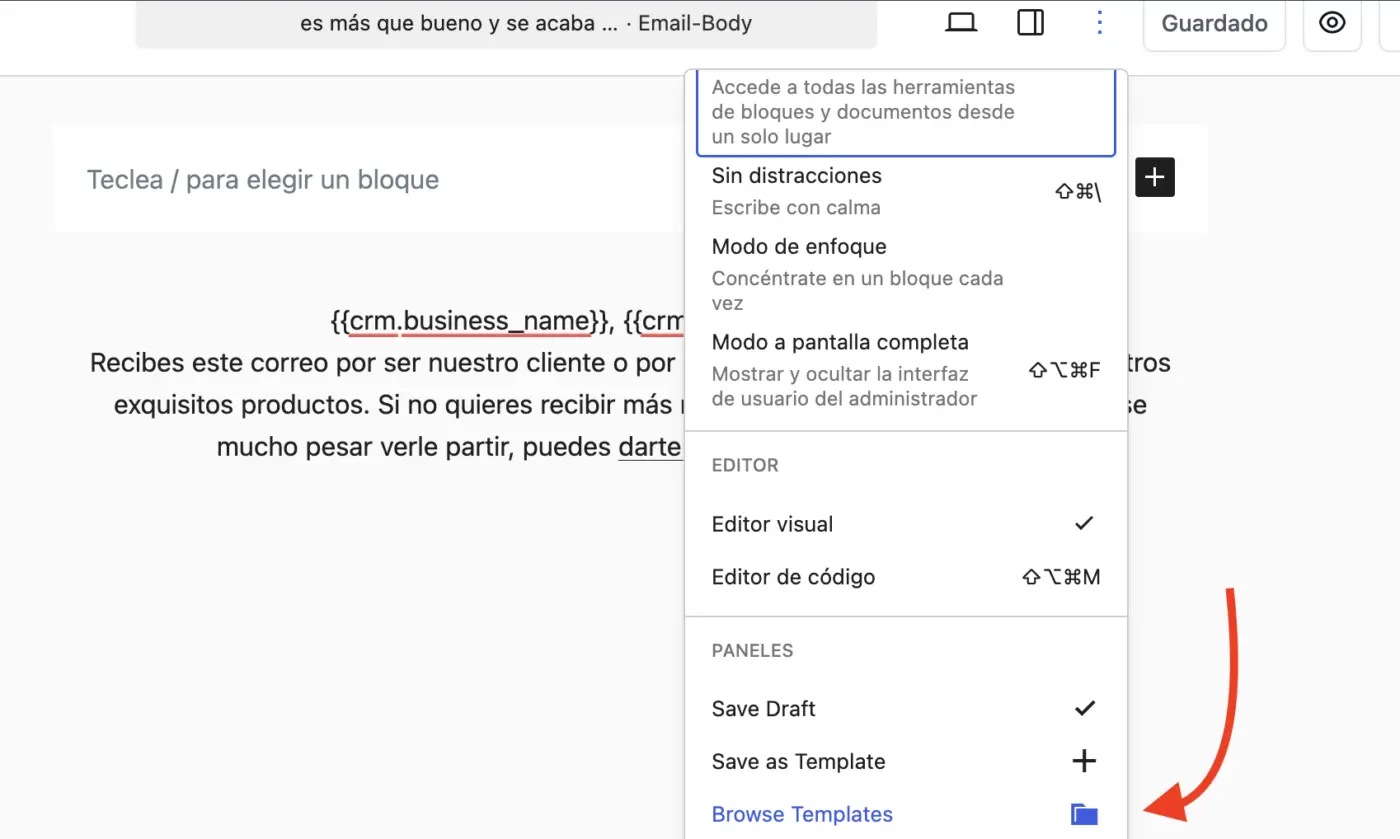
Then as I have my own template, I have to browse for my own favorite and simple template (every single time).
And as I said before, I'd prefer reduce the workflow clicking create new campaign and write down my text, not wasting my time (every single time) choosing an editor and browsing for my template.
I remember asking for this "feature" months (or maybe years) ago, and I think someone said it would be considered for next updates.
I started by saying "maybe I'm missing the way"... Maybe this was released, and I don't know how to do it (if this is the case, can you guide me to achieve a simple workflow for my needs?).
Thanks for helping me.

I'm using FluentAuth for my registration, but a bot is signing up a new person every 10 minutes, each from a different IP address.
They don't get in, because I have enabled email confirmation, but I am worried about my email spam reputation. I am getting a lot of automatic email replies from the signup emails from corporate mailboxes.
I thought I could enable an invisible Recaptcha or something like that to further strengthen it against bots (don't want to make it harder for real people) but I don't see anywhere to do that.
TLDR: How can I make it harder for bots to try to register? (already have email confirmation required)