

Have you seen this bug? Automation "Send Custom Email" won't keep its styling (Pro v3.1.0)
Hi everyone,
Running FluentCRM Pro v3.1.0. Tested in both Firefox and Chrome — same result. Three things happen in the automation's "Send Custom Email" editor:
-
Importing a styled template brings only the text. I built an Email Template in the block builder with a custom global style (MAX WIDTH 500, Arial, line-height 1.5, padding/margin 0). When I use "Import / Use templates" inside the action, only the text loads — the global style is dropped and MAX WIDTH falls back to the 700 default.
-
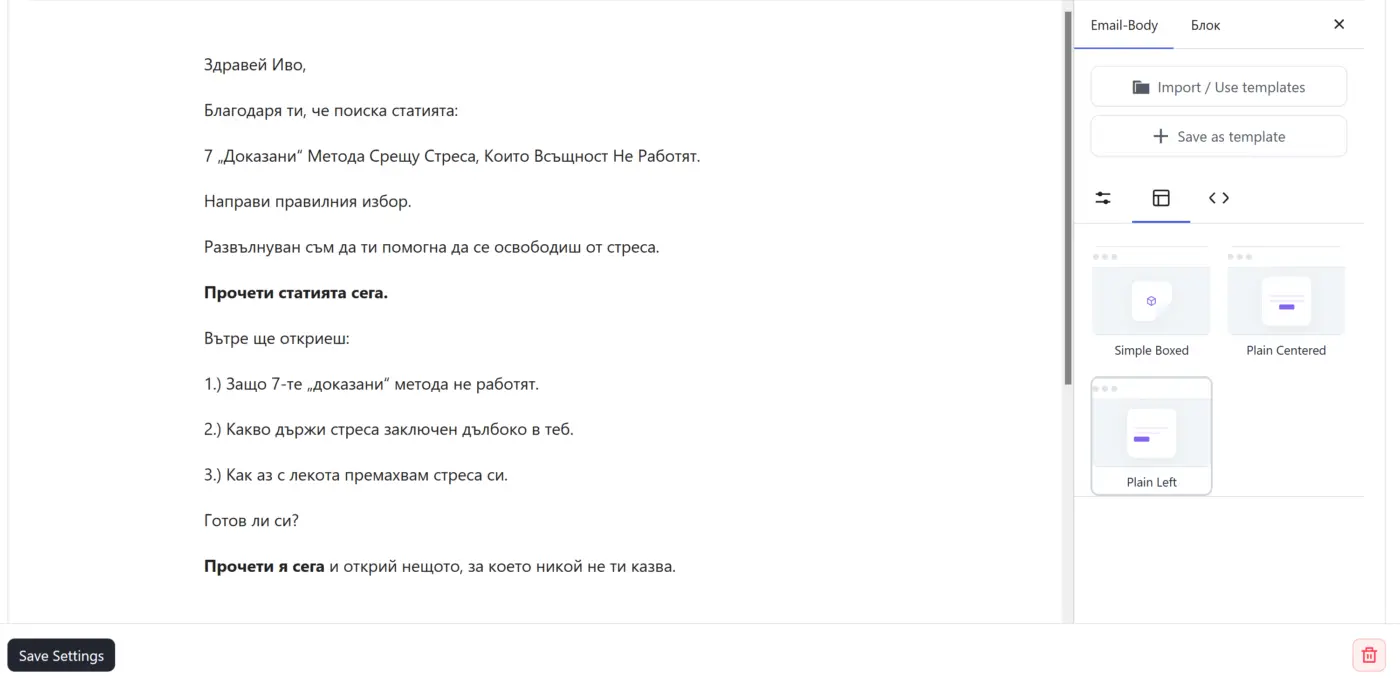
Selecting "Plain Left" resets everything else. The moment I pick the Plain Left layout to left-align the content, my previously set MAX WIDTH, padding and typography all reset to default.
-
Plain Left isn't saved at all. After applying it I click Save Settings (which closes the entire action window), then reopen the action — and the content is centered again, as if Plain Left was never applied.
For what it's worth: MAX WIDTH set manually in the action does persist on reopen — only the alignment / Plain Left choice doesn't.
Is anyone else seeing this in 3.1.0? And is there a known way to reuse one left-aligned, custom-width email across multiple automations without re-doing the style every time?
Thanks!

This is feeling more and more like a public beta.

I have a similar problem, where custom emails in automations now ignore font settings no matter what you do. Email sequences have styling issues as well so I'm not sure what to do.
Ivo Ignatov How did you solve this? Did you have to rebuild your templates?

Lee Busch I am at the beginning of building my templates. The problem has already been fixed with the latest plugin updates.