


Hi everyone 👋
I just released SEO / GEO, a new free extension for FluentCommunity.
Your spaces, courses and conversations show up on Google with their real title, a description and a beautiful image, and AI tools like ChatGPT can recommend your community. You start with a preview, then go live in one click. What’s private stays private.
Free, as always. My little way of saying thank you to this amazing community ❤️
I’d love to hear what you think! 🙏

I would like to give an access for a specific course until a specific amount of time.automatically, without fluentcrm. Do i need an auotomation plugin?
Can we have a Media tab in profiles? (The way spaces have)
Can we please add images and videos in bulk in Media, to have galleries?
Can we please edit what is displayed in the media tab of each space? (Have the ability to edit and remove content)
Can we have a subcategory “audio” in Media ? I don’t see why audio files shouldn’t be displayed as well.
Thank you !

Hi FluentCRM Support,
I’d like to report two issues I encountered:
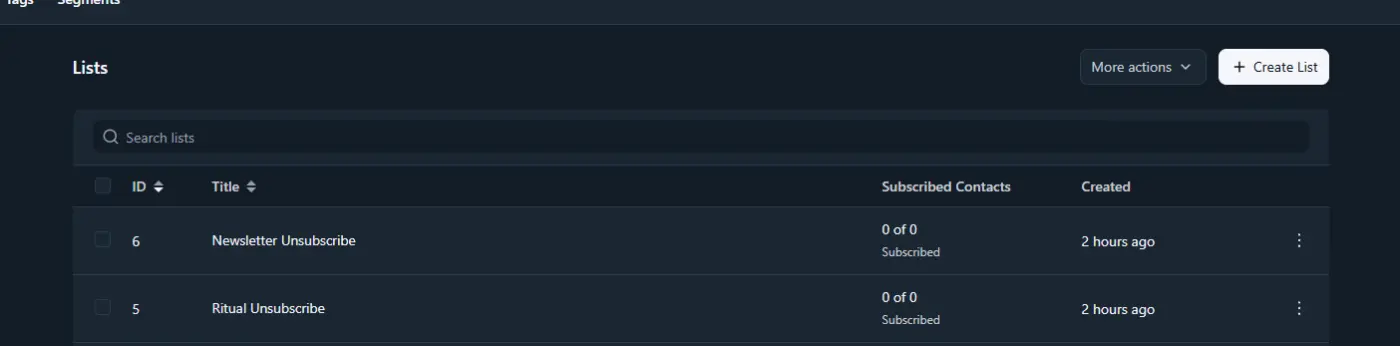
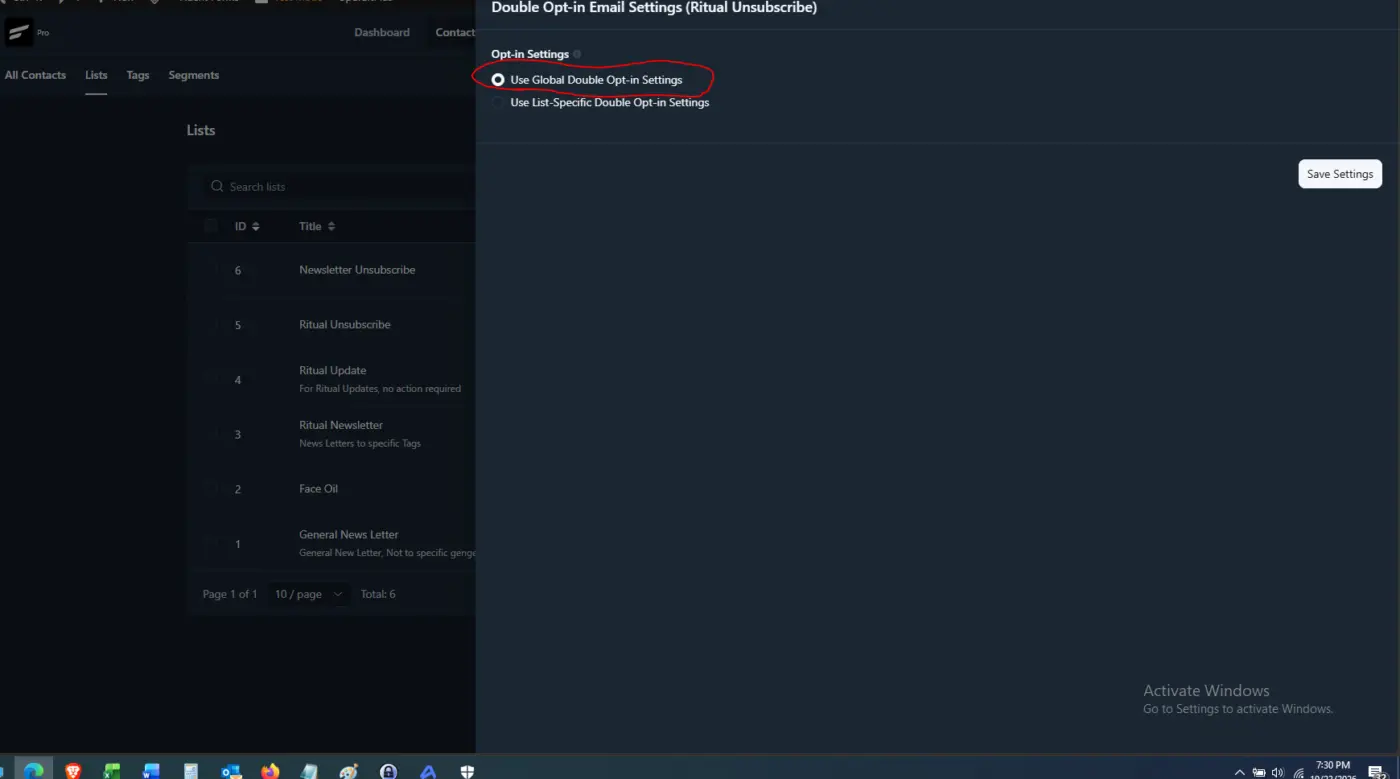
- No clear warning when a double opt-in template cannot save. After creating several custom emails, some settings appeared to revert to global. I later learned that double opt-in emails require an activation link, which my unsubscribe notifications did not contain. However, I saw no error message explaining why they could not save, so it looked like a bug. A clear validation message would help.
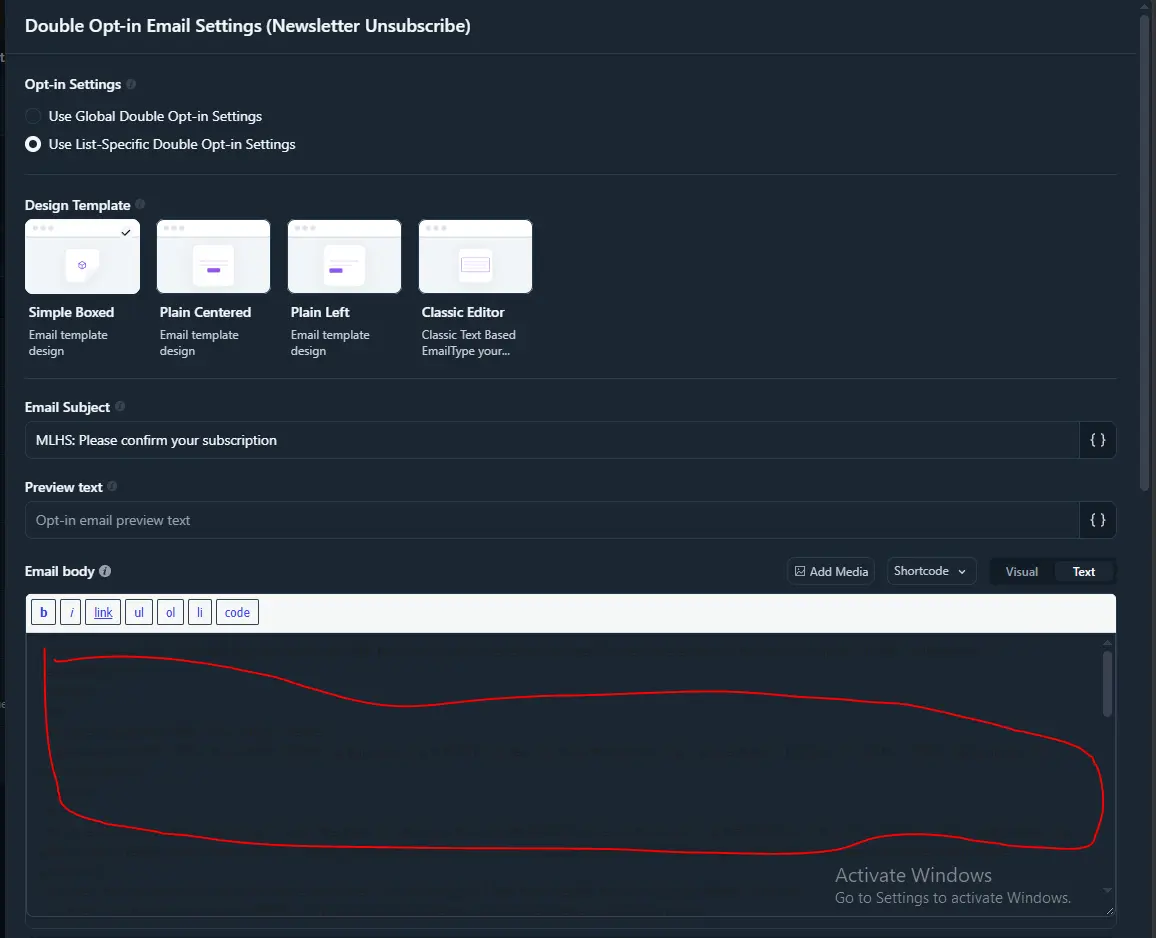
- Code editor readability in dark mode. The code text appears blue against a blue background, making it difficult to read and edit. Could you improve the contrast?
Please let me know if I’ve missed a setting or if you need screenshots.
Thank you.

Don't make him look like the family black ship. He is just sited alone begging for attention for his family members to notice him.
Justice for FluentNotify

Heya Fluent Team,
Please consider, adding Canadian Payment processors.
As a Canadian business owner, If I have a disagreement, with a US payment processor, they can suspend our account leaving us scrambling to find another.
Time is money and we need to have redundant systems.
-
Please consider, TD Bank, RBC, BMO or CIBC, Moneris as a payment processor, preferably one who support fraud detection.
Canadian payment processors are sloppy for identifying payment fraud 2 am in the morning, when we are getting 2000 orders, so the right one is a Value added item.
Please consider added a failover payment system if one is not present.
If there is an outage for stripe, can i use google or another processor?
Thank you!
Sayed,
A lot of people have been asking for this for a long time, and support has mentioned several times that it's coming soon, in the next updates. Thanks.

Hi Fluent Auth team,
We're running Fluent Auth with Magic Link login enabled as part of the full Fluent stack (FluentCRM, Fluent Community, Fluent Cart, Fluent Forms, Fluent SMTP, Fluent Snippets) and are seeing a consistent issue for users with Hotmail / Outlook.com / Live.com addresses.
What happens:
- The user requests a magic link and receives the email correctly.
- When they click the link, they land on the site but are NOT logged in (the link is treated as invalid/expired).
- Users on Gmail and other providers log in without any problem.
Cause (as far as we can tell):
Microsoft's link scanning (Outlook.com / Defender Safe Links) pre-fetches every URL in incoming emails to check for phishing. That GET request hits the magic link endpoint before the user clicks, so the one-time token is consumed by the scanner. By the time the real user clicks, the token has already been used.
Questions:
- Is there a setting in Fluent Auth to require an explicit confirmation step (e.g. a "Log in" button on an intermediate page, so the token is only consumed on a POST/click rather than on the initial GET)?
- If not, is there a hook/filter we can use to intercept the magic link request before the token is validated, so we can add such a confirmation page ourselves?
- Alternatively, is there a way to allow a short grace window or a limited number of uses for a token?
This is a known pattern with Microsoft mail scanning and affects any one-time login link, so a built-in confirmation step (or an option to put the token in the URL fragment) would be a very welcome addition. Since Fluent Community members rely on this login flow, it's currently blocking a noticeable share of our users.
Environment:
- WordPress (latest), hosted on Hostinger behind Cloudflare
- Fluent Auth, FluentCRM, Fluent Community, Fluent Cart: all on the latest versions
- Email sent via Fluent SMTP
Happy to provide logs or test accounts if helpful.
Thanks,
David

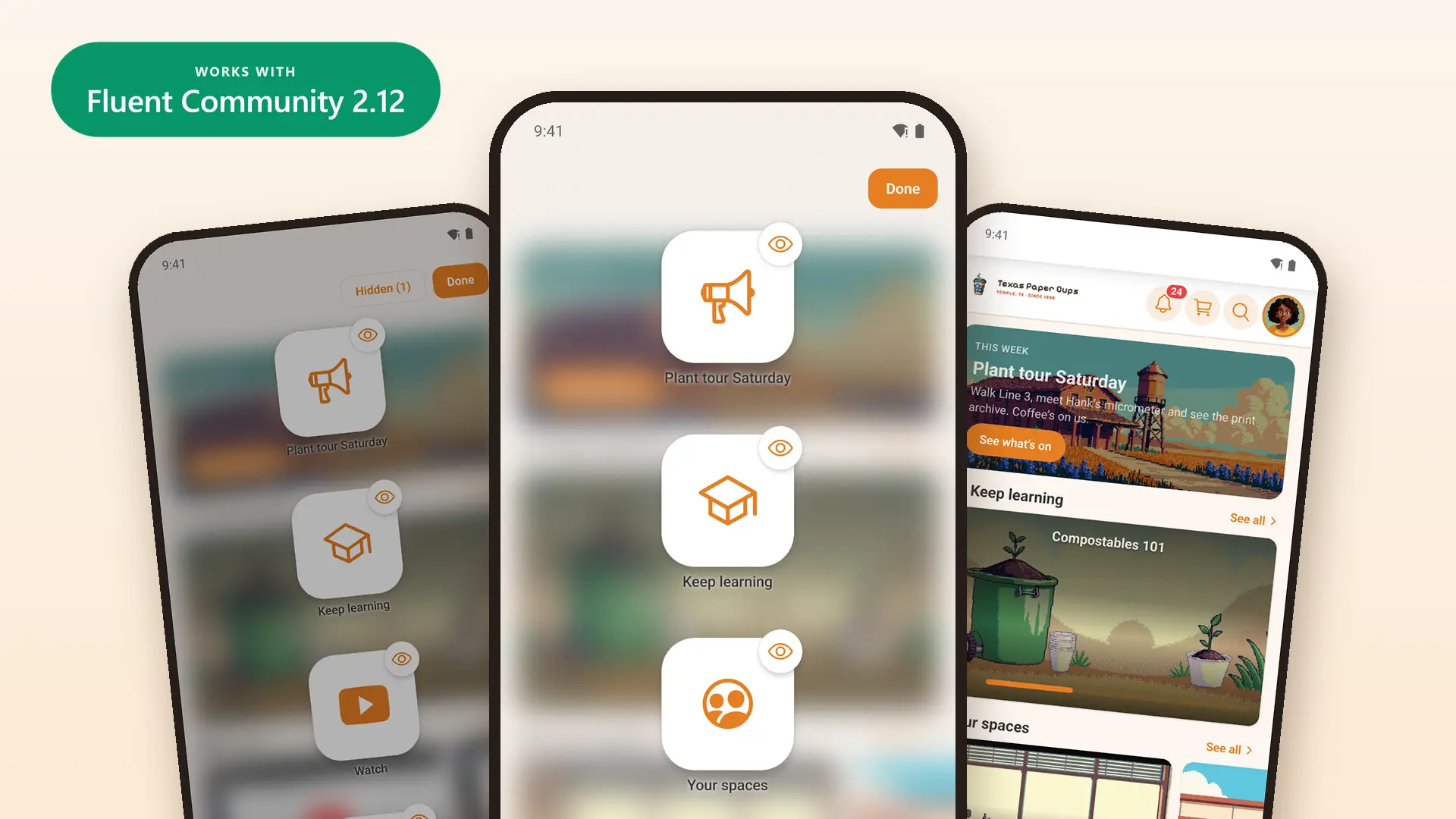
Members can now arrange their own home screen. They press and hold, drag the cards into the order they like, and hide the ones they don't use. You choose which screens allow it.
This update also works with Fluent Community 2.12, which came out on October 16.
Arrange your home screen
- Turn it on for a screen in Customize › Widget Screens. One switch lets members move cards, the other lets them hide cards.
- Members press and hold the screen to start.
- They drag a card to move it, or tap its eye to hide it.
- Hidden cards wait in a Hidden list. One tap brings a card back.
- Pinned cards stay at the top.
- Screens stay locked until you turn a switch on.
For your members
- Fluent Messaging: direct messages open faster, the way Fluent Messaging's own chat opens them.
- Fluent Community: opening a notification email in the app marks it as read, like your website does.
- Fluent Community 2.12: a space's unread badge clears once it's read in the app, like on your website.
- Fluent Messaging 2.12: chat menus match it, with no Block for admins and moderators.
- Fluent Community: space and course tiles now show their cover photos.
- Fluent Community login customizer: on a tablet, the sign-in screen looks like your website's login page.
- Better Messages: the bell's count now stays right on sites that use it too.
- Screens load faster and use less data when you switch back and forth.
- Better for members who use a screen reader.
- Long pages no longer hide their last lines behind the phone's buttons.
- Signing up no longer closes the app on Android.
For you (site admins)
- Fluent Community 2.12: spaces and courses show in the order you set there.
- FluentCRM: if you sell membership in the app, a member you've blocked can subscribe in the app to get back in, as on your website.
- FluentCart Pro: the cart shows each discount rule by name and the price before the discount, as your checkout page does.
- FluentAuth: a member locked out after too many sign-in tries is told to wait, in FluentAuth's own words.
- A new My Courses menu item, so all courses and a member's own courses can be two entries.
- A space or course bought in the app opens right away.
Two small fixes came after it. In 1.3.26, Android builds no longer run out of memory. In 1.3.27, members who pay for their membership on your website get straight into the app, and the renewal screen closes on its own once their membership is back.
Before you update
- This update needs a new app build and a store update.
- Widget screens start locked. Turn on the switches for any screen members may arrange.
- Set your Spaces order in Fluent Community. Customize › Spaces no longer sets it.
- Passkeys show only once the Deep Linking card on the plugin's Config tab is filled in.
Pictures and more detail are on the blog: https://www.twobirdscode.com/blog/core-1-3-25-arrange-your-home-screen/
Which screens will you open up to your members? Tell us below, along with what you'd like in the next update.
Hi everyone 👋
I just released Quick Access, a new free extension for FluentCommunity.
On computers, you pick the icons in the shortcut bar next to the profile. On phones, you pick the top shortcuts and the whole bottom action bar. Everything is set on one screen, with a live preview. Nothing changes for your members until you publish.
It’s free, forever. FluentCommunity has given me a lot, and this is my way of giving back to the Wordpress & Fluent community ❤️
I’d love to hear what you think! 🙏