


I love Fluent Booking but I would love to see different types of fields added to the questions section like Fluent Forms Pro thats the only hangup for me. Such as date/time City/state etc. Conditional fields, etc. Any chance of this happening?

I need to export a CSV file monthly for all my appoitnments. That would be great to be available.

Plugin: Fluent Booking Pro 2.0.05 (with Fluent Booking 2.0.05)
Setup: Group event (Mysore class, max 20 attendees), Google Calendar 2-way sync enabled with that calendar as the “conflict check” calendar.
What’s happening
- User A books the group event at 06:30.
- Fluent Booking’s GCal sync writes a corresponding event onto my host calendar (e.g., “Booking: Mysore — Tuesday, Apr 28”).
- User B tries to book the same group event at 06:30.
- The conflict check runs GoogleHelper::getRemoteBookedSlots() on my host calendar, finds the event Fluent Booking just wrote there, and treats it as a host-busy conflict.
- User B is blocked — even though there are 19 spots remaining on the same event.
So the conflict checker is fighting its own sync. After the first booking, every subsequent booking to the same group event sees a “host busy” event that the booking system itself just created.
Why I think this is a bug
The events fluent-booking writes to GCal carry a clear marker (the booking id, plus your sync metadata). The conflict checker doesn’t filter those out — it treats them like any other busy block on the host’s calendar. Result: group events that are explicitly designed to allow N concurrent bookings get gated as if they were 1-on-1 sessions.
For 1-on-1 events this isn’t visible because max-per-slot is 1 anyway. The bug only surfaces on group events (event_type=group_event, max_book_per_slot > 1), which is exactly the scenario you’d want concurrent bookings to work cleanly.
Reproduction - Create a group event with max_book_per_slot = 20.
- Connect host’s Google Calendar with 2-way sync, mark that calendar as a conflict-check calendar.
- Have user A complete a booking.
- Confirm a “Booking: …” event lands on host GCal.
- Have user B attempt to book the same slot — they’re blocked, even though remaining = 19.
Workaround
Empty conflict_check_ids on the host’s _google_user_token meta (wp_fcal_meta). This disables conflict checking site-wide, so external host events stop blocking bookings — but internal Fluent Booking conflicts still work, which keeps 1-on-1 protection intact. Acceptable temporary fix; not great as a permanent state because the host loses real-conflict protection from their actual personal calendar.
Suggested fix
When GoogleHelper::getRemoteBookedSlots() enumerates events on a check calendar, filter out events that originated from Fluent Booking. The extendedProperties already carry a private.fluent_booking_id (or similar) on events the plugin writes — skip any event whose extendedProperties match the running site. Same fix applies to Outlook / Apple / Nextcloud conflict checkers, which share the pattern.
Happy to share the relevant settings or test on my install if useful.

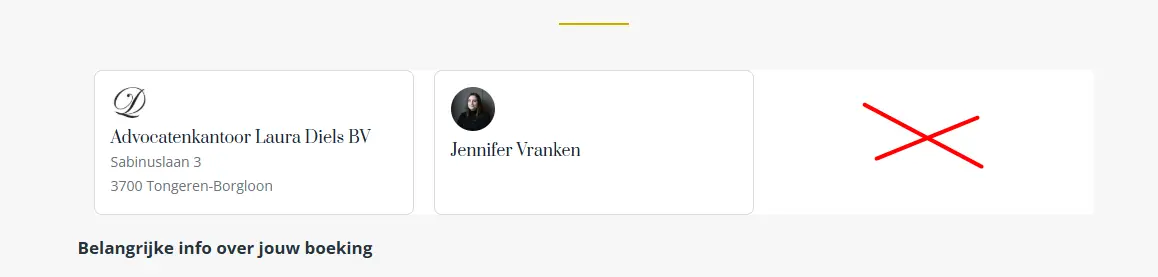
When I show my team, how can I align to center when I have less than 3 teammembers?

Hi everyone,
I’m using Fluent Booking Pro + Fluent CRM Pro and I’d like to know how you limit the number of consultations per user – for example, only 1 or 2 consultations per email/contact.
The built‑in limits in Fluent Booking are global (per day/week/month), not per user.
How are you handling this?
- Do you limit bookings per user with tags or custom code?
- Or are you using any other solution to restrict the number of bookings per customer?
Thanks!
Is there anyone here that has successfully used FluentBooking as a beauty treatment booking system?
Is it possible to add multiple treatments to one appointment?

See it in action here: https://share.1776.cloud/v/cacc6a0a365322e3.gif
This will help with faster "One-Click" Instant Booking feel.
/**
 * Fluent Booking: One-Click Instant Booking
 * Automatically skips the "Next" confirmation button for a faster UI.
 */
add_action('wp_footer', function() {
    ?>
    <script type="text/javascript">
    (function() {
        if (!document.querySelector('.fluent_booking_app')) return;

        document.addEventListener('click', function(e) {
            const timeTrigger = e.target.closest('.fcal_spot_name');
            if (!timeTrigger) return;

            setTimeout(() => {
                const parentSlot = timeTrigger.closest('.fcal_spot');
                const confirmBtn = parentSlot ? parentSlot.querySelector('.fcal_spot_confirm') : null;

                if (confirmBtn) {
                    confirmBtn.click();
                }
            }, 30); // 30ms is the "sweet spot" for most browsers and mobile devices
        }, true);
    })();
    </script>
    <?php
}, 99);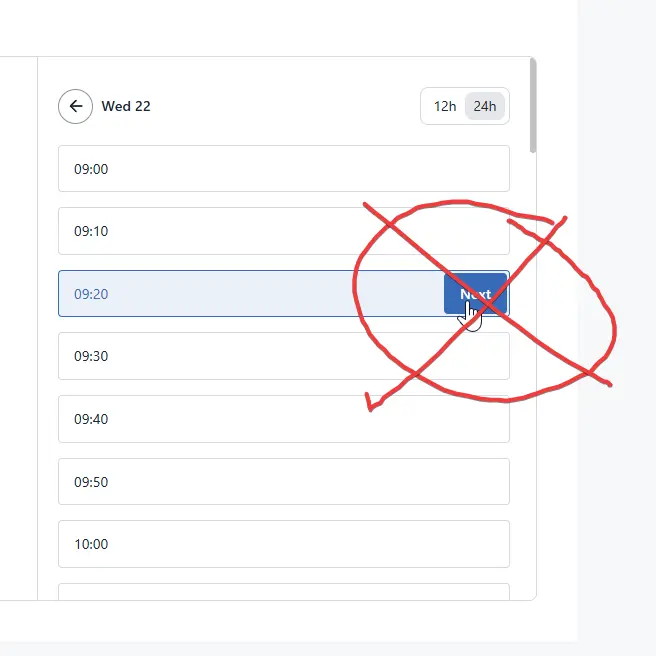
Sometimes a meeting is scheduled as a virtual meeting and after a few days the client decide to change it for a specific location, or the other way, changing from one location to a virtual meeting appointment. To do that, I cant do it from fluent booking. I need to get into my google calendar and change it there, but on my fluent booking app still appears as it was done at the beggining. It would be nice the appointments location could be changed after its booked.

It would be nice to be able to add, from the administration, manually the events just by having to put the person's name and that the fields fill in automatically. Really frustrating to have to enter them manually


Hi Guys !
When you insert the booking calendar inside a page, you find yourself with at least 2 H1 (one for your main title, and one for the booking type title)... which is really annoying...
Here is a snippet provided by FluentBooking to change this :
https://github.com/rakidhasan93/WPManageNinja-Snippets/blob/main/fluent-booking/php-snippets/change-calendar-title-heading-tag.php
BUT.... in the calendar there are also H2, H3,...and it's not possible to remove these Hn, because (said by the support), it's hardcoded in the plugin...
Shahjahan Jewel can you do something to remove those Hn, as this would create a bad headers list... ?