


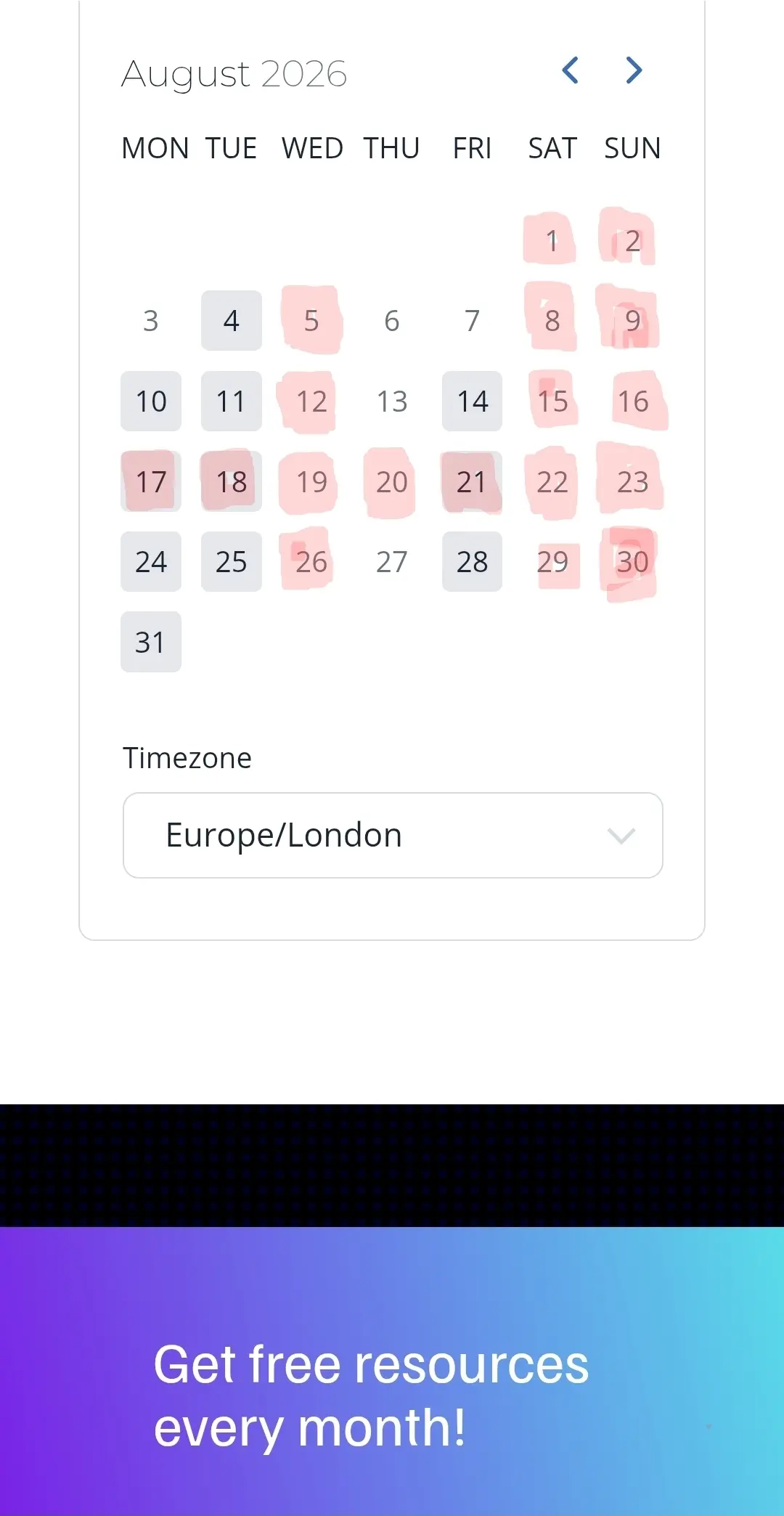
Im a part time stay at home Dad as well as a company CEO. I would love the ability to show days im not working, such as school holidays, as well as times im away on holiday. Visualised on the booking calendar, such at with red boxes. This could be optional, as not everyone would want this, but I think many people would find it useful. For example :
- It would help stop my clients sending emails and WhatsApp messages with expectation of reply. Even though they cannot book meeting, they still assume I'm available. Understandable.
- Or would help my clients understand why there may be a delay in support tickets and replies as they could clearly see that I've been away for two weeks, for example.
- This could work similar to GBP where you can set and show days you are closed/away.
If you would find a fake like this useful, please share in the comments. 😁👍
I've attached a screenshot of my idea. Just to visualise it.

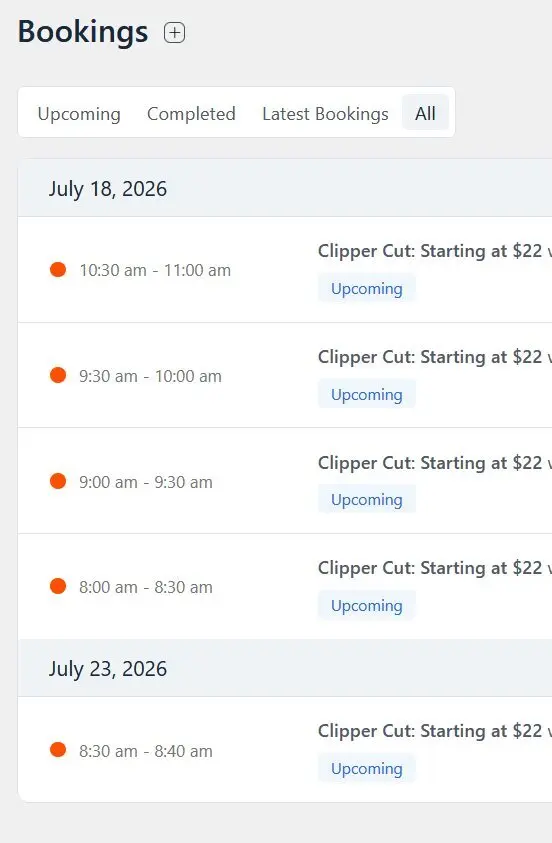
Should be sorted with the earliest events on top so it's easy to see what is next on the schedule.
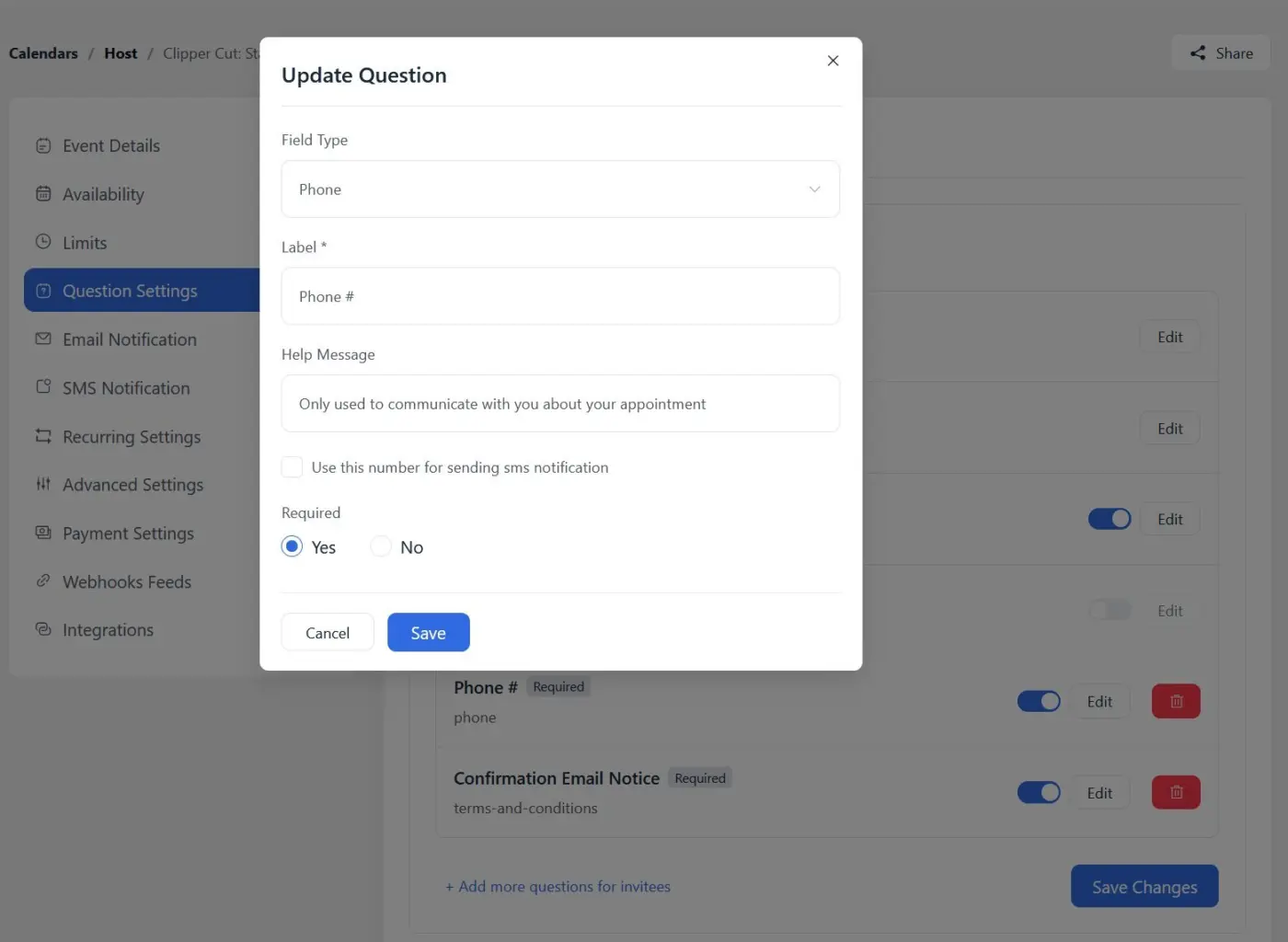
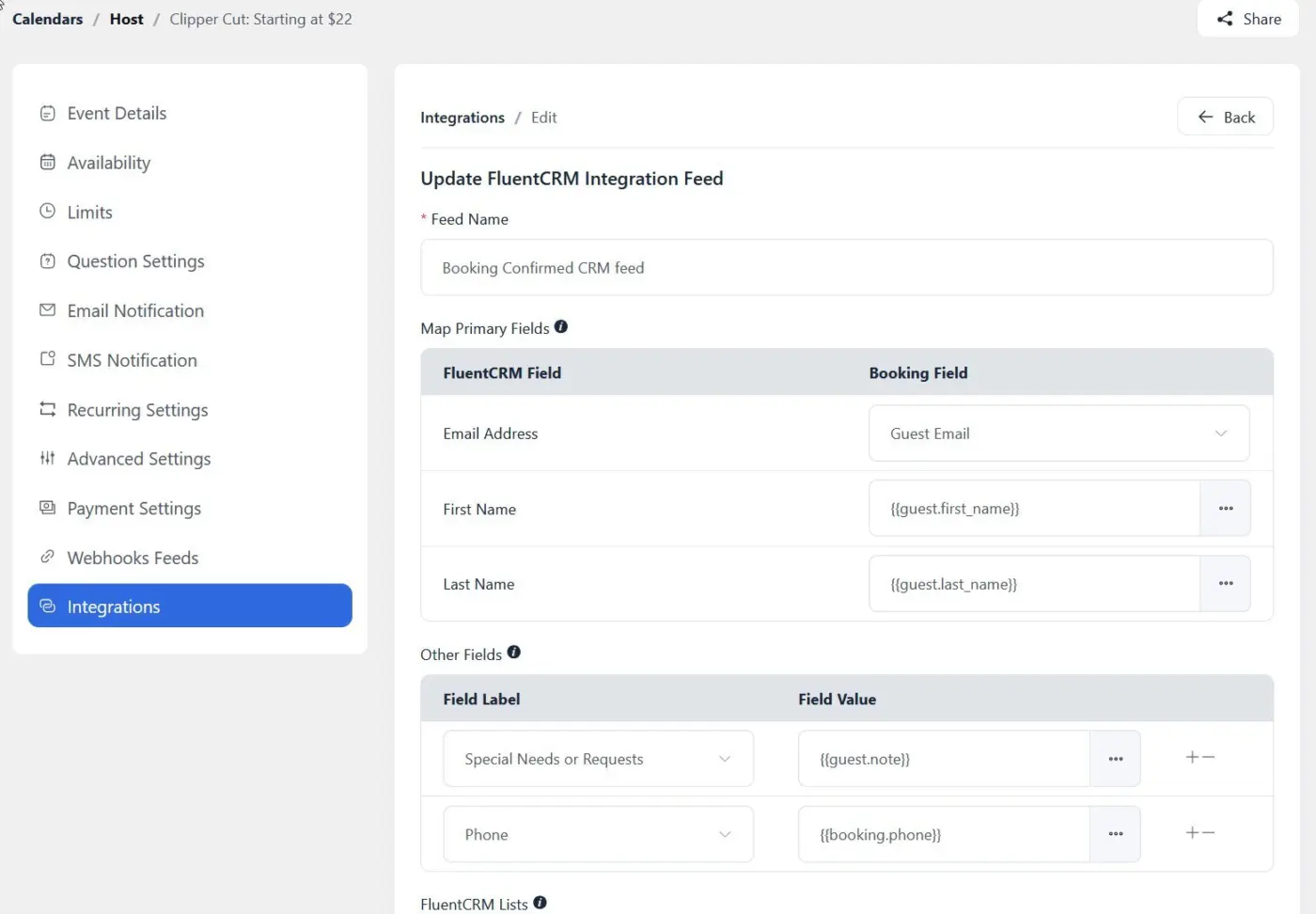
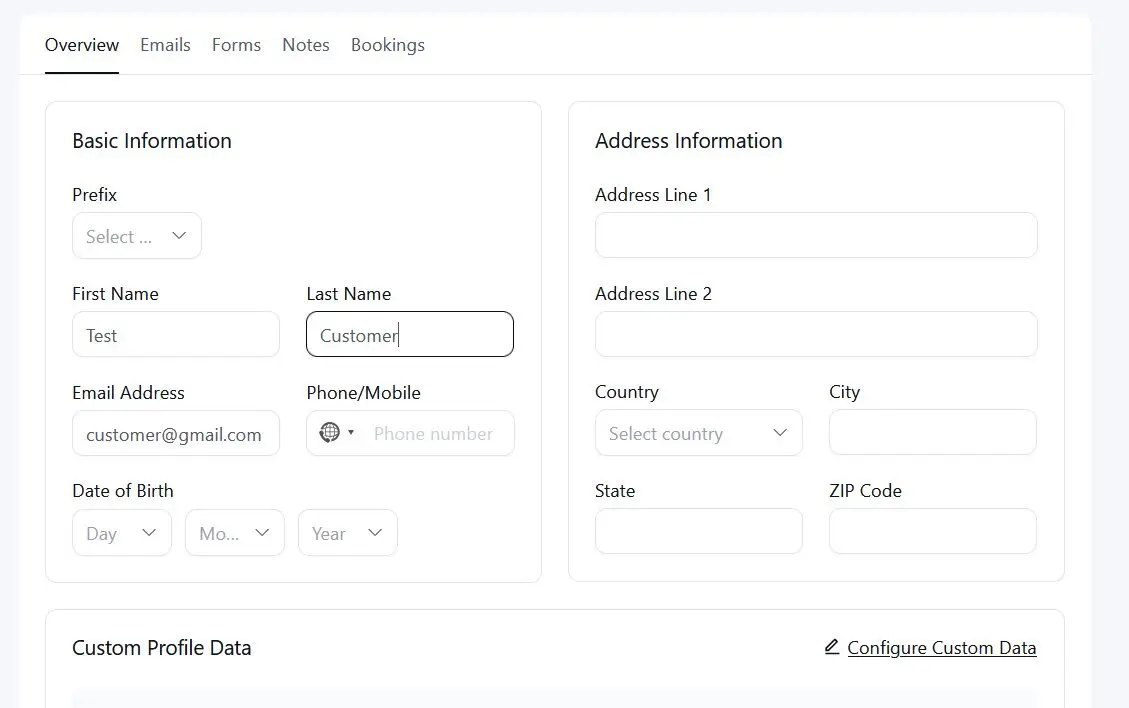
I have Fluent Booking Pro 2.2.0 and Fluent CRM free 3.1.8. I have set up the integration feed inside my booking item and everything is being captured by CRM except the phone field. Am I doing something wrong or is this a bug?

Hi Fluent Booking team! 👋
First of all, thank you for the great work on Fluent Booking.
I would like to suggest a small feature that I believe would significantly improve the booking management experience.
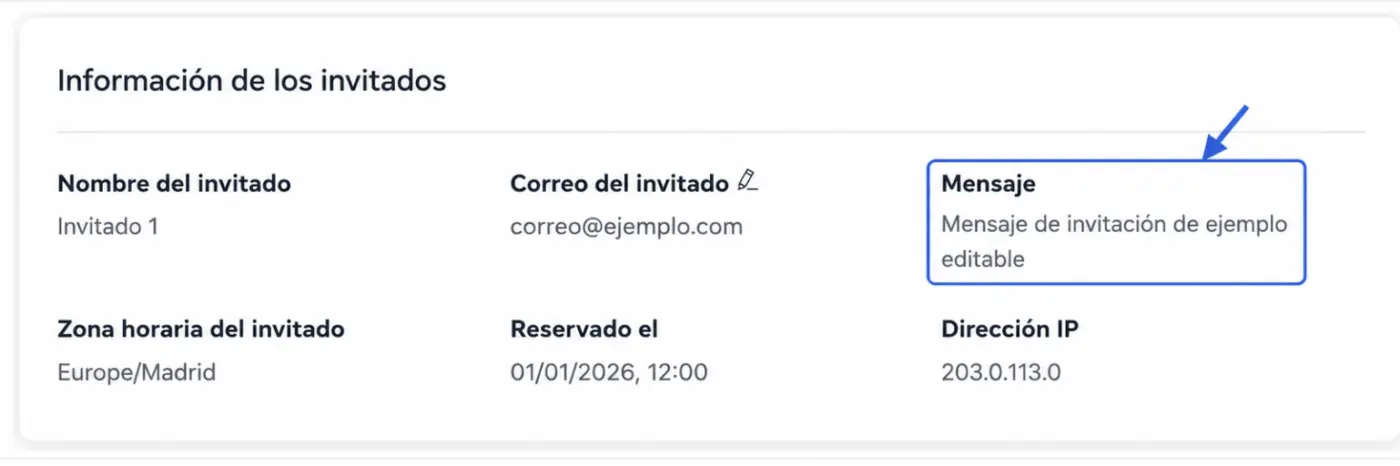
Currently, after adding an invitee to a booking, the "Message" field becomes read-only. It would be extremely helpful if this field could be edited afterwards (for example, via a small pencil/edit icon, just like the email field).
This would allow users to:
- Personalize the message for each invitee after creating the booking (eg.: change the priority for the meeting).
- Correct mistakes or update the message without having to remove and re-add the invitee.
- Save time when managing bookings with multiple participants.
- Reuse the same booking while sending different contextual messages to each attendee.
Since the email field is already editable, having the same behavior for the Message field would feel consistent with the rest of the interface.
I think this would be a small UX improvement with a big impact on day-to-day usability.
Thanks for considering it! 🚀

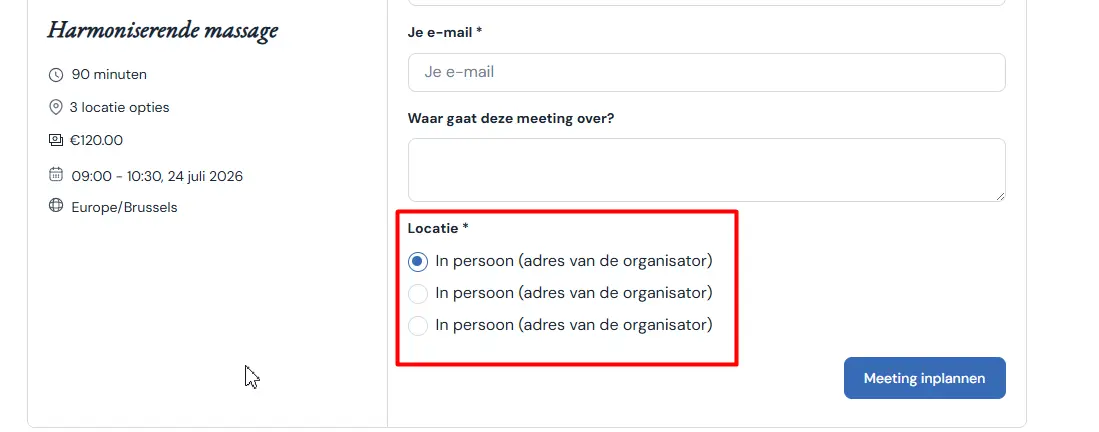
Posibility to change location name
When I have more than one location, there is no difference in the booking form.
Please add ability to use custom location name
Raiyan Marzan
when a meeting is in person on the attendee address, it would be great if we could add a travel fee calculated from distance to the address.
Raiyan Marzan

Is there a way to have a PDF generated from a booking with the customer info, the assigned team member and some custom fields and terms on the PDF?

I have an event that people often book in pairs. But I cannot find a way to charge for a second person or for the booking form to say x2. It appears you have to book and pay for each one separately or use the Additional Guest feature - but I cannot find a way to charge for the additional guest.
Am I missing something? Any help/advice would be greatly received.
Thanks
is it possible to set up a teamcalendar where person can select wich teammember he wants a meeting with?
One calendar, like roundrobin, but with a teammember selection?

This one is for the folks running both FluentBooking and FluentCRM. 2.2.0 brings your bookings and your contacts a lot closer together, so scheduling for people you already know takes way fewer clicks.
Here's what's new:
- Book from a FluentCRM contact. Open any contact in FluentCRM and you'll see a FluentBooking section with a Book Appointment button. One click drops you into the booking screen with their details prefilled. No more copying emails back and forth.
- Search and prefill in the booking screen. Adding a booking from admin? Search your FluentCRM contacts by name or email and FluentBooking fills in name, email, phone, timezone, and address. Respects your permissions too.
- Manage tags and lists from booking details. The new CRM profile card shows an attendee's tags and lists so you can add or remove them without leaving the booking.
- Plus polish and fixes: loading skeletons in booking details, a confirmation before deleting a question, hardened guest reschedules, more reliable Add to Calendar in Google Calendar, and fixes for shared calendar visibility and team-host access.
Bug fixes and stability:
- Security: hardened guest reschedules
- Add to Calendar now imports correctly in Google Calendar, and event descriptions no longer show a literal instead of line breaks
- Shared calendar events now show for users with limited permissions
- Team-member hosts are no longer blocked from viewing their own bookings
- Fixed the CRM profile card overflow in booking details and the admin dark mode footer color
Full release note with details and screenshot: https://fluentbooking.com/articles/fluentbooking-2-2-0/
Update to 2.2.0 whenever you're ready. If you run FluentCRM, the new contact tools will genuinely save you clicks every day. As always, let me know what you think 👇