


Some of you asked about this here recently. It's live now.
FluentBooking 2.4.0 ships with an MCP server built in. That means an AI assistant like Claude or ChatGPT can talk to your booking system directly. Your real bookings, your real availability, on your own WordPress site.
What it can do
We shipped all the tools required to manage your scheduling, payments, availability, etc.
So you can just ask. "What's on my calendar tomorrow?" "Move my 3pm call to Thursday." "Block next Monday, I'm travelling." "Which event type booked the most last month?" You get answers from your real data, and the changes actually happen. You can also ask, "Prepare me for the next meeting and with all the data available in fluent-cart, fluent-crm, fluent-booking, etc". You will get a 360-degree view in under a minute.
Also in this release
- The admin is fully responsive now, so it actually works on your phone
- Cleaner, more consistent settings screens
- More security hardening, continuing what we started in 2.2.5
- PayPal underpayment detection fixed for amounts over 1,000, and refund totals scale correctly now
- Recurring events keep the right time across daylight saving changes
- Cart bookings confirm after payment, and no more duplicate emails when a coupon covers the full price
Full changelog: https://fluentbooking.com/articles/fluentbooking-2-4-0/
Update, turn MCP on from settings, connect your assistant, and start making your life a bit easier with scheduling.
More cooking 🙌

When I used Calendly, it was easy to manage my calendar in one place and embed it across several of my blogs and websites. With FluentBooking, I need to configure the settings, connect Zoom, my calendar, and Teams, set up availability, and create the integrations again on every website. When something breaks, or even when I just need to reschedule a booking manually, I have to figure out which website it was booked through and manage it there.
Here's my idea: I don't know if it's technically possible, but I'd like to manage everything from one website and simply embed the booking calendar on my other websites, similar to how Calendly works.
I understand this could conflict with the current licensing model. I have a lifetime deal for 50 websites, so perhaps each website where I embed the calendar could still count toward my license, or there could be another way to account for embedded sites.
I hope you can find a solution for this.

Hey Team,
Would it be possible to have a set of default email templates? Each could be overwritten on a per-calendar basis, but we wouldn't need to copy/paste our styles and messaging into every single template on every single calendar.
🙏
Not a high priority ask, just a nice-to-have.
You guys rock!
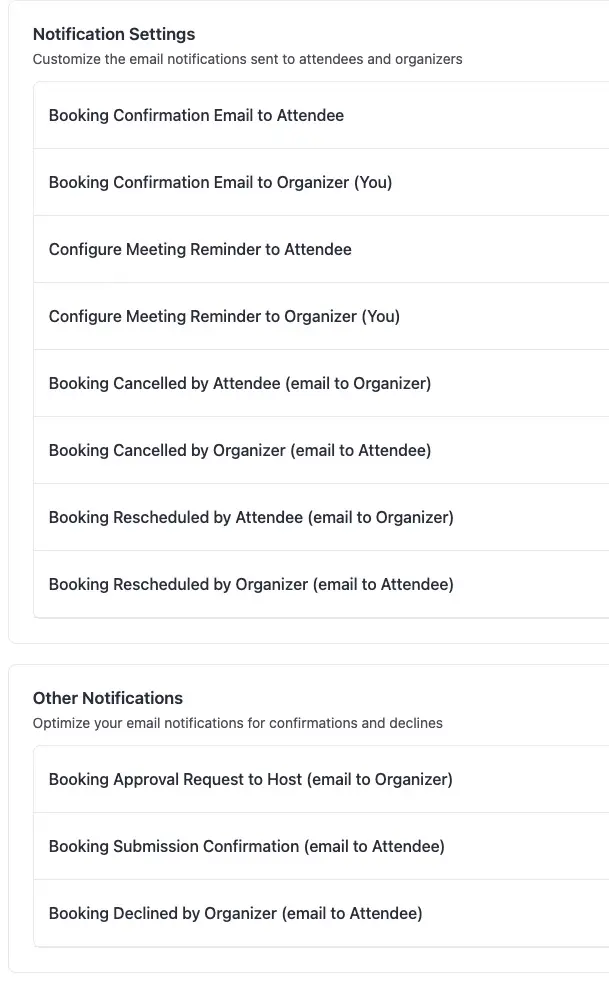
I was attempting to customize my FluentBooking emails, but got a bit overwhelmed decoding the different variables.
I just wasn't sure how {{booking.start_date_time_for_attendee}} would appear compared to {{booking.start_time_human_format}}, as one example.
Plus there are a million scenarios to reenact for testing. Like..
- attendee cancels / reschedules
- host cancels / reschedules
- booking pending approval
- multiple guests
- event uses different time zones
You get the idea.
Anyway. Rather than trying to guess what each variable does, I started documenting them in a spreadsheet with examples of how they actually render.
I (well, GPT Luna) built this from the current FluentBooking shortcode registry, but I’d love for the community to sanity-check it. If you spot anything inaccurate, incomplete, version-specific, or just confusing, please add a comment in the sheet or tag me here.
Hope it's helpful!
https://docs.google.com/spreadsheets/d/1baYeMVjNZxtvf1giMLSlc-n3AO20jS7PoCWpI0LUX3E/edit

Is there going to be an MCP for booking?

FluentBooking currently has no way to sell a bundle of sessions as a single purchase and let the customer redeem them one at a time, on their own schedule, against a tracked credit balance. This is a well-established gap — other users in this community have asked for the same thing (e.g., the thread about selling music-class packages, and the request for "buy 5 sessions once, book them whenever ready, like a credit system"). I want to lay out a full picture of what this feature would need to actually work for service businesses that sell packages of sessions rather than single one-off appointments.
The problem that is keeping me from using this product:
I run a private instruction business (sailing lessons) and sell offerings like:
- Single Full-Day Lesson (one-time, pay-per-booking)
- 4-Day Private Package (pay once, get 4 session credits, book them across weeks or months as availability allows - with an expiration date)
- Multi-service packages (pay once, get 2 session credits for one service and 1 sessions credit for another, book them across weeks or months as availability allows - with an expiration date)
Right now, the closest thing FluentBooking offers is the recurring-events feature, which lets a customer pay for N sessions and pre-schedules all N appointments at time of purchase. That solves a different problem. My clients don't know their availability four sessions in advance — they need to buy the package once, then come back and book session 2, 3, and 4 whenever they're ready, without paying again and without me manually tracking a spreadsheet of who has how many sessions left.
Currently Acuity Schedular does the best at this feature set, but is difficult to integrate into the rest of the Fluent ecosystem.
Feature-set request: a native Package/Credit product/service type
-
A "Package" event/product/service type in FluentBooking, configurable to include:
- One or more eligible services/event types the package can be redeemed against (e.g., a package usable for either "Private Lesson" or "Virtual Coaching," not just one fixed service)
- Number of credits included (e.g., 4)
- Optional expiration window (e.g., credits expire 12 months after purchase)
- Optional per-customer purchase limits
-
A FluentCart integration where purchasing a package product mints a credit balance on the customer's record, visible in both the FluentCart order and (ideally) synced to FluentCRM as a contact field or activity log entry, not just an internal FluentBooking table nobody else can see.
-
Booking-time credit enforcement:
- When a customer with an active package books an eligible service, FluentBooking checks their remaining balance instead of charging again or provides a custom code the user uses each time they book sessions.
- Decrements the balance by 1 on successful booking (not just on completion — needs a clear rule for whether a no-show or late cancellation returns the credit or consumes it, configurable by the business owner)
- Blocks booking if the balance is 0, with a clear message pointing the customer to purchase another package or pay for the session rather than a generic "unavailable" error
-
Customer-facing visibility:
- A "My Packages" or "My Credits" view (in the existing booking management/reschedule section in a client portal) showing remaining sessions and expiration date
- This should NOT require the customer to dig through email confirmations to know how many sessions they have left
-
Admin-facing visibility:
- Remaining balance visible on the customer/booking list in the FluentBooking admin, not just buried in order history
- Ability for the admin to manually adjust a balance (add/remove credits) for edge cases — refunds, goodwill sessions, data corrections
-
Cancellation/rescheduling behavior that respects the credit system:
- Rescheduling a session within a package should not consume an additional credit
- Cancellation policy should determine whether a credit is returned to the balance or forfeited, and this should be a configurable rule, not hardcoded
Example end-to-end flow this should support
A customer buys a "4-Day Private Package" through FluentCart ($X, one payment). She immediately has 4 credits on her account. She books session 1 for next Tuesday — balance drops to 3, no additional payment prompt. Two weeks later she logs back in and books session 2 for a date of her choosing — balance drops to 2. I can see at a glance, from her customer record, that she has 2 sessions remaining and when her package expires. If she tries to book a 5th session, she's prompted to purchase another package or pay for the session rather than the system allowing an unpaid booking.
Reminder X days prior to expire date if sessions still remain, for both the student and admin.
Why this matters beyond my use case
Any service business selling multi-session packages instead of pure one-off appointments needs this — tutors, coaches, personal trainers, music teachers, language instructors, and specialty instruction businesses like mine. This is a well-proven pattern in the booking-software space generally (several WordPress competitors already support package-credit redemption natively), so it's not a novel or unproven feature — it's a category-standard capability that FluentBooking is currently missing, and it's the single biggest reason businesses like mine end up evaluating non-Fluent alternatives despite wanting to stay in the ecosystem for everything else (CRM, forms, cost, and self-hosting).
I'd genuinely consider this a "complete the ecosystem" feature rather than a nice-to-have — right now FluentCRM, Fluent Forms, and FluentBooking work beautifully together for one-off appointment businesses, but package-based service businesses have no clean path forward without custom development or manual management.
Happy to provide more detail on my specific use case if it's helpful for scoping.

Hi, I'm getting spam bookings from jhon.doe@gmail.com , I'm using cleantalk, so I guessed this should not be possible.
Is there something I miss? Can anyone give me advise for settings to prevent this?
TIA
We just shipped FluentBooking 2.3.0. The whole admin got rebuilt. Dashboard, settings, the screens in between. It looks better, but the bigger win is that it works better.
The honest reason we did it: the old admin grew one screen at a time over two years. The elements were a bit discrete. Dark mode was half done. So we rebuilt it. We are also adapting the unified UI/UX across all of our plugins, and this is part of that plan.
What's new:
- New dashboard. Pick a date range; all the stats update together, and each one shows how it compares to the period before
- Next Meetings grouped by Today, Tomorrow and Later instead of one long list
- Settings uses the full page height, and the duplicate bar at the top is gone
- Dark mode rebuilt properly, now covers the WP admin, front-end portal, and shortcode
- The app scrolls on its own, so the top bar stays put on long lists
- More access control work from 2.2.5. Bookings and calendars stay with their owner; schedules can't be borrowed between hosts
- Fixed: Stripe card field on onsite payments, blank phone field on the booking form, team members blocked from saving availability
By the way, it's the UI/UX level redesign so nothing breaks.
Full changelog with screenshots: https://fluentbooking.com/articles/fluentbooking-2-3-0/
Let me know in the comments what you think about this unified UI/UX.
PS: Next week, we are shipping MCP for your AI agents. That will be a big one.

I use fluentcart and fluentbooking to sell music classes. Now I also offer a packages of multiple classes. However I don't see a way to offer this currently in fluentbooking. Am I missing something? Is there a workaround?
Thanks for your help in advance!

i just noticed, that users get confirmation mails not only from Booking, but also from Apple Mail....
Since when has this been the case? I checked some old test bookings where I didn't receive any emails from Apple (I have no idea whether the change came from Apple or Booking).
Anyways, can I prevent the participant email from being sent to Apple (i don't need it in the calendar anyway.), maybe via snippet?

Please allow to a calendar admin/owner reschedule a meeting beyond the availability range.
For example: A customer bought a meeting with me. He wants to reschedule, and he is allowed to choose a date only on availability range (only next 5 days, for example). It's OK. It's perfect.
BUT if I as an admin want to reschedule, I want/prefer to be able to reschedule the booking beyond the range I set for my availability (30 days or 90 days, for example).
Is it possible you to add this flexibility, please?
So far, if I want to reschedule beyond the availability range, I have to expand that range temporary, and then set it back.
Thanks for considering this feature 🙏🏼