

Error on Saving Days in Advance
When I perform a minimal change it tells me I don't have permissions.... What? I am the administrator and host....
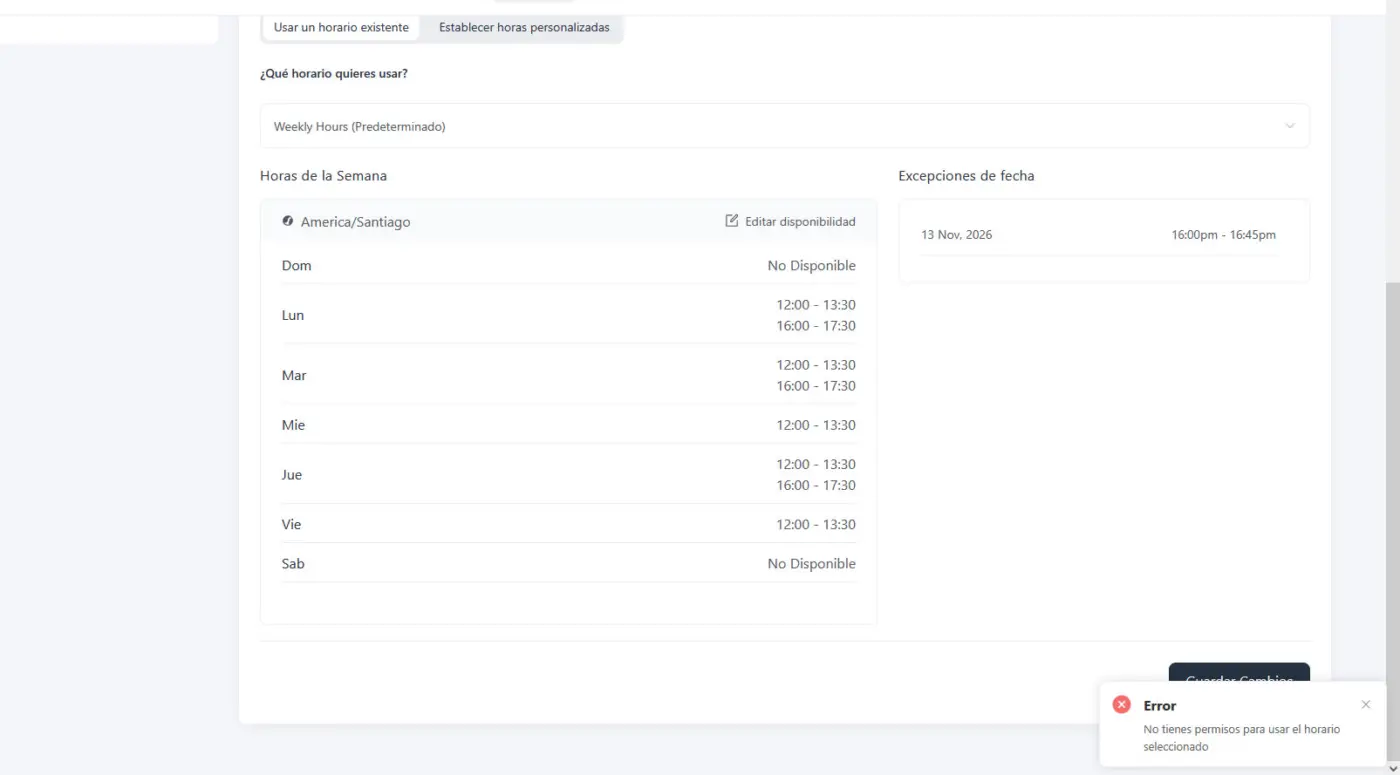

Hi Oscar Contreras, thanks for the report. We found the cause: the event still points to a host schedule that was deleted, so the save fails even for an administrator. The fix will be in the next release.
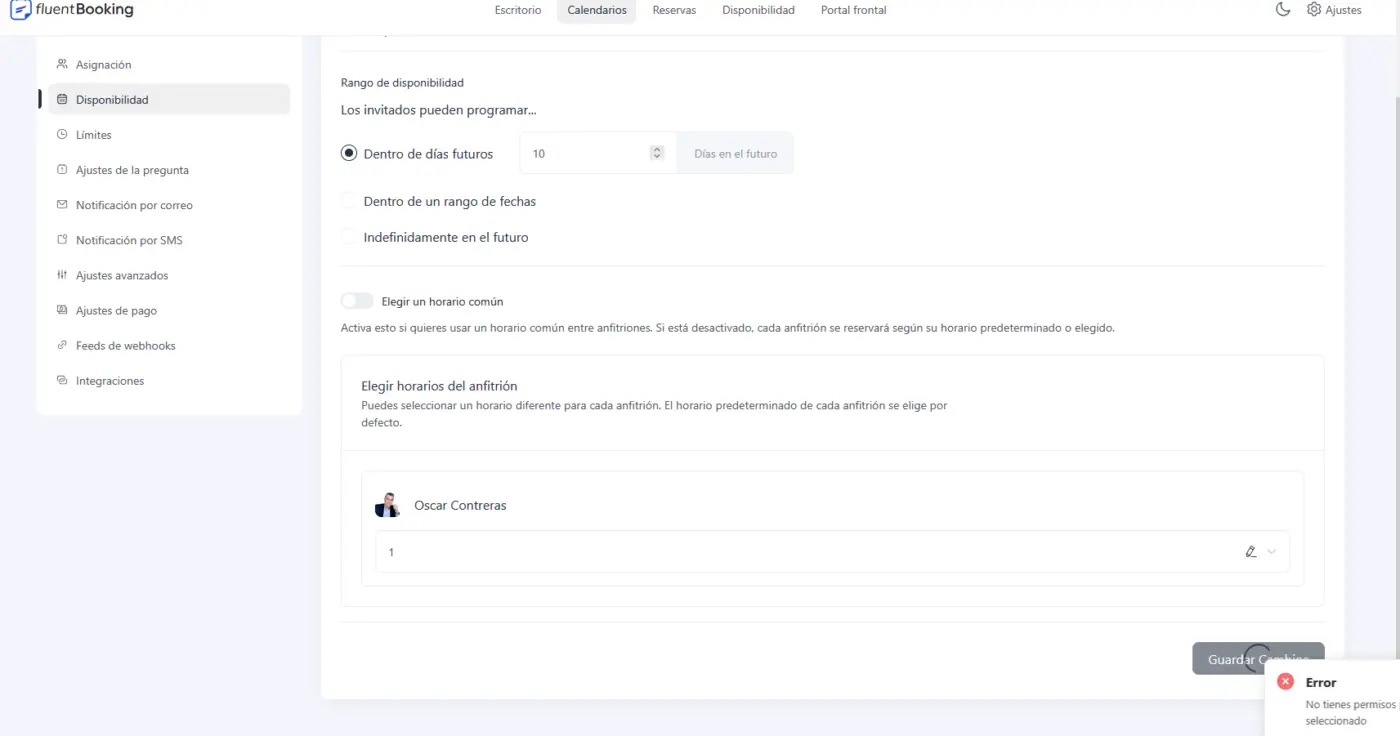
Until then: open the event's Availability tab, turn off "Choose a common schedule", select a schedule for the host that shows a number instead of a name, then turn the option back on and save.

Raiyan Marzan Replied above. Thanks so much!
Thanks so much for getting back to me. Tried the fix but still no go...
Oscar Contreras If still doesn't work please create a support ticket I will get it fixed.
Oscar Contreras Actually you should select an existing availability from the dropdown and try to save, it showing number means it's deleted.

I hope there is a fix for this in 2.6.1
Actually, it always worked well... I've never deletee anyhting on availiability... This is so weird... Just neeed to change the number from 10 to 15 can I do it other way... Maybe DB... This problem is so weird... Never had Problems with FB
Oscar Contreras Could you please create a support ticket so that I can have a look and find the root cause? Sorry for the inconvenient 🙌