Allow importing contacts without an email address
Request
Now that SMS is included in FluentCRM 3.0, please allow contacts to be imported without an email address when a phone number is present.
At the moment, the import requires an email address and returns this error:
{
  "email": "The email field is required.",
  "xhr_status": 422
}
This blocks SMS-only contacts from being added through import.
Suggested behavior
If a contact has a valid phone number, the email field should be optional during import.
Why this matters
With SMS support, some contacts may only have a mobile number. The import tool should support those contacts the same way the platform now supports SMS communication.
Clickable URLs in Custom Field
Request
When a URL is entered into a Custom Field, it would be helpful if FluentCRM automatically converted it into a clickable hyperlink in the contact view.
For example, if a field contains:
https://domain
It would display as a clickable link so users can open the destination directly instead of copying and pasting the URL.
Why this helps
Many workflows store links to external systems (CRMs, booking tools, client portals, etc.). Being able to click the link directly from the contact profile would make navigation faster.
Optional improvement
It would also be useful if the field allowed:
- Opening the link in a new tab
- A quick copy link button

Note: Previously requested in v2
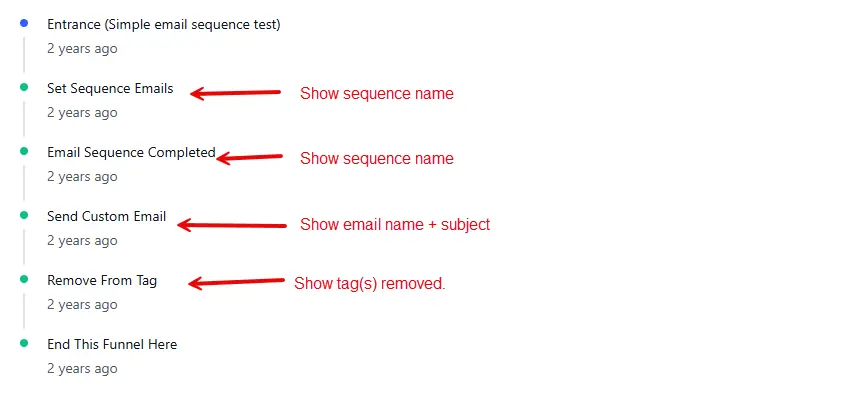
When viewing an automation report for a contact, some easily available information that would really help understand the flow of the automation is missing. For example, when a custom email gets sent via automation it would be really helpful to see the title and subject of the email rather than just "custom email". Likewise, when adding or removing tags, show the affected tags. All that information is readily available and would really help to understand the contact flow rather than having to bounce back and forth between the contact report and the actual automation.
The image shows an example automation report and where information is missing.
Note: Previously requested in v2
In the automation action step Update Contact Property, there is no ability to update contact property for contact status such as subscribed, unsubscribed, transactional, complained, etc.) This has been a requested feature for some time and we need it to be able to change the contact's status via automation.
Note: Previously requested in v2
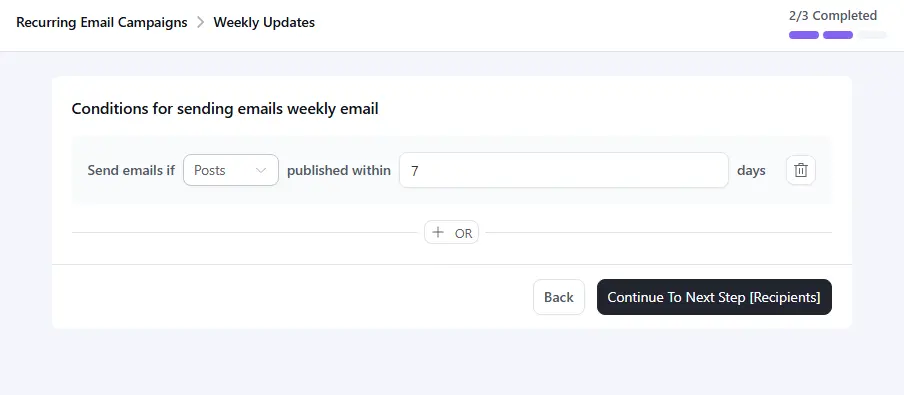
When creating a recurring campaign I'm able to filter eligible post by how old the posts are (e.g. 7 days). But I'm not able to filter by any other criteria, such as post category. Thus, I can't segment out different types of posts for specific recurring campaigns.
Scenario: I run a motor blog with different types of motors such as car, truck, and motorcycle. Someone signs up for a newsletter about motorcycle motors, so therefore I only want to send him new blog posts about motorcycles and not about cars and trucks. Using the recent posts block in the campaign editor I can filter posts to only show motorcycle updates via a category filter. However, when defining the actual recurring campaign there is no ability to filter on categories. Therefore, if I post something about car motors, the motorcycle recurring campaign will still be sent, though the content in the recent posts block will be blank.
Below is an image of the recurring campaign editor showing that only age of post can be filtered, but no other post filtering can be done.

I have a client who I've reviewed Fluent CRM with and they are interested but have a requirement to be able to add contact without needing an email address. They asked if I could extend it to have this feature, but looking into it myself I suspect based on the documentation stating "The minimum field to import contacts into FluentCRM is the Email field." I think it's essential vital to how it's been designed. Is it possible to adjust it to allow non-email contacts in either 2.9 or the 3.0 Beta?

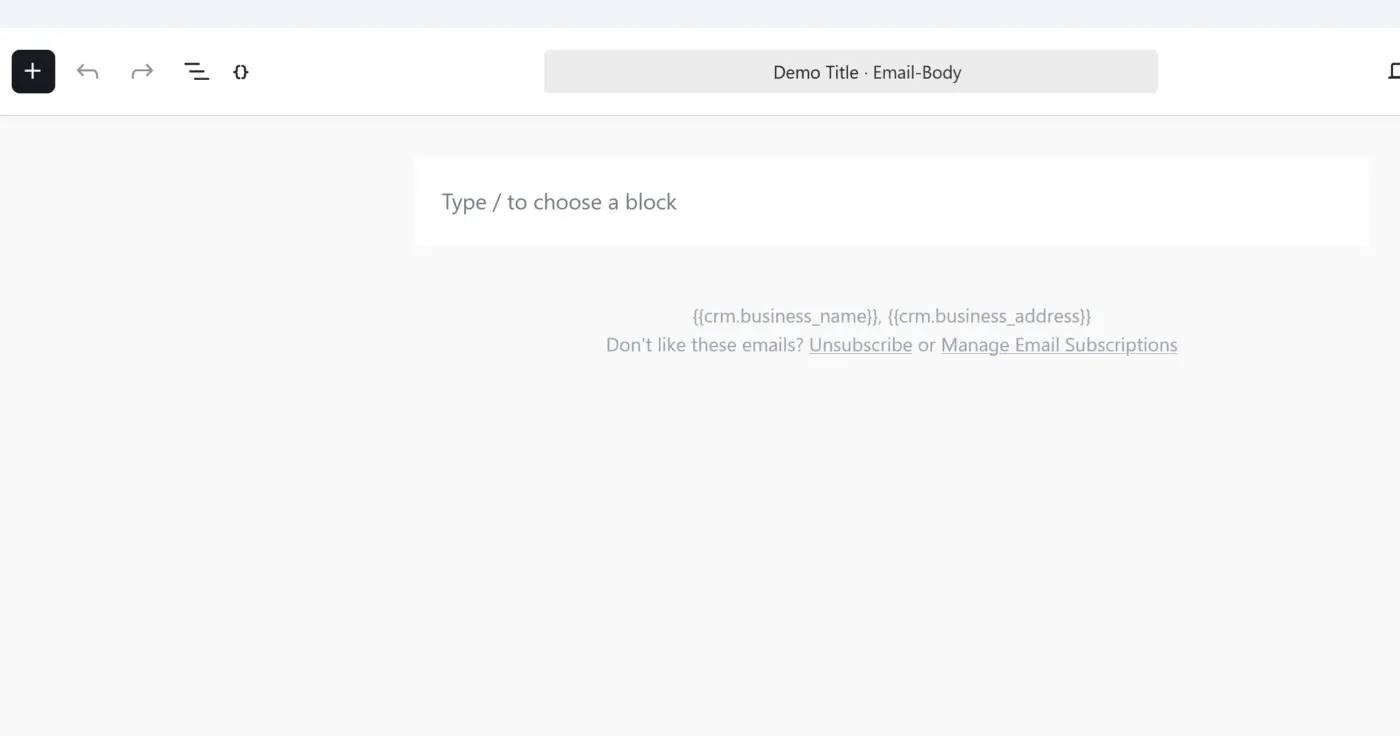
Shahjahan Jewel -- The beta seems to have made it impossible to edit my existing email sequence messages. When I load one to edit, there is no pre-existing content at all. It just loads a blank message. Yikes!
fluentcrm-admin#/email/sequences/edit/3/email/4?t=1773247782197
First -- I'm very happy to see that sending speed has increased significantly. Just sent our first campaign using the beta -- it used to take ~35 minutes. This time took just under 24 minutes.
There are a few bugs. That I've encountered.
First, in the "classic editor" I can't drag the corner of the editor screen to make the editing area larger.
Second, this is very minor, but when I click on "save" on a campaign, the little popup that says "Email body successfully updated" blocks the "next" button in the bottom right corner of the screen, which is annoying. This happens at other times, as well, blocking buttons I want to get to.
That's all for now! Thank you for the good work!

It would be a game changer for how my company works to be able to create my own customer types instead of just having Lead and Customer as the options, or create additional Fields that we could use in the main area of the contact screen (example: Contact Status) in 3.0
Maybe I'm missing something, I'm playing with the 3.0 Beta Pro and it seems that the Booking Tab is gone in contact in the contact screen. Can we bring it back? That was super helpful

I'm running several tests, but for now, I'd like to report a small issue that could be corrected.
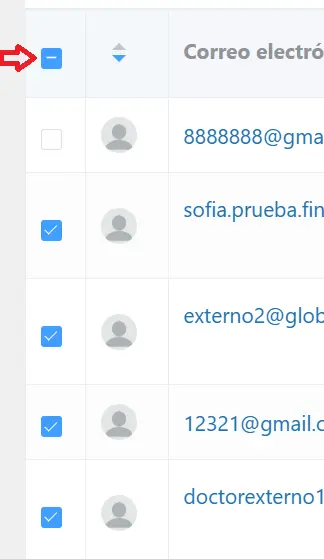
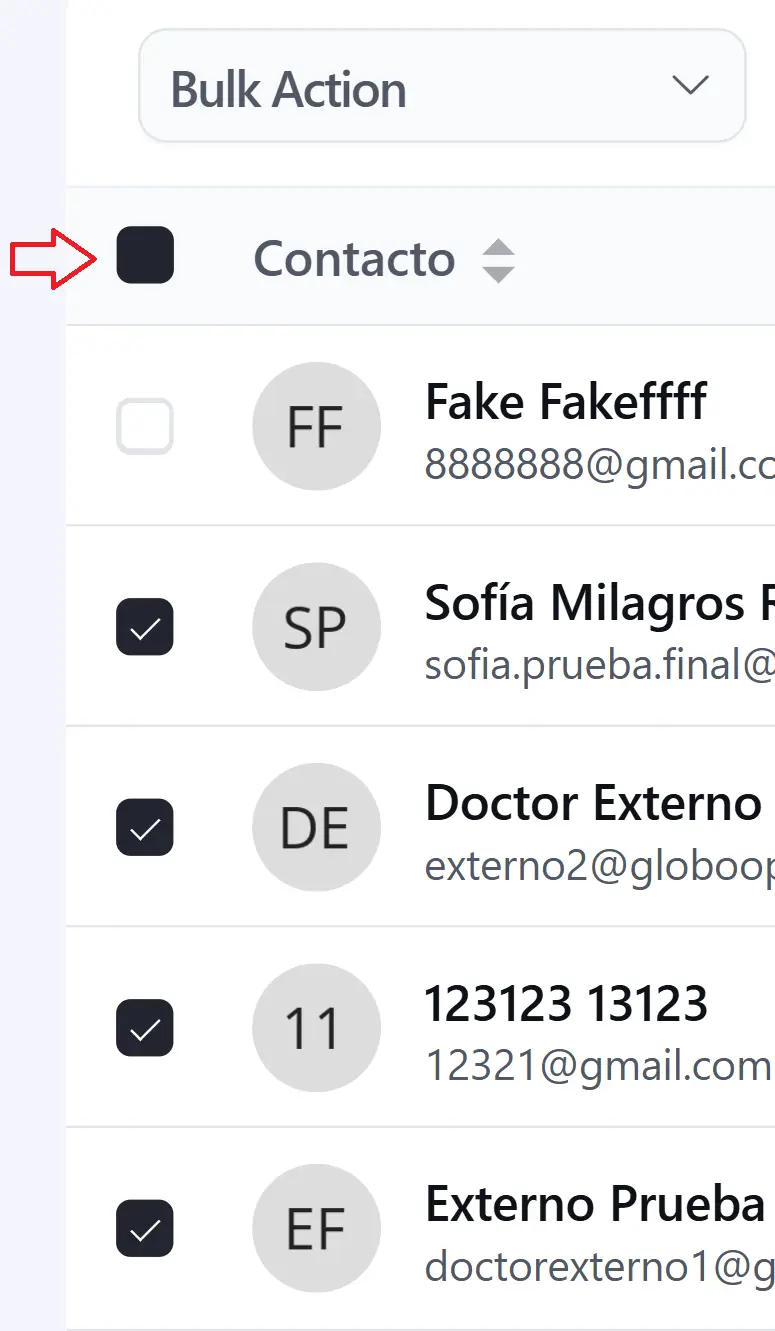
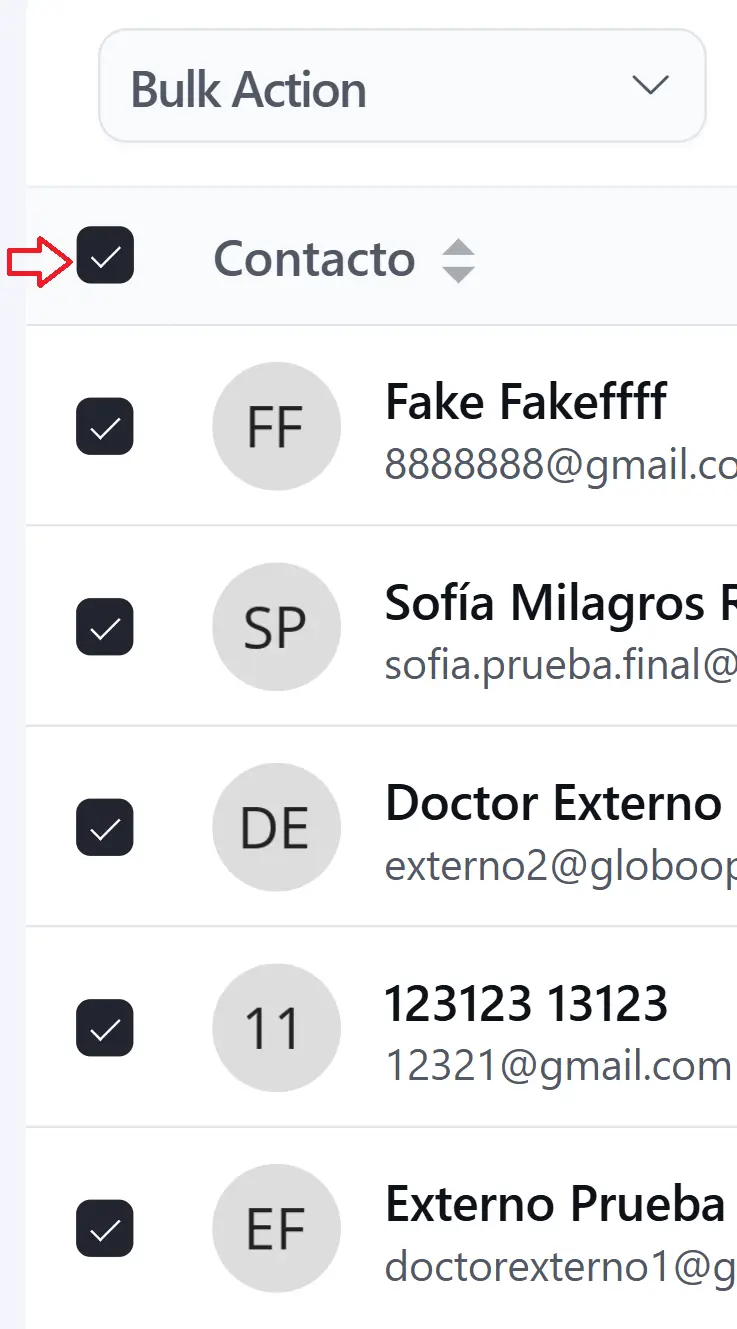
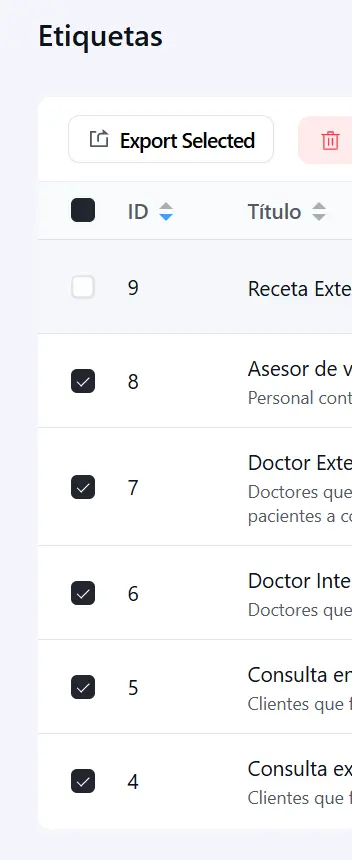
The "master checkbox" (responsible for selecting or deselecting all items) works correctly when the entire list is selected, but if one row is deselected, the checkbox turns completely black, even though the minus sign (-) should appear.
This happens in all lists: contacts, tags, companies, lists, automations, etc.
It only occurs in version 3.0; it worked correctly in previous versions.