


Hello,
we recently noticed that the contact linking inside our FluentBoards is no longer working as expected.
When we click on a contact within a task, instead of opening the specific contact profile, we are redirected to the FluentCRM Pro dashboard.
Previously, clicking the contact correctly opened the corresponding contact record in FluentCRM.
Could you please check whether this might be a bug or if something has changed in a recent update?
Thank you in advance for your support.
Best regards

For FluentCRM I would like to see an Eventbrite integration. Therefor both online or in-person events automatically pull-in names/emails/opt-in directly to FluentCRM creating contacts with tags of the event they attended.
Would other folks use this?

I haven't experiementd with this yet, so this is more a "can this be done" question. When creating emails via the REST API do they have to all be HTML or can you insert content into a pre-designed template and into a block for example?

- I added a feature request for global search and was told this is coming in v3. I see there's now a search that can look through Contacts, Emails, and Automations. But it doesn't include Contact Notes, Companies, and Company Notes. Without those things, I don't find this very useful. I would love to have that data searchable!
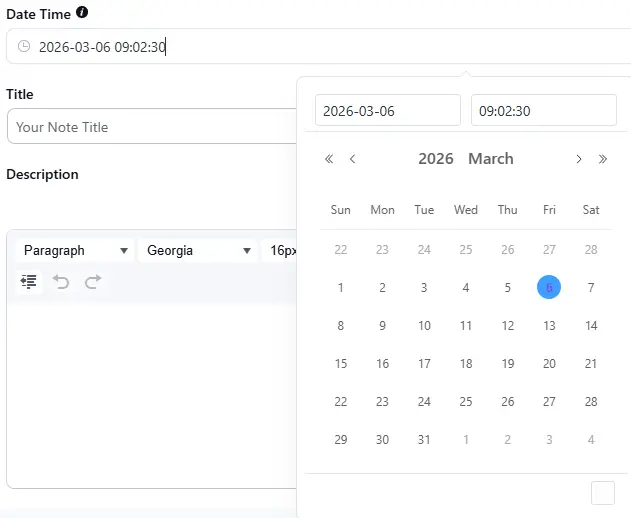
- When I go to add a Contact note, the Date Time picker has "Now" and "Ok" buttons, but these are invisible to me. (Screenshot attached)
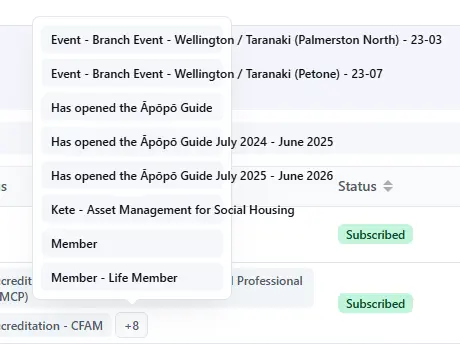
- On the All Contacts screen, contacts with lots of tags get a "+N" - love that. However, on hover it shows a box of fixed width, and long tags fall out of the box. (Screenshot attached)
- A bug that was present in the old versions too, I thought it may be addressed with v3 - in the All Contacts screen if you toggle on any of the Custom Fields columns, when you hit Save the column appear but the data doesn't. It takes a page reload for that data to appear.
- All Contacts > Advanced Filter > Add Property > Contact > there seems to be 2x "Date of Birth"
- All Contacts > Advanced Filter > Add Property > I no longer have my LearnDash options available!
- Companies - I'd love an advanced filter like on Contacts. At present I still need to export companies to meaningfully use the Companies data.
- Companies - I don't find the ID column or "Date Added" column useful and would like to turn these off, but they're not available in the dropdown to configure columns.
- Companies - it's hard to tell when it's thinking. In the Contacts screen, the table goes grey while it's searching, so you know it's doing something. But it doesn't do that in the Companies screen, so users aren't sure if it is searching or what.
- For both Contacts and Companies, I want to be able to sort by custom fields. I can do that for standard fields, but not custom fields.
Despite this feedback, I'm liking the UI including things like this:
- All Contacts - having the name above the email address saves a column worth of real estate - nice!
- All Contacts - the search is now more prominent than filters - smart!
- In a Company I can now filter the Contacts by tags - great!
Thanks team!

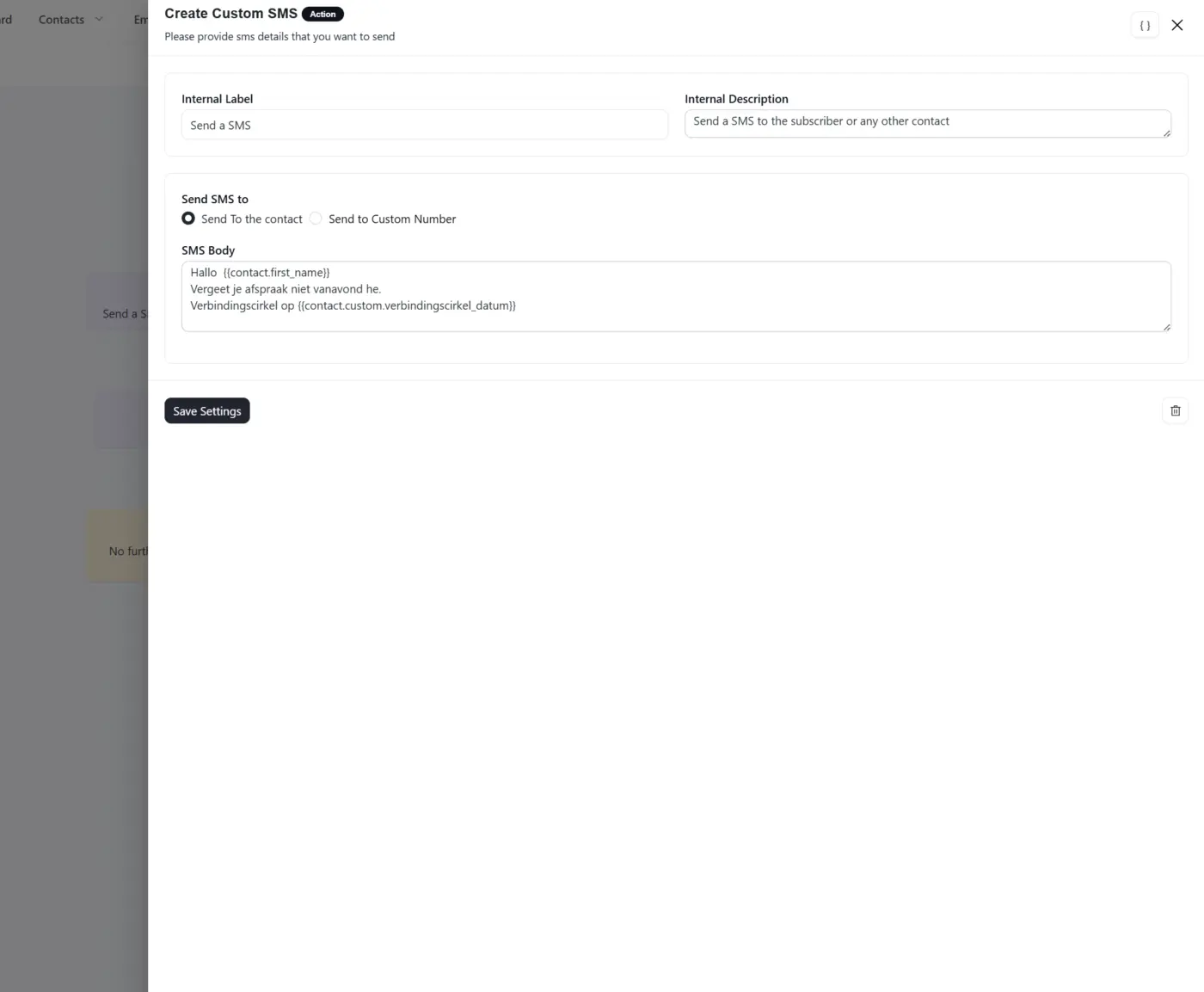
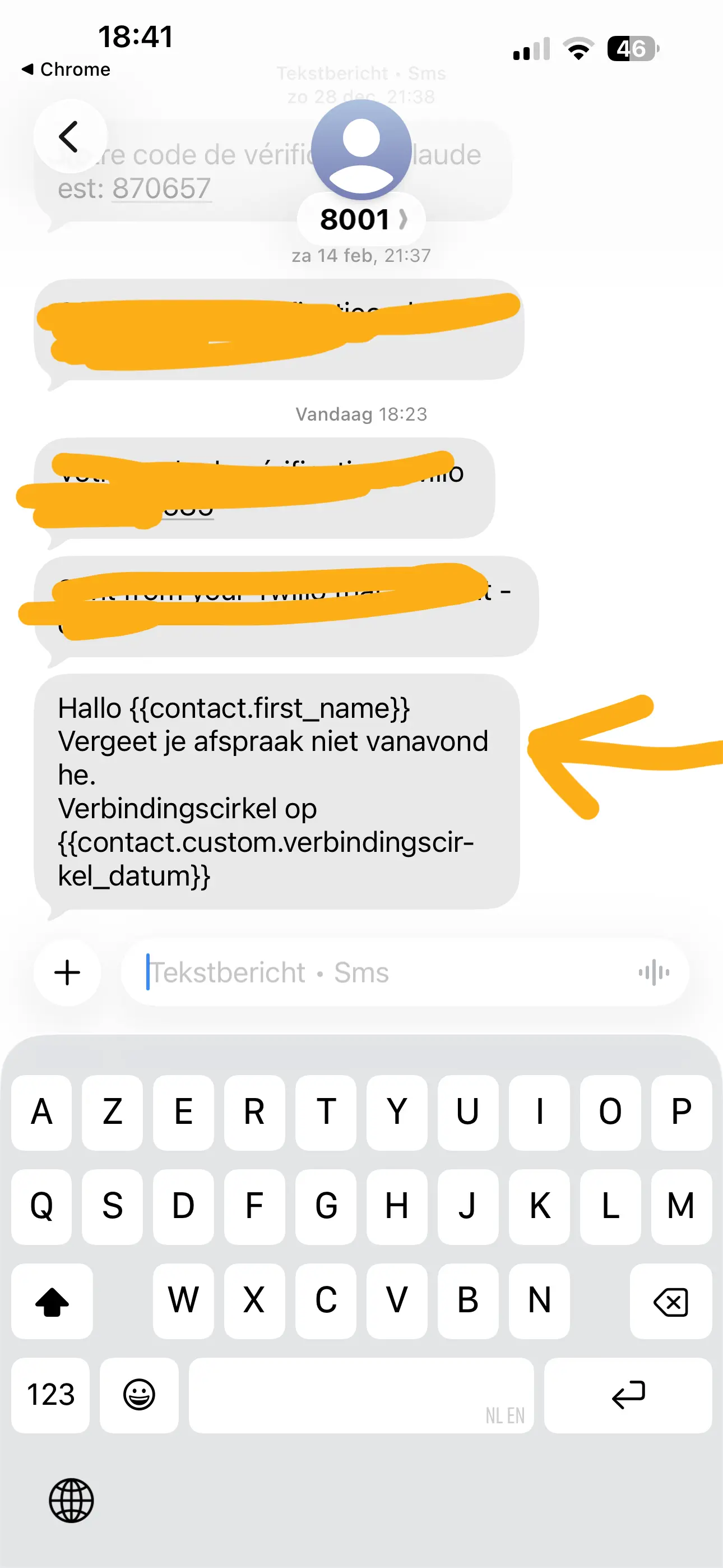
I noticed that the tags dont work.
It doesnt pull the user info.

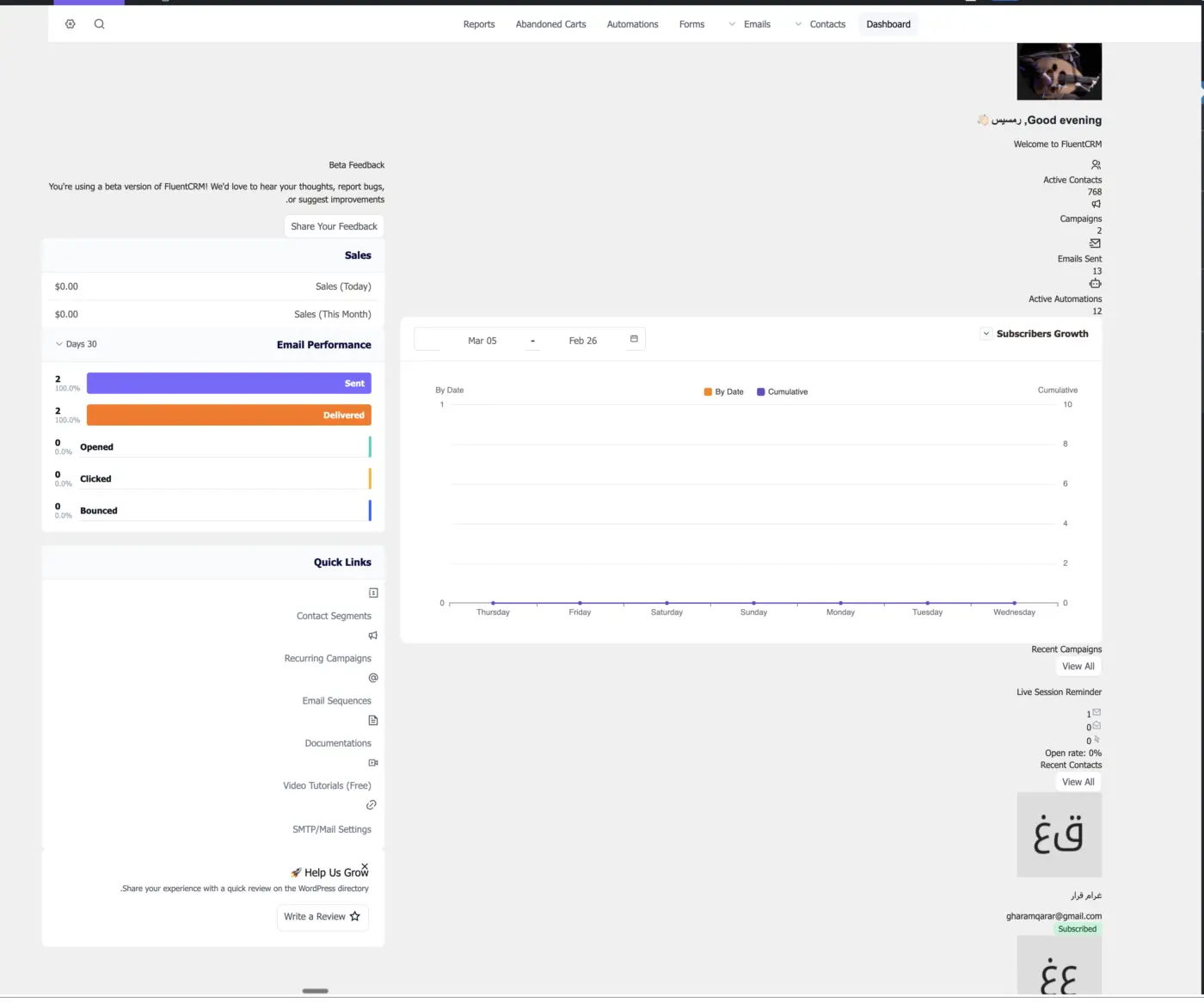

Here is a screenshot where the text under the setting name does not match the setting: https://cleanshot.com/share/LRF4Q2ZT

This isn't just an update. FluentCRM 3.0 is a complete rewrite, rebuilt from the ground up to be faster, more powerful, and ready for everything we have planned next.
And today, the beta is publicly available. 🙌
What's inside:
- 📱 SMS Marketing: Send and receive SMS, run bulk campaigns, and add SMS to your automation sequences. Two-way conversations, right inside your WordPress dashboard. Powered by Twilio and Amazon End User Messaging.
- 🛒 FluentCart Abandoned Cart Recovery: FluentCRM now connects directly with FluentCart to automatically trigger recovery sequences when a shopper abandons their cart. Set up email sequences, apply conditional logic based on cart value or products, and recover lost revenue on autopilot — no third-party plugin needed.
- 🎨 Redesigned Interface: Cleaner, faster, and more consistent with the rest of the Fluent ecosystem. If you use FluentForms, FluentCart, or FluentCommunity, it'll feel right at home.
- ✉️ Gutenberg-Native Email Builder: A more powerful, WordPress-native editing experience with more creative freedom when designing your campaigns.
⚡ Performance Upgrades: Built to handle more, faster.
This is a beta; we want your honest feedback before the final release. Try it out and tell us what you think right here in this space.
👉 Full details and download instructions: https://fluentcrm.com/blog/fluentcrm-3-0-beta/
Thank you for being part of this journey. This release exists because of your feedback, ideas, and patience. 🙏

I'm trying to enable Google login for my site and following the FluentAuth instructions here:
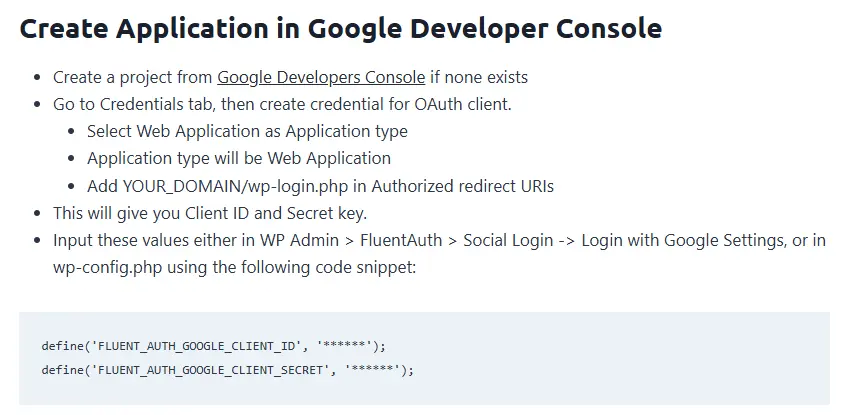
This is what I see when I start
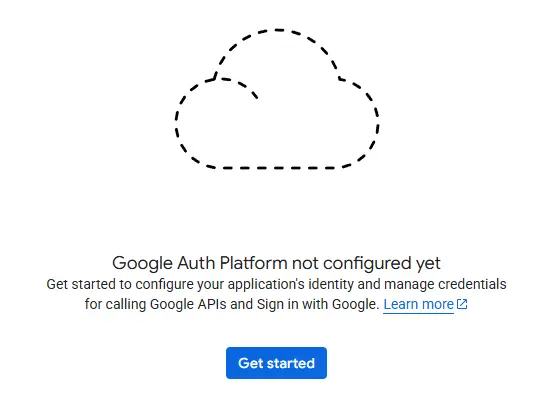
I am stuck on the second step. After I click get started, Google says in order to create an Oauth client ID I must configure the consent screen first. This leads me to this screen where they say I will have to get testers for my app and only use it once user testing is completed.
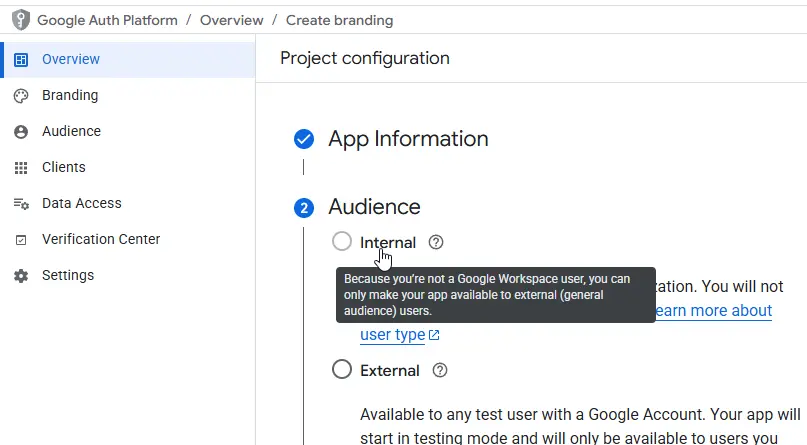
Am I in the right place? Do I really have to beta test and get approval from Google to use Google login in FluentAuth?

I'm all in on the Fluent ecosystem but, I really wish FluentCRM/FluentSupport would provide a few of the features (specifically around on-site and social AI/human chat) from this newcomer.