


Hi, importing a selfmade Gutenberg template to a campaign is failing. No blocks are imported. However, import of an public template is working.
I've experienced this problem since beta 1.

- Global Styles - Paragraph Block > Add Font Size & Line Height
- Global Styles - Button Block the duplicate button works within a campaign; however, you are starting all over when there is a new campaign. It would be nice to have global settings in place for branding. Also with buttons, would be nice to have settings to add a shadow and hover effect to buttons
- Divider Block - Add field to set width numerically

Can anyone confirm if the FCRM Gutenberg editor is using V3 blocks? I have a tool that unregisters V1-2 blocks in GB so the Iframe-based editor can work correctly, but I don’t want to lose FCRM blocks (conditionals, etc).
This provides some context:
https://snippetnest.com/snippet/legacy-wp-blocks-preventing-iframe-block-editor/

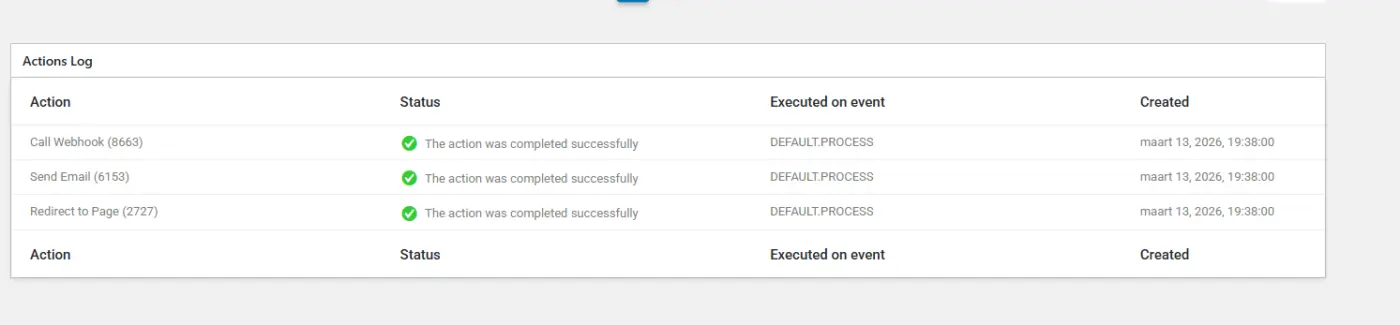
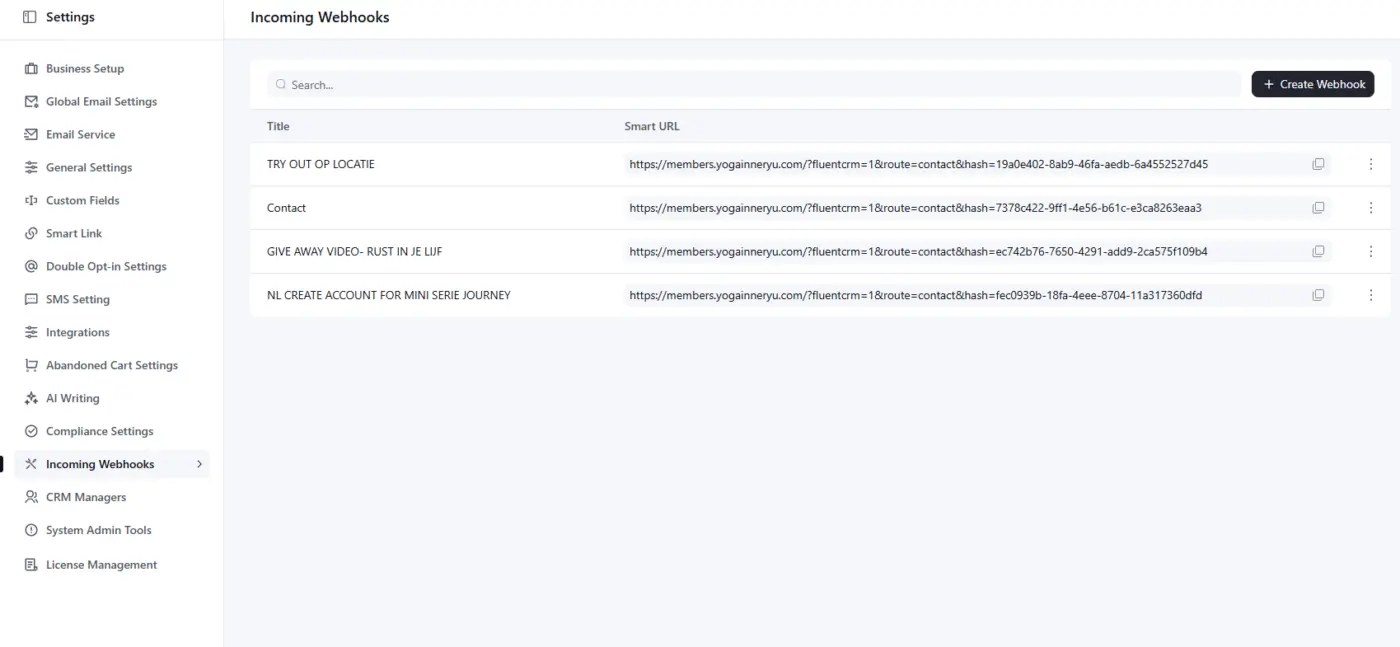
Webhook not working
Jetformbuilder logs of the succesfull form

Please move the Fluent TookKit out of the admin main menu and under either Plugins or Tools. I don't like a valuable main menu location taken up for just a plugin update frontend. At least give us the option to move it to one of the other locations.

We read every piece of feedback you share, and beta.3 is proof of that. A lot of what's in this release came directly from things you've been asking for. Here's what made it in:
- RTL Support. One of the longest-standing requests from our international users. Arabic, Hebrew, and other right-to-left languages are now fully supported.
- Incoming SMS via Twilio. You asked for two-way SMS, not just outbound blasts. You can now receive and track inbound messages right inside FluentCRM.
- SMS Smartcodes. Dynamic variables in your SMS messages — contact names, custom fields, and more. No more one-size-fits-all texts.
- AI Writing Feature. Many of you asked for AI assistance in the email editor. It's here now - draft, rewrite, or improve your copy without leaving the editor.
- Companies and Notes in Global Search. A small but frequently requested improvement. Search for anything and your companies and contact notes show up too.
- Drag and Drop for Custom Fields. You wanted more control over field ordering. Done.
- Email Sequence bug fix. A legacy issue affecting email bodies in automations and sequences is resolved.
- Rank Math conflict fixed. For everyone who reported this, thank you — it's patched.
This is still a beta, so please test on staging first (We are using the beta in several of our sites to track issues). Your feedback on this build is what shapes the final 3.0 release. Keep it coming. The full release is close 👀
How to update:
- Download & Install Fluent Toolkit addon (If you did not installed yet)
- Activate the plugin, then go to Fluent Toolkit and install FluentCRM Beta and FluentCRM Pro Beta. You can update from there as well.
- That’s it.
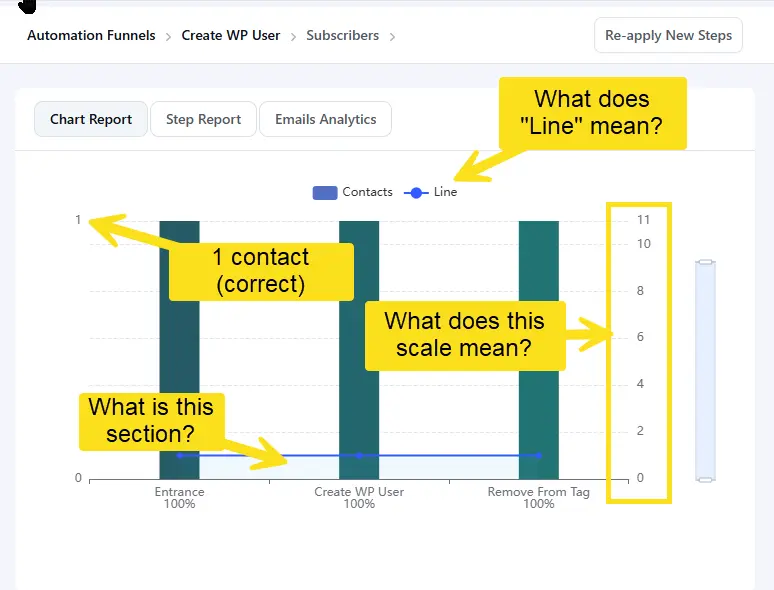
The chart displayed for an automation has an ambiguous stat "Line". It's not clear what that is representing. Also, there is a scale on the right which I'm assuming is supposed to represent "Line", but the scale seems to be off.
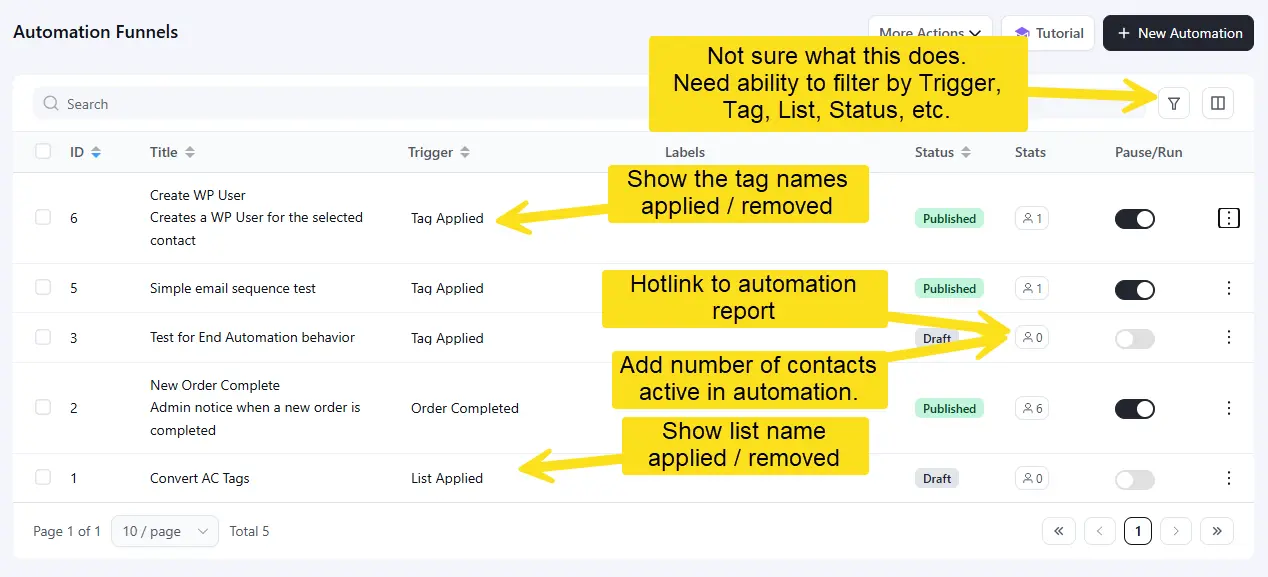
The automations report could be made much more useful if a few changes were made that I think should be easy to do.
- The filter icon doesn't seem to do anything. Need the ability to filter based on trigger type, tag, label, status, etc
- When listing triggers such as tag added/removed, list added/removed, company applied/removed, tracking event recorded, etc. Show the name of the tag/list/ etc.
- In the stats column, have the icon hotlink to the automation report.
- In the stats column, add the number of contacts that are currently active in the automation, not just the gross number of contacts that have entered the automation.

I'm excited for the improvements to the CRM. That said, I checked my existing sequences after uploading the beta version to my site, and the emails are blank. I discovered I can preview the message, but I cannot edit it. Please help. #bugreport

This is a new one for me. Importing contacts via csv into FluentCRM is sometimes timing out and giving me this error popup:
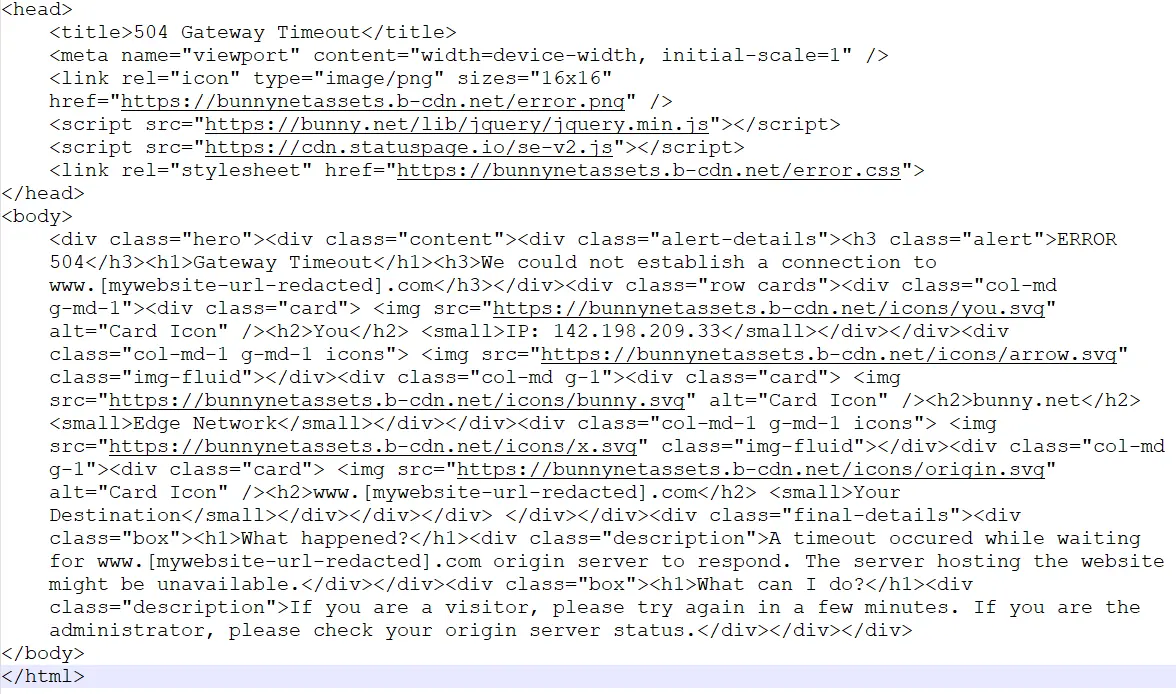
I don't have any Bunny CDN plugins, but my host uses Bunnycdn for caching, but this seems to be image related (trying to retrieve an SVG?) which seems odd to me.
Any thoughts?