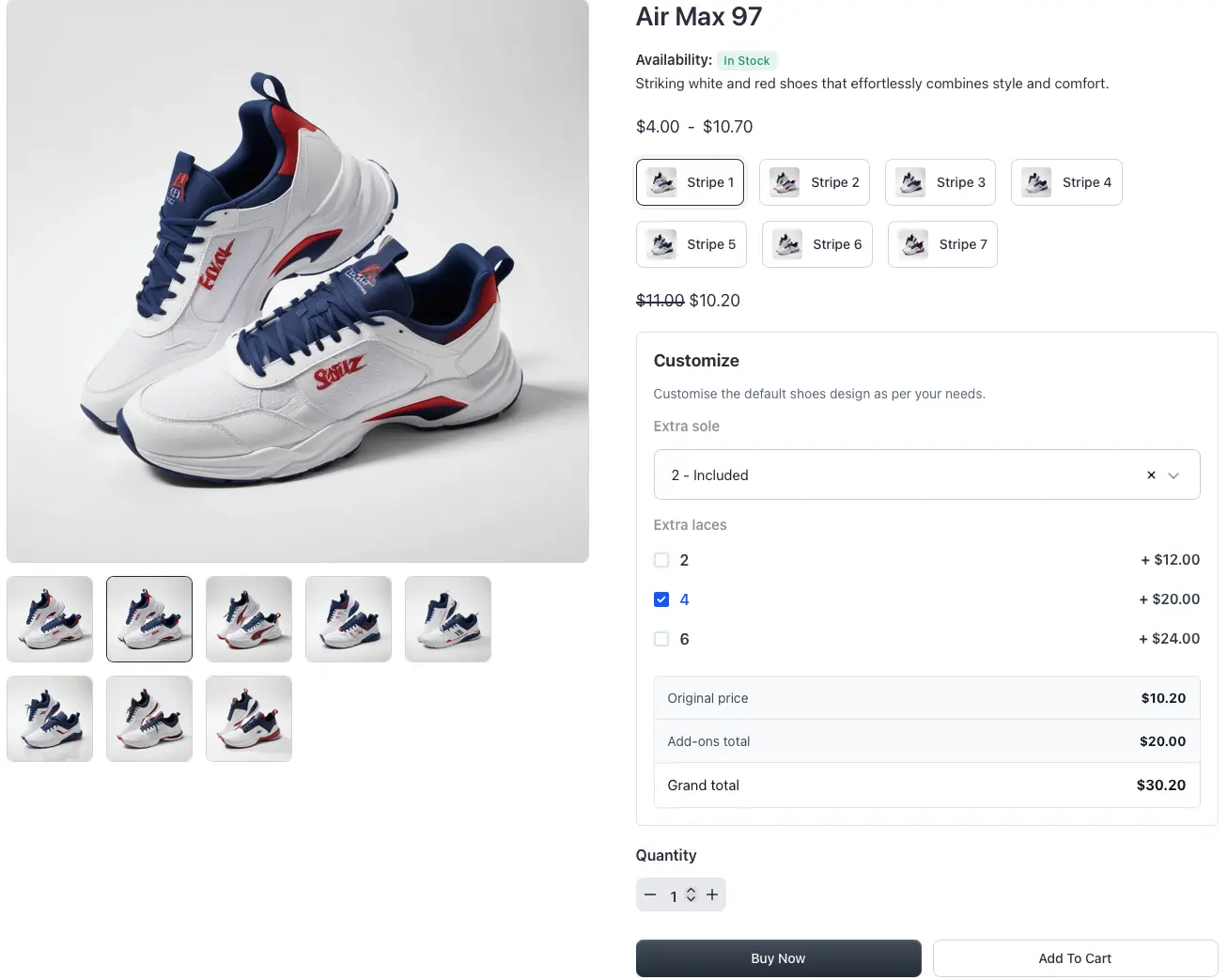
Hi everyone,

I’ve built a FluentCart extension called β€œFluentCart Extra Fields” to solve a limitation I faced while working on real projects.

It adds a visual checkout field builder with support for:

β€’ Text, email, number, textarea
β€’ Select, radio buttons, checkbox
β€’ Drag & drop field ordering
β€’ Conditional logic (AND / OR)
β€’ EU use cases (VAT / Partita IVA, SDI, invoicing fields)
β€’ Saving data to both order and customer

Example use case:
Show β€œPartita IVA” only if:

  • Customer type = Business
    AND
  • Invoice requested = Yes

I originally built this for European clients where checkout requirements are more complex.

πŸ‘‰ I’d love to get feedback from you:

  • Would you use something like this?
  • What features are missing?
  • Would conditional logic be useful in your checkout?

Happy to share a demo or early version if anyone wants to test it.

Thanks!
Elena

Could you please add *.local to the list of domains that do not use activation slots?

Shahjahan JewelΒ Β 
i did give the solution in the past , but no action has been taken, this is important to me to display link with

here is the possible solution, it worked in the past

https://community.wpmanageninja.com/portal/space/vip_lounge/post/why-the-preview-is-not-loading

1.00

Dear Fluent Support Team,

I am writing to report a critical "Fatal Error" that occurs whenever a customer tries to view or generate an order receipt in FluentCart.

[Error Summary]

The issue seems to be caused by the missing font file Sun-ExtA.ttf within the Fluent Forms PDF add-on's font directories, which prevents the mPDF library from rendering the receipt.

[Environment]

I have confirmed that WordPress and all relevant plugins (FluentCart, FluentCart Pro) are updated to their latest versions.

[Error Details]

  • Error Type: E_ERROR
  • Error Message: Uncaught FluentPdf\Vendor\Mpdf\MpdfException: Cannot find TTF TrueType font file "Sun-ExtA.ttf" in configured font directories.
  • File Path: /home/igial/[tokyobigaku.com/public_html/whp/wp-content/plugins/fluentforms-pdf/vendor-prefixed/mpdf/mpdf/src/Fonts/FontFileFinder.php:38](https://tokyobigaku.com/public_html/whp/wp-content/plugins/fluentforms-pdf/vendor-prefixed/mpdf/mpdf/src/Fonts/FontFileFinder.php:38)

Fatal error: Uncaught FluentPdf\Vendor\Mpdf\MpdfException: Cannot find TTF TrueType font file "Sun-ExtA.ttf" in configured font directories. in /home/igial/tokyobigaku.com/public_html/whp/wp-content/plugins/fluentforms-pdf/vendor-prefixed/mpdf/mpdf/src/Fonts/FontFileFinder.php:38 Stack trace: #0 /home/igial/tokyobigaku.com/public_html/whp/wp-content/plugins/fluentforms-pdf/vendor-prefixed/mpdf/mpdf/src/Mpdf.php(3894): FluentPdf\Vendor\Mpdf\Fonts\FontFileFinder->findFontFile('Sun-ExtA.ttf') #1 /home/igial/tokyobigaku.com/public_html/whp/wp-content/plugins/fluentforms-pdf/vendor-prefixed/mpdf/mpdf/src/Mpdf.php(4189): FluentPdf\Vendor\Mpdf\Mpdf->AddFont('sun-exta', '') #2 /home/igial/tokyobigaku.com/public_html/whp/wp-content/plugins/fluentforms-pdf/vendor-prefixed/mpdf/mpdf/src/Mpdf.php(18328): FluentPdf\Vendor\Mpdf\Mpdf->SetFont('sun-exta', '', 9.0, false) #3 /home/igial/tokyobigaku.com/public_html/whp/wp-content/plugins/fluentforms-pdf/vendor-prefixed/mpdf/mpdf/src/Tag/InlineTag.php(62): FluentPdf\Vendor\Mpdf\Mpdf->setCSS(Array, 'INLINE') #4 /home/igial/tokyobigaku.com/public_html/whp/wp-content/plugins/fluentforms-pdf/vendor-prefixed/mpdf/mpdf/src/Tag.php(245): FluentPdf\Vendor\Mpdf\Tag\InlineTag->open(Array, Array, 25) #5 /home/igial/tokyobigaku.com/public_html/whp/wp-content/plugins/fluentforms-pdf/vendor-prefixed/mpdf/mpdf/src/Mpdf.php(13926): FluentPdf\Vendor\Mpdf\Tag->OpenTag('SPAN', Array, Array, 25) #6 /home/igial/tokyobigaku.com/public_html/whp/wp-content/plugins/fluent-cart-pro/app/Services/PDF/OrderReceiptPdfService.php(130): FluentPdf\Vendor\Mpdf\Mpdf->WriteHTML('\<div style="dis...') #7 /home/igial/tokyobigaku.com/public_html/whp/wp-content/plugins/fluent-cart-pro/app/Hooks/filters.php(16): FluentCartPro\App\Services\PDF\OrderReceiptPdfService->generateReceiptPdf(Object(FluentCart\App\Models\Order), 'order_receipt') #8 /home/igial/tokyobigaku.com/public_html/whp/wp-includes/class-wp-hook.php(341): FluentCartPro\App\Core\Application->{closure}(NULL, Array) #9 /home/igial/tokyobigaku.com/public_html/whp/wp-includes/plugin.php(205): WP_Hook->apply_filters(NULL, Array) #10 /home/igial/tokyobigaku.com/public_html/whp/wp-content/plugins/fluent-cart/app/Hooks/Handlers/ShortCodes/ReceiptHandler.php(98): apply_filters('fluent_cart/pdf...', NULL, Array) #11 /home/igial/tokyobigaku.com/public_html/whp/wp-content/plugins/fluent-cart/app/Http/Routes/WebRoutes.php(229): FluentCart\App\Hooks\Handlers\ShortCodes\ReceiptHandler->renderRedirectPage(Array) #12 /home/igial/tokyobigaku.com/public_html/whp/wp-content/plugins/fluent-cart/app/Http/Routes/WebRoutes.php(191): FluentCart\App\Http\Routes\WebRoutes::handleMainRoutes('receipt') #13 /home/igial/tokyobigaku.com/public_html/whp/wp-content/plugins/fluent-cart/app/Http/Routes/WebRoutes.php(34): FluentCart\App\Http\Routes\WebRoutes::registerRoutes() #14 /home/igial/tokyobigaku.com/public_html/whp/wp-includes/class-wp-hook.php(341): FluentCart\App\Http\Routes\WebRoutes::FluentCart\App\Http\Routes\{closure}('') #15 /home/igial/tokyobigaku.com/public_html/whp/wp-includes/class-wp-hook.php(365): WP_Hook->apply_filters(NULL, Array) #16 /home/igial/tokyobigaku.com/public_html/whp/wp-includes/plugin.php(522): WP_Hook->do_action(Array) #17 /home/igial/tokyobigaku.com/public_html/whp/wp-settings.php(742): do_action('init') #18 /home/igial/tokyobigaku.com/public_html/whp/wp-config.php(113): require_once('/home/igial/tok...') #19 /home/igial/tokyobigaku.com/public_html/whp/wp-load.php(50): require_once('/home/igial/tok...') #20 /home/igial/tokyobigaku.com/public_html/whp/wp-blog-header.php(13): require_once('/home/igial/tok...') #21 /home/igial/tokyobigaku.com/public_html/index.php(17): require('/home/igial/tok...') #22 {main} thrown inΒ /home/igial/tokyobigaku.com/public_html/whp/wp-content/plugins/fluentforms-pdf/vendor-prefixed/mpdf/mpdf/src/Fonts/FontFileFinder.phpΒ on lineΒ 38

[Steps to Reproduce]

  1. Complete an order using FluentCart.
  2. Navigate to the order receipt page or try to display the receipt.
  3. The site crashes with the fatal error mentioned above.

It appears the PDF engine is attempting to use the "Sun-ExtA" font (likely for CJK character support) but the file is missing from the vendor-prefixed mPDF directory included in the plugin.

Could you please investigate why this font is being requested but not found, or provide a fix to include the necessary font files in the latest update?

I look forward to your prompt response.

I see it on the Free vs Pro - FluentCart page but I can't figure it out. I even searched the docs, no luck...

I wonder if there are any migration tools for moving from tutorlms and woocommerce to fludentcommunity and fluentcart?

Another small one today. Mostly fixes and internal improvements

Two fixes I want to call out:

  • Shipping math is correct again for mixed product carts. When customers bought a mix of digital and physical items, or fragile and standard, the per-order base shipping rate was being applied once per shipping class group instead of once per order. So shipping totals were inflated at checkout. This release applies the base rate exactly once, regardless of how many shipping classes are in the cart.
  • License activations now treat www and non-www as one site. Customers running on both www.example.com and example.com were burning two activations from a single license. Activation now normalizes the host before checking, so the same site counts as one. License capacity stops disappearing into duplicates.

Plus a solid round of fixes across payments, refunds, and the customer portal: Stripe settings double encryption fixed, refund transactions now properly scoped by order ID, customer lifetime stats recount on refund, empty mini cart freeze gone, coupon expiration now shows in your local timezone instead of UTC, subscription orders with coupons no longer get stuck after checkout, duplicate renewal records eliminated, free shipping no longer adds class surcharges incorrectly, and Paddle subscriptions now cancel immediately on refund.

Variation editing also got a smoother pass. No more spurious dirty state right after saving, no duplicate variant init on first load, and a cleaner experience after deleting a variant.

Full changelog with details: https://fluentcart.com/blog/fluentcart-1-3-25/

More soon πŸš€

It would be great if we could have 2-step checkout forms. Step 1: contact info, Step 2: payment info. Step 1 immediately save the info to CRM (also for abandonned cart purpose)

Hey, first - I LOVE EVERYTHING YOU DO! Two questions:

  1. any news on FluentCart and Breakdance integration? Elements and Conditions to show elements is the most interesting for me, anyone else?
  2. and what about Rankmath PRO (schemas and a lot of other PRO-features)- is it friendly to FluentCart?

1.00

TL;DR:

FluentCart is moving in the right direction, and the recent improvements around EU VAT/VIES validation are very welcome. It is clear that the team is putting a lot of care and attention into the product. Congrats!

However, I still cannot openly recommend it to many European digital businesses because there are important gaps around tax ID collection, VAT display, reverse charge wording, invoices/receipts, tax reports, refunds and manual orders.

These issues may not be obvious for merchants selling only inside their own country, but they become critical for businesses selling across the EU or internationally.

I really hope this feedback helps close some of those gaps.


Hi Jewel and team,

First of all, I’m happy to see the progress FluentCart is making. I have been testing it again from the perspective of European digital businesses that sell both locally and internationally, including B2B, B2C, EU and non-EU customers.

I will attach screenshots with specific examples, but I wanted to organize the main feedback here.

1. Checkout fields still need proper custom fields

Checkout fields still do not allow proper custom fields.

This is especially important for tax compliance. The Tax ID should be available as a required field by default, or at least easy to add next to the billing address fields.

The current EU VAT field helps when the customer is an EU business, but it does not solve the broader issue.

For example, a French store may sell to:

  • a French company,
  • a German company,
  • a Spanish company,
  • a US customer,
  • a Canadian customer.

In the EU cases, the EU VAT field may apply. But for non-EU customers, the store may still need to collect a local tax ID, company registration number or equivalent fiscal identifier.

SureCart, for example, solves this with a single dynamic β€œTax ID” field. Depending on the customer’s country, it can collect the relevant identifier.

Right now, unless I have missed something, FluentCart does not seem to offer a default way to request a tax ID outside the EU VAT configuration. This is a serious limitation for international compliance.

2. Price formatting should allow clean round numbers

This is not a major compliance issue, but it matters for UX and conversion.

If a product costs 50 €, some businesses may prefer to display it as:

50 €

instead of:

50,00 €

It would be useful to have an option to hide decimals when they are not needed.

3. EU VAT validation sometimes feels slow or unstable

When testing EU VAT numbers several times in a row, validation can take quite a while.

I also experienced a β€œMax concurrent request” error after entering VAT numbers two or three times in a row.

I understand this is not normal customer behavior in most cases, but it can happen with businesses managing different entities or establishments.

It would be useful to improve reliability, caching or user feedback around VIES validation.

4. β€œReverse charge (No tax)” is confusing

I’m glad to see that FluentCart now references β€œReverse charge” when an EU business enters a valid EU VAT number.

However, the wording β€œReverse charge (No tax)” is not ideal.

The issue is the β€œNo tax” part.

In a reverse charge scenario, the seller does not charge VAT to the customer, but this is not simply a β€œno tax” transaction. There is still a VAT treatment, and the buyer may have to account for VAT locally under the reverse charge mechanism.

The phrase β€œNo tax” can confuse both sellers and buyers. I have already seen this create doubts in Spain and other EU member states.

I am not asking FluentCart to include the specific legal article in every case, because I understand this can vary depending on the country, product or service. But I do think β€œNo tax” should be removed.

A safer wording would be simply:

Reverse charge

or:

Reverse charge applies

5. Checkout, invoices and receipts do not clearly show the tax name and percentage

Both checkout and generated documents should clearly show:

  • the tax name,
  • the applicable tax rate,
  • the tax amount.

This is important because the same European business may:

  • charge local VAT if it remains below the 10,000 € EU B2C threshold,
  • use the OSS scheme and charge the customer’s country VAT,
  • apply reverse charge for valid EU B2B customers,
  • apply no Spanish/EU VAT for non-EU customers.

Using generic labels such as β€œstandard tax”, β€œreduced tax” or similar is not enough for proper tax documentation.

The tax rate percentage should be visible. This data already seems to exist in the database, so it should also be possible to display it in checkout, invoices and receipts.

6. Tax reports are not complete enough

In the reports section, especially the tax reports, not all relevant data seems to be reflected correctly.

Some fields appear to be missing even when the customer has entered them, such as:

  • country,
  • region,
  • tax-related customer data.

I will attach screenshots for this.

This matters because tax reports are not just analytics. For many store owners, they are part of their accounting and compliance workflow.

7. Refund error with cash payments

When testing cash payments, I encountered an error when trying to process a refund.

I will attach a screenshot.

This may be an edge case, but cash or manual/offline payments are important for many businesses, especially consultants, agencies and freelancers.

8. Customer lifetime value does not update correctly after refunds

When a refund is processed, the customer lifetime value does not seem to update correctly.

Example:

  • Customer buys two products of 50 € each.
  • Total LTV becomes 100 €.
  • One order is refunded.
  • LTV should become 50 €.

At the moment, it seems to remain 100 €.

This creates inaccurate customer reporting.

9. Receipts and invoices are not clearly differentiated in the customer portal and admin

In the customer portal, the CTA says β€œView receipts”, but when clicking it, invoices appear.

This should be consistent.

A receipt and an invoice are not the same from a tax perspective. In many jurisdictions, including Spain, a receipt cannot be used in the same way as an invoice for tax deduction purposes.

If the document is an invoice, the CTA should say β€œView invoices”.

Also, in the dashboard and order section, I found it very hard to locate the invoice related to a specific customer order. Ideally, invoices should be accessible directly from:

  • the customer profile,
  • the order detail page,
  • or both.

Right now, I had to go to the customer portal to see how invoices were displayed.

10. Manual orders need tax ID and tax calculation support

Many businesses and freelancers need to create manual orders.

These can be:

  • one-time manual orders,
  • payment plan orders,
  • subscription orders.

There are two important problems here.

First, when creating a manual order, it does not seem possible to enter the customer’s tax ID. As a result, the order is created only with the base product price, without applying the proper tax logic.

This makes manual orders difficult or even unusable for many professionals in the EU.

Second, there does not seem to be an option to update the customer’s tax ID from the customer profile.

In real business operations, this is sometimes necessary. Customers make mistakes, companies change details, or a seller needs to correct billing information before issuing proper documentation.

Final thought

I really want FluentCart to become a strong option for European digital businesses.

The product is moving in the right direction, but tax compliance is one of those areas where small missing pieces can create serious operational and legal friction.

For local sales, international sales, B2B, B2C, EU VAT, non-EU customers, OSS, reverse charge, invoices, receipts and manual orders, checkout and billing flexibility are essential.

I hope this feedback is useful. Happy to clarify anything or share more detailed examples if helpful.

cc: Shahjahan JewelΒ 

P.S. I suspect this may also be reflected, sooner or later, in FluentCart’s adoption in Europe. I know several potential users who are currently holding back because of these issues. Some store owners may only sell within their own country and therefore may not notice the problem immediately. But any online business selling across multiple EU countries, or receiving orders from outside the EU, will eventually face these scenarios. In many cases, they may discover the issue too late, after invoices, receipts or tax reports have already been generated incorrectly. Even businesses that mainly sell locally can receive international orders simply because we operate in a global, internet-based market. In its current state, at least from a documentation and tax reporting perspective, this could create serious compliance problems for those merchants.

  • Maxed the amount of screenshots I can upload (<4). Sorry for that :)
FluentCart feedback: EU VAT, tax IDs, invoices and reporting gaps FluentCart feedback: EU VAT, tax IDs, invoices and reporting gaps FluentCart feedback: EU VAT, tax IDs, invoices and reporting gaps FluentCart feedback: EU VAT, tax IDs, invoices and reporting gaps