


Clever Linked Terms v1.1.0 is coming soon.
This is the biggest release yet for Clever Linked Terms, and it marks a major step forward from a glossary/linking plugin into a full semantic linking and relationship engine for WordPress, FluentCommunity, and content-heavy websites.
The heart of this release is the new Terms Engine.
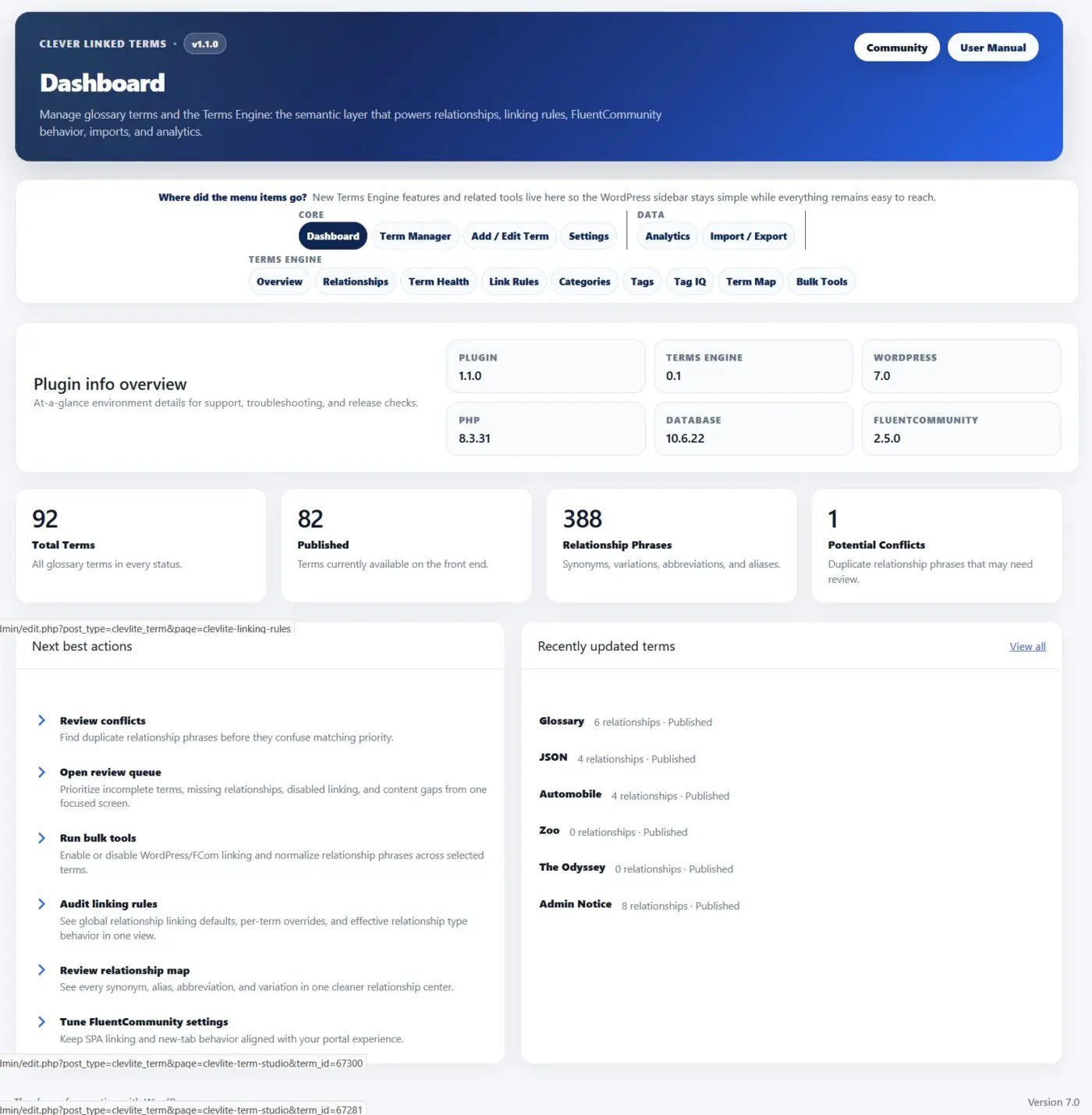
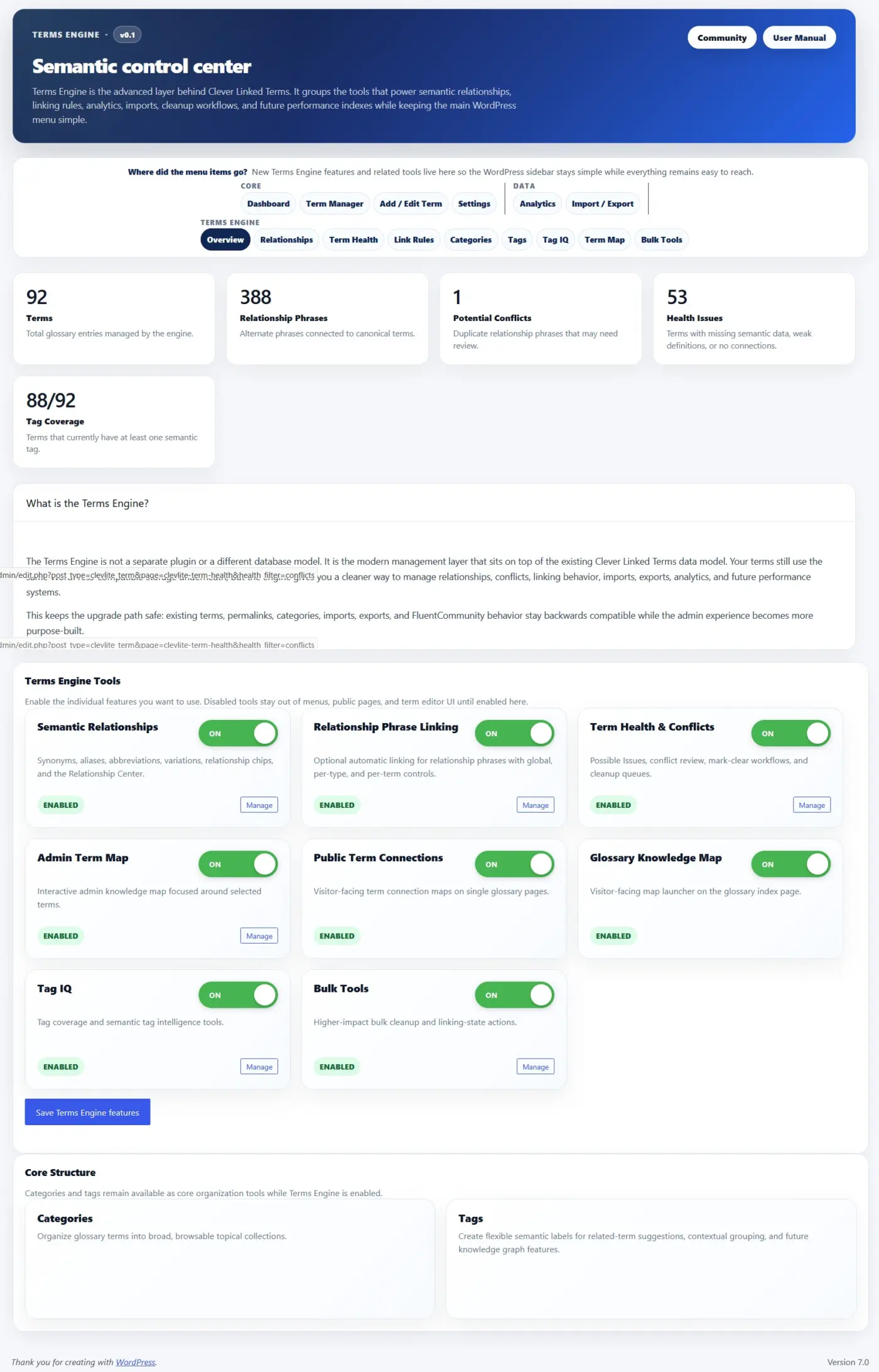
Terms Engine gives you a dedicated control center for managing relationships, term health, link rules, maps, tags, conflicts, and semantic structure. It is optional, modular, and can be enabled only when your site needs those deeper tools.
Here is what is new in v1.1.0:
- Terms Engine. A new semantic control center for relationships, term health, link rules, categories, tags, Tag IQ, term maps, and bulk tools.
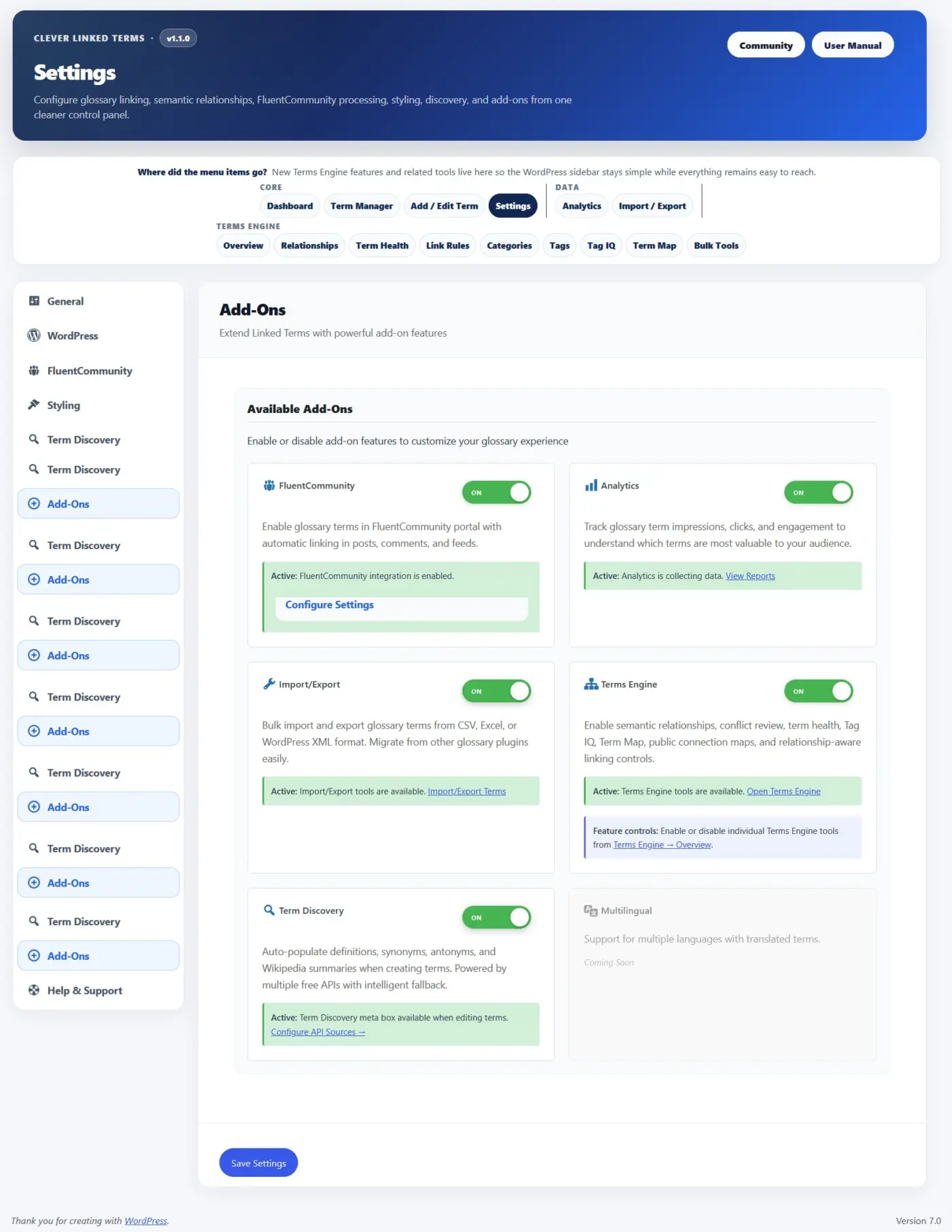
- Modular Feature Controls. Terms Engine can be enabled as an add-on, and individual tools can be turned on or off from the Terms Engine Overview. This keeps smaller glossary sites clean while giving larger sites room to grow.
- Semantic Relationships. Glossary terms now support synonyms, aliases, abbreviations, and variations so different words or phrases can point back to the correct canonical term.
- Relationship Phrase Linking. Relationship phrases can optionally link back to their parent term, with global settings, per-type controls, and per-term overrides.
- Term Health. A new review area helps identify possible issues, relationship conflicts, duplicate phrases, and terms that may need editorial cleanup.
- Admin Term Map. Explore how terms connect through shared tags, shared categories, and semantic relationships. Clicking a term can refocus the map without reloading the page.
- Public Term Connections. Single term pages can show visitor-facing relationship maps so readers can explore related concepts.
- Glossary Knowledge Map. Glossary index pages can now include a larger visitor-facing map behind a smooth “View glossary map” launcher, so it is available without taking over the page.
- Term Studio. A cleaner term editing experience for titles, slugs, statuses, scheduled terms, tooltip summaries, WYSIWYG definitions, sources, categories, tags, exclusions, and Terms Engine fields.
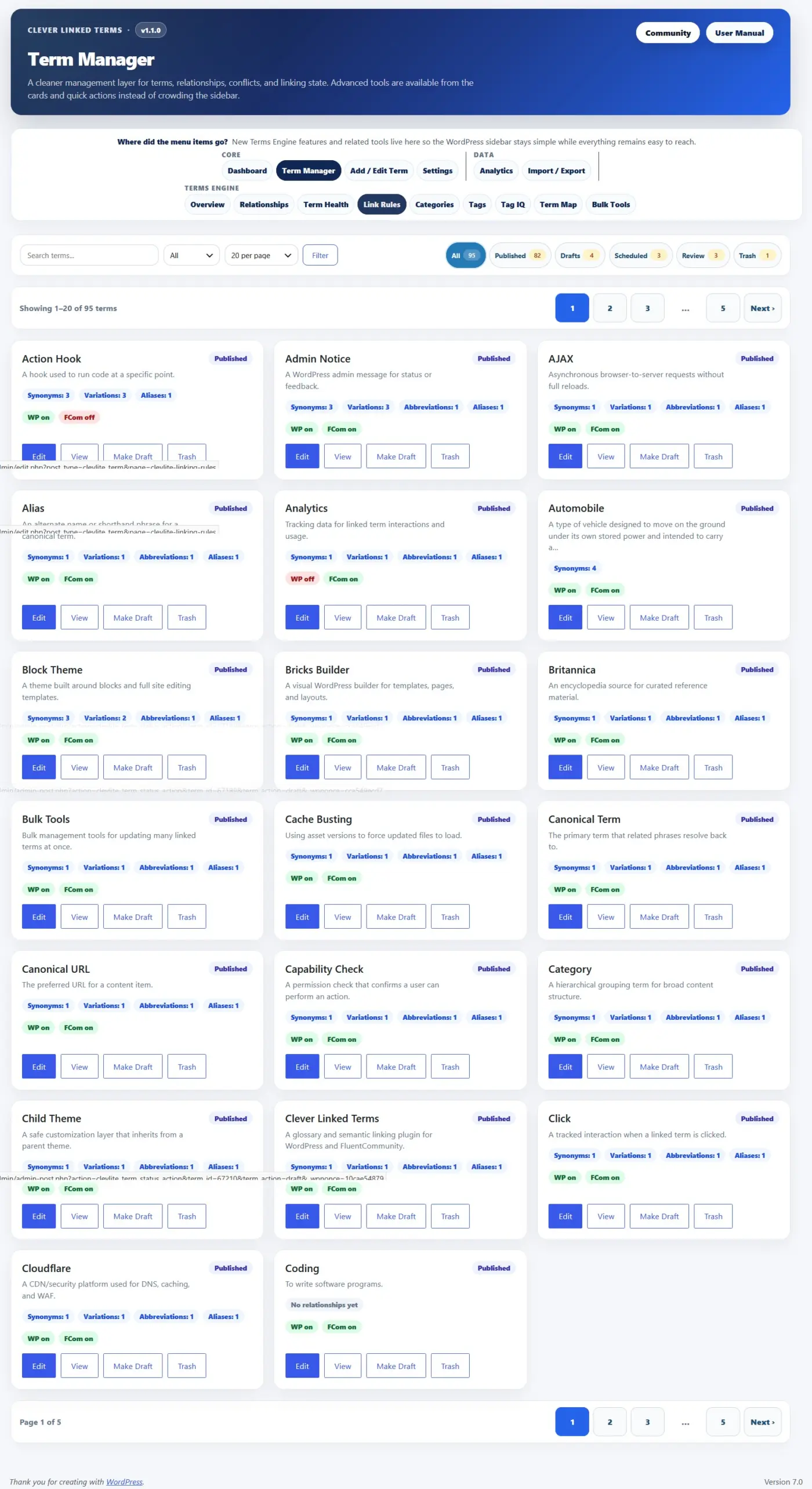
- Term Manager Improvements. The term manager now includes a card-based interface, better filters, status chips, pagination, and a terms-per-page selector for large glossaries.
- Glossary Index Improvements. You can now set both the glossary index slug and title, choose from multiple layouts, control whether index content is auto-linked, ignore leading words like “a,” “an,” and “the” for sorting, and adjust sticky header behavior.
- Single Term Page Improvements. New layout options, better source/tag/category display, public connection maps, and “Back to [Index Title]” buttons that use your actual glossary title.
- Term Discovery Improvements. Fetched definitions and summaries now preserve editor formatting better, sources are routed into the Sources field, and synonyms are normalized into separate values instead of one long line.
- Import/Export Updates. CSV/XML workflows now support v1.1.0 fields including sources, tags, relationships, exclusions, scheduled status, and relationship linking controls.
- Analytics Add-On. Optional analytics can track impressions, clicks, matched phrases, relationship types, context, and FluentCommunity-aware activity.
- FluentCommunity Support. SPA-aware processing helps glossary links and tooltips continue working after FluentCommunity portal navigation and feed updates.
- aOS/AdminOS Compatibility. Clever Linked Terms can now register as an app inside aOS/AdminOS when available, with routes for Dashboard, Terms, New Term, and Settings.
- Performance Improvements. Public maps and glossary knowledge maps use lazy-loading and cached rendering patterns so heavier visual tools do not slow down the initial page load.
- This release also includes WordPress 7.0 compatibility metadata, Plugin Check cleanup, stronger sanitization/escaping, improved readme content, and a lot of release hardening for the WordPress.org plugin directory.
Clever Linked Terms is free and available on WordPress.org.
Download/update here:
https://wordpress.org/plugins/clever-linked-terms/
User Manual:
https://jeffbrigman.com/clever-linked-terms-user-manual/
Join the community:
https://jeffbrigman.com/community/space/linked-terms/home

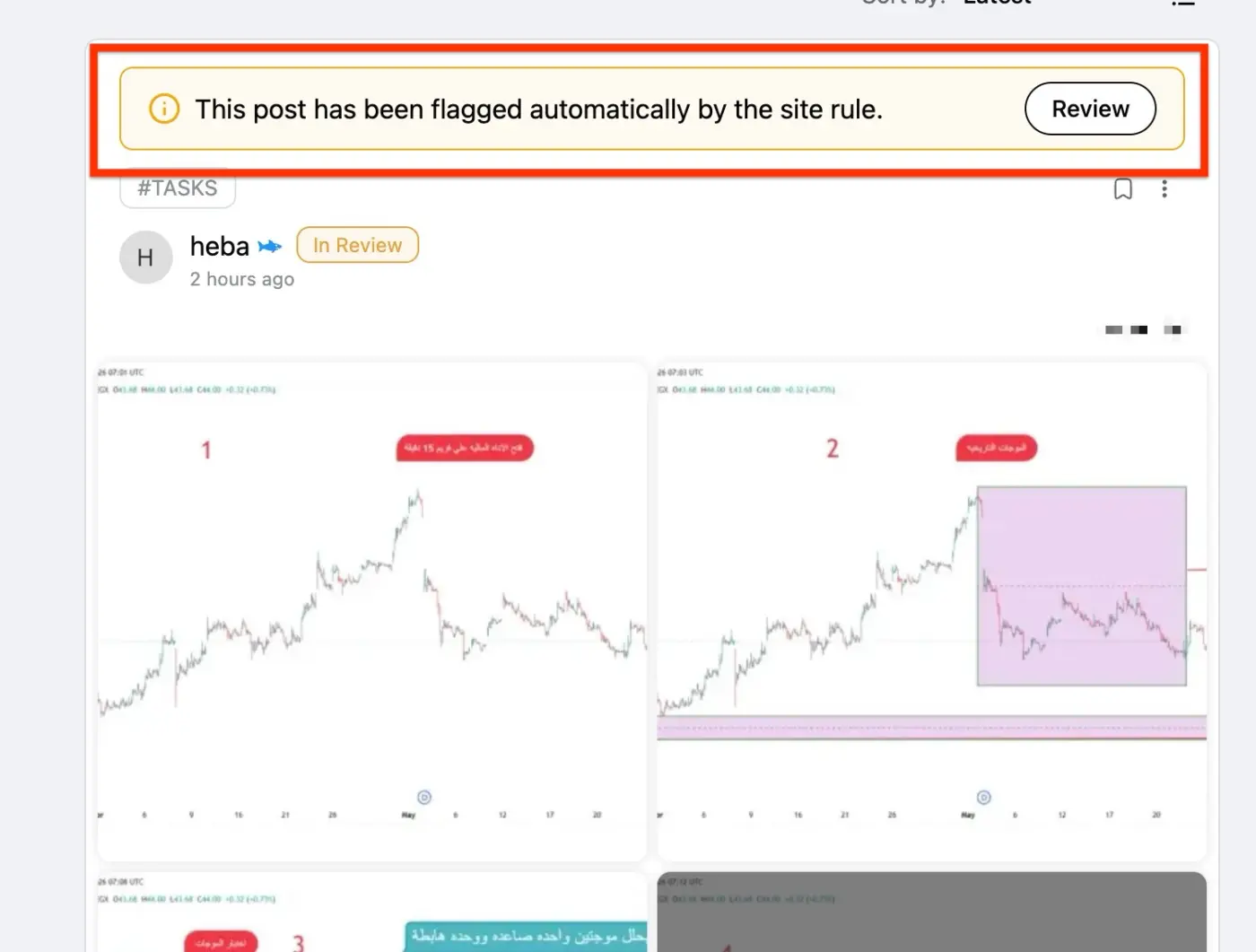
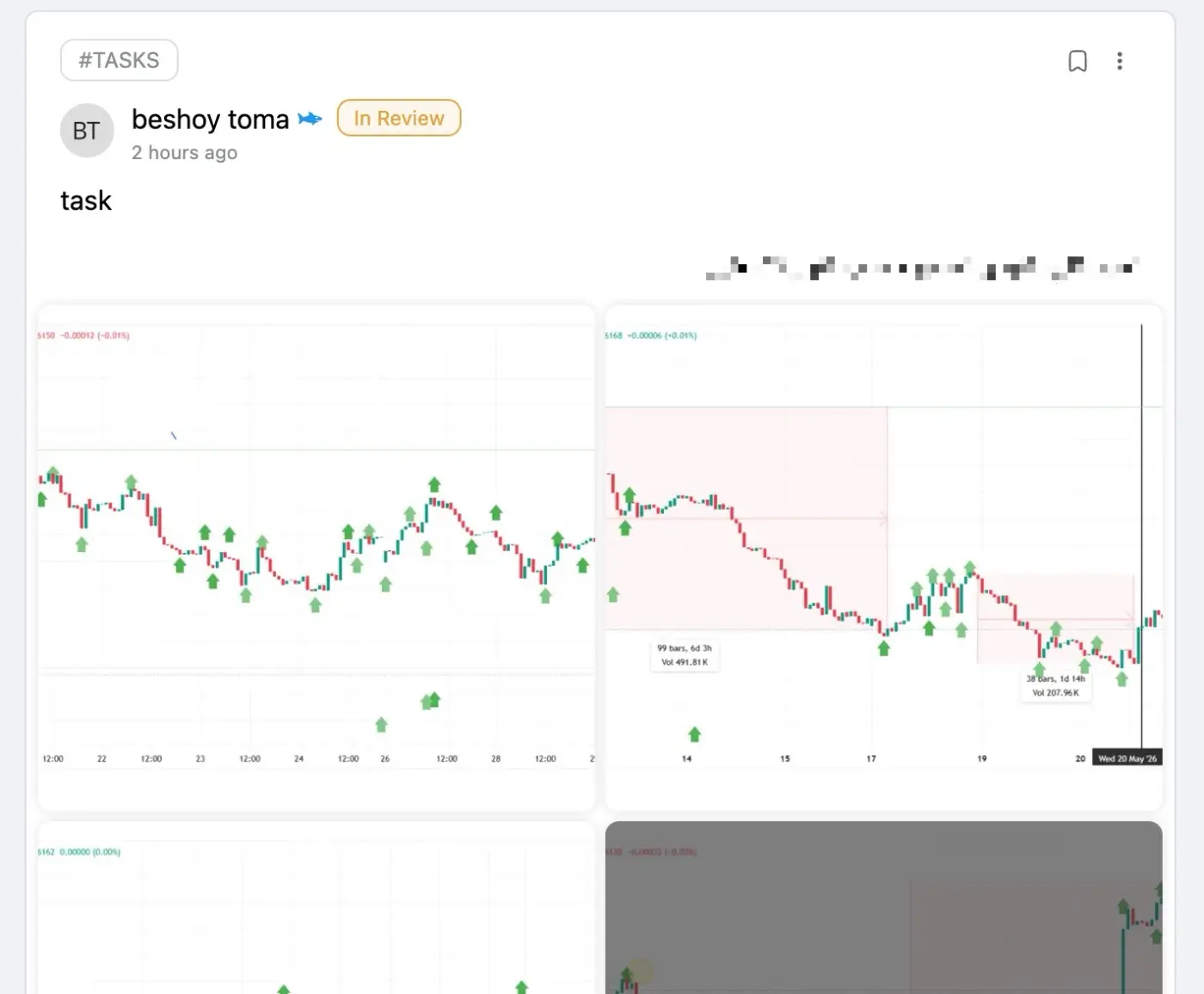
Hello, the review bar is not displaying for all pending review posts, like the second image. This prevents the moderator from approving the posts.
Can you help?

I am using Community login and I cannot see how to enable either of these and getting hammered with spam registrations. My email reputation is being damaged by the bounced verification codes. Any ideas on this?

I’d like to know if you will ever work on themes and widgets to make our communities more unique but also more aesthetically pleasing? The current layout is not very inviting. (Of course I’m not referring to colours, which I know can be changed.)
And by widgets I mean blocks of text (for example) to be added on the top or right side of the community (just an idea).
Thank you!

I would love to see FluentCommunity support the browser's native prefers-color-scheme setting, along with an option to define a default theme for new users.
Why this would be useful
Currently, if a community wants Dark Mode to be the default experience, the available solutions rely on custom JavaScript snippets and localStorage manipulation. While these work, they can introduce issues such as a brief flash of the Light theme before Dark Mode is applied.
Using prefers-color-scheme would provide a much smoother user experience:
- Users who prefer dark interfaces at the operating system/browser level would automatically see Dark Mode.
- Users who prefer light interfaces would automatically see Light Mode.
- No flash of the incorrect theme on first load.
- No custom JavaScript required.
- Better support for PWAs and mobile devices.
- More consistent behavior across browsers and operating systems.
Suggested options
Community Customizer → Theme Settings
Default Theme
- System (prefers-color-scheme)
- Light
- Dark
This would allow community owners to choose whether they want to respect the user's system preference or force a specific default theme for new users.
User-selected preferences could still override the default and continue to be stored normally.
Example Behavior
- System → Follow the user's operating system/browser preference on first visit.
- Dark → New users see Dark Mode by default.
- Light → New users see Light Mode by default.
After a user manually changes the theme, their preference should continue to be remembered and take precedence over the default setting.
I believe this would improve both performance and user experience while eliminating the need for various dark-mode workarounds currently shared in the community.

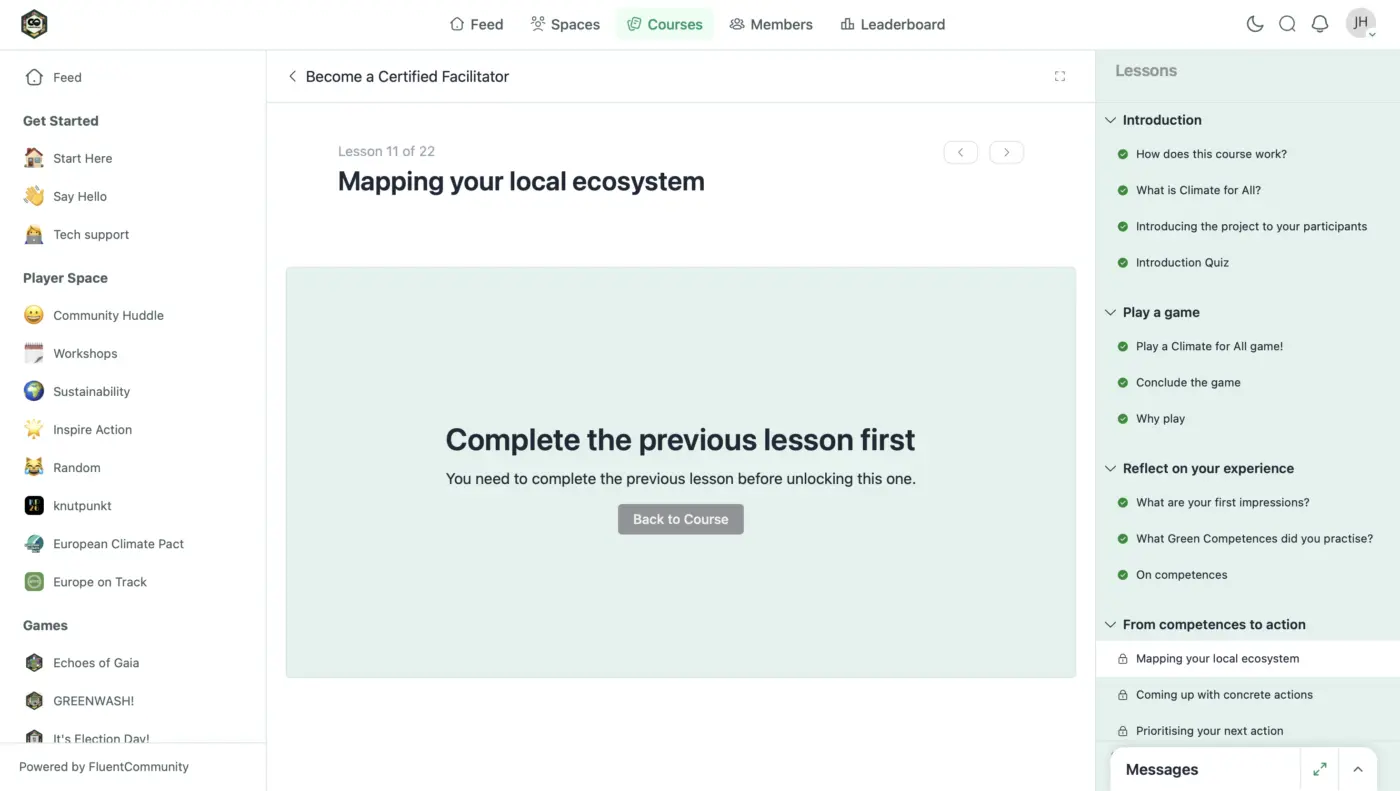
I'm attaching a screenshot from a student for reference. It doesn't seem to work reliably. Completing the previous section doesn't unlock the next one. Is there a fix?

When watching yoga or workout videos, some users prefer to hear the instructions without music, while others prefer to have music playing.
Does FluentPlayer have a feature that allows you to turn the music track on or off with the press of a button?

Hi, this functionality might be interesting for you: https://community.wpmanageninja.com/portal/space/fluent-cart/post/fixed-calendar-period-of-validity-of-sub

Is it in any way possible to have some users/admins that normal users wont be able to DM?

A member gets this error when trying to upload a video from
mobile (see screenshot). The video is 180MB (well under the
300MB limit), and the same file size uploads fine from other
devices.
Error: fail to post .../wp-json/fluent-community/v2/fluent-player/video-upload 0
What causes the "0" response here, and how can mobile uploads
be made more reliable?