

🧠 Clever Linked Terms v1.1.0 — Terms Engine, Semantic Relationships, Term Maps, Better Glossary Control, and More
Clever Linked Terms v1.1.0 is coming soon.
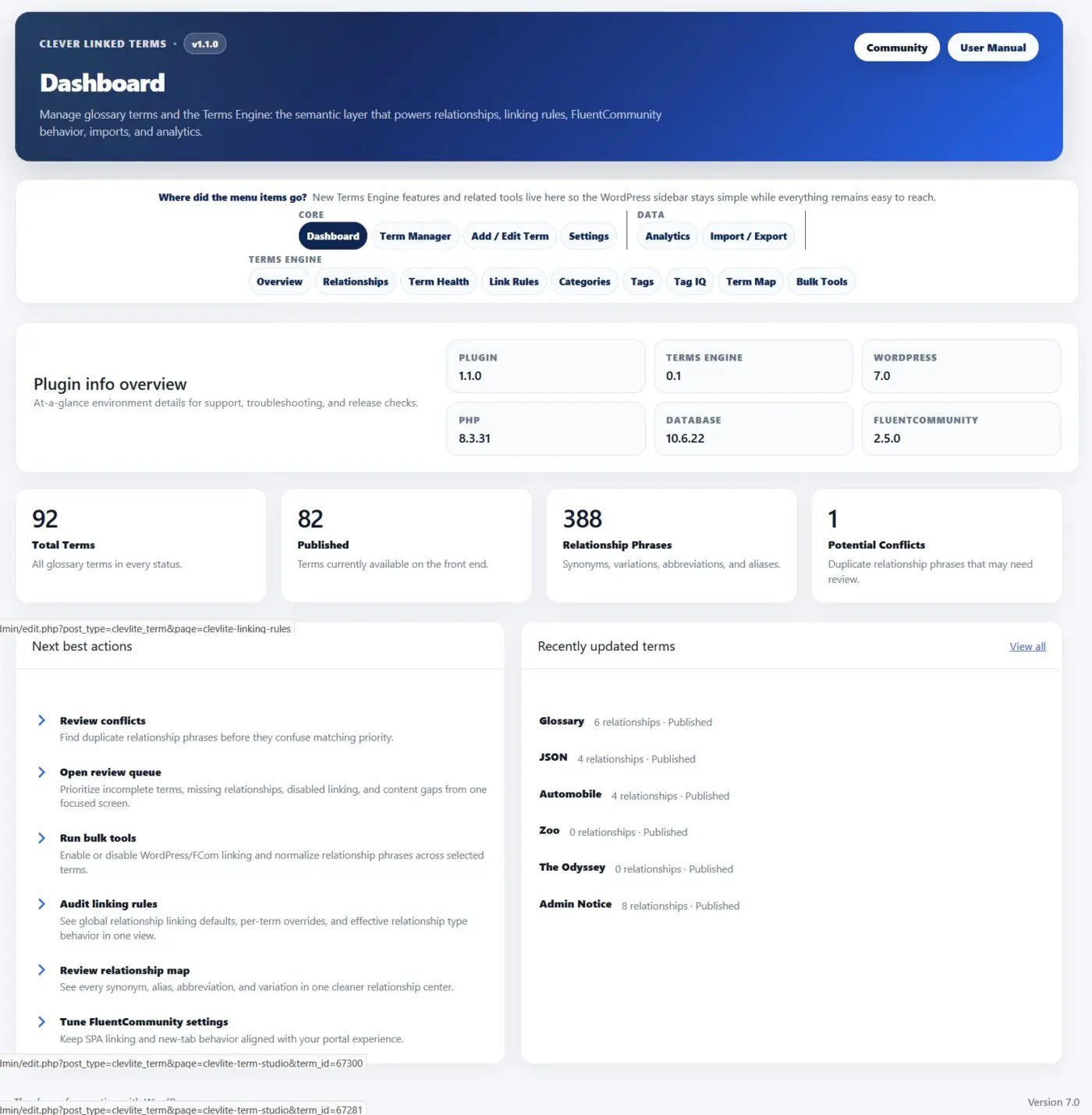
This is the biggest release yet for Clever Linked Terms, and it marks a major step forward from a glossary/linking plugin into a full semantic linking and relationship engine for WordPress, FluentCommunity, and content-heavy websites.
The heart of this release is the new Terms Engine.
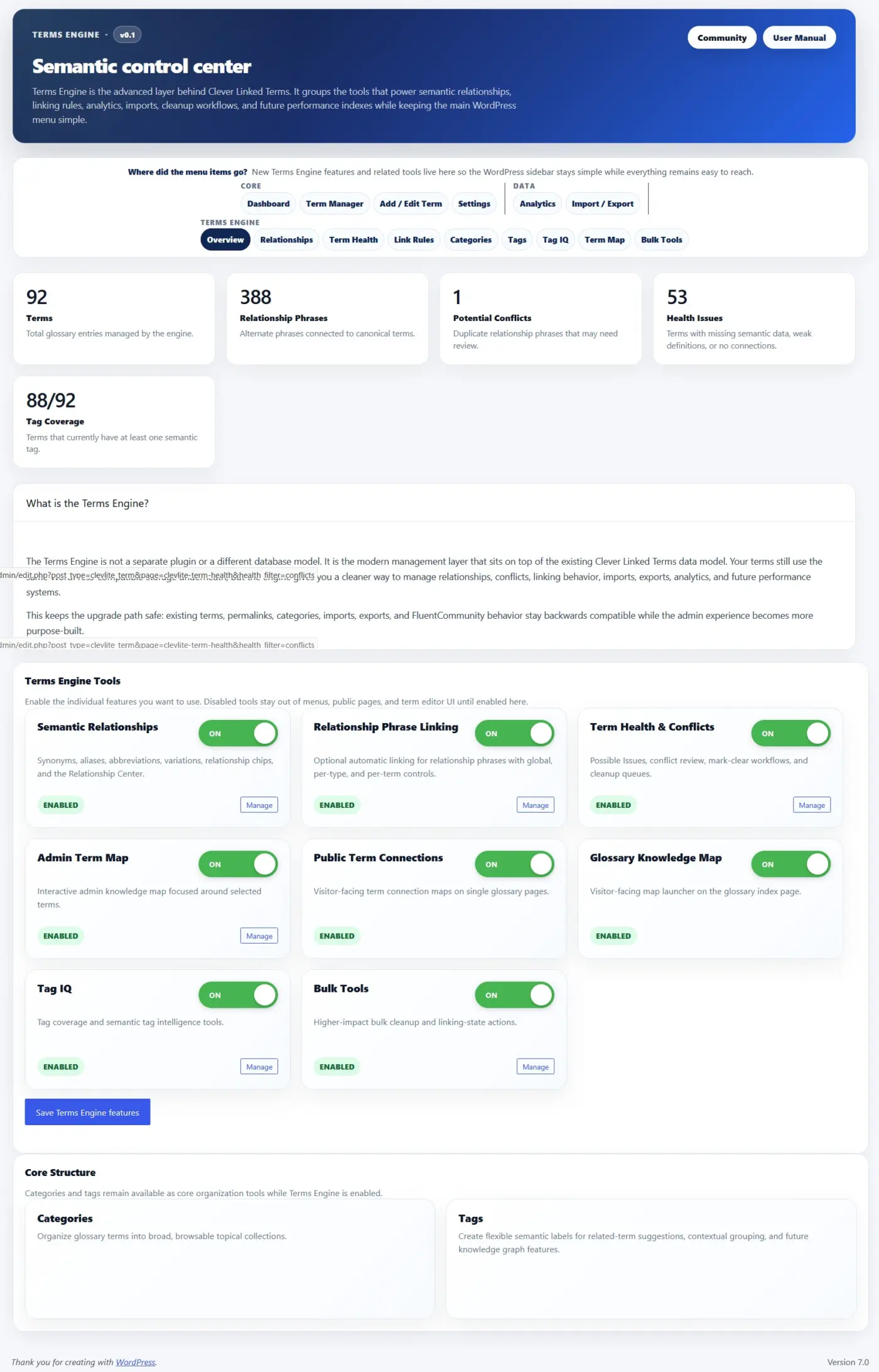
Terms Engine gives you a dedicated control center for managing relationships, term health, link rules, maps, tags, conflicts, and semantic structure. It is optional, modular, and can be enabled only when your site needs those deeper tools.
Here is what is new in v1.1.0:
- Terms Engine. A new semantic control center for relationships, term health, link rules, categories, tags, Tag IQ, term maps, and bulk tools.
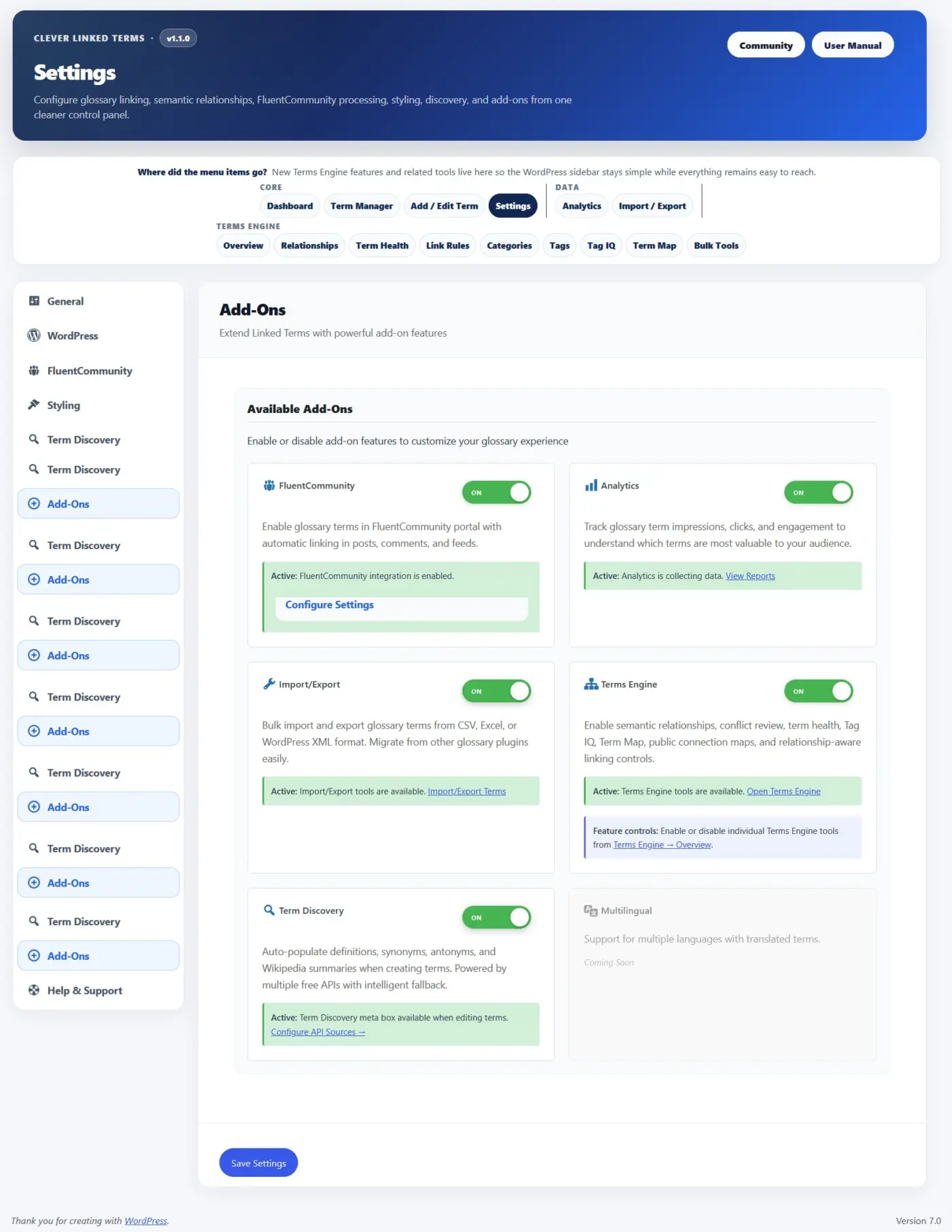
- Modular Feature Controls. Terms Engine can be enabled as an add-on, and individual tools can be turned on or off from the Terms Engine Overview. This keeps smaller glossary sites clean while giving larger sites room to grow.
- Semantic Relationships. Glossary terms now support synonyms, aliases, abbreviations, and variations so different words or phrases can point back to the correct canonical term.
- Relationship Phrase Linking. Relationship phrases can optionally link back to their parent term, with global settings, per-type controls, and per-term overrides.
- Term Health. A new review area helps identify possible issues, relationship conflicts, duplicate phrases, and terms that may need editorial cleanup.
- Admin Term Map. Explore how terms connect through shared tags, shared categories, and semantic relationships. Clicking a term can refocus the map without reloading the page.
- Public Term Connections. Single term pages can show visitor-facing relationship maps so readers can explore related concepts.
- Glossary Knowledge Map. Glossary index pages can now include a larger visitor-facing map behind a smooth “View glossary map” launcher, so it is available without taking over the page.
- Term Studio. A cleaner term editing experience for titles, slugs, statuses, scheduled terms, tooltip summaries, WYSIWYG definitions, sources, categories, tags, exclusions, and Terms Engine fields.
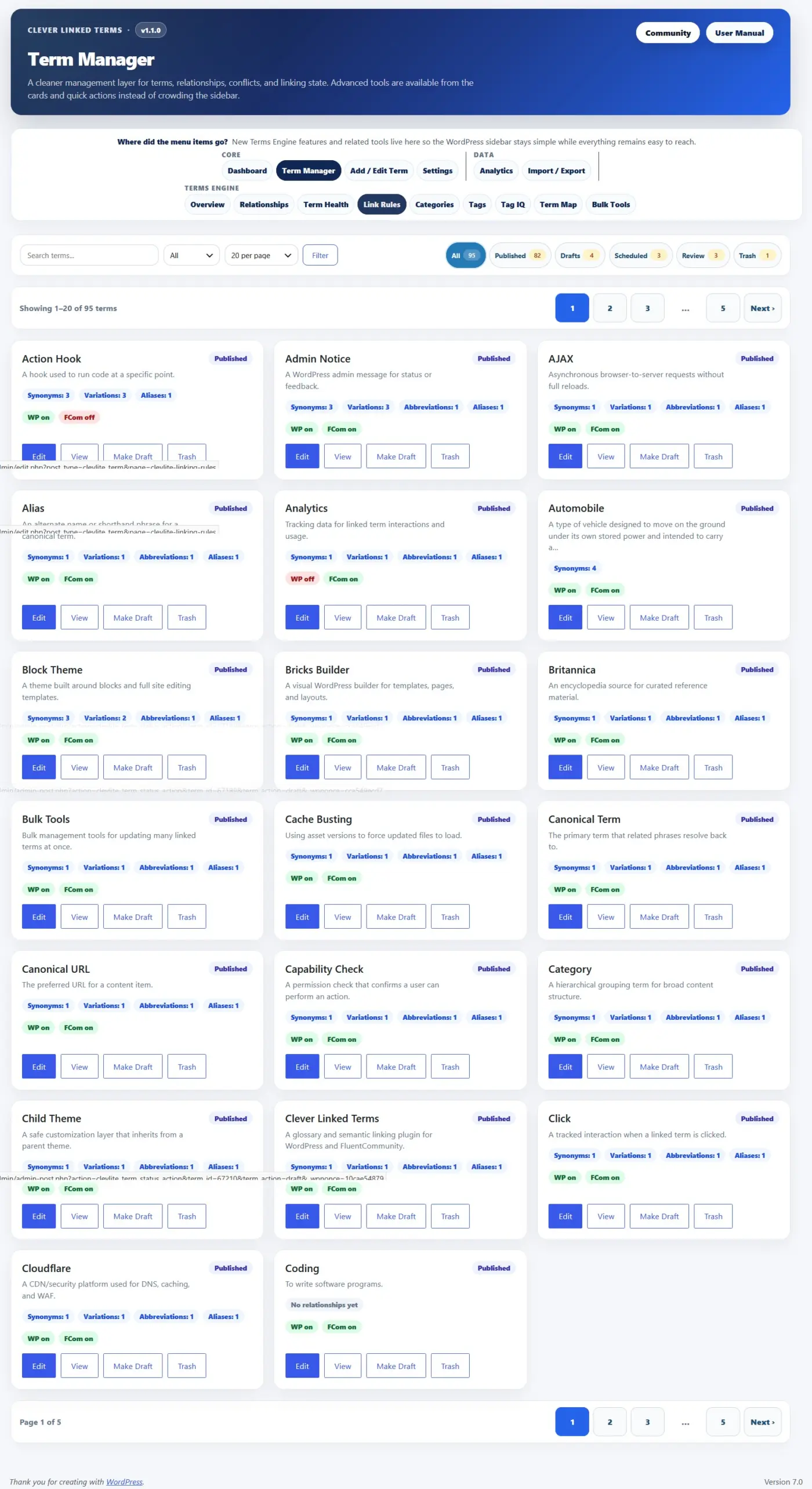
- Term Manager Improvements. The term manager now includes a card-based interface, better filters, status chips, pagination, and a terms-per-page selector for large glossaries.
- Glossary Index Improvements. You can now set both the glossary index slug and title, choose from multiple layouts, control whether index content is auto-linked, ignore leading words like “a,” “an,” and “the” for sorting, and adjust sticky header behavior.
- Single Term Page Improvements. New layout options, better source/tag/category display, public connection maps, and “Back to [Index Title]” buttons that use your actual glossary title.
- Term Discovery Improvements. Fetched definitions and summaries now preserve editor formatting better, sources are routed into the Sources field, and synonyms are normalized into separate values instead of one long line.
- Import/Export Updates. CSV/XML workflows now support v1.1.0 fields including sources, tags, relationships, exclusions, scheduled status, and relationship linking controls.
- Analytics Add-On. Optional analytics can track impressions, clicks, matched phrases, relationship types, context, and FluentCommunity-aware activity.
- FluentCommunity Support. SPA-aware processing helps glossary links and tooltips continue working after FluentCommunity portal navigation and feed updates.
- aOS/AdminOS Compatibility. Clever Linked Terms can now register as an app inside aOS/AdminOS when available, with routes for Dashboard, Terms, New Term, and Settings.
- Performance Improvements. Public maps and glossary knowledge maps use lazy-loading and cached rendering patterns so heavier visual tools do not slow down the initial page load.
- This release also includes WordPress 7.0 compatibility metadata, Plugin Check cleanup, stronger sanitization/escaping, improved readme content, and a lot of release hardening for the WordPress.org plugin directory.
Clever Linked Terms is free and available on WordPress.org.
Download/update here:
https://wordpress.org/plugins/clever-linked-terms/
User Manual:
https://jeffbrigman.com/clever-linked-terms-user-manual/
Join the community:
https://jeffbrigman.com/community/space/linked-terms/home

More screenshots.
Please note that Clever Linked Terms is 100% free and will remain so. It also works with the free version of Fluentcommunity.
You get all the premium features for free, no ads, no upsells, no spammy emails, and so on.
If you like it and feel inclined to support me, you can Buy Me a Coffee: https://buymeacoffee.com/jeffbrigman .... and yes I use this to literally buy myself coffee from Dutch Bro's.

Jeff Brigman you’re incredible. Why wouldn’t you sell your product though? I don’t quite understand the purpose of clever links to be honest but I had to come and tell you that I’m impressed by your work!
Anne-Sophie W primary use would be learning/educational sites.
You create the term/definition once and then it automatically links it across your site and community based on how you set it.
For example you create “linguistics” with a definition, then anywhere you post that word/term is will auto link it based on the conditions you set. You can set a tooltip which gives an excerpt of the definition and have it link back to the full definition.
The terms engine expands the capability even further by interconnecting terms based on synonyms, aliases, and more. This can potentially allow users to see and understand how words associate with other words.
Jeff Brigman that’s quite brilliant! I understand now. Wikipedia has this technology, doesn’t it? Thank you very much for taking the time to answer. It won’t be something I’ll need myself, but I congratulate you for your hard work as always

Looks next level