

FluentCart has just added one of the most requested features: product variations.
When FluentCart first launched, a lot of people were excited, but there was one big problem. Many people felt it could not seriously compete with WooCommerce because it did not support product variations.
That has now changed.
In this video, I show you how to create advanced product variations in FluentCart using the free version. We’ll create a physical product, add colour and size options, generate variations automatically, assign prices, add product images, and preview how everything looks on the front end.
I’ll also show you how inventory works in FluentCart Pro, including stock tracking, SKU generation, and managing stock levels for different product variations.
If you are a freelancer, agency owner, or WordPress website owner, this is a major update because selling online is one of the clearest ways to generate revenue from a website. Whether you sell physical products, digital products, templates, courses, or services, FluentCart is quickly becoming a serious WooCommerce alternative.
In this video, you’ll learn:
- How to create a variable product in FluentCart
- How to add colour and size variations
- How to generate product variants automatically
- How to add different images for each product colour
- How FluentCart handles product pricing
- How inventory management works in FluentCart Pro
- Why FluentCart could be a strong WooCommerce alternative

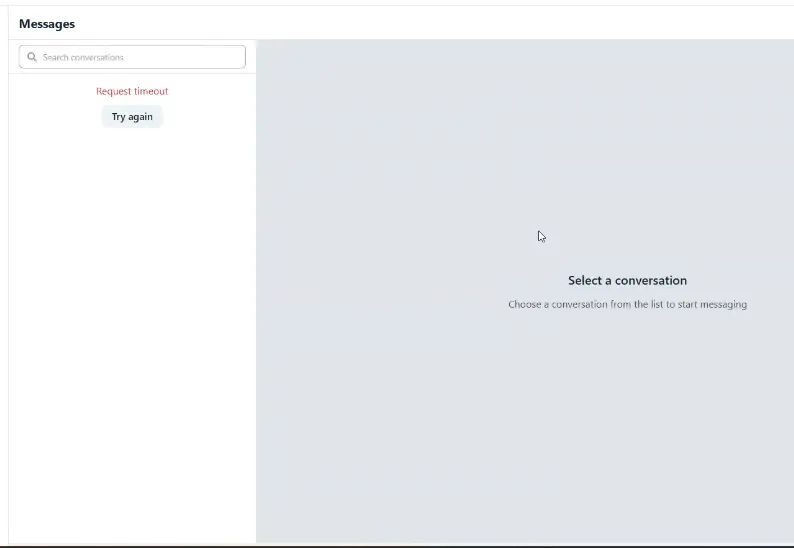
Can dev team consider adding @ tagging chat members feature into fluent messenger chat?

We're excited to announce the release of Community Sponsored Ads Pro v2.1.1!
This update introduces new features and makes the plugin even more accessible with our biggest price reduction yet.
✨ What's New in v2.1.1
🧾 Invoice Generation System
Generate professional invoices for advertising purchases.
🌍 New Currency Support
DKK (Danish Krone)
SEK (Swedish Krona)
NOK (Norwegian Krone)
🔥 New Pricing
We've permanently reduced our pricing to make Community Sponsored Ads Pro more affordable for every FluentCommunity community.
License New Price
Single Site $49
5 Sites $149
25 Sites. $299
Whether you're managing one community or multiple communities, there's never been a better time to upgrade.
Thank you for supporting IndraSys. More exciting updates are already in development.
Best Regards,
Team IndraSys


this would be nice to have to have students complete a survey that i have created in fluentforms.
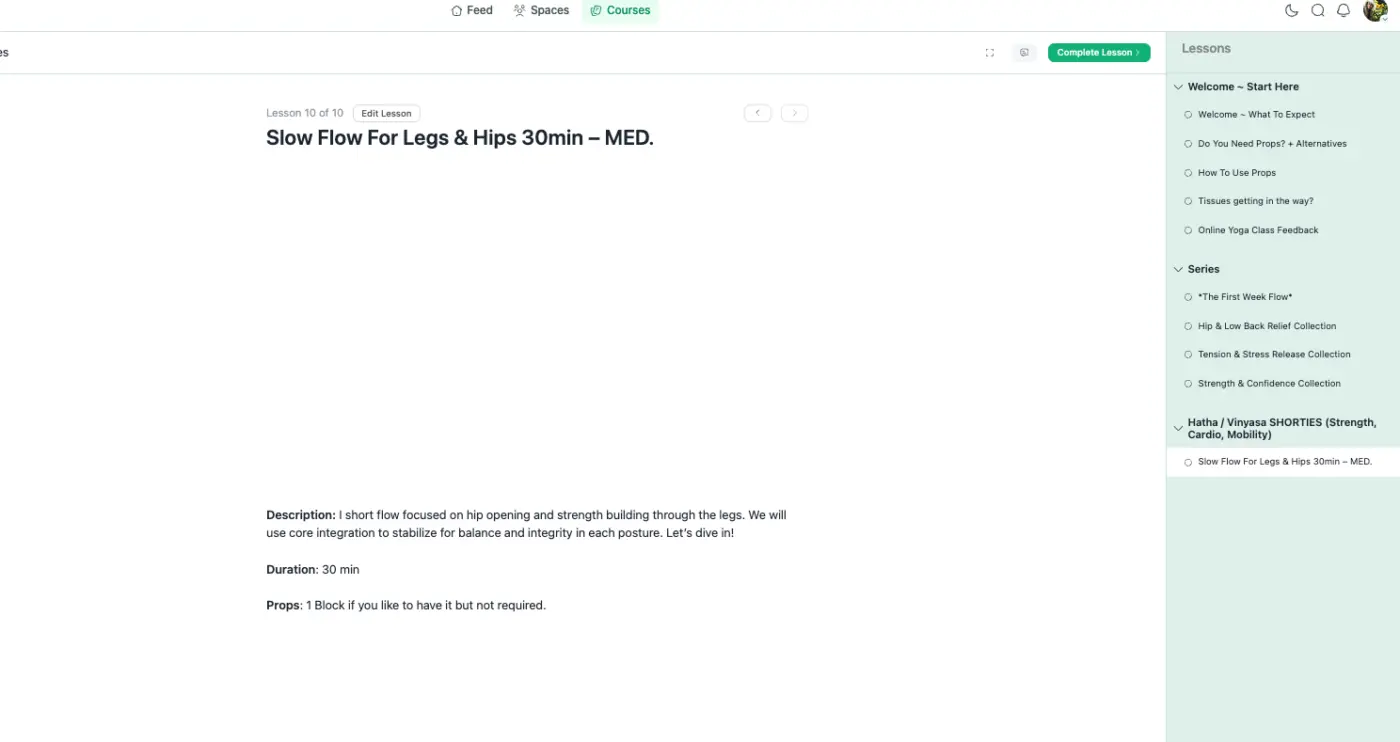
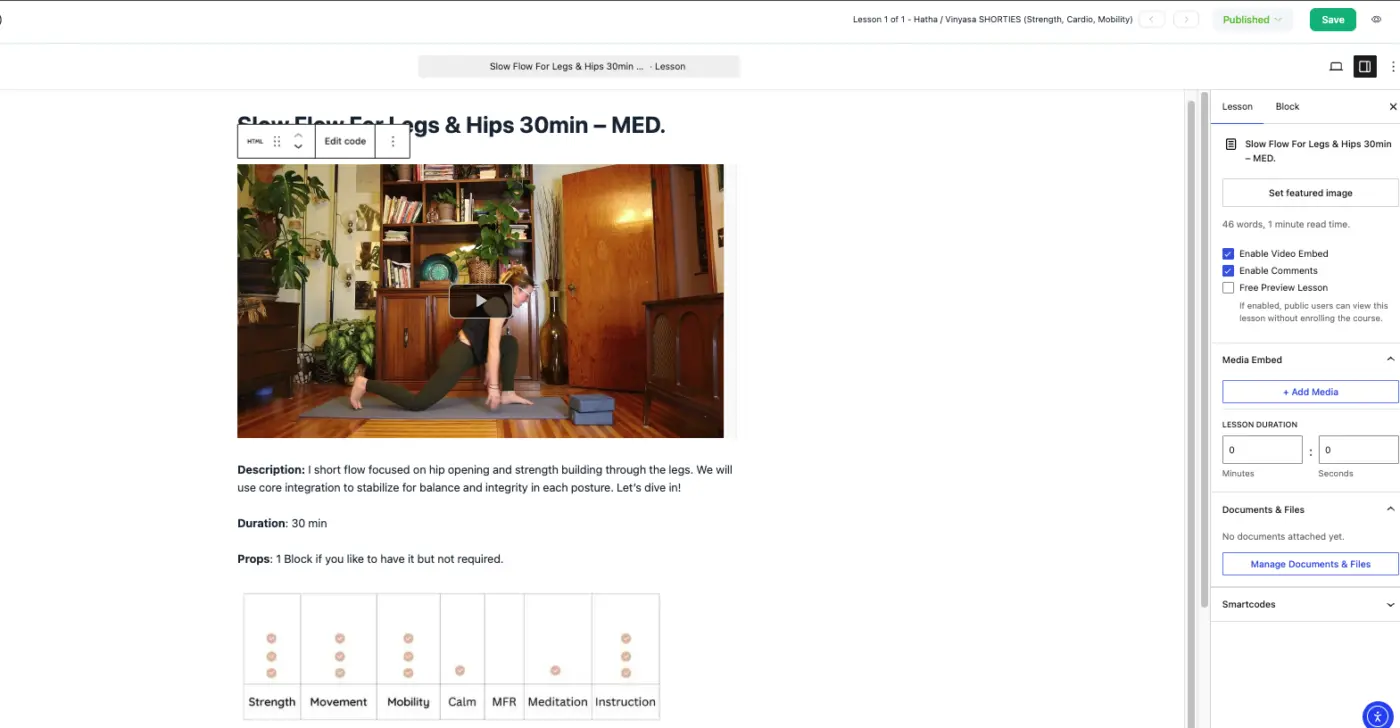
#1 first i added my video to the embed feature inside the lesson, added text and then added an image. when i preview I see only the embedded video and text, the image does not display.
#2 then i removed the embedded video and added the video via html block. in preview neither the video or the image display, only the text. why doesnt any media display?

Currently, each course can only have a single instructor. This is quite limiting for teams and organisations that create courses collaboratively.
Many courses involve multiple people contributing in different ways. For example:
- A subject matter expert creates the course content.
- Another team member records and uploads the videos.
- A designer adds graphics and downloadable resources.
- An editor reviews and updates the lessons.
- A community manager responds to student questions and maintains the course over time.
At the moment, all of this work has to be done through a single instructor account, which isn’t ideal for collaboration, accountability, or workflow management.
It would be great to allow multiple instructors to be assigned to a course, with optional role-based permissions such as:
- Primary Instructor
- Co-Instructor
- Course Editor
- Content Contributor
This would make Fluent Community much more suitable for businesses, training organisations, and teams that collaborate on course creation, while also improving security by avoiding shared login credentials.
I believe this enhancement would significantly improve the course management experience and make the platform much more scalable for professional use.

Buongiorno,
sto testando la versione gratuita di FluentCRM per valutare l'acquisto della versione Pro, ma ho riscontrato un problema che non sono riuscito a risolvere.
Ambiente
- WordPress 7.0
- PHP 8.3
- Apache
- WooCommerce installato
- FluentCRM provato sia nella versione 3.1.7 che nella 2.9.40 (ho provato anche un downgrade).
Il problema
All'inizio FluentCRM funzionava perfettamente.
Sono riuscito senza problemi a:
- configurare FluentSMTP con Brevo;
- configurare le impostazioni email;
- importare i contatti;
- creare liste e tag;
- creare campagne;
- inviare newsletter.
Successivamente, senza aver aggiornato i plugin attivi né WordPress, alcune pagine di FluentCRM hanno smesso completamente di funzionare.
Attualmente funzionano:
- Dashboard
- Contatti
- Liste
- Elenco campagne
- Invio email
Non funzionano invece:
- Impostazioni (qualsiasi voce del menu restituisce una pagina bianca)
- Automazioni
- Moduli
- Dettaglio delle campagne (si apre solo la struttura della pagina, ma il contenuto rimane completamente vuoto).
Anche duplicando una campagna già esistente, il dettaglio della campagna rimane completamente bianco.
Verifiche già eseguite
Per evitare le verifiche più comuni, preciso che ho già provato a:
- svuotare tutte le cache;
- disattivare WP Fastest Cache;
- disattivare WP-Optimize (cache e minificazione);
- provare in modalità anonima;
- provare con browser diversi;
- reinstallare FluentCRM;
- effettuare il downgrade dalla versione 3.1.7 alla 2.9.40;
- verificare la Console JavaScript (nessun errore significativo);
- verificare la scheda Network (i file JavaScript vengono caricati correttamente con risposta HTTP 200);
- controllare il log degli errori di WooCommerce.
Nel log era presente un vecchio errore relativo al file routes.php, ma è scomparso dopo la reinstallazione del plugin. Nonostante questo, il problema è rimasto invariato.
Domanda
Qualcuno ha già riscontrato un comportamento simile?
Potrebbe trattarsi di:
- un'incompatibilità con WordPress 7.0;
- un conflitto con WooCommerce o con un altro plugin;
- un problema legato alle impostazioni salvate da FluentCRM;
- oppure di un bug noto dell'interfaccia React di FluentCRM?
Sono disponibile a fornire qualsiasi informazione aggiuntiva (log PHP, screenshot, output della Console, Network, ecc.) se può essere utile per individuare la causa.
Grazie in anticipo per qualsiasi suggerimento.

I’m trying to understand if this setup is possible:
I want to create one space/community area and control access to each post separately, so that different users can access only the specific posts they purchased.
Alternatively, is it possible to create a course where each lesson or chapter can be sold separately?
My use case is this: I sell many mini-workshops, mostly Zoom recordings or small standalone trainings. Each one is sold separately, and I don’t want to create a separate course or separate space for every single workshop.
Is there a way to manage this inside one space or one course, with separate access rules per post/lesson?
Thanks!
I would like to have visible mini chat widget on WP pages. Can you please make it possible in next update? I render all pages into fluent community frame, this chat I miss there.

see screenshot