


Two years ago, I almost gave up on my online business. The tech was too heavy, too expensive, and too complicated.
I was using tools like BuddyBoss, WooCommerce, ConvertKit, and Intercom, but everything felt disconnected and difficult to manage. Then I found FluentCart.
In this video, I share how FluentCart helped me simplify my business, sell digital products faster, connect payments to FluentCRM, manage support with Fluent Support, and finally build a system I could trust.
If you sell courses, memberships, subscriptions, or digital products on WordPress, this video will show you why FluentCart is a serious WooCommerce alternative.

Latest update to SpaceEvents is now available. Version 1.2.0 contains a number of bug fixes, impairments and new features.
Key features:
- External events. You can now disable registration and link to an external event website — handy if you use a 3rd party service like Eventbrite. You could also link to a FluentCart product or Course to collect payment (handy work around until full payment integration).
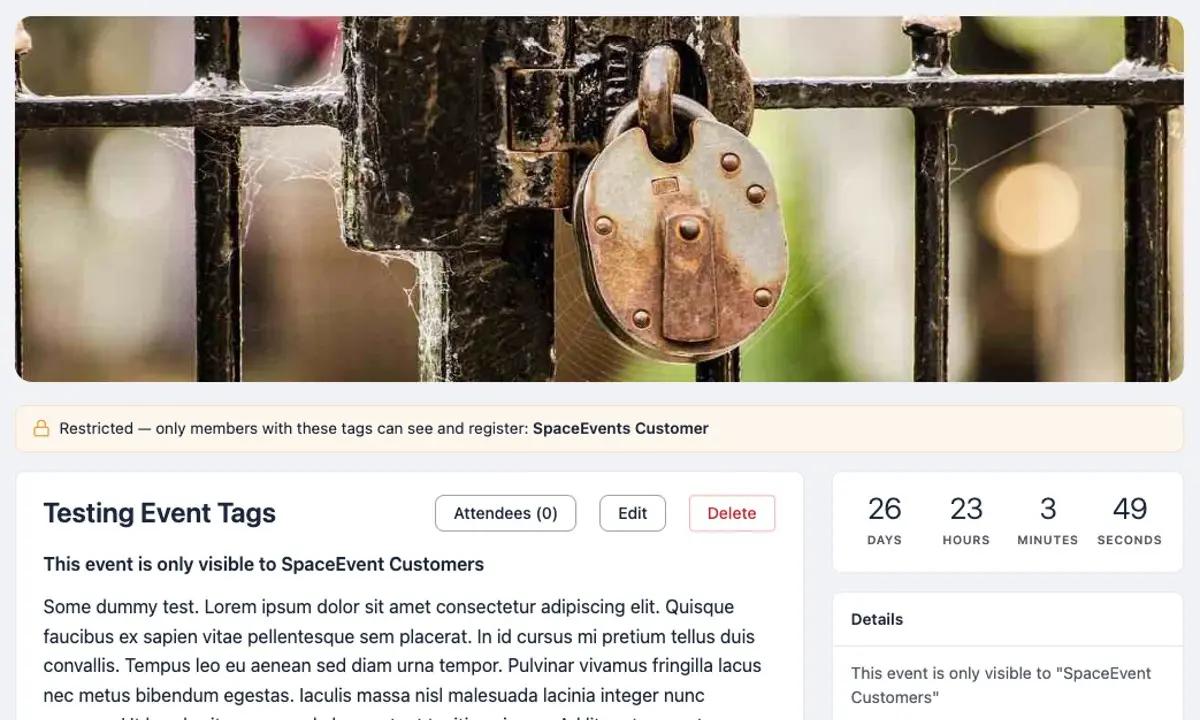
- Restrict access by tag (FluentCRM). Limit who can see and register for an event to members holding specific FluentCRM tags (works with Free and Pro version of FluentCRM). Restricted events are hidden from listings and show a no-access message on a direct link for anyone without a required tag — the same way secret Spaces behave. Organisers and managers see a “Members Only” indicator, and you can leave the tags empty for no restriction.
- Automatic access revocation. When a member loses a required tag — for example, their membership ends — their registration and waitlist place for affected events are cancelled automatically, and they receive an email letting them know.
- Default access tags for Portal (public events) and Spaces. Set default access tag(s) per Space and for public events to pre-fill the tag picker when creating a new event (still adjustable per event). Changing a default later does not affect events that already exist.
- Fully translatable. Every text string in the plugin can now be translated, including the editor placeholder, address search, admin attendee tables, status labels and settings screens, and the translation template has been brought fully up to date.
See the change-log for full list of updates.
Any questions, problems or issues, please let me know.
Regards, David

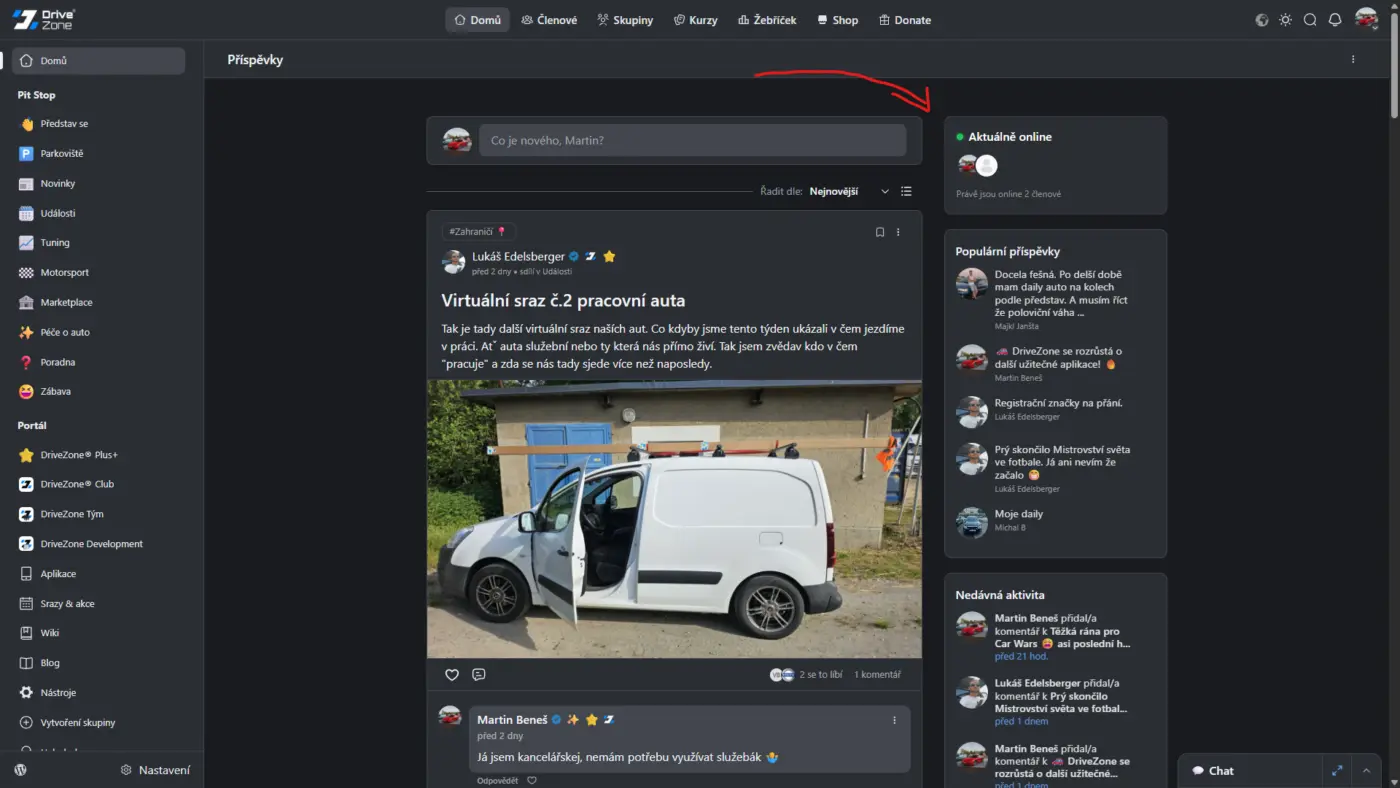
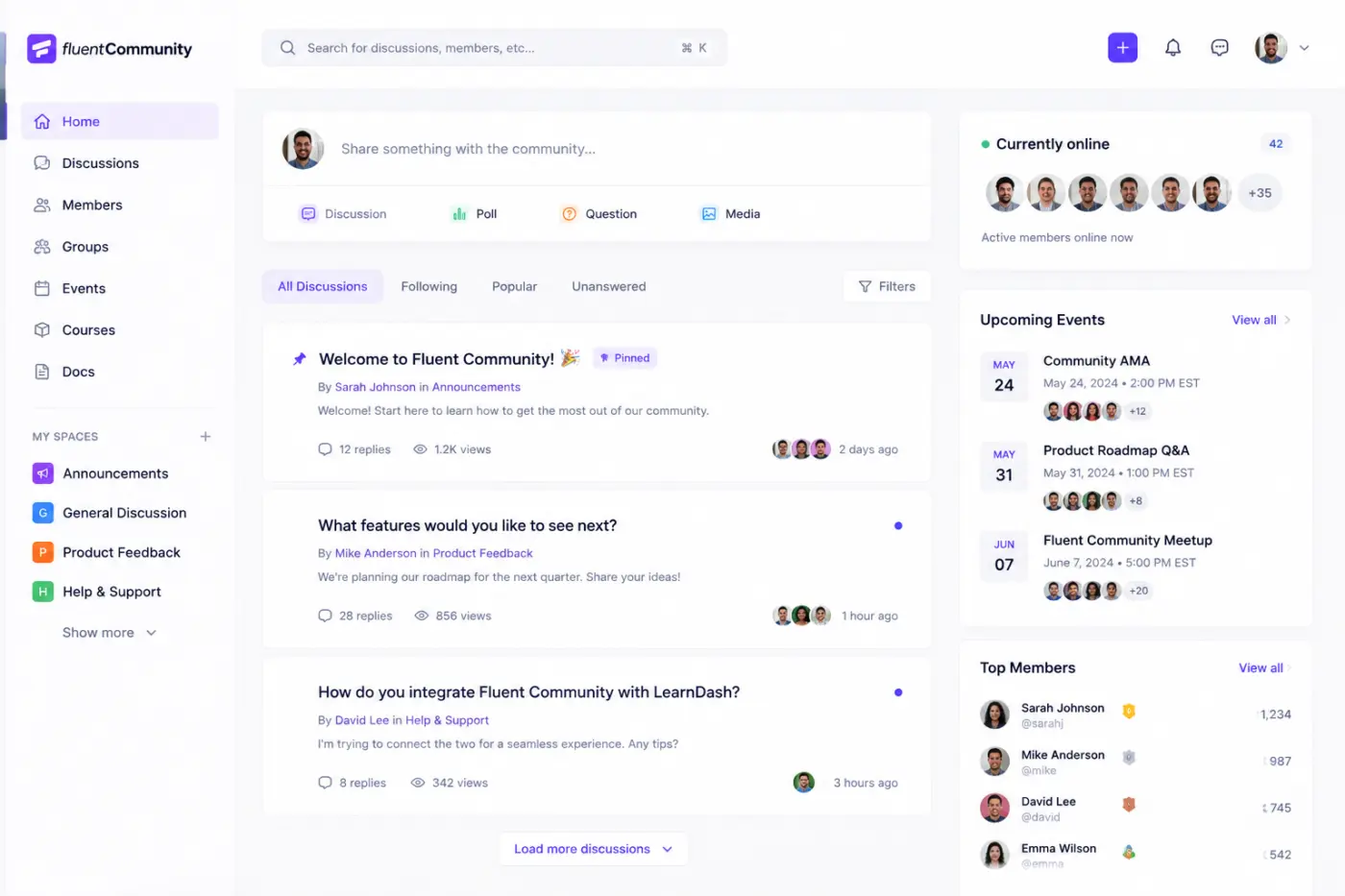
Yesterday I talked with one community member here and we agreed that on-line status widget would be great as widget in right feed sidebar. I created snippet which create it and render well. If you want use it, feel free to copy it. Make sure you copy whole snippet, recommend you copy it in notepad and then to editor in your site (code snippets, fluent snippets etc..)
Snippet:
<?php
/**
- Online Members Widget for FluentCommunity right sidebar.
- Shows online member count + avatars, with live refresh (no reload).
- "Online" = last_activity within N minutes (same logic FluentCommunity's
- own frontend uses). No public is_online field/endpoint exists, so this
- reads fcom_xprofile directly.
- Notes:
-
- last_activity is written in WP's local timezone (current_time('mysql')),
- not UTC - so the threshold below is computed the same way, not via
- MySQL's NOW().
-
- Script runs via portal_footer, not inside the after_contents filter -
- that filter renders through Vue innerHTML, which never executes
- embedded tags.
-
- Repositioning uses a light interval poll (not a subtree MutationObserver,
- which hurt performance in testing), and waits for the native widgets'
- own skeleton loader to clear first.
-
- Live refresh polls a small REST route every 60s; keep that interval in
- sync with $cacheSeconds or refreshes just re-serve the same cache.
*/
if (!function_exists('fcw_online_widget_get_data')) {
function fcw_online_widget_get_data($onlineThresholdMinutes = 5, $maxAvatarsToShow = 14, $cacheSeconds = 60)
{
$cacheKey = 'fcw_online_members_widget_v1';
$data = get_transient($cacheKey);
    if (is_array($data) && isset($data['total'], $data['avatars'])) {
        return $data;
    }

    global $wpdb;

    $table = $wpdb->prefix . 'fcom_xprofile';

    // Local WP time, not MySQL NOW() - see timezone note above.
    $thresholdTimestamp = current_time('timestamp') - ($onlineThresholdMinutes * 60);
    $thresholdMysql     = date('Y-m-d H:i:s', $thresholdTimestamp);

    $totalOnline = (int) $wpdb->get_var($wpdb->prepare(
        "SELECT COUNT(*) FROM {$table} WHERE status = %s AND last_activity >= %s",
        'active',
        $thresholdMysql
    ));

    $userIds = $wpdb->get_col($wpdb->prepare(
        "SELECT user_id FROM {$table}
         WHERE status = %s AND last_activity >= %s
         ORDER BY last_activity DESC
         LIMIT %d",
        'active',
        $thresholdMysql,
        $maxAvatarsToShow
    ));

    $avatars = [];

    if (!empty($userIds) && class_exists('\FluentCommunity\App\Services\ProfileHelper')) {
        $portalSlug = defined('FLUENT_COMMUNITY_PORTAL_SLUG') ? FLUENT_COMMUNITY_PORTAL_SLUG : 'portal';
        $portalSlug = trim($portalSlug, '/');

        foreach ($userIds as $userId) {
            $profile = \FluentCommunity\App\Services\ProfileHelper::getProfile((int) $userId);

            if (!$profile || empty($profile->username)) {
                continue;
            }

            $avatarUrl = !empty($profile->avatar)
                ? $profile->avatar
                : get_avatar_url($userId, ['size' => 80]);

            $profileUrl = home_url('/' . $portalSlug . '/u/' . $profile->username . '/');

            $avatars[] = [
                'url'  => $avatarUrl,
                'link' => $profileUrl,
                'name' => $profile->display_name ?: $profile->username,
            ];
        }
    }

    $data = [
        'total'   => $totalOnline,
        'avatars' => $avatars,
    ];

    set_transient($cacheKey, $data, $cacheSeconds);

    return $data;
}
}
if (!function_exists('fcw_online_widget_render_body')) {
function fcw_online_widget_render_body($totalOnline, $avatars)
{
$totalOnline = (int) $totalOnline;
$extraCount = max(0, $totalOnline - count($avatars));
    $memberWord = $totalOnline === 1 ? 'member' : 'members';
    $verb       = $totalOnline === 1 ? 'is' : 'are';

    $avatarsHtml = '';
    foreach ($avatars as $avatar) {
        $avatarsHtml .= '<a class="fcw-online-avatar-link" href="' . esc_url($avatar['link']) . '" title="' . esc_attr($avatar['name']) . '">'
            . '<img class="fcw-online-avatar-img" src="' . esc_url($avatar['url']) . '" alt="' . esc_attr($avatar['name']) . '" loading="lazy">'
            . '</a>';
    }
    if ($extraCount > 0) {
        $avatarsHtml .= '<span class="fcw-online-extra">+' . (int) $extraCount . '</span>';
    }

    if (!empty($avatars)) {
        return '<div class="fcw-online-avatars">' . $avatarsHtml . '</div>'
            . '<p class="fcw-online-caption">' . $totalOnline . ' ' . $memberWord . ' ' . $verb . ' currently online</p>';
    }

    return '<div class="fcw-online-empty">No one is online right now</div>';
}
}
add_filter('fluent_community/activity/after_contents', function ($content, $spaceId) {
if (is_array($content)) {
    return $content;
}
if (!is_string($content)) {
    $content = (string) $content;
}

// ==== Settings ====
$onlineThresholdMinutes = 5;
$maxAvatarsToShow       = 14;
$cacheSeconds           = 60;

$data        = fcw_online_widget_get_data($onlineThresholdMinutes, $maxAvatarsToShow, $cacheSeconds);
$totalOnline = (int) $data['total'];
$avatars     = $data['avatars'];

$bodyHtml = fcw_online_widget_render_body($totalOnline, $avatars);

return '
<style>
    .fcw-online-box{
        margin-bottom:20px;
        border:1px solid #e4e7eb;
        border-radius:10px;
        padding:16px;
        background:#fff;
        opacity:0;
        transform:translateY(-6px);
        transition:opacity .25s ease, transform .25s ease;
    }
    .fcw-online-box.fcw-online-visible{
        opacity:1;
        transform:translateY(0);
    }
    .fcw-online-header{
        display:flex;
        align-items:center;
        justify-content:space-between;
        margin-bottom:12px;
    }
    .fcw-online-header-left{
        display:flex;
        align-items:center;
        gap:8px;
    }
    .fcw-online-dot{
        width:9px;
        height:9px;
        border-radius:50%;
        background:#22c55e;
        box-shadow:0 0 0 3px rgba(34,197,94,.15);
        flex-shrink:0;
    }
    .fcw-online-title{
        font-weight:500;
        color:#333;
    }
    .fcw-online-avatars{
        display:flex;
        align-items:center;
    }
    .fcw-online-avatar-link{
        position:relative;
        display:block;
        width:34px;
        height:34px;
        border-radius:50%;
        margin-right:-10px;
        transition:transform .15s ease;
    }
    .fcw-online-avatar-link:hover{
        transform:translateY(-2px);
        z-index:1;
    }
    .fcw-online-avatar-img{
        width:100%;
        height:100%;
        border-radius:50%;
        object-fit:cover;
        display:block;
        border:2px solid #fff;
    }
    .fcw-online-extra{
        width:34px;
        height:34px;
        border-radius:50%;
        background:#f1f3f5;
        display:flex;
        align-items:center;
        justify-content:center;
        font-size:11px;
        font-weight:500;
        color:#666;
        border:2px solid #fff;
    }
    .fcw-online-caption{
        font-size:12px;
        color:#888;
        margin:10px 0 0;
    }
    .fcw-online-empty{
        font-size:13px;
        color:#888;
    }
    html.dark .fcw-online-box{
        background:#2b2e33;
        border-color:rgba(255,255,255,.08);
    }
    html.dark .fcw-online-title{
        color:#fff;
    }
    html.dark .fcw-online-avatar-img,
    html.dark .fcw-online-extra{
        border-color:#2b2e33;
    }
    html.dark .fcw-online-extra{
        background:#3a3d43;
        color:#ccc;
    }
    html.dark .fcw-online-caption,
    html.dark .fcw-online-empty{
        color:#999;
    }
</style>
<div class="fcw-online-box">
    <div class="fcw-online-header">
        <div class="fcw-online-header-left">
            <span class="fcw-online-title">Who\'s online</span>
            <span class="fcw-online-dot"></span>
        </div>
    </div>
    <div class="fcw-online-body" id="fcw-online-body">' . $bodyHtml . '</div>
</div>' . $content;
}, 10, 2);
// REST route for live refresh, shares the same data function/cache above.
add_action('rest_api_init', function () {
register_rest_route('fcw-online-widget/v1', '/data', [
'methods' => 'GET',
'callback' => function () {
$data = fcw_online_widget_get_data(5, 14, 60);
return [
'total' => (int) $data['total'],
'avatars' => $data['avatars'],
'html' => fcw_online_widget_render_body((int) $data['total'], $data['avatars']),
];
},
'permission_callback' => '__return_true',
]);
});
// Repositions above native widgets + polls the REST route for live refresh.
add_action('fluent_community/portal_footer', function () {
$restUrl = esc_url_raw(rest_url('fcw-online-widget/v1/data'));
echo '
(function () {
var restUrl = ' . wp_json_encode($restUrl) . ';
var refreshIntervalMs = 60000; // keep in sync with $cacheSeconds
    var firstSeenAt = null;
    var maxWaitMs = 6000;

    function findSidebarColumn() {
        var card = document.querySelector(\'.app_side_widget\');
        return card ? card.parentElement : null;
    }

    function nativeContentReady() {
        var widgets = document.querySelectorAll(\'.app_side_widget\');
        if (!widgets.length) {
            return false;
        }
        for (var i = 0; i < widgets.length; i++) {
            if (widgets[i].querySelector(\'.el-skeleton\')) {
                return false;
            }
        }
        return true;
    }

    // Keeps running all session - FC is an SPA, widget re-renders on navigation.
    function tryPlace() {
        var box = document.querySelector(\'.fcw-online-box:not(.fcw-online-visible)\');
        if (!box) {
            firstSeenAt = null;
            return;
        }

        if (firstSeenAt === null) {
            firstSeenAt = Date.now();
        }

        var waitedTooLong = (Date.now() - firstSeenAt) > maxWaitMs;

        if (!nativeContentReady() && !waitedTooLong) {
            return;
        }

        var column = findSidebarColumn();
        if (column) {
            if (column.firstElementChild !== box) {
                column.insertBefore(box, column.firstElementChild);
            }
            box.classList.add(\'fcw-online-visible\');
            firstSeenAt = null;
        }
    }

    tryPlace();
    setInterval(tryPlace, 700);

    // Live refresh
    function refreshData() {
        var body = document.getElementById(\'fcw-online-body\');
        if (!body) {
            return;
        }

        fetch(restUrl, { credentials: \'omit\', cache: \'no-store\' })
            .then(function (res) { return res.ok ? res.json() : null; })
            .then(function (json) {
                if (!json || typeof json.html !== \'string\') {
                    return;
                }
                var freshBody = document.getElementById(\'fcw-online-body\');
                if (freshBody) {
                    freshBody.innerHTML = json.html;
                }
            })
            .catch(function () {
                // Silent fail - keeps last known state.
            });
    }

    setInterval(refreshData, refreshIntervalMs);
})();
</script>';
});

Been on this since Novermber last year, studying fluent community dev doc and zoom dev docs. I would finally say, I have done it. This is a Big One.
FluentCommunity Video Calls (Jitsi + Zoom) transforms your FluentCommunity-powered community into a complete video collaboration platform.
The plugin adds built-in video conferencing directly inside FluentCommunity Spaces, allowing community members to start and join live video calls without leaving your website.
Powered by Jitsi Meet and Zoom integration, it provides a seamless way to host community meetings, online classes, group discussions, coaching sessions, webinars, and private space conversations.
No extra accounts are required for Jitsi. No complicated setup. Just enable video calls inside your FluentCommunity spaces and start connecting.
About The Plugin
FluentCommunity Video Calls is designed for communities, membership sites, online schools, coaching platforms, and organizations using FluentCommunity.
Instead of sending users to external platforms, this plugin keeps your members engaged inside your own WordPress community.
Each FluentCommunity space can have its own dedicated video room, with controls for administrators and moderators.
Whether you are running:
- Online communities
- Membership platforms
- Learning communities
- Coaching groups
- Team collaboration spaces
- Private discussion groups
this plugin adds real-time communication directly into your platform.
Key Features
🎥 Built-in Video Calls Inside FluentCommunity
Add video conferencing directly into FluentCommunity spaces.
Members can:
- Join live calls
- Communicate through video and audio
- Share screens
- Chat during meetings
- Collaborate in real time
Jitsi Meet Integration
Uses Jitsi Meet technology for free video conferencing.
Features:
- No Jitsi account required
- No API key required
- No external registration
- Works with public Jitsi servers
- Supports self-hosted Jitsi servers
- Supports 8x8 JaaS JWT authentication
Zoom Integration
Connect your FluentCommunity spaces with Zoom meetings.
Includes support for:
- Zoom meeting creation
- Scheduled meetings
- Zoom meeting indicators
- Zoom recording handling
- Zoom API integration framework
Per-Space Video Call Controls
Each FluentCommunity space can have independent settings.
Admins can:
- Enable/disable video calls per space
- Create dedicated rooms
- Configure meeting behavior
- Control availability
Automatic Meeting Room Creation
The plugin automatically generates unique video rooms based on:
- Website URL
- FluentCommunity space slug
- Space identity
This prevents room conflicts and keeps every community space separated.
Custom Room Names
Administrators can customize meeting rooms.
Options include:
- Custom room names
- Private rooms
- Password-protected meetings
Full Screen Embedded Video Experience
Members can join calls directly inside your community.
Supports:
- Embedded video call pages
- Full-screen experience
- New tab mode
Live Call Indicator
Community members can instantly see when a space is active.
Includes:
- LIVE badge
- Active meeting status
- Real-time call indicators
Real-Time Participant Tracking
Tracks active users inside meetings using:
- REST heartbeat system
- Browser BroadcastChannel communication
- Live room activity monitoring
Attendance Tracking
Built-in attendance monitoring.
Track:
- Participants
- Join activity
- Meeting attendance
- Participation data
Analytics Dashboard
Includes analytics tools for monitoring video activity.
Administrators can view:
- Meeting activity
- Attendance information
- Usage statistics
Role-Based Permissions
Control who can access video features.
Supports:
- Administrators
- Moderators
- Space managers
- Community members
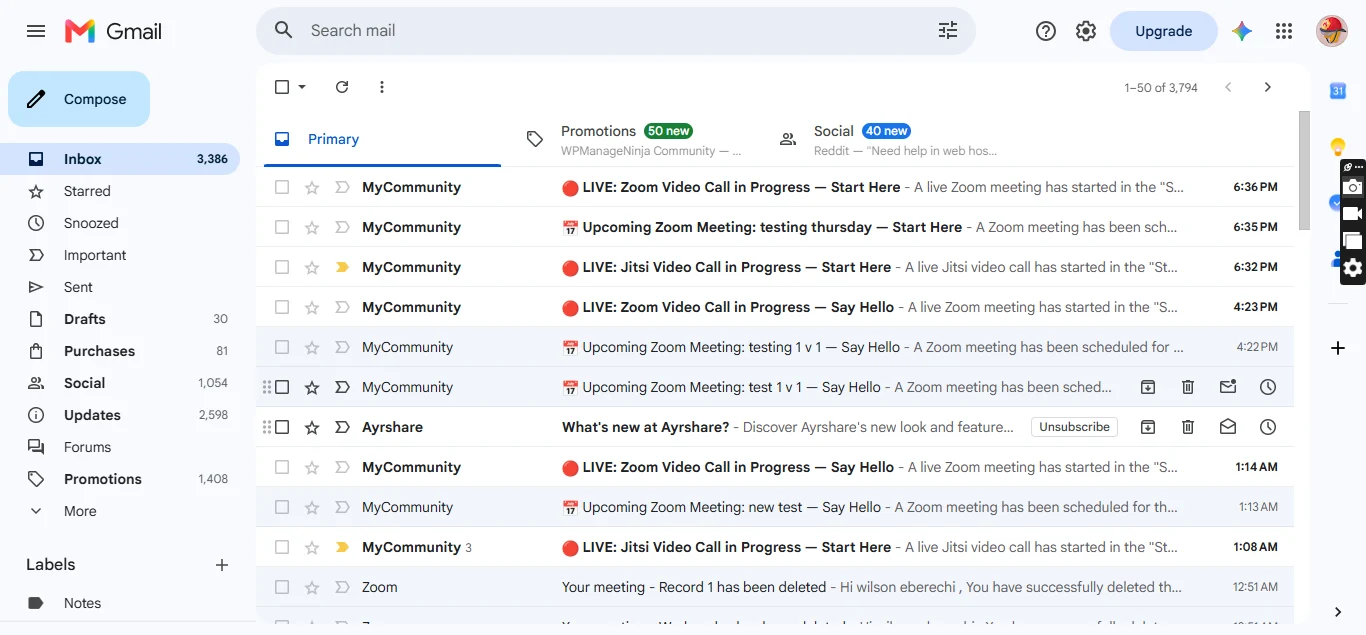
Email Notifications
Supports community communication features including:
- Meeting notifications
- Space call alerts
- Member communication workflows
REST API Support
Includes custom endpoints for:
- Room information
- Active rooms
- Meeting heartbeat tracking
- Call status monitoring
Self-Hosted Friendly
Designed for flexibility.
You can use:
- Public Jitsi Meet
- Your own Jitsi server
- 8x8 JaaS infrastructure
Giving you control over privacy, performance, and scaling.
Benefits
Keep Users Inside Your Community
No more sending members to:
- Zoom links
- Google Meet
- External platforms
Everything happens inside your FluentCommunity website.
Increase Community Engagement
Live video creates stronger communities through:
- Real conversations
- Group interaction
- Live events
- Better member retention
Perfect For Online Learning
Ideal for:
- Courses
- Workshops
- Training groups
- Study communities
- Coaching programs
Reduce Platform Costs
Using Jitsi means:
- No expensive video subscriptions
- No required accounts
- No per-user licensing fees
Better Privacy Control
With self-hosted Jitsi support, you can control:
- Data location
- Infrastructure
- Security
- Branding
Use Cases
Online Communities
Create live discussion rooms inside your spaces.
Membership Websites
Give premium members private video rooms.
Online Schools
Host classes and live lessons.
Coaching Platforms
Run private coaching calls.
Remote Teams
Create internal collaboration spaces.
Events & Webinars
Host live community events.
Requirements
- WordPress 6.0+
- PHP 7.4+
- FluentCommunity installed
- Jitsi Meet or Zoom configuration
https://www.youtube.com/watch?v=jA-YaSh92SY
For support: Mpaddi.com
image 1:
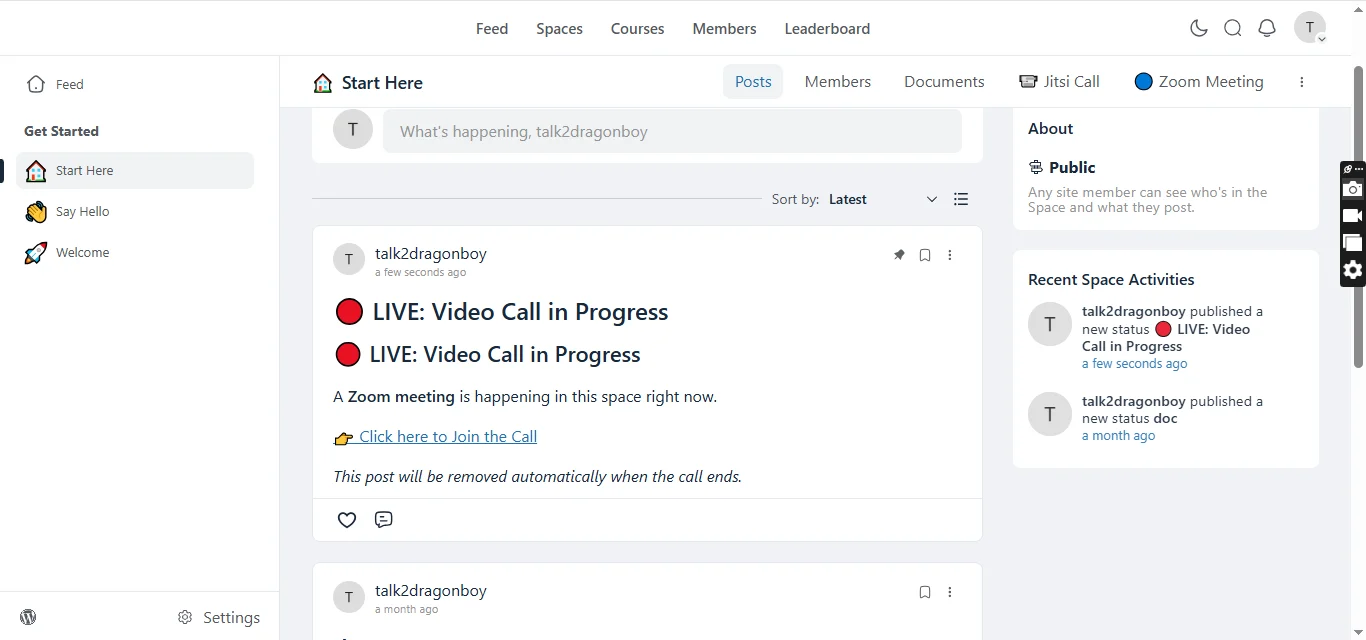
image 2:
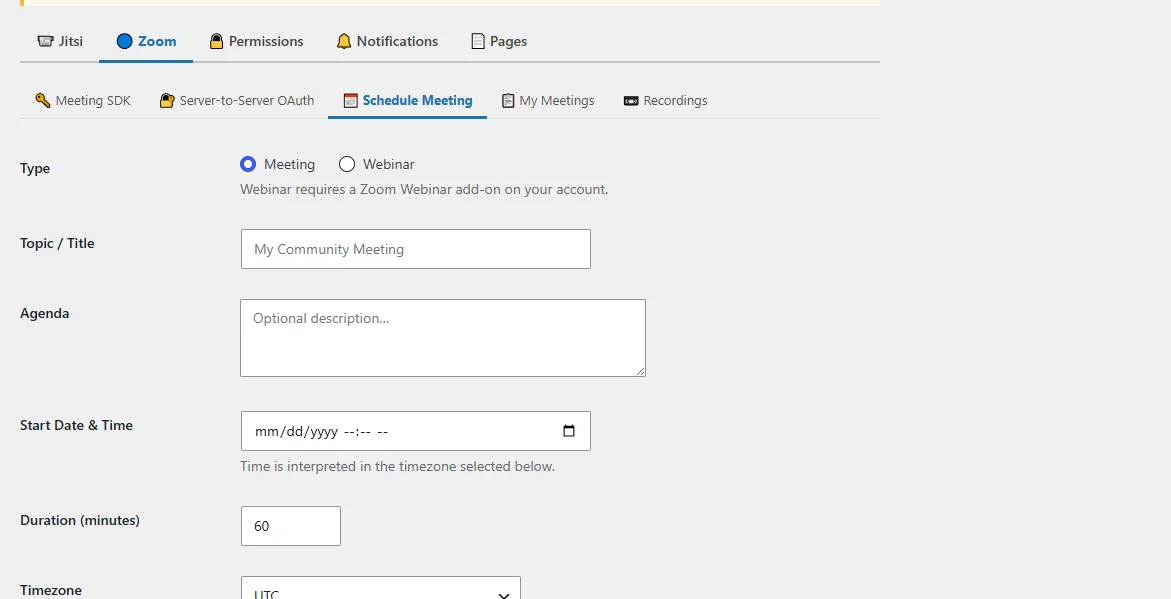
image 3:
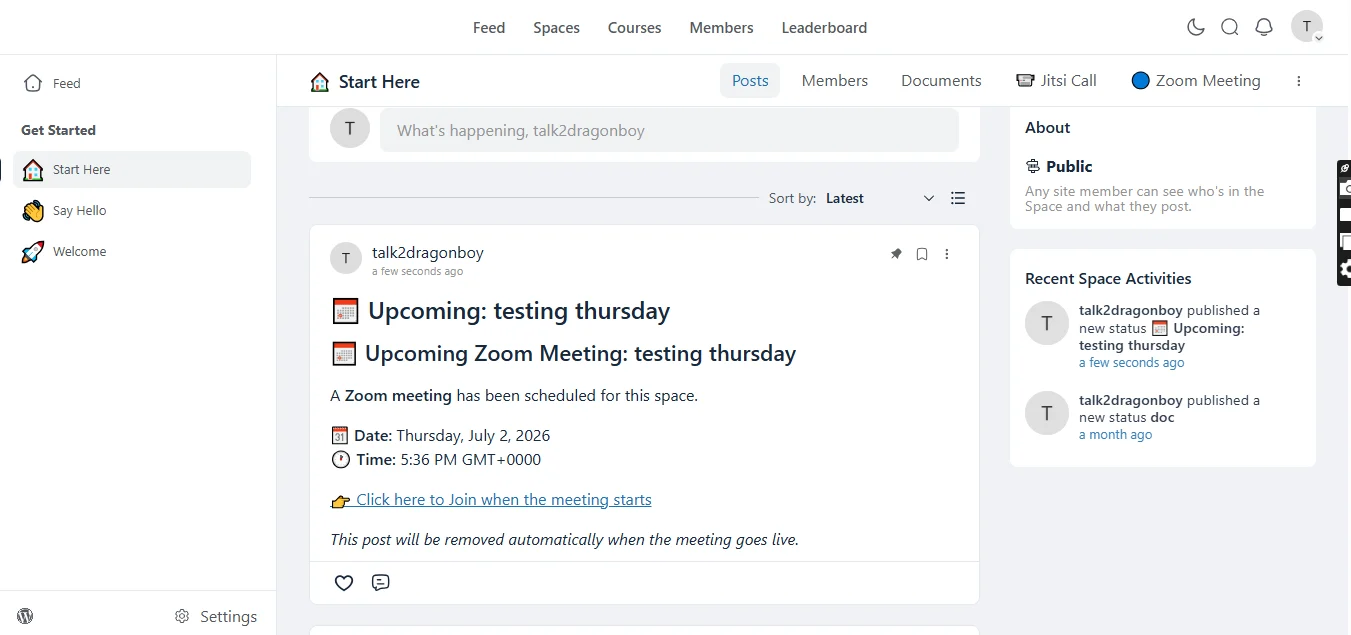
image 4:
Why Choose FluentCommunity Video Calls?
Unlike standalone video plugins, this plugin is built specifically around FluentCommunity.
It connects your community spaces with live communication tools, creating a complete social learning and collaboration environment.
Your members don't just join a website — they join a connected community.

I'm working in FluentCRM to see when people last opened an email, and it occurred to me it would be nice to also filter on FluentCommunity activity.
The FluentCommunity analytics give an overview of some things, but they don't dive into searches, filters, or reports as I'm thinking about. This would be useful information to have in FluentCRM, as it has pretty robust filtering capabilities.

WooCommerce has been the default eCommerce plugin for WordPress for years, but FluentCart is quickly becoming a serious alternative.
In this video, I compare WooCommerce and FluentCart side by side. I look at setup, product creation, checkout, digital products, subscriptions, coupons, variations, reports, speed, and overall ease of use.
WooCommerce is powerful and mature, but FluentCart feels faster, cleaner, and much easier to use, especially for smaller stores, digital products, and creators who want to sell online without dealing with lots of extra plugins.

I was thinking that a "Currently online" feature, could be cool for the community.

Hi there,
I would love the possibility to allow members to choose, who can write them a DM or see their profile. Admins, of course, should always be allowed, but I miss the setting for only allowing Contacts or even blocking all.
Regarding Contacts: I would be great if you couldn't just simply follow, but give the receiving member the possibility as well to disallow that or only allowing after their approval.
As always, thank you for considering :)
I am curious when we will see push notifications for Fluent Community. FC already has email notification for almost everything but hand on heart.. who nowadays read personal emails regularly or often?

Can you make it so that every Youtube video on your website automatically uses FluentPlayer interface like in FC?