


Is there any way to disable the Feed tab in the community?
In private communities, having an empty Feed (for example, when a user doesn't yet have access to any spaces) feels a bit awkward.
Since the Feed is the default side bar top landing tab, showing an empty page with no content can also be confusing for new users. It would be great to have the option to disable or hide it when it's not needed.

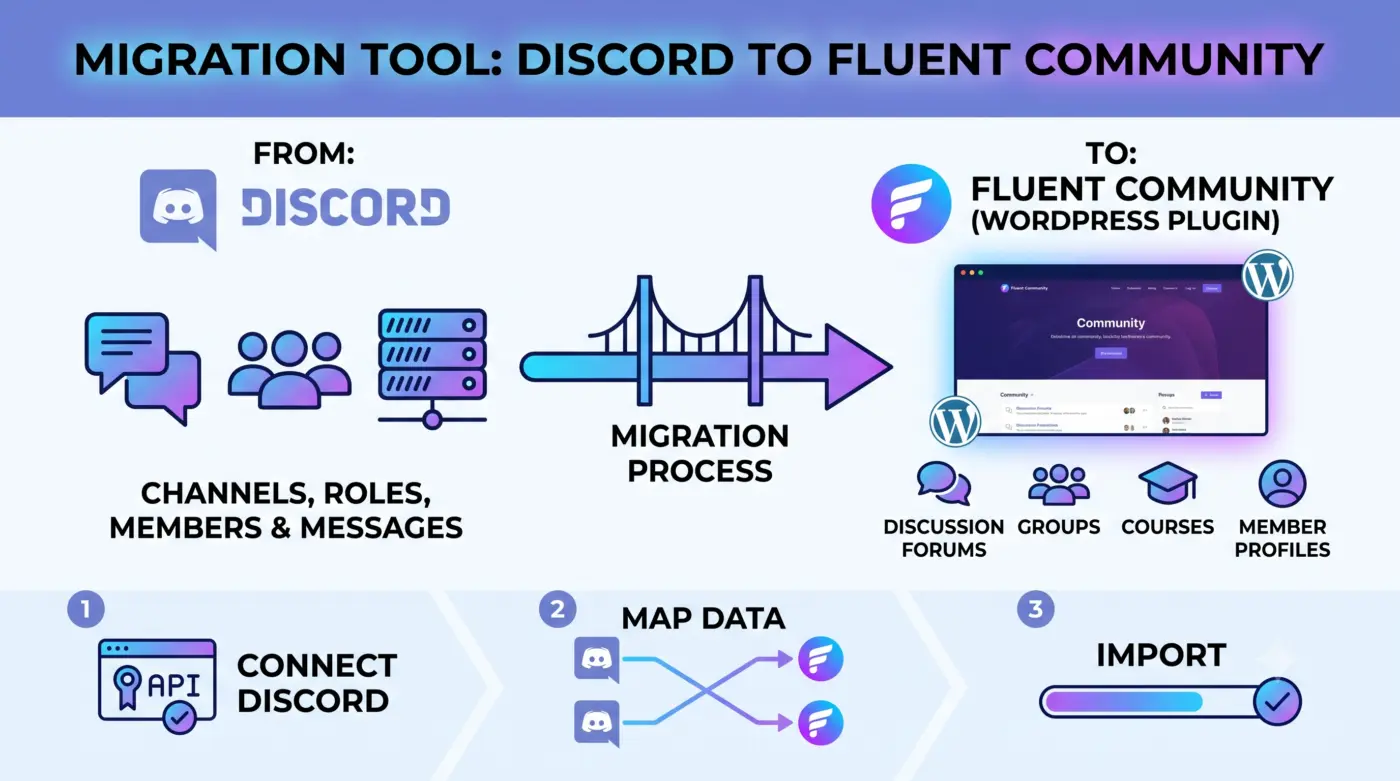
Has anyone managed to build an export tool from Discord to Fluent Community? Asking to answer a migration question from a potential Discord client!

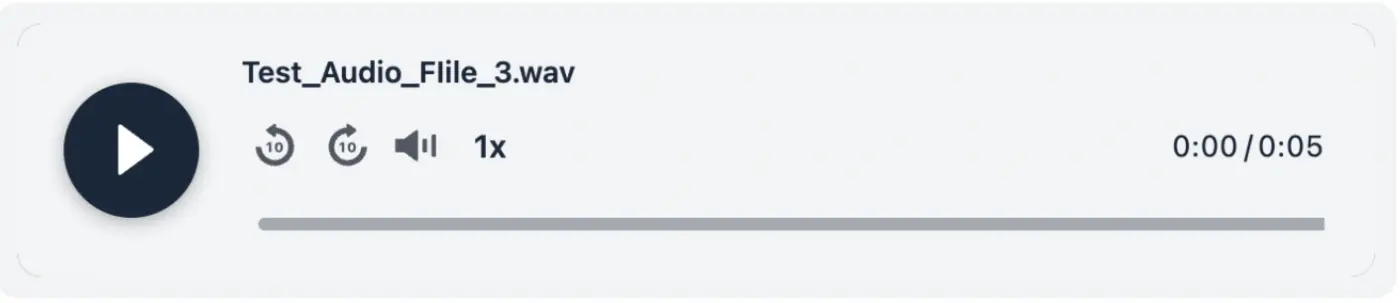
I am really excited about this one. We have been wanting to bring audio to the feed for a long time, and it is finally here, along with a bunch of things you have been asking for.
- Audio posts: Your members can now share audio right in the feed, next to photos and videos. Podcast clips, voice notes, recorded Q&As, music, whatever your people are into. It runs through FluentPlayer, so it is a proper player, not a download link, and it matches your color schema. You can rename each track and add cover art too. Turn it on by installing FluentPlayer and enabling it from addon settings.
- Two new lesson blocks for course creators: A Details block to hide hints or answers behind a click, and a Math block for writing real formulas in LaTeX that render as you type. The Math block needs WordPress 6.9 or newer.
- You now pick the color schema: Light, Dark, or System. Your members who keep their device dark get a dark portal automatically, no setup needed.
And a few small wins that just remove daily annoyances: change your password right from your profile, rename documents without re-uploading, and a much cleaner notification preferences table.
On top of all that, this release is noticeably faster. Feeds, notifications, and permission checks all got quicker, plus a long list of fixes and some security hardening.
Update whenever you are ready 🙌
Full notes: https://fluentcommunity.co/blog/fluentcommunity-2-7-5/
More cooking 🧑🏻💻

We are using FluentCRM and FluentCommunity together.
If a contact unsubscribes in FluentCRM, we want FluentCommunity "Send Email" announcements to respect that unsubscribe automatically.
Is there a built-in option or hook for this?
If not, what is the recommended way to prevent emails from being sent to FluentCRM unsubscribed contacts?

Since a while I run open source project fchub.co and today is a big day - my membership plugin received a proper upgrade. https://fchub.co/docs/fchub-memberships
I've simplified and tuned it, so hopefully this will be your most complete & favourite free membership plugin. Go ahead, try - FluentCart is required, I don't support WooCommerce at all.
When you find few minutes let me know your thoughts, if you spot any bugs please comment below, and if you missing some features, feel free to let me know - let's improve that and keep open source alive

Could we please have the password reset page branded in the same way as the login page
Thanks

Hi, I'd like to know if you have any plans to integrate PWA into FluentCommunity. I know it's possible, since this very site uses PWA, but is there any update or news on this? I'm currently using the PWA from FluentAddons, but I've noticed errors on my site and no longer trust the developer. That's why I'm asking — I'd like to have an official and reliable integration.

I think Leaderboard can show up more things like:
- Time spent online total
- Comments total
- Posts total
Per user. It maybe can help little bit with users engagement.

Coming from Circle, I was able to link to other spaces in the community by using the # which would bring up a list of spaces/posts I could link to (or I'd just start typing).
Would this be a feature that Fluent Community would consider, would others also find it helpful? I used it a lot on Circle. Otherwise, happy to be with Fluent!

How can we search in lessons?