


Is there a way to configure the booking flow so that the attendee selects the service first, and then chooses the host based on who’s available for that service?
Right now, the system seems to require choosing the host first, which feels a bit counterintuitive... shouldn’t availability be determined after selecting the service? It would make more sense for the system to show only the hosts who are available for the selected service.
Has anyone managed to set it up this way, or is this just how the platform is designed?

I am a bit surprised you have sms notifications integrated but not WhatsApp. Are there any intentions to add a WhatsApp integration soon?
It would be good to have the basic formatting options like bold, italic, underline and link at the description of booking types.



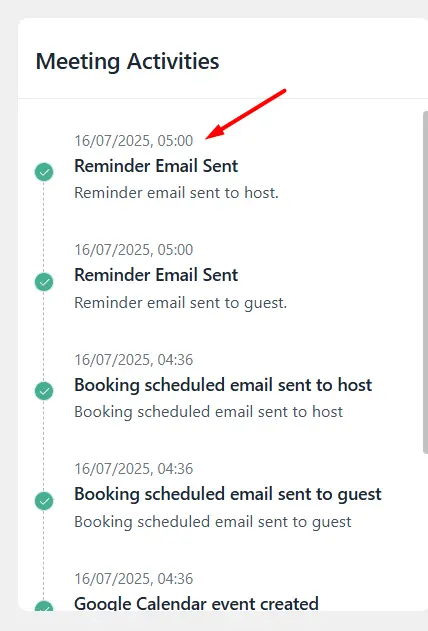
hi, on the bookings page, the notification area does not display the correct time
The WP time is correctly set, the calendars display correct, but this activities do not
Hi, I have a calendar where people need to book 4hours in advance. When they want to book closer to the date, they can get as far as the (woocommerce) cart before they get the 'cart is empty' message.
This is confusing for people. They expect a clear message that you can not book this close in advance, or it should not be possible to select that date in the calendar
This does not happen to all people... very strange
UPDATE
This only happens when the booking form is embedded in an iframe :-( I suppose iframe does not work well with woo checkout

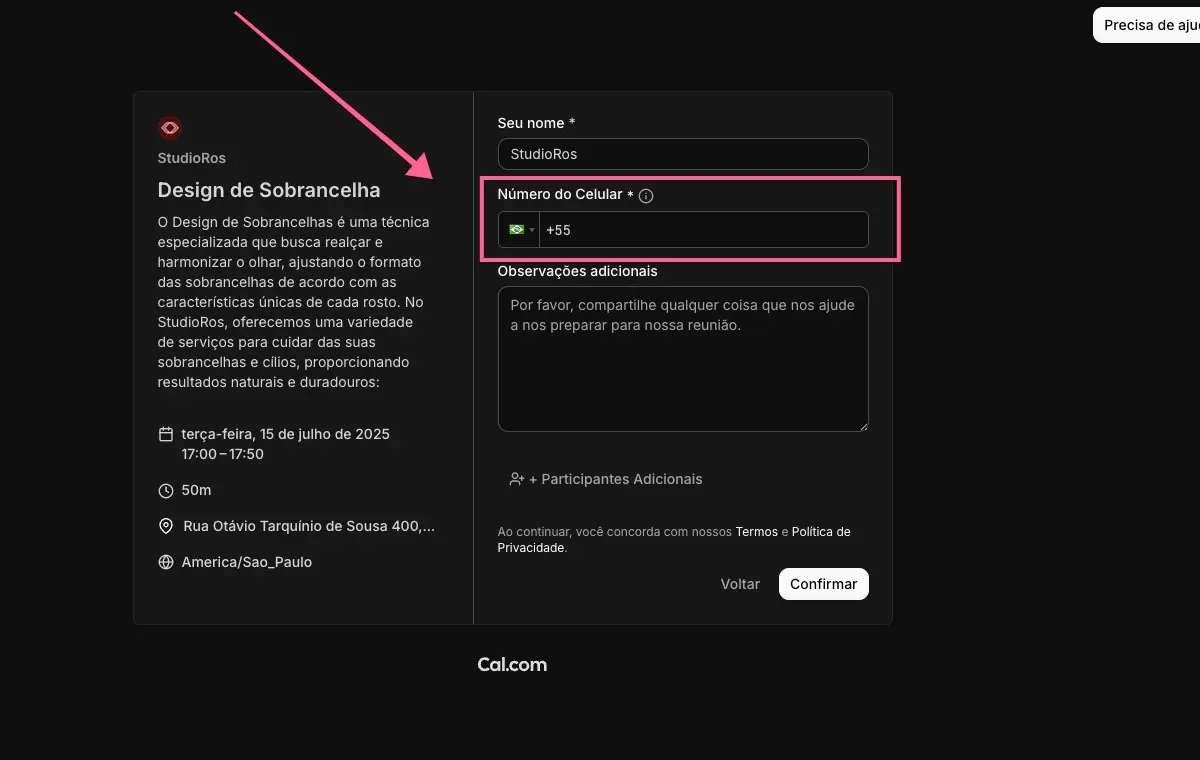
Cal has been updated to version 5.5 and has a feature that would be very useful to have in FluentBooking.
You can now schedule an appointment using just a phone number.
This is very important because, in my case, as I work with elderly people who use WhatsApp more, simply asking for their phone number to confirm the appointment makes things much easier.
Here's a suggestion for implementing this feature in FluentBooking as well.

Are there any new features upcoming for fBooking PRO? I hope we will see some of these:
- Currency Symbol Position
Choose the position of the currency symbol in the amount - paid bookings - Number Format
Choose the character style for separating thousands in numerical values - paid bookings - Events booking and integration with fCommunity
- Integration with fAffiliate
- Reservation fee
- Coupon codes
Any other suggestions are welcomed so we can utilize this plugin to the max.


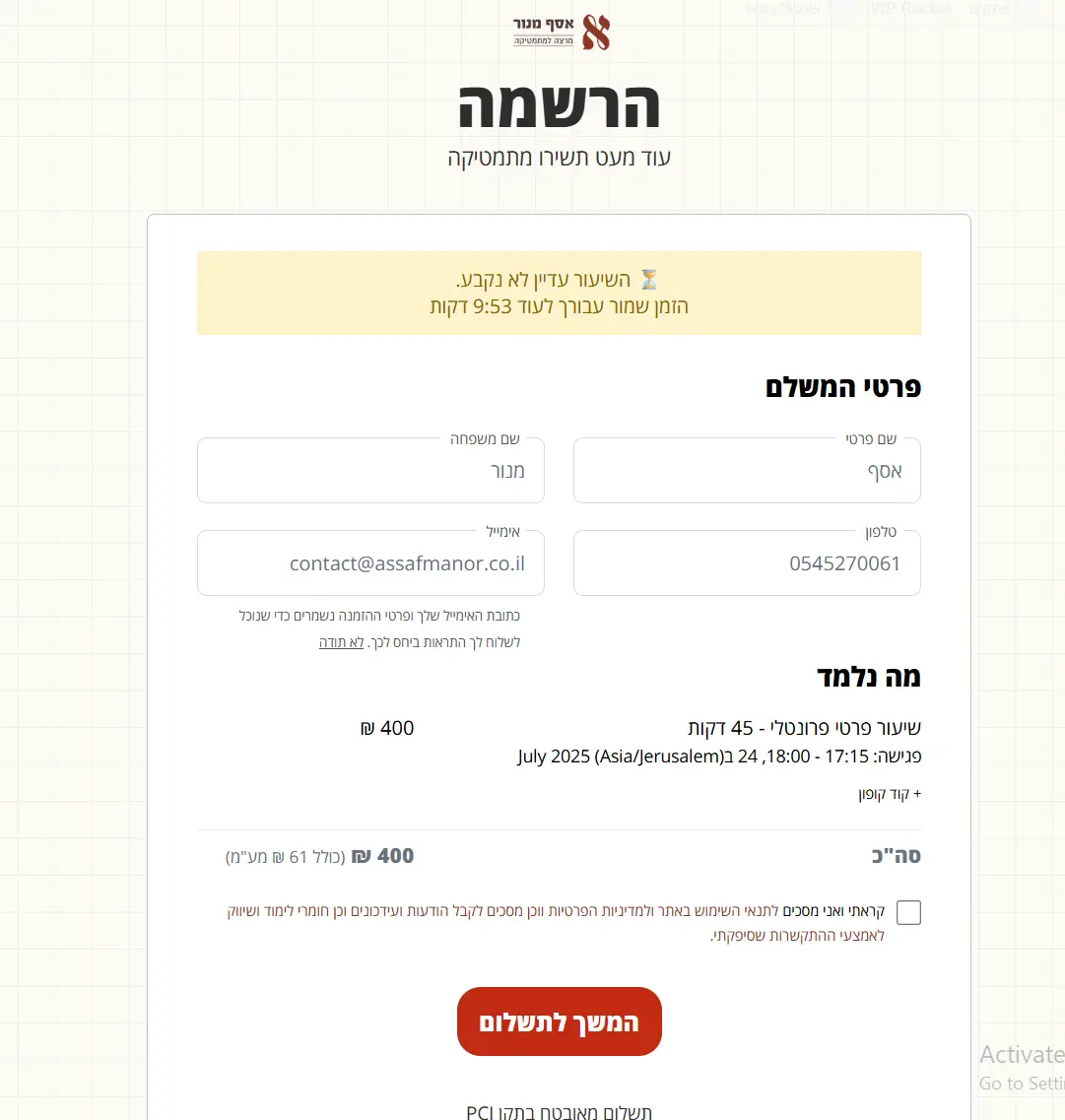
I have a calendar where people can book private lessons. After completing the booking form, they are redirected to a checkout page. There through PHP and JS I added a timer that shows how much time left to pay (default at fluentbooking is 10 minutes) until the slot they've reserved will be freed and the booking cancelled (after that I have a code that empties the cart so they don't accidentally pay for a booking that's non-existant anymore).
But what is missing for me is an email sent after the 10 minutes have gone and the booking has been "released" to send an email alert the person that the booking is not reserved so he won't accidentally think he has that booking.
How can I achieve that? Is there a hook I can hook onto?
Thanks 🙏

Hi,
Since last week we noticed an error within the confirmation and reminder mails for booked sessions.
The time is displayed wrong. It's always 2 hours early. E.g. instead of 7pm it's 5 pm.
I already checked the timezone of the website (Berlin). I use the shortcode {{booking.start_date_time}} within the reminder mail.
Should I try to set the website timezone to UTC +2 (summer time in germany) (instead of just choosing "Berlin" within the dropdown) or is there any other solution?
Thank you!

I'd be so grateful it if there'd be an option to only show users available slots before and after existing bookings and blocked time- which will lead back-to-back appointments.
I'll give you an example- if there are 5 available slots in a day, users can book the 2nd slot and the 4th, leading to a gap in the 3rd slot, and gaps in the 1st and 5th slots.
It'll be great if there was an option to choose that only the 1st and last slots will be available in the beginning, and after an appointment is booked- only the slots before or after it are available. It'll eliminate calendar gaps and make the calendar so much more efficient!
Thank you so much 🙏