


Can the link to support show in the account page after a purchase on fluentcart? And if so how can you do it?
Can the the support link be set up to only show for customers and not subscribers or in someway only paid customers can get access to it? 🙂

Hello Fluent Support Users,
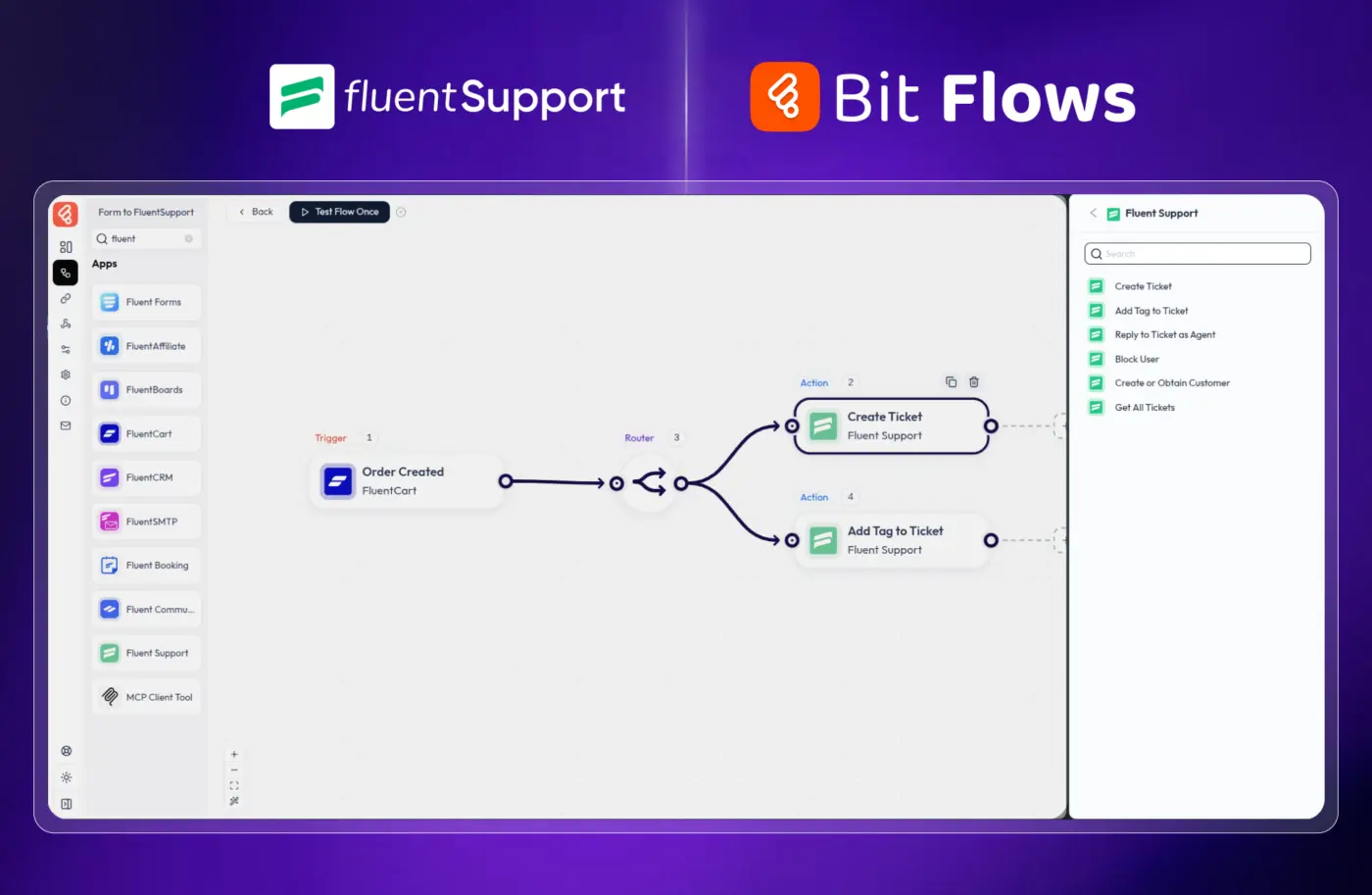
You’ll be happy to know that Bit Flows has launched Fluent Support Integrations with popular use cases. Now it may help organize and manage support more efficient way.
We’ve have integrated 16 events (10 triggers and 6 actions).
Fluent Support Triggers:
- Watch Submission
- Ticket Created
- Response Added by Agent
- Response Added by Customer
- Ticket Closed by Agent
- Ticket Closed by Customer
- Ticket Closed (Product)
- Ticket Created (Product)
- Ticket Product Replied Agent
- Ticket Product Replied Customer
Fluent Support Actions:
- Create Ticket
- Add Tag to Ticket
- Reply to Ticket as Agent
- Block User
- Create or Obtain Customer
- Get All Tickets
Kindly share your use cases in the comments, and we’ll take note of them.
Thank you.

Does anyone know why if a customer has a profile pic in the community and in fluentCRM as well, it doesn't appear when he opens a ticket? Is it possible to sync the contact information, profile pic included, between FCRM and FSupport?
Thanks for your help!

Hi, I'm currently setting up Fluent Support for our organization and I'm experiencing some issues with Email piping. I set up an inbox with support@example.com and emails are being routed from our GWS just fine to for example cool_blabla.dra4m@fluent.support and a new ticket is created.
The Support-Inbox is then filtered by support staff for support related requests. I did the same for sales@ and marketing@, with each Inbox serving as queue for the department related requests. So far so good.
Historically other emails like help@example.com, info@example.com, but also support@example.de or bestellung@example.de have been distributed as official email channels.
I tried to route e.g. help@example.com to cool_blabla.dra4m@fluent.support (like support@example.com) and GWS forwarding is working from the logs, but the emails from help@example.com are being ignored by Fluent inbox matching apparently and no new ticket is created.
Is there a solution for this? We have more than 30 different email addresses that need to be forwarded into the relevant department mailboxes and my agents will lynch me if I set those up as separate Inboxes. Any help or tip will be greatly appreciated 🙏! Thx, Jan

I am sistematically getting this error why I try to add an email pipe in fluent_support. Although I have open a support ticket with wpmanageninja it seems they can not solve it. Anybody had a similar issue? Any ideas on what I can do?

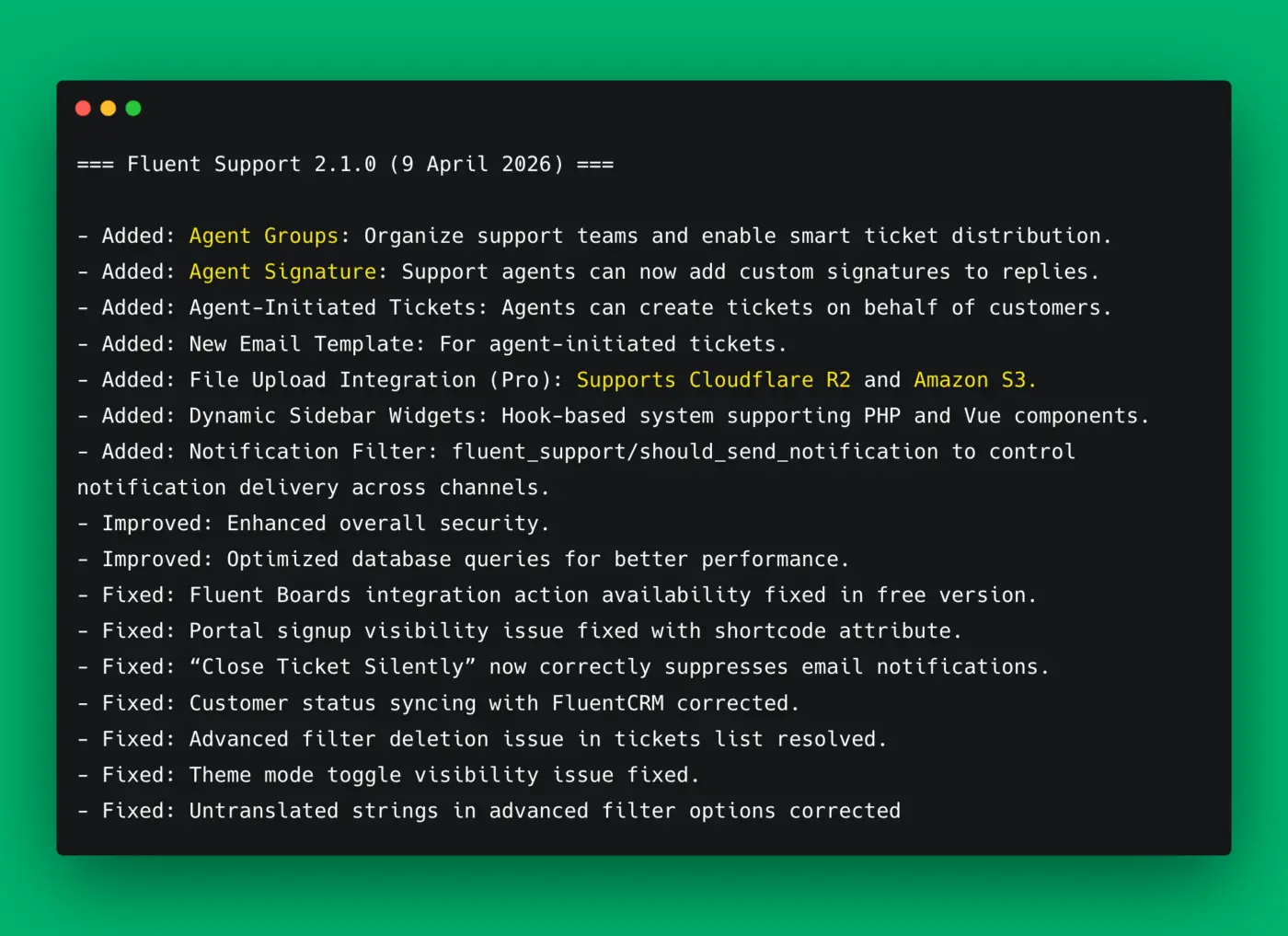
We're excited to announce the release of Fluent Support 2.1.0 — a big update packed with powerful new features to help your support team work smarter and faster.
What's New
- Agent Groups: Organize your support team into groups and enable smart, automatic ticket distribution to the right people.
- Agent Signatures: Agents can now add personalized signatures to their replies for a more professional touch.
- Agent-Initiated Tickets: Agents can now create tickets on behalf of customers — perfect for proactive support.
- Cloud File Storage (Pro): File uploads now support Cloudflare R2 and Amazon S3 for flexible, scalable storage.
- Dynamic Sidebar Widgets: Developers can now extend the sidebar with custom PHP and Vue components via a hook-based system.
- Notification Filter: Fine-grained control over notification delivery across all channels.
Improvements
- Enhanced overall security
- Optimized database queries for better performance
Bug Fixes
- Fluent Boards integration actions now available in the free version
- Portal signup visibility issue with shortcode attribute resolved
- "Close Ticket Silently" now correctly suppresses email notifications
- Customer status syncing with FluentCRM corrected
- Advanced filter deletion issue in ticket list fixed
- Theme mode toggle visibility issue resolved
- Untranslated strings in advanced filter options corrected
Update now and let us know what you think in the comments!
Read the full release post - https://fluentsupport.com/fluent-support-2-1-0/

I see that tickets in Fluent Support can be answered using OpenAI, which is a great feature. I’m curious whether you’re planning to add support for Anthropic/Claude (BYOK) as well, as I’ve found the results to be significantly better.
Additionally, is there a way to define specific guidelines for tone, style, or voice so the AI responds to customers in line with our brand communication?

I've had a bit of a fluent week this week, and in this video, I show you how I import emails and add them to my Fluent Support using Flowmattic IMAP and some custom code to get this all working
I have also submitted a request for some additional filters to allow interaction with the tickets to live update the content. I would have submitted my own PR but the version I can find on GitHub seems several versions behind.
Is it possible for me to add the support portal to more than one site? Is there a non-shortcode API version, and if not, can one be added to the roadmap?