


Hello — I need help: my confirmation emails for double opt‑in are not being sent.
Plugins: Fluent Forms, FluentCRM, FluentSMTP (Hostinger SMTP)
SMTP: smtp.hostinger.com, Port 465 (SSL) (test email from FluentSMTP sends successfully)
Problem: When someone submits the newsletter form a contact is created in FluentCRM with status Pending, but the confirmation email never arrives. There is no confirmation email in FluentCRM email logs. I have tested that SMTP works (FluentSMTP test email delivered).
What I expect: After form submission the double opt‑in confirmation email should be generated and sent automatically so the contact can confirm and become Subscribed.
What happens instead: Contact is created as Pending and no confirmation email is sent. I have checked From Email matches SMTP username and tried running scheduled actions manually.
What I have to do? Please help!
Thank you!
Marelle

Hi FluentSupport team,
Please add a native FluentSupport-to-FluentSupport migration feature, similar to your existing migrators (Help Scout / Freshdesk / Zendesk → FluentSupport).
A lot of users need to move from their existing WordPress/FluentSupport install to another (e.g., subdomain to root domain, staging to production, host migration, multisite split), and currently this requires manual DB + files migration.
This would save significant time, reduce migration risk, and make FluentSupport migration workflows much more accessible.
Thanks for considering!
-Jan

Hello, we noticed that the feature "Close Ticket Silently" is not working properly. Indeed, it still sends an email to the user as the ticket has been closed.
Could you guys have a look?

🇫🇷 Français :
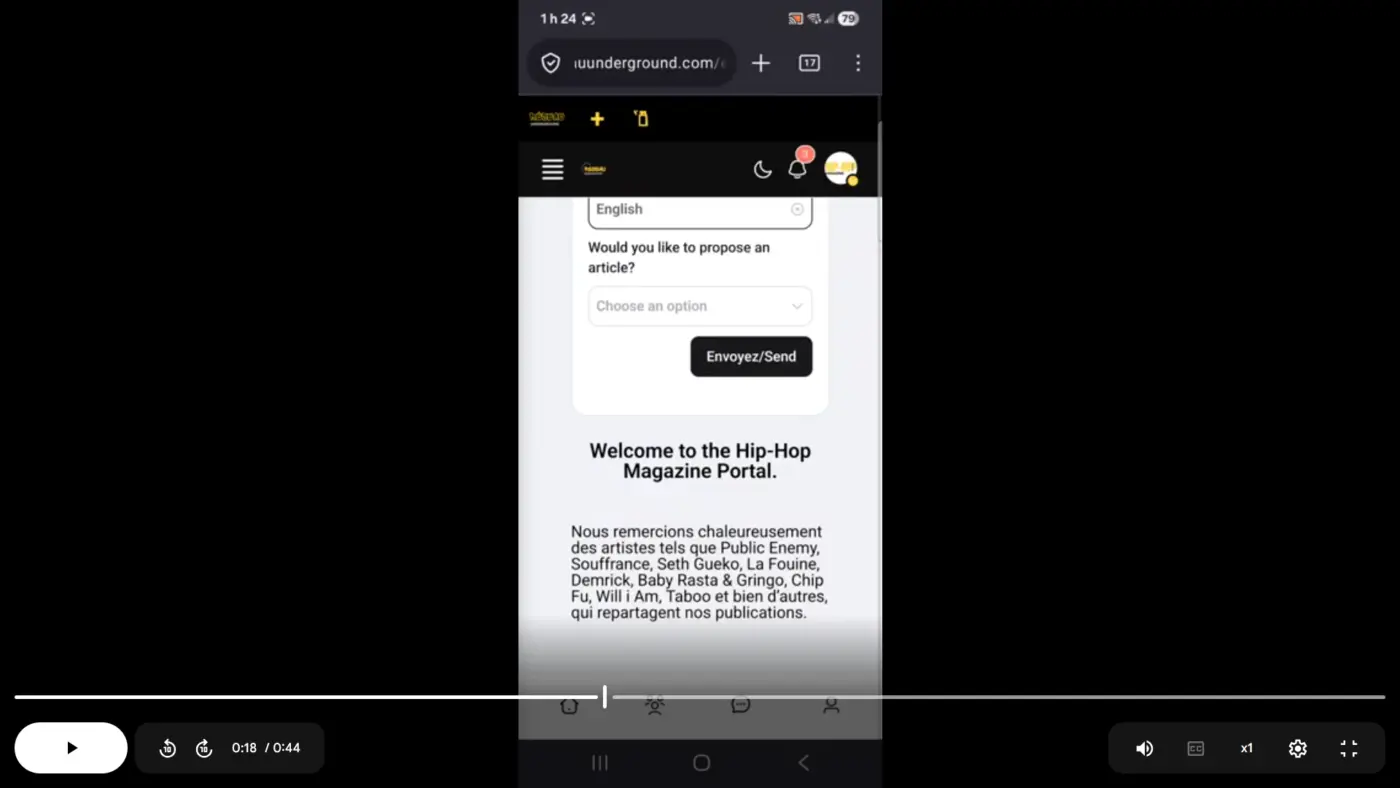
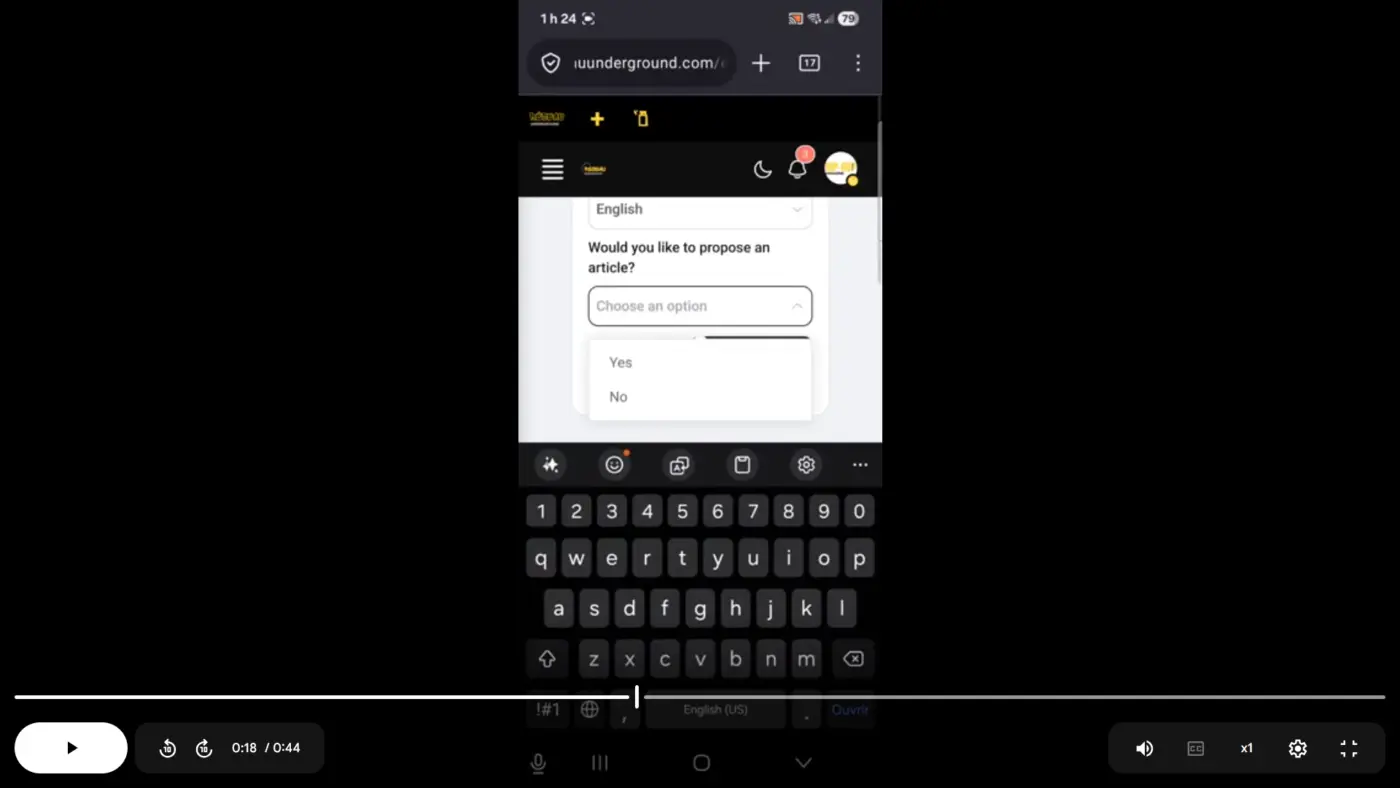
Quand un client accède à mon support depuis son téléphone mobile, chaque fois qu’il clique sur un champ personnalisé pour faire un choix, le clavier du téléphone s’ouvre automatiquement. Il doit ensuite appuyer sur le bouton « retour » en bas de son téléphone pour pouvoir continuer à remplir le formulaire.
🇬🇧 English :
When a customer accesses my support on their mobile phone, each time they click on a custom field to make a selection, the phone’s keyboard opens automatically. They then have to press the “back” button at the bottom of their phone to continue filling out the form.

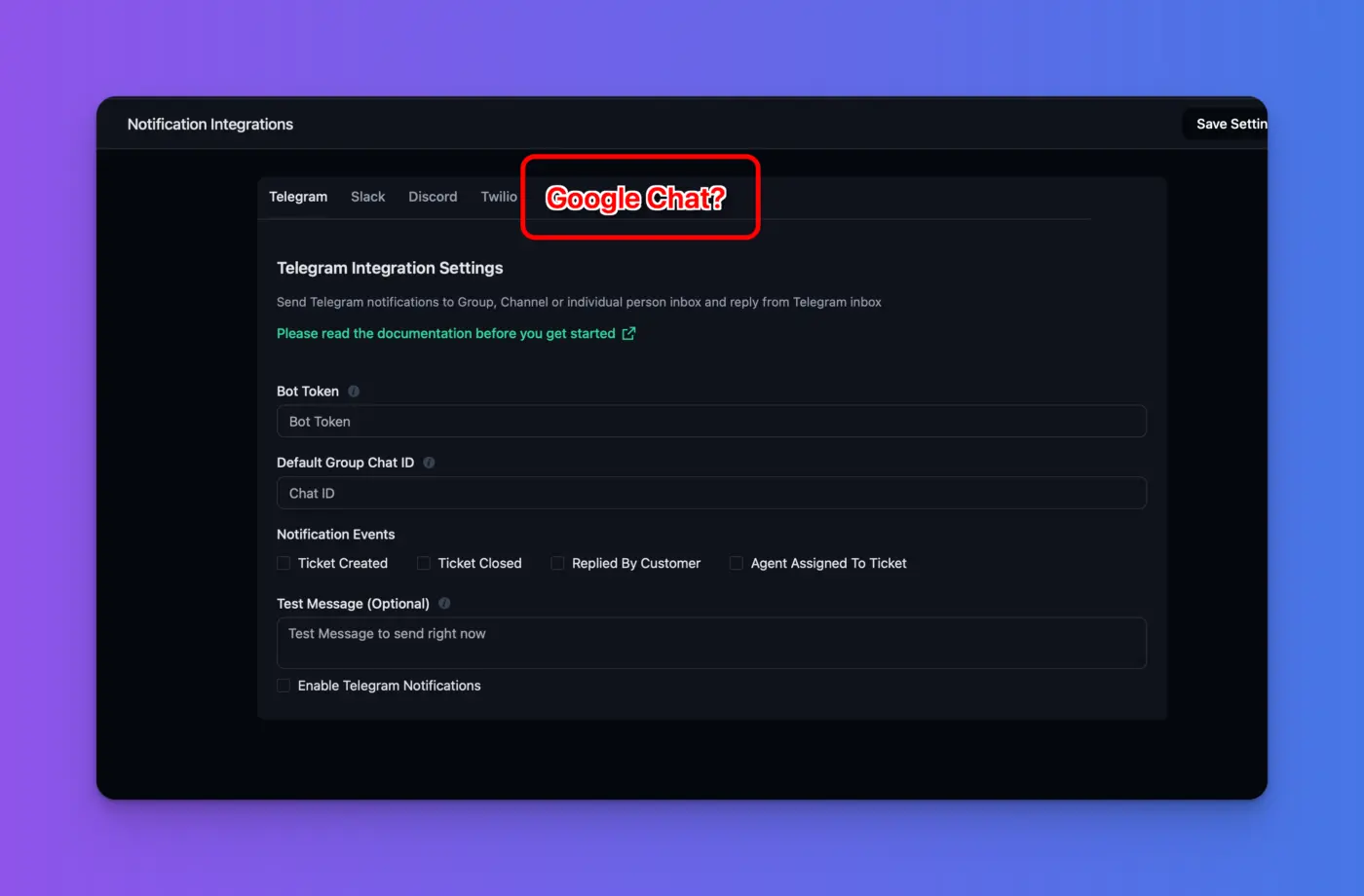
I'd like to see a Google Chat notification integration.
Anything like this in the pipeline?

As email piping is still causing problems - (hint Shahjahan Jewel https://community.wpmanageninja.com/portal/space/fluent_support/post/email-piping-subjects-still-rubbish 😁)
Has anyone tried an alternative method? I'm wondering if Flowmattic could be used?

I am getting email notifications, however, there are no tickets in mailbox, but when i clicked to view ticket, nothing was there, and I got a notice saying my mailbox was restricted. I contacted hostinger, and they said there are no restrictions.
support tickets were previously working fine, but not now.
Any ideas?
Thank-You

My image in fluent support kept on disappearing. Any idea?

Hello,
We have noticed that FluentSupport inbox replies currently do not thread very well in real-world email usage.
When an agent replies to a ticket that originated from an incoming email, FluentSupport sends the outgoing email with an incorrect In-Reply-To header.
Instead of using the original ticket message_id, the header is populated with the sender identity / email address format, which causes the reply to be treated as a new conversation in email clients instead of staying inside the same email thread.
The correct original message_id is already stored in the ticket record (fs_tickets.message_id), so the required data is available.
We also tested a custom fix via hooks, and once In-Reply-To and References are set to the ticket's original message_id, threading works correctly in Gmail both for the recipient and for archived copies.
So the issue does not seem to be missing data. It seems to be the way FluentSupport builds outgoing reply headers for inbox-originated tickets.
Could you please clarify:
- Is this current behavior intentional?
- If yes, what is the reason for not using the original ticket message_id in In-Reply-To / References for inbox email replies?
- If not, do you plan to correct this in core so replies behave as proper threaded email replies in mail clients?
This matters not only for internal archives, but also for the customer experience, since recipients naturally expect support replies to remain in the same email conversation.
Thank you.
The box by defaullt DETAILS BOX should be at the end of the custom filed.
Or we should be able to hide it.