


I understand how to export/import all of the data and forms, but is there a way to export/import all of the settings for these apps too? Trying hard to avoid re-entering every single setting....

Hello !
Can you add a frontend portal, like in Fluent Booking, so we can give access to some people without sending them to the WP admin ?

Overview:
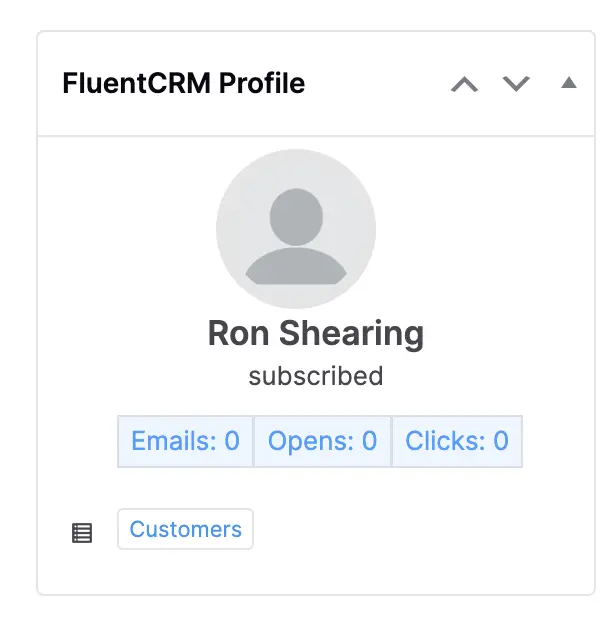
Currently, when viewing a customer’s FluentCRM profile within the WooCommerce order details page (as shown in the attached screenshot), users can only view subscriber details and engagement stats. However, sending an email still requires navigating back to the FluentCRM dashboard.
Feature Request:
Please add a button or dropdown within the FluentCRM Profile box on the WooCommerce order page that allows users to send an email directly to the customer without needing to leave the order screen.
Proposed Functionality:
-
Add a “Send Email” button within the profile box UI (below or next to the engagement stats).
-
Clicking the button should:
- Open a modal or popup with email composition options (subject, message, formatting).
- Use existing FluentCRM templates if desired.
- Trigger the email to the contact using FluentCRM’s email-sending logic.
- Please add cc and bcc fields...

Friends, I know that the Fluent plugins have their own role manager, but nevertheless, WordPress does not have a good role management system by default. As a result, various menu items appear that are unnecessary for different user roles. Please advise, which role management plugins do you use in your work within the Fluent ecosystem? Thank you for your recommendations.

Is it possible to set a default font, size and spacing for emails and newsletters? I find myself manually changing a bunch of paragraphs at a time manually but I always manage to forget one and it comes out looking very unprofessional.
I searched the docs for "font size" "default font" and "font setting" but came up with nothing. maybe the default font and sizing is stored in a setting file on the server. Any ideas?

I spend several hours yesterday trying to get a request for personal data executed. Both the download and the send email failed, until I found that FCRM was the problem. Deactivating it solved my problem.
Has anyone else experienced this? Is it a fluke or a bug? I have the free version.
Hi
Additional Info: I have all of the contacts in FFP and none in Wordpress. How can I sync them? ie; Push them to Wp users too?
I want them to be able to comment on posts, but I'd like to avoid using the default wordpress registration.
This is do-able, no?

Is it possible to change the email footer more easily if I want to send emails in multiple languages? The global email footer can be used for one language, but for the second, I currently have to copy/paste the custom footer to every email.
Thanks!
Hey! Do you have any tips for avoiding the "Promotions" tab in Gmail?
In my experience, the email was labeled as an advertisement when I used WP block editor. But when I translated everything to simple HTML, it went to primary inbox. Can anybody confirm this?
It makes sense, but I have also seen FluentCRM emails (with a nice looking template) which haven't gone to Promotions, so not sure what is the cause.

I wasn't able to get FluentCRM apply the tags defined for the checkbox selected. How can I fix this issue?