


Hi everyone! hoping someone can help me out.
I want to send a standalone email to my list, giving people the option to opt out of my Mother's Day campaign. My idea is:
- Include a link in the email that when clicked, adds them to a specific "Mother's Day Opt Out" list
- When I send my Mother's Day emails, I exclude that list
How do I set up a link that automatically adds someone to a list when they click it?
Thanks so much in advance!

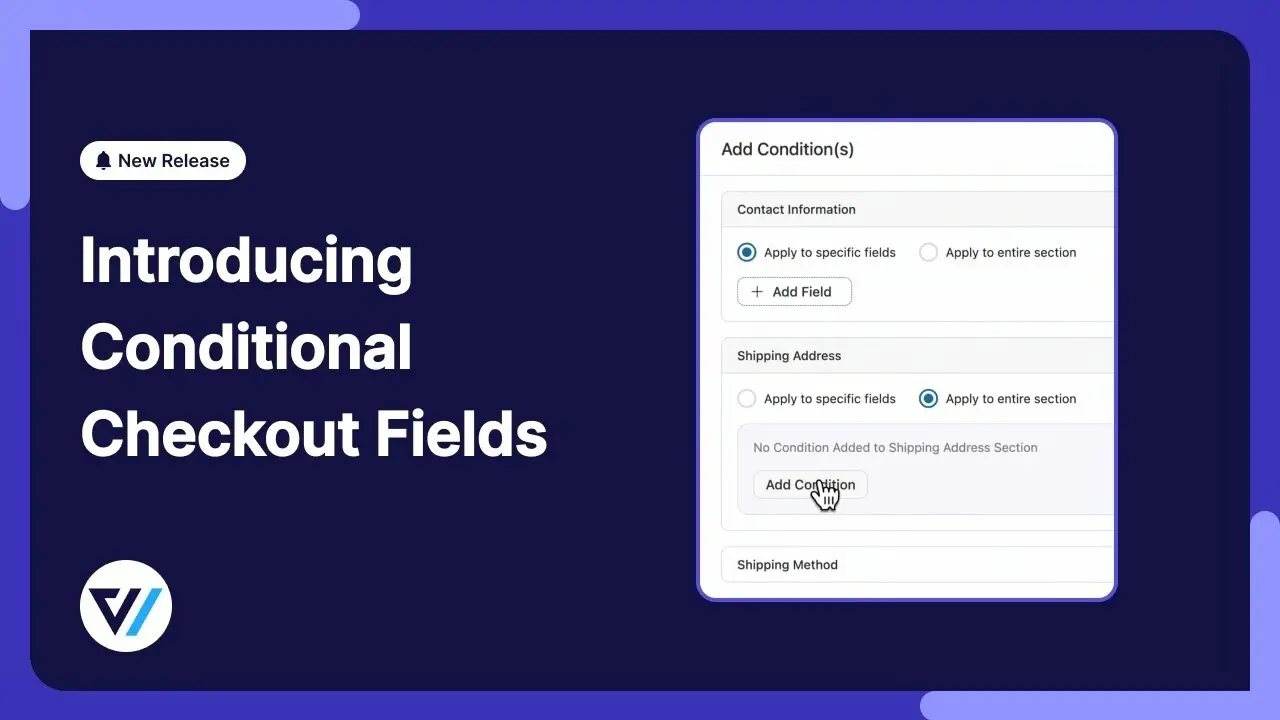
Today, FunnelKit Funnel Builder (from the same creators of FunnelKit Automations, a direct competitor of FluentCRM) released a new update (v.3.15.0) that I'm quite sure is one of the most needed features for every WooCommerce user: Conditional Logic for all fields and sections of the Checkout 🚀.
https://www.youtube.com/watch?v=o3pap3nlIp4
It's truly an incredibly useful feature that can be adapted to any business based on its specific needs. And this makes me think... I love the Fluent ecosystem, but I hope that at some point, WPManageNinja will be inspired to launch a new product for complete customization of the WooCommerce Checkout with deep integration with other Fluent products, such as FluentCRM 👀.
Currently, plugins like CartFlows or Checkout Field Editor are needed to achieve something similar. But staying within the Fluent product suite would be much better, allowing, for example, the interweaving of data from custom fields through Feeds, without needing to create unnecessary visual automation flows for simple tasks (in addition to the Conditional Logic mentioned).
I think that would be a real game-changer 🎯

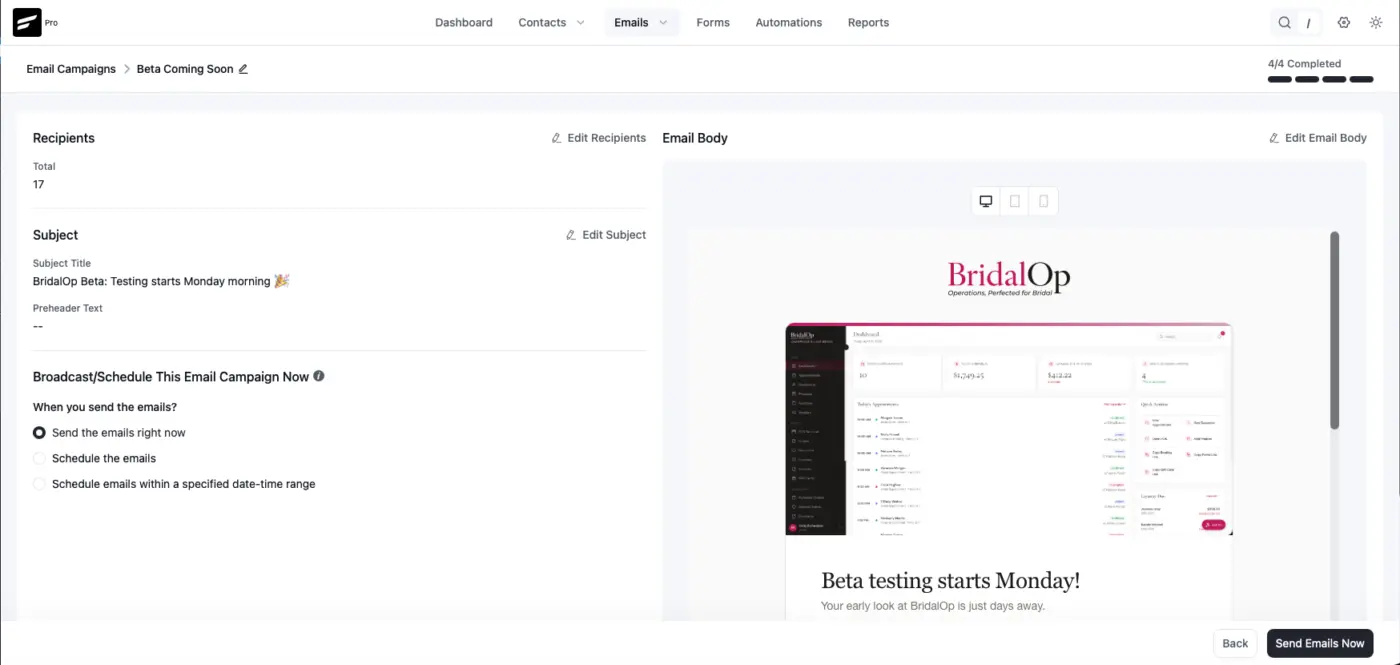
FluentCRM 3.0 RC1 is here. We’re getting close to the long-awaited V3 release.
Since the last beta, our team has gone through the reported issues and made significant under-the-hood improvements. The biggest change is the full rewrite of the email processing and sending queue, which should make sending up to 5X faster in our early testing.
Full changelog:
- Complete FluentCRM v3 rebuilt on Vue 3 + Element Plus for a faster, more refined admin experience
- Gutenberg-native email builder with device preview, media button improvements, and reusable Email Patterns
- SMS marketing for campaigns and automations with Twilio incoming support and smartcode personalization
- New dashboard and rewritten reports with charts, widgets, improved campaign insights, and UTM visibility
- Dark Mode support across the admin with persistent theme preference
- AI writing support and improved global search for contacts, campaigns, automations, companies, and notes
- Dedicated email preference page, improved docs page, and reorganized settings, addons, and system admin tools
- RTL support, drag-and-drop custom fields, better importer flow, and broad UI/UX polish across modules
- Performance and reliability improvements for link tracking, and overall framework scalability
- Security hardening, XSS fixes, automation cleanup, and compatibility fixes including Rank Math conflict resolution
- Added FluentCart abandoned cart recovery
- Email Sending Speed Optimization with better performance and reliability
- Added toSend email service integration with bounce handling
- Other bug fixes and release polishes
-
How to install the latest RC
- Download & Install Fluent Toolkit addon
- Activate the plugin, then go to Fluent Toolkit and install/update FluentCRM Beta and FluentCRM Pro Beta
- That’s it.
Please let me know if you find any issues in this version in the comments.

I’ve got an email list sitting in FluentCRM - all double opt-in - but a lot of these contacts were collected a few years back, and I haven’t sent them any marketing emails since.
I’m trying to figure out the best way to clean this list up before using it again / rebuild sender reputation safely, etc.
I’m thinking about things like validating emails, removing inactive users, and avoiding deliverability issues, but I’m not totally sure what the best workflow or tools would look like here.
Would love to hear how you’d approach this, or if there’s a setup you’d recommend.

Hey, after installing the beta 3.0, I've noticed that the FCRM conditional blocks inside a page or post didn't work properly. I use that to show/hide content based on user's lists/tags. With the update seems like every user could see the restricted content. Anybody else having this issue? Thanks!

On the main Email Campaigns page (admin.php?page=fluentcrm-admin#/email/campaigns) that lists all campaigns and some metrics associated with them (Open Rate, Click Rate, etc.), it would be great to also display Unsubscribe Rate (or allow that as an option). I would like to be able to sort by Unsubscribe Rate - to see which campaigns have the highest rate of Unsubscribes (in order to improve future campaigns). Or if I could export this data into a spreadsheet, that would work, too. Thank you.

This is definitely the most clean UI for a CRM I have seen. Loving it all! Great work team!

With 3.0 getting us SOO close to the meat of what GHL provides, I'm just trying to figure out how to manage the last mile of achieving GHL-style CRM functionality. Has anyone ever successfully accomplished the CRM part of the funnel using the fluent suite? I just.. I don't want to leave because I need to have a more robust record of sales funnel integrated with the marketing automation I know and love.
Please - anyone that's had success guide me! I'm about to start launching funnel marketing for online courses and I DO NOT want to use klayvio or GHL or any other walled garden solution.
Anyone? help?

I see this amazing feature.
Thanks, But when i save the pattern its not there.


I’d like to suggest a permission enhancement for FluentCRM that I believe would significantly improve team workflows and reduce operational risk.
Currently, there is no clear distinction between writing emails (drafting campaigns) and sending them. The existing permission structure creates a gap:
- You can grant Email Template Manage, which allows someone (e.g., a contractor or copywriter) to create templates
- But that same person cannot create campaign drafts for review
- The only way to enable draft creation is by granting Email Send/Write permissions, which also allows sending emails - and that introduces unnecessary risk
This setup makes it difficult to implement a proper editorial workflow, where:
- A team member drafts campaigns
- A senior/editor reviews and approves
- Only authorized users can actually send
Suggested solution:
Introduce a more granular permission system, for example:
- Email Write (Draft Only) → Can create/edit campaigns but not send
- Email Send → Can send campaigns
- (Optional) Approval flow or role-based restrictions
This would align much better with real-world team structures and reduce the risk of accidental or unauthorized sends.
Question to the community:
How are you currently handling this internally?
Are you using any workaround to safely delegate campaign drafting without exposing send permissions?
Would love to hear how others are solving this!
cc: Shahjahan Jewel