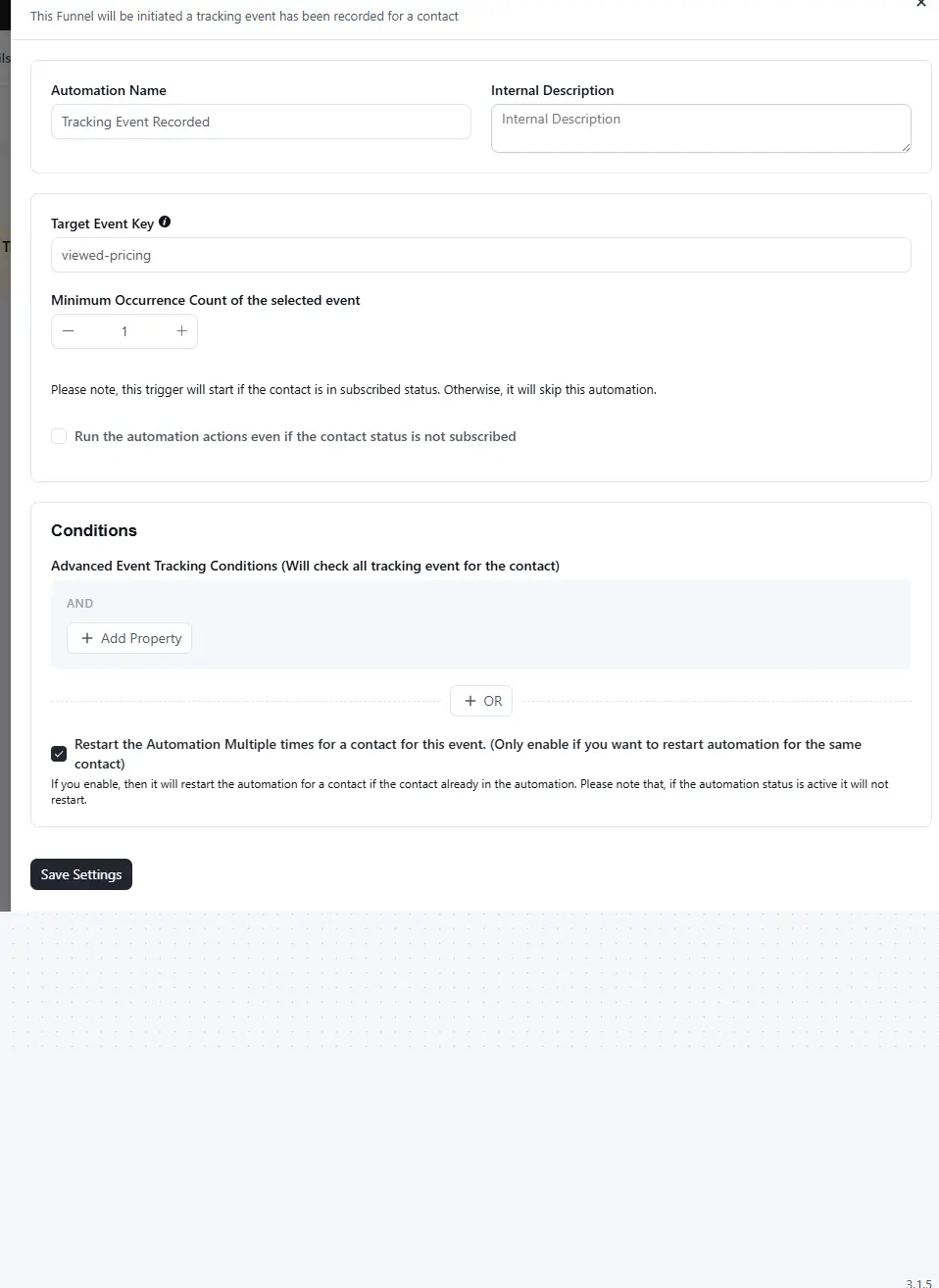
This Funnel will be initiated a tracking event has been recorded for a contact
Does anyone have an idea how to set up this automation in FluentCRM?
I have been trying to figure it out throughout yesterday

OK, I was recently made aware of something that I didn't know about. Gmail clips HTML emails at 102KB. OK, that is what it is. But...
Then I look at the actual email output of an HTML email (like a newsletter) from FluentCRM and it will make your jaw hit the floor. The massive amount of inefficiency in the code for taking the Gutenberg email and outputting into a properly rendered HTML email is SHOCKING.
Like, I have one section of my newsletter which lists out 6 bullet points. In my naive mind, I'm thinking a simple LI list with some links. No biggie. Well, apparently, that little section alone results in almost 7KB of code bloat in the email, full of repeated inline-CSS, each wrapped in tables, etc.
Now, I'm well aware that some weird things have to be done to make HTML emails look alright. But... is there's anything that can be done here to make these emails less full of CRAP?
Problem is, if one isn't careful, the clipping will result in artificially lower open rates. Because the email gets clipped off before the tracking pixel even loads. Unless the reader clicks "View Entire Message".
To be clear, I know this isn't a FluentCRM-specific problem. But, still... I feel like it is an issue that the system should be able to help address.

A minor one today, focused on improvements and performance.
FluentCart checkout subscriptions
You can now turn FluentCart customers into subscribers right at checkout. Under Settings → General Settings, there's a new FluentCart Checkout Subscription section. Enable it and a subscription checkbox shows up on checkout, above the payment methods. You control the label, target list, tags, default state, and double opt-in. When the order completes, FluentCRM creates or updates the contact automatically.
More reliable campaign sending
We improved how campaign queues are processed. It now handles multiple queue runners more safely, recovers stalled emails more reliably, adds fallback mechanisms to keep campaigns moving, and fixes a chunking issue that could skip recipients on large sends.
Smaller wins from the community
- Global link color option in the Gutenberg email editor.
- Quick company creation, right from the contact selector.
- Clearer campaign progress for large sends.
- CSV export for system logs, with date range filtering.
- SmartCode links in the editor work properly again.
Plus better CSP compatibility and a long list of fixes across the email editor, revenue reporting (HPOS support for WooCommerce), and automations.
Full release notes: https://fluentcrm.com/blog/fluentcrm-3-1-5/
A lot of this came from conversations here. Thank you. Update when you're ready 🚀

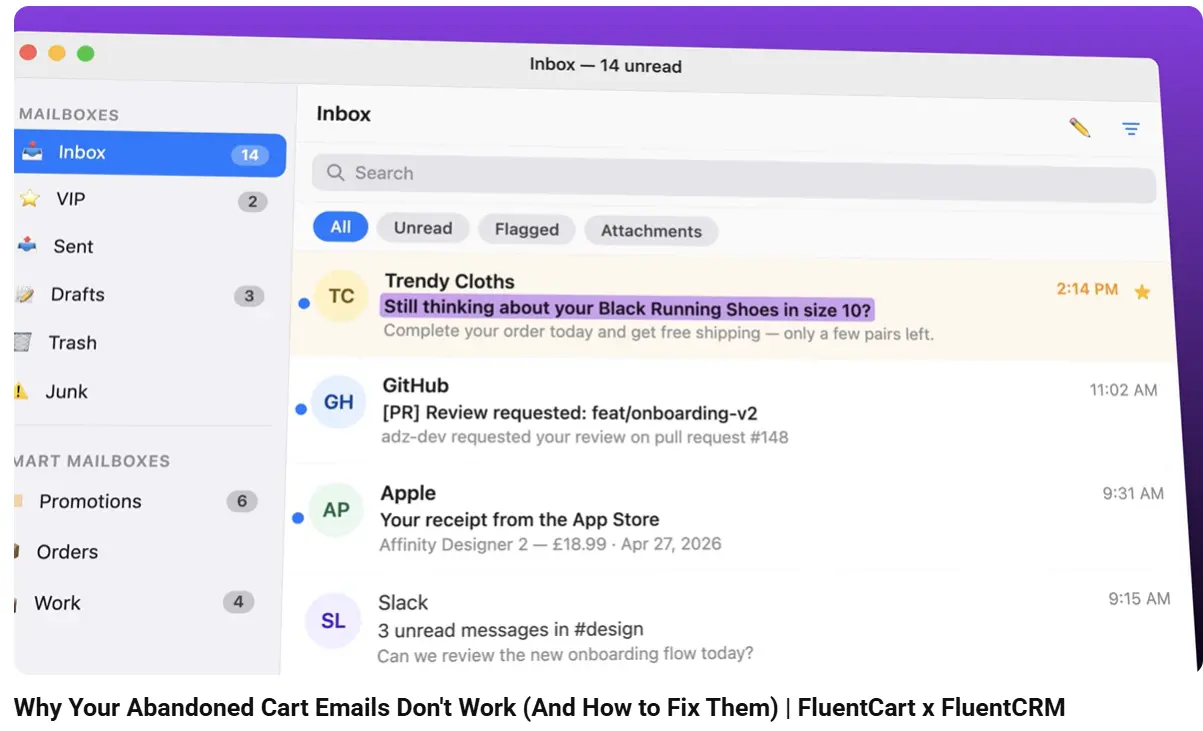
This is my first time using the Recover Abandoned Cart Automation feature with woocommerce, and I've noticed three important capabilities that seem to be missing:
- Support for UTM parameters in "Send Custom Email".
There should be an option to append UTM parameters to the recovery URL. Currently, the abandoned cart recovery link does not allow UTM parameters to be added, which makes it difficult to track the performance of these emails in analytics tools. - Add the Cart Data condition to the Check Condition node. Currently, the Abandon Cart Automation Condition at the top level supports Cart Data conditions such as Cart Total, Cart Items, and other cart-related criteria. However, these options are not available in individual Condition nodes. As a result, some use cases that could be handled within a single automation flow now require multiple abandoned cart recovery automations, making the setup more complicated and reducing the flexibility of the automation system.
- Additional Smart Codes for abandoned cart emails.
It would be very useful to have the following two Smart Codes available: ①The first product in the cart. ②The highest-priced product in the cart (based on subtotal)
Use case: When a customer has multiple products in their cart, one of these Smart Codes could be used in the email subject line to dynamically insert a product name and remind the customer what the email is about.
In fact, your tutorial video appears to show this functionality, but I can't find it anywhere in the plugin.

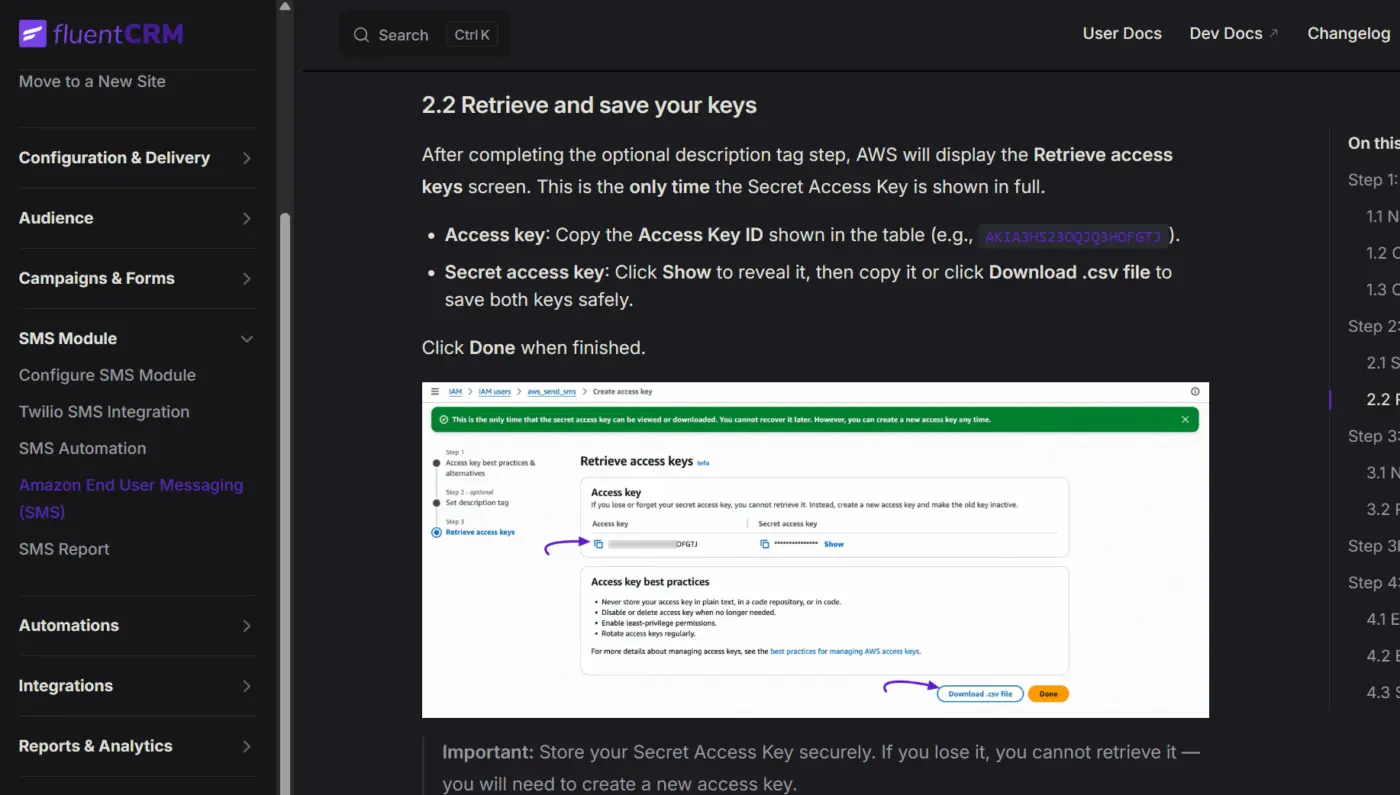
I was reviewing the new documentation page. I only have one minor observation, and it's about aesthetics.
I see that the logo used is the old version; they're not using the new one. I'm just worried they might not have noticed 😅
In dark mode, the purple color used for all the links and highlights makes it very difficult to read. Perhaps you could make it more legible.
Cheers!

When we try to access FluentCRM Pro sections and click on Contacts, Campaigns, and Automations, they are all loading as blank screens. The same issue is happening with Campaigns and Automations; they just all appear blank.
Basically, there is an empty box taking up the whole screen, pushing the rest off. Those boxes appear to be the irritating notices from plugins we always get: Auto Advance for Gravity, BuddyBoss, and possibly others.
It appears that Fluent is trying and failing to get rid of those boxes. Basically, it is suppressing the boxes, but not fully, so the boxes still appear, but they are empty and broken.
Ideas?

After switching to fluentcrm pro 3.1 the dashboard loads, but when I click on any other tab, for example to create a campaign, nothing loads. It just stays blank.
Anybody know how to resolve this?

Hello Community, does anyone can suggest a nice and free tool to insert real time countdown in emails?
Thanks in advance.

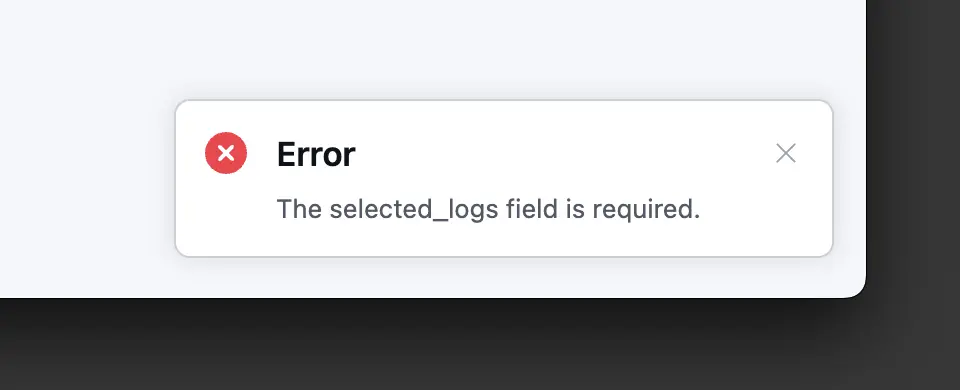
Hi guys I can't clean up the email logs in Fluent CRM 3.1.0 once selected and previewed I get Error the selected_logs field is required.
The field is selected and the preview shows the amount of email logs to be removed but nothing happens except the error when you click Delete all logs.
Any ideas why?

Hi everyone,
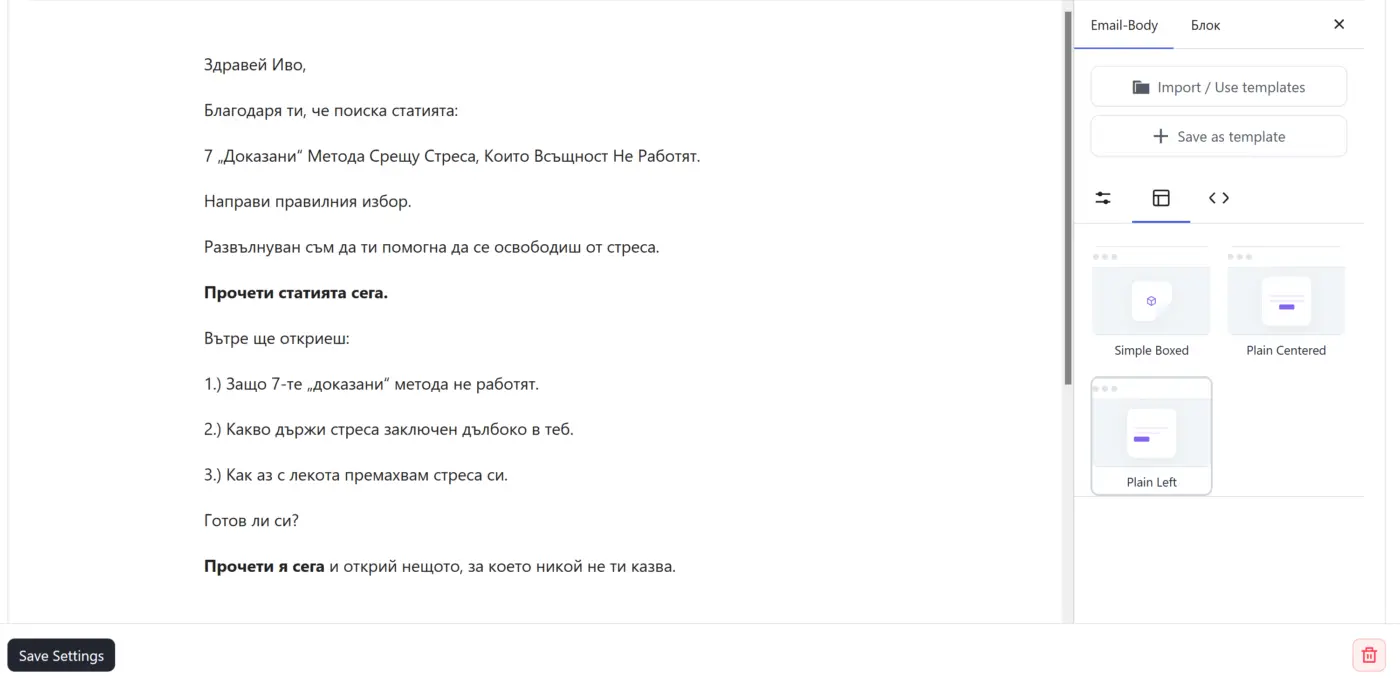
Running FluentCRM Pro v3.1.0. Tested in both Firefox and Chrome — same result. Three things happen in the automation's "Send Custom Email" editor:
-
Importing a styled template brings only the text. I built an Email Template in the block builder with a custom global style (MAX WIDTH 500, Arial, line-height 1.5, padding/margin 0). When I use "Import / Use templates" inside the action, only the text loads — the global style is dropped and MAX WIDTH falls back to the 700 default.
-
Selecting "Plain Left" resets everything else. The moment I pick the Plain Left layout to left-align the content, my previously set MAX WIDTH, padding and typography all reset to default.
-
Plain Left isn't saved at all. After applying it I click Save Settings (which closes the entire action window), then reopen the action — and the content is centered again, as if Plain Left was never applied.
For what it's worth: MAX WIDTH set manually in the action does persist on reopen — only the alignment / Plain Left choice doesn't.
Is anyone else seeing this in 3.1.0? And is there a known way to reuse one left-aligned, custom-width email across multiple automations without re-doing the style every time?
Thanks!