


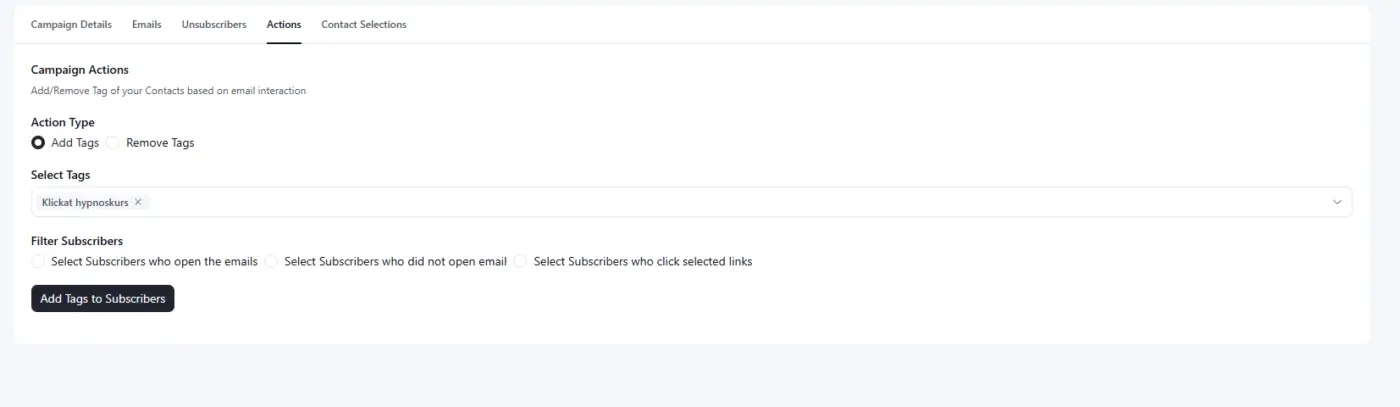
In the campaign reports I am missing a search option for tags to add to a contact who has clicked a link.
It would be very helpful!

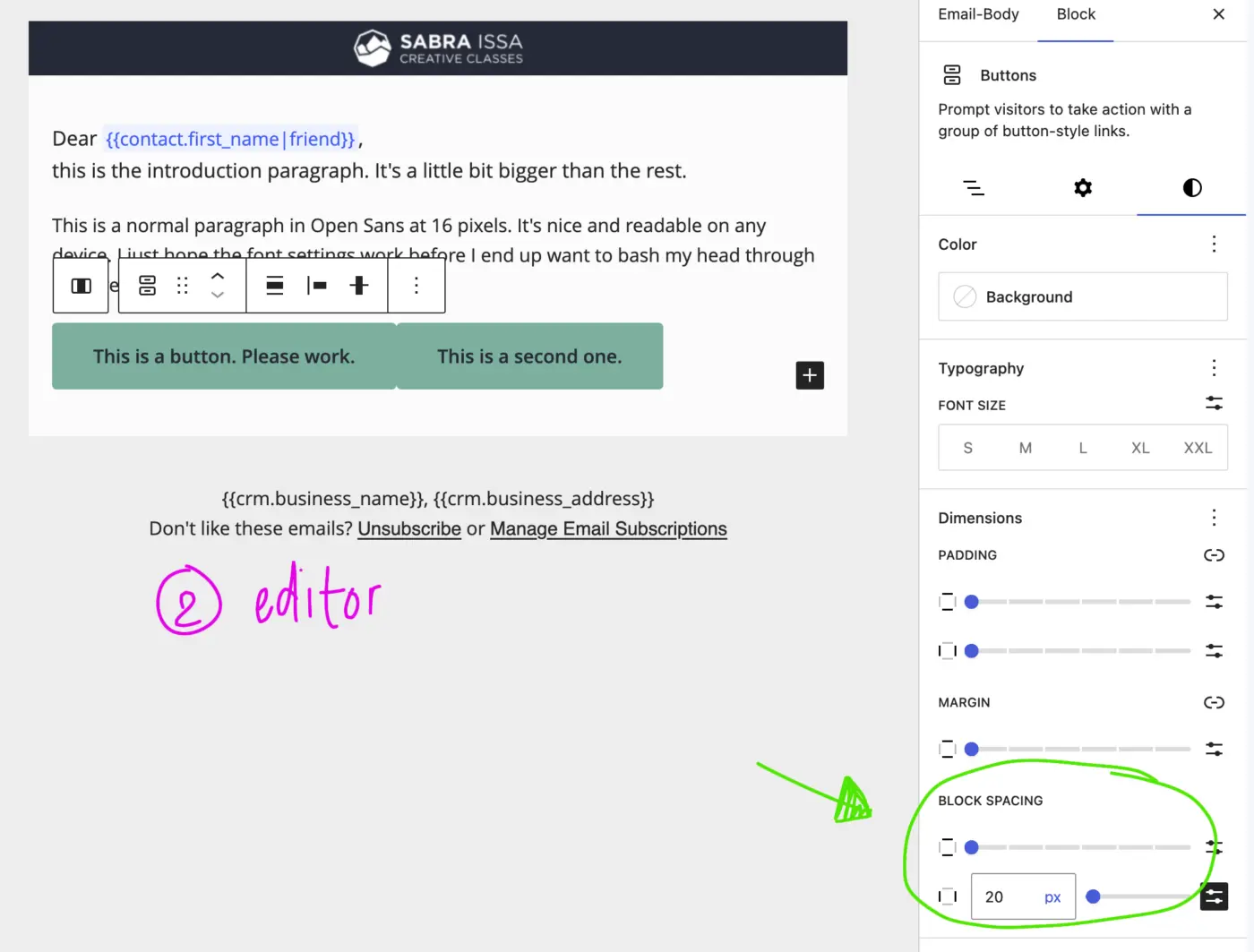
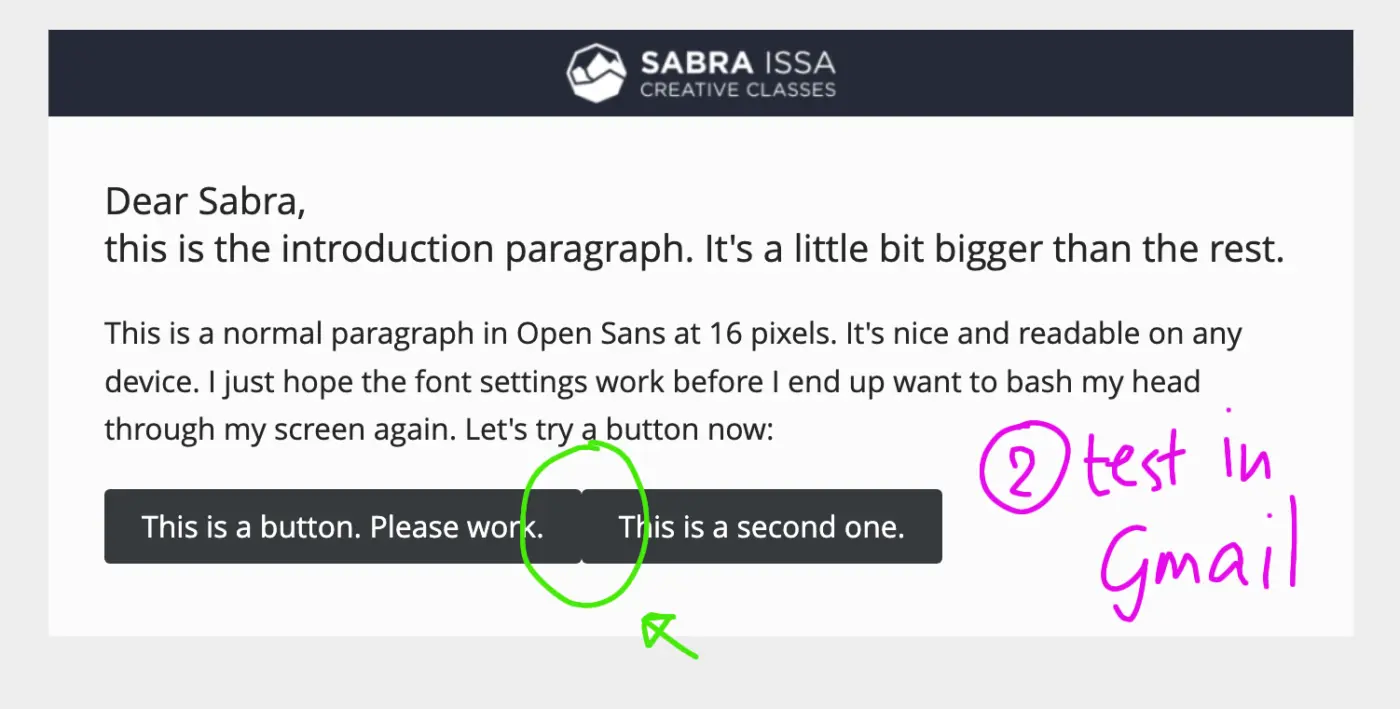
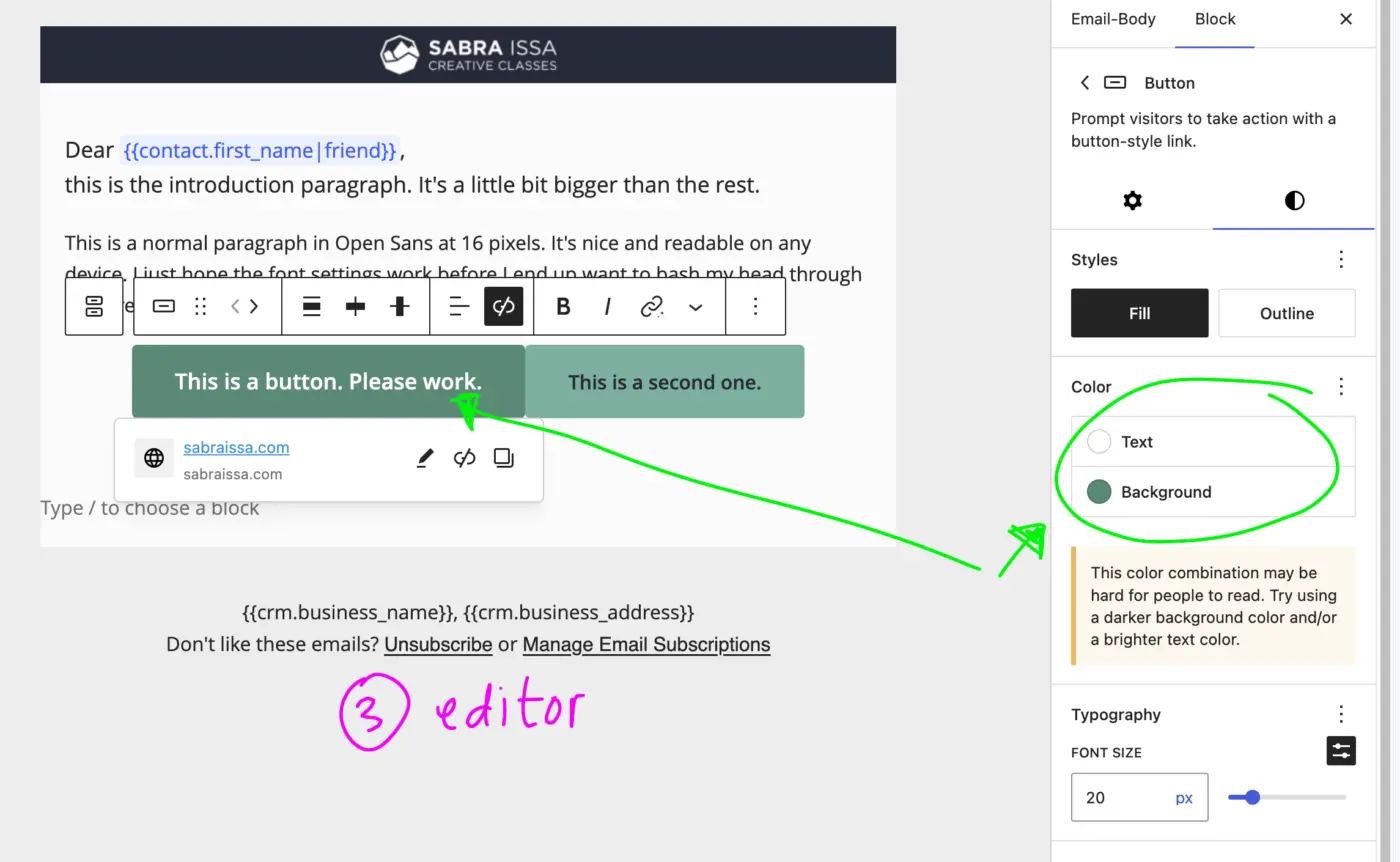
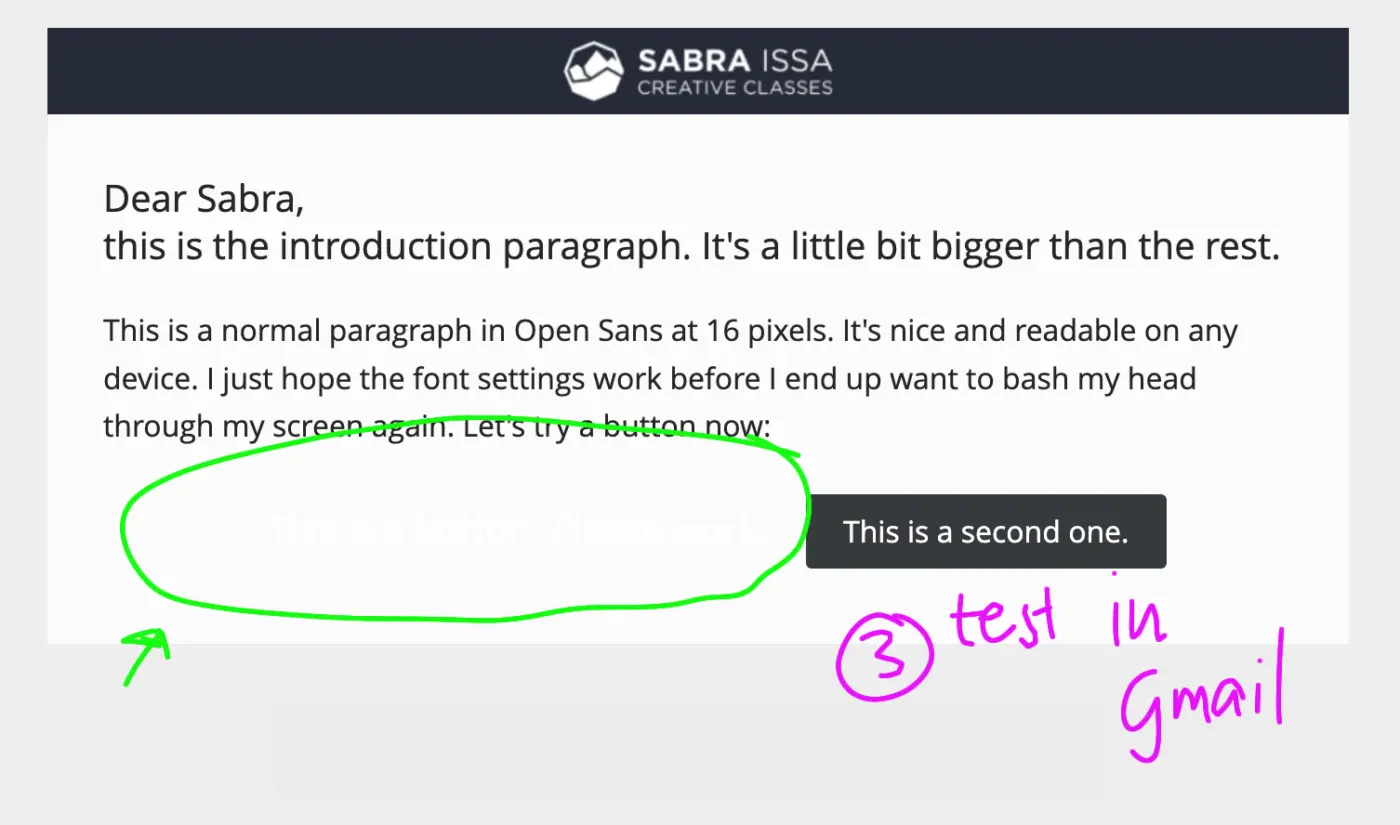
My buttons don't work. Since the new update I've decided to just delete all my templates because I thought the problem might be the constant "invalid block" recovery message after just about every other update. So I started from scratch. In the images you can see my problem.
I use this plugin to send simple newsletters. For all the time I've been using FluentCRM, I've never had case where the e-mail shown in the editor, would be somewhat similar to the email shown in my Gmail. Am I doing something wrong?
The images show the problems with block spacing (doesn't work) and changing the background color (defaults to white). There are numerous other problems but I can only upload 4 images.

Fluent CRM is amazing! And even more so since version 3.0. All my email marketing and automation is done with Fluent CRM. However, I've always wished the customer relationship management went further.
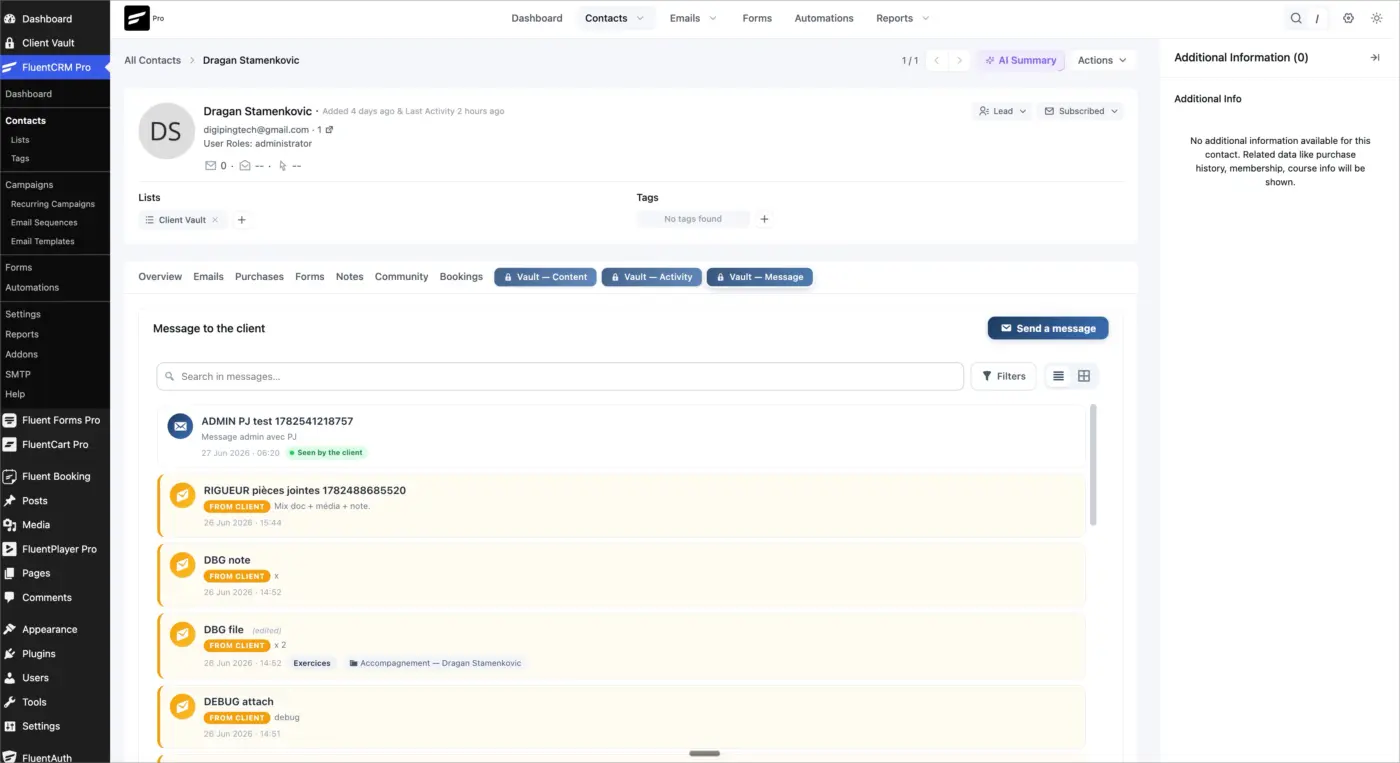
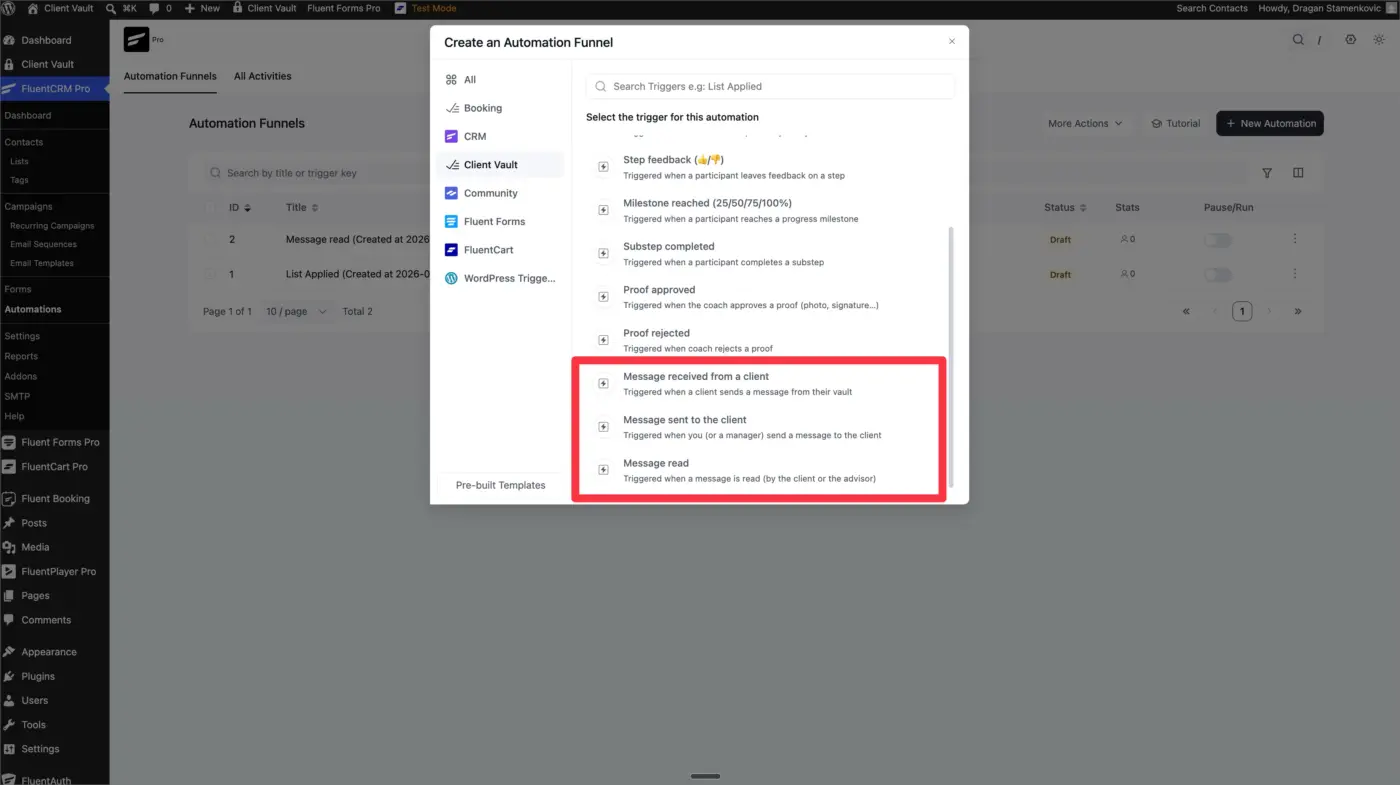
If you follow me, you know that with Client Vault, I push the native integrations of WP Managed Ninja products to the limit. I had already developed automations for Fluent CRM, and this time the integration is even more advanced with the arrival of native, private messaging for Fluent CRM.
This is coupled with the secure vault in Client Vault and gives a new dimension to the customer record in Fluent CRM.
I'll let you discover all this with this new version of Client Vault. The plugin is still in its launch phase, but not for much longer. So, if you want to take advantage of double your licenses, as well as significant discounts, now's the time. Don't hesitate.
See you
Client Vault ❤️ Fluent CRM

My Integrately API connection to an instance of FluentCRM lost connection and needs recreating. The 'old' credentials I saved don't work. I deleted the CRM Worker in Fluent CRM and recreated it. However, I cannot see a menu option for Rest API under Settings so cannot create a new Application password. Help. What am I missing please.
For the time being I went into the profile for the CRM Manager under the Users tab and revoked the old application password for Integrately and created a new one.

Just wondering if anyone else out there has a list of short codes/snippets that one can use in the classic editor or the visual editor instead of the Gutenberg block builder?
I would like to deeply customize the look and feel of the elements in dynamic emails... like showing the latest blog posts from different categories with styling beyond that of the default layouts.
Surely I'm not the only one, but I absolutely hate the Gutenberg block editor...but it seems to be the only email builder that you can use to drop in WooCommerce suggested products. Just wondering if anybody's used the code generated by the Gutenberg builder in other builders successfully?
Hello! I see that we're able to insert products into the email templates, but is there any way to show the last product that the user was viewing before they abandoned their cart?

UPDATE: I found a fix (details in the comment).
Hello Shahjahan Jewel!
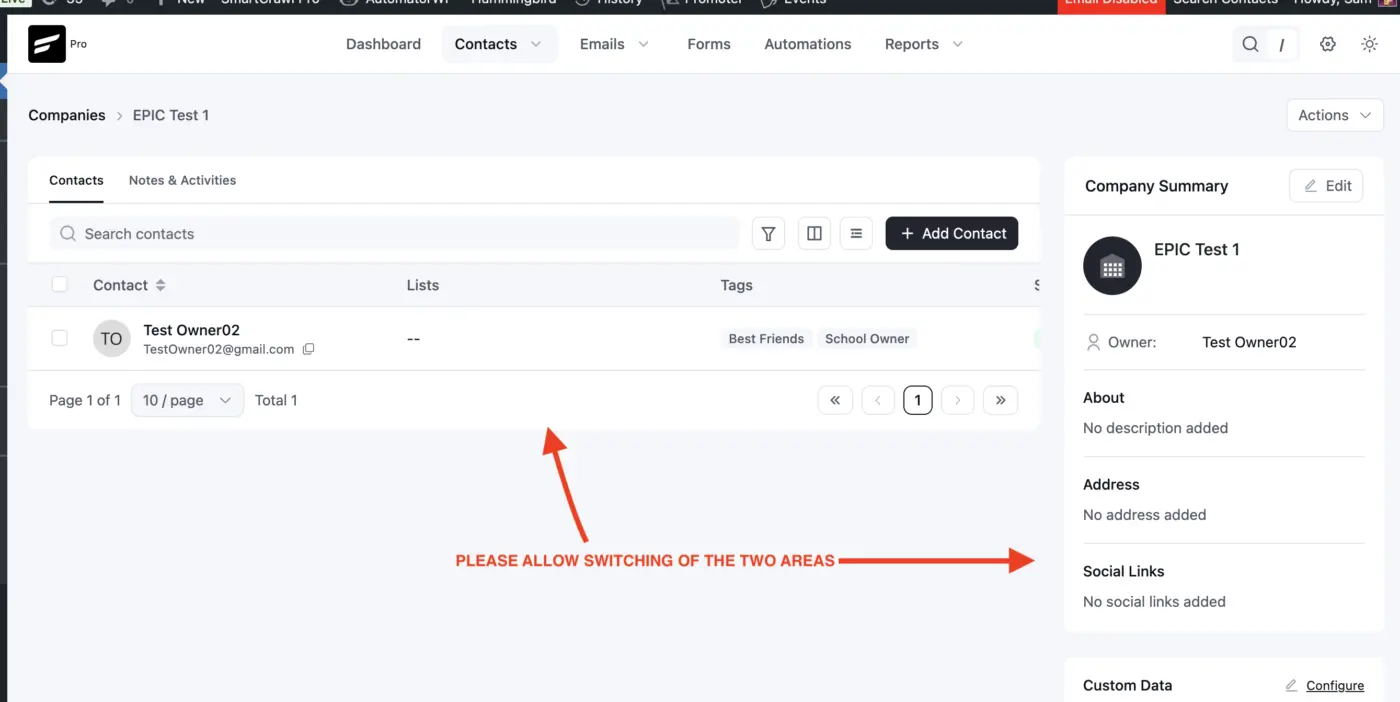
Is there a way to switch the placements of the Company details and Members list boxes?
We've been using the Company details along with Company Custom Data extensively and their location as a small sidebar requires a lot of scrolls before we can find important custom field values that were placed at the bottom of the list.
It would be great if there is a way to switch its placement with the list of members.

I would like to have a copy of the messages we send when replying to a client's inquiry collected via a form that forwards the message to an email account. I would like to have our reply be recorded on the fcrm contact. Can it be done by cci a copy to an email address? Any other method?

Let me start with the news that has us most excited: WhatsApp messaging is coming to FluentCRM.
Yes, you read that right. Native WhatsApp integration is in the works for our next release. Imagine reaching your contacts where they actually read, sending campaigns, automations, and one-off messages right alongside your email flows, all from the same FluentCRM you already use. We'll share more soon. For now, just know it's coming.
But that's next. Let's talk about today.
3.1.7 is a polish and stability release
No new headline feature here. This one is about tightening the foundation, cleaning up the rough edges, and making the experience smoother across the board. A lot of these came straight from your reports and feedback.
A few things we improved:
- Centralized email sending caps, so your sending limits are easier to manage in one place
- Automation contact list table now matches the look and feel of our other tables
- Added Created At and Updated At sorting in the funnels table
And a solid round of fixes across FluentCart checkout opt-ins, email editor rendering, design presets, CSV import mapping, sequence emails, reporting, and more. Small things on their own, but together they make FluentCRM feel cleaner and more reliable.
Update when you're ready, and reach out to support if anything feels off.
WhatsApp is coming. Stay tuned.
One small thing before you go
If FluentCRM has been good to you, would you consider leaving a quick review? It honestly means a lot to the whole team and me. Reviews help other people discover the plugin, and every one of them gives the team a real lift when they see their work appreciated.
No pressure at all, only if you feel like it. You can leave one here:
https://wordpress.org/support/plugin/fluent-crm/reviews/#new-post