


I recently noticed that there are plugins specifically designed for FluentCart, such as those for coupons and FOMO marketing tools. This observation has prompted me to inquire about the strategic direction of FluentCart.
Is FluentCart moving towards a WooCommerce-like approach, where external developers are encouraged to create payment gateways and additional functionalities, such as coupon features? Or does FluentCart have plans to natively integrate these essential marketing tools into its core offering?
Which areas the team encourages external plugins to enhance FluentCart’s functionality? While FluentCart has successfully replaced many plugins, there are still areas, such as coupon functionalities, that could benefit from further enhancement.
I would greatly appreciate it if you could share your insights on FluentCart's approach and future plans in this regard.
Thoughts and suggestions welcome.

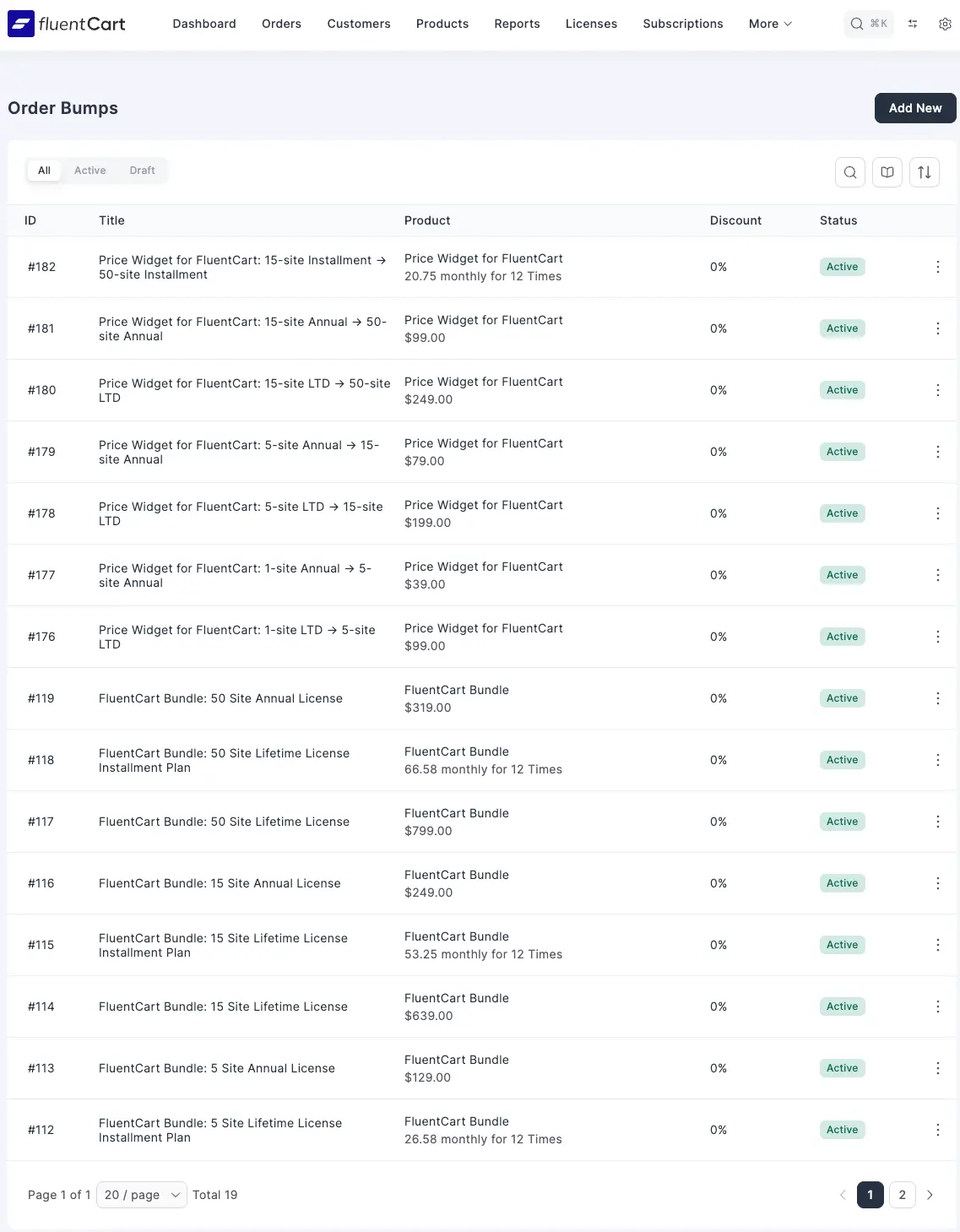
I found a small bug in pagination for bumps ui. shows 15 per page regardless of setting. Pagination works correctly in product list.

1.3.8
If I create the order manually and either discount it to $0, or if I leave the default value and pay the order manually (cash option), it does not trigger this integration. I have tried toggling the order status to processing to paid, still nothing.
I have not tested whether or not this works on a live site with a real payment method.
Can anyone else confirm?
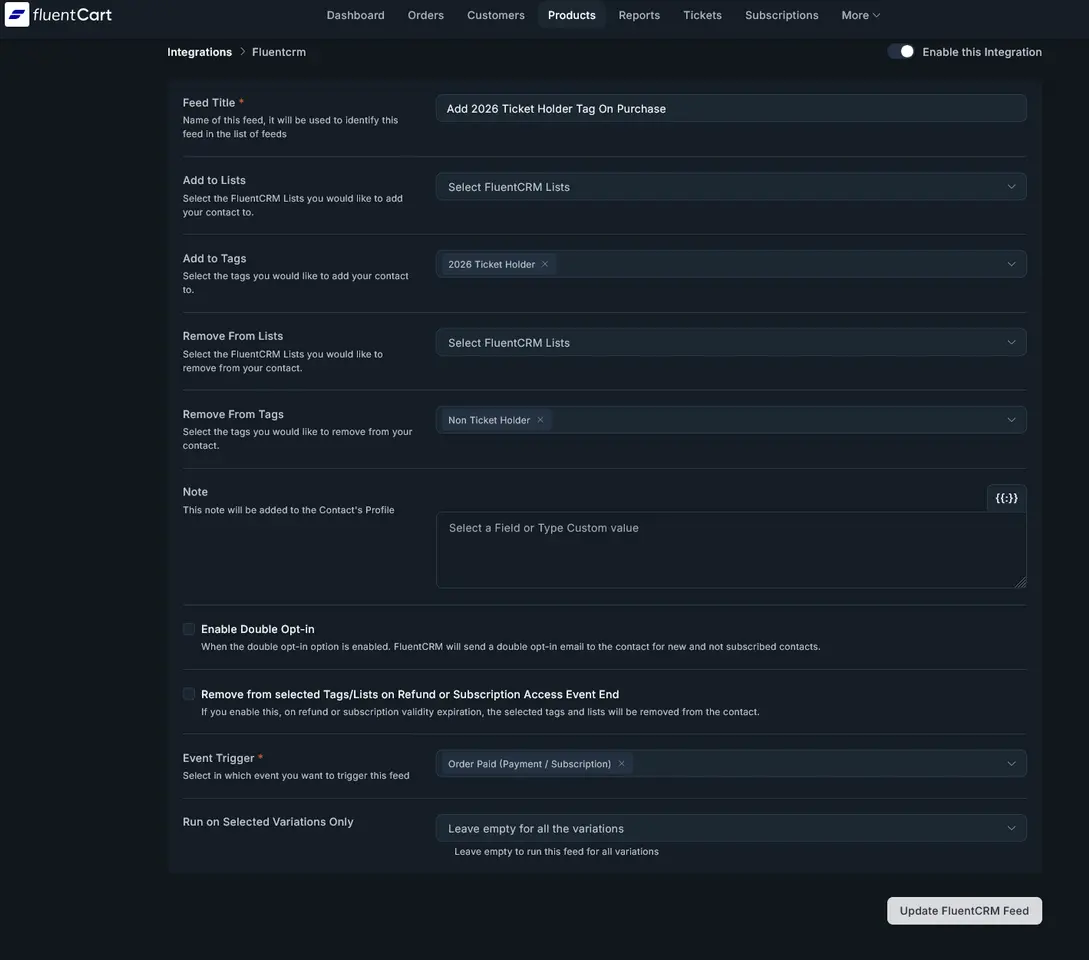
I would like to see that my Product Integrations (Add to Spaces in Community on purchase and add tags on purchase) are firing correctly in the Logs page :) Currently, the integrations work, but there is no logging.

I just wanted to take a moment to express my appreciation for the team behind FluentCart. I genuinely believe this project has the potential to become one of the most sought-after e-commerce solutions on the market.
I know firsthand that building an e-commerce engine is incredibly complex and requires immense attention to detail to secure even the most basic functionalities. I understand the frustration of users who need a 'pixel-perfect' functional store right now—I am navigating those same missing pieces and gaps myself.
However, I have total confidence in this team. I trust that you are working hard to close those gaps and that very soon you will deliver the complete, premium product you promised.
Keep up the great work, the potential here is massive!

Hi FluentCart team 👋
I’m building a creator subscription platform where subscription revenue needs to be automatically split between the platform and individual creators (similar to marketplaces like OnlyFans, Gumroad, or instructor platforms).
I really like FluentCart’s checkout, subscription handling, and UX, but right now there doesn’t appear to be a native way to split recurring subscription payments between multiple parties.
Two possible solutions that would unlock a lot of use cases:
-
Native revenue-split / marketplace feature
- Percentage-based splits per product or “creator”
- Works on recurring subscriptions
- Automatic payouts or balance tracking
-
Official integration with CollabPay (or similar split-payment service)
- Let FluentCart trigger split rules on subscription creation & renewal
- Keep affiliates separate from revenue splits
- Ideal for creator, instructor, and marketplace platforms
This would open FluentCart up to:
- Creator platforms
- Course marketplaces
- Instructor networks
- SaaS partnerships
If this is on the roadmap (or if there’s a recommended approach), I’d love to know. Happy to help test or provide detailed use-cases. This would replace woocommerce integration with wpstream.
Thanks!

I'm using Bricks Builder. I update to V1.3.8 and my site stops working. No images loading, no links working, it just shows a quick version of the page and then times out. Go back to 1.3.7 and it all works. Anybody else having this problem? I've de-activated every plugin, and changed themes, and the same thing goes on. Funny though, as long as I'm logged in WP it works, but use a different browser and trouble starts.
Mike Murphy

Is there a way to prevent someone from ordering a product more than once? I know we can limit the product to only one per order. Can we prevent them from ordering the product again on a different order?

I would like to ask if it is possible that after creating a coupon for Fluent Card, the coupon automatically applies along with the item added to the cart. Something like the WooCommerce URL coupon functionality in the plugins. If this is possible or if someone has a solution, I would be grateful if you could share it.

We use the licensing for a plugin, but I wonder if there are more usecases for this
Any thoughts?