Does Fluentcart have an option that let customers set the price they want to pay for a product?

Hello FluentCart Support,
I am experiencing what appears to be a compatibility or loading bug with Square for FluentCart.
Environment
- FluentCart: 1.6.2
- Square for FluentCart: 1.0.1
- WordPress checkout
- Square is configured as a payment gateway
- Cash payment works normally
Problem
When I select Square on checkout, the Square card payment form does not load and the customer cannot complete the order.
The browser console reports:
Failed to load Square payment form: Error: Square SDK did not load in time
It also reports the Square SDK request:
https://web.squarecdn.com/v1/square.js
returning 200 OK, but Chrome blocks it with:
ERR_BLOCKED_BY_RESPONSE.NotSameOriginAfterDefaultedToSameOriginByCoep
The result is that window.Square never becomes available and the Square add-on times out after approximately 15 seconds.
Steps to reproduce
- Add a product to the cart.
- Go to FluentCart checkout.
- Complete the shipping/billing information.
- Accept the terms and conditions.
- Select Square as the payment method.
- Square begins loading but the payment fields never appear.
- The console reports
Square SDK did not load in time.
Additional code issue noticed
In square-checkout.js, Square waits for window.Square using waitForSquareSDK(15000). When the external Square SDK is blocked or fails to execute, the gateway remains unavailable.
I also noticed the Square validation code listens for:
fluent_cart_validate_checkout_square
and expects e.detail.resolve(). Please confirm that this is compatible with the validation event currently dispatched by FluentCart 1.6.2.
Could you please confirm:
- Whether this is a known issue with Square for FluentCart.
- Whether Square supports checkout pages sending
Cross-Origin-Embedder-Policy: require-corp. - Whether the Square add-on should explicitly accommodate the production SDK at
web.squarecdn.com. - Whether there is an updated Square add-on available that resolves this.
- Whether Square for FluentCart 1.0.1 is fully compatible with FluentCart 1.6.2.
I can provide screenshots, console logs, the response headers from the checkout page, and a copy of the installed Square add-on if required.
Thank you.

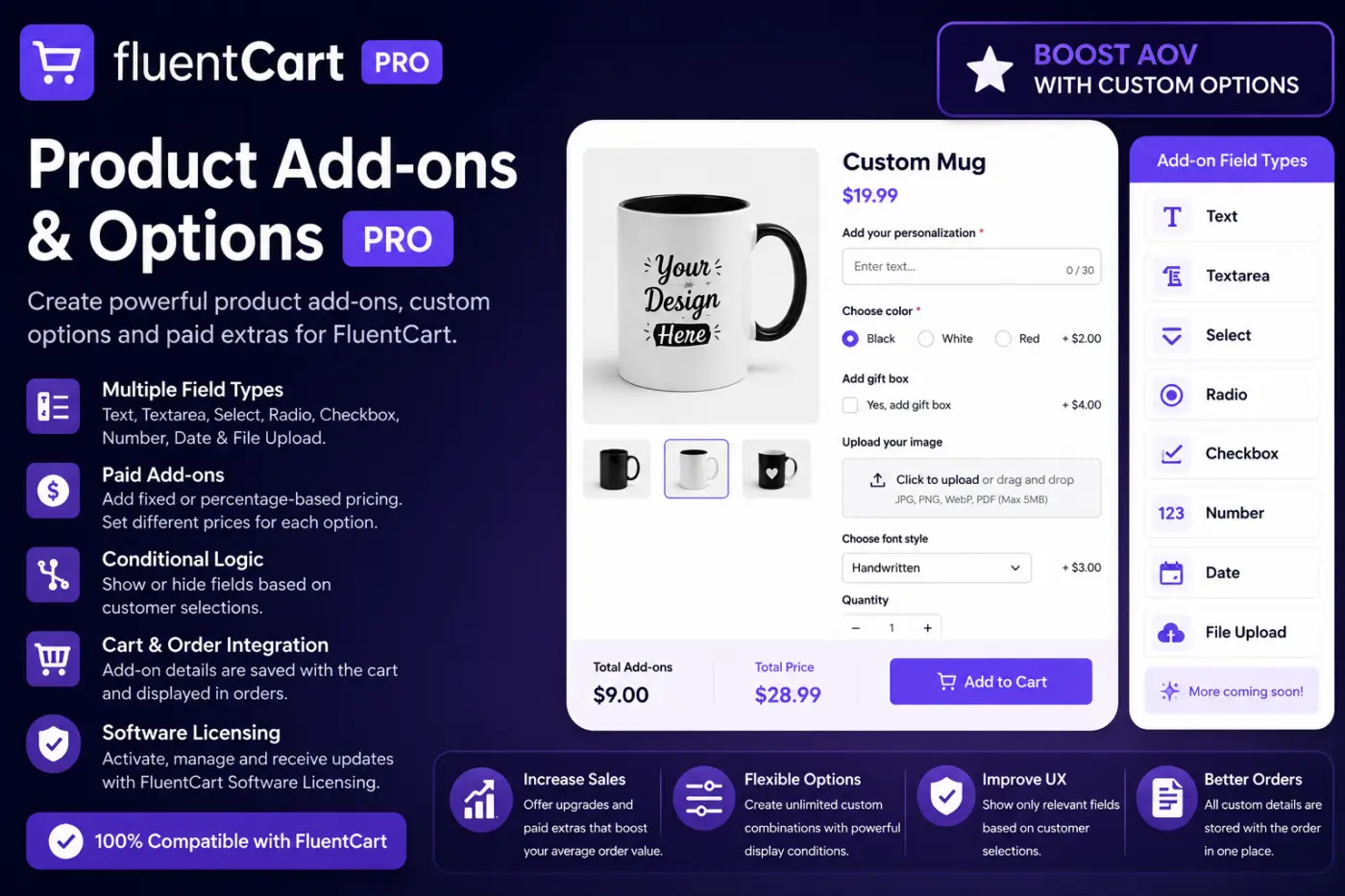
I'm excited to introduce FluentCart Product Add-ons & Options PRO, a new plugin designed to make FluentCart products much more flexible and customizable.
With Product Add-ons PRO, you can add extra options directly to your products and even charge customers for specific customizations.
✨ Main Features
• Multiple field types: Text, Textarea, Select, Radio, Checkbox, Number, Date & File Upload
• 💰 Paid Add-ons with fixed or percentage-based pricing
• Different prices for individual options
• ⚡ Conditional Logic to show/hide fields based on customer selections
• Required and optional fields
• File uploads for images, PDFs and custom artwork
• Product-specific or global add-ons
• Add-on details saved with the cart and order
• 🔑 Integrated FluentCart Software Licensing
• Automatic licensed updates
💡 Example
Selling a custom product?
Product: $49
→ Personalized text +$5
→ Gift packaging +$7
→ Upload custom artwork +$10
→ Premium option +15%
The customer configures the product and the additional cost is automatically added to the order.
It's particularly useful for personalized products, gifts, printing, digital services, custom orders, handmade products and any store that needs more than standard product variations.
The goal is simple: give FluentCart stores more flexibility while creating new opportunities to increase Average Order Value.
💜 FluentCart Product Add-ons & Options PRO
More customization. More options. More revenue.
I'd love to hear your feedback — especially which additional features you'd like to see in the next releases! 🚀

A client just asked me that cause seems to help e commerce products to appear better positioned in google searches and WooCommerce does have it.

So, I'm REALLY happy to finally see the full migration path from WooCommerce, including Woo Subscriptions. It finally gave me the spark to do a full test migration in staging of my active site and see if I can finally kick WooCommerce to the curb.
Unfortunately, not yet.
Obviously, my workflows and site is still pretty baked in with WooCommerce, so there's a real inertia there that is hard to break. But, I would still switch over if I didn't have to alter TOO much.
Here are some notes/observations as I poked around. Thought it might be handy for the devs. 😇
- No ability to edit a subscription. Yes, I see I can edit an amount, next billing, etc. But, with Woo, the subscription is separate from the actual orders. And when I edit a subscription, I can change the items on that subscription and therefore change the billing. For instance, what if I wanted to move them to an entirely different subscription plan (upgrade/downgrade) without them having to do anything? With Woo, I can add in a new item to the subscription, juggle things around, and it affects future renewals. I also often add add-ons to people's subscription plans, so their subscriptions will have 2-3 items on there. And I can add/remove. Can't do that with FluentCart, that I can see. All I can do is alter the price of the whole thing, but not the items on it.
- Product list filtering is wonky. The most useful filters that could go on the product list are hidden under "More Views" or or the advanced filter toggle, yet "Physical" is just stuck there? What if we only sell digital? And why no category filter right out in the open? Just feels like a lot of clicking to actual use filters.
- No ability to control public display of subscriptions. As in, hiding the subscriptions tab from the dashboard. Or removing ability for them to pause/cancel. I know most would want it, but would be nice to be able to control it. For service plans, I prefer clients contact me to make changes.
- Limited options to customize dashboard on the front-end. I use code snippets and hooks to customize my Woo "My Account" screen quite a bit. FluentCart is much more limited. Ability to customize the actual dashboard tab content? Show/hide default tabs? Ability to insert a custom tab that directs to a different URL (rather than the code snippet which can only insert a page ID or use a callback function). If you really wanted bonus points, provide a UI for customizing that dashboard. That'd be awesome. 😎
- Subscriptions in staging? No indication on whether they are disabled when the site is in staging or not. Maybe test mode?
- Upsells. I know about the upgrade paths, but would be cool as hell to have real one-click upsell/downsell paths. Basically, funnels. Would make stuff like CartFlows obsolete.
- Integrations are a little tedious. One thing I like about Woo (and especially with WPFusion integrated) is that you can assign tags mostly on one screen. Like, for a subscription product, you have one screen where you can define tags for all of the various subscription statuses, fields, etc. With FluentCart, it looks like you have to set up multiple integrations. One for subscription activation. A new one for payment status. A new one for cancel. It would take multiple granular integrations on the list for that product to equal what you could do on one screen when using Woo.
That's what I got for now. 😇
BTW, for anybody else moving over, those integrations don't migrate over from Woo. The migrator works really well and seems to get everything, but you will need to go through and re-build all of the integrations for your products. Perhaps not if you were using FluentCRM integrations directly, but I have been using WPFusion and that doesn't carry over.
This migration path was a BIG step. Now, at least for me, we're just getting down to some of the more granular things that come as a product matures. Well done, guys. 🙏

I don't see any way to remove the related products below this and one of them is a special offer that they should only be able to access through a specific sales funnel.
Second to this would be to have a private product that isn't only visible to admins. ie. it can be seen on a specific salespage but not in the main store anywhere.

it would be nice that when a client logs into their account profile page and sees there purchase / subscription to a course/community in FluentCommunity that they could click on a link their to take them straight to that space.
Is there a way for me to add annual subscriptions that I have from another platform to fluentcart? they will be accessing fluentcommunity with this subscription. I have migrated my courses from LearnDash and the subscription platform (StudioCart) i have been using is running the renewals through stripe. I would like to consolidate it all into FluentCart now.

This is the one we've been building towards. If you've been following the last few releases, you know we shipped the subscription engine in 1.6.0 and said migration was coming. Well, here it is.
FluentCart now migrates your entire WooCommerce store. Products, orders, customers, coupons, tax rates, and yes - even WooCommerce Subscriptions. Everything comes over with history intact.
This isn't a half-baked import. Your order numbers stay the same. Stripe payment intents and PayPal transaction IDs carry over. Refunds, line items, tax breakdowns, shipping, order notes - all of it. Variable products become advanced variations with a shared attribute library. Grouped products and WC Product Bundles become FluentCart bundles. Categories keep their hierarchy.
Subscriptions were the hard part. WooCommerce Subscriptions bills from the store, not the gateway. So migrated subscriptions land on FluentCart's store-managed billing with their status, interval, amounts, trial, and all dates intact. If a customer has a saved Stripe card, auto-charging continues from FluentCart on the next due date. Everyone else gets invoice-based renewals with the payment link flow. Nobody's renewal falls into a gap.
You can run the whole thing from the wizard inside FluentCart, or use WP-CLI for large stores. It's resumable, re-runnable, and safe to test on staging first. Let me know which migrator you want next in the comments.
But that's not all in this release.
- Data Export. You can now export Orders, Customers, Subscriptions, and Licenses directly from any list screen. CSV with column picker, or JSON with related data included. Filter first, export what you need. No more workarounds for getting data out.
- Transaction Settlement Times. Transactions now show the payment provider's own settlement time for Stripe, PayPal, Mollie, Paddle, and Authorize.net. Your admin finally lines up with your bank statement.
- Order Sources got smarter. The Order Sources report now accepts the same advanced filters as the Orders table - filter by product, customer, country, coupon, UTM fields. Plus ad click identifiers from Google, Microsoft, and Facebook are now captured separately and shown on the order's UTM card.
More good stuff:
- Inventory screen is way faster now - handles thousands of variants without breaking a sweat
- License renewals and reactivation from customer profile
- Stripe checkout recovers cleanly from failed card/3D Secure steps (no more stuck checkouts)
- Duplicate order-paid emails fixed
- Mollie shows only the right payment methods on subscription checkouts
- Tons of storefront, admin, and payment fixes
- Security hardening across core and pro
How to get the Migrator:
It's a separate plugin so we can iterate fast. Grab it here: https://addons-cdn.fluentcart.com/fluent-cart-migrator.zip or install it from FluentCart > Settings > Features & Addons. Also available on GitHub.
Full release notes with all the migration details: https://fluentcart.com/blog/fluentcart-1-6-2/
I'm really proud of this one. The team has been pushing hard, and this release is a milestone for FluentCart. If you've been thinking about moving from WooCommerce, the door is wide open now.
Update us and let us know how it goes. If you need any help with migration, please get in touch with support; we would love to help you to migrate to FluentCart.

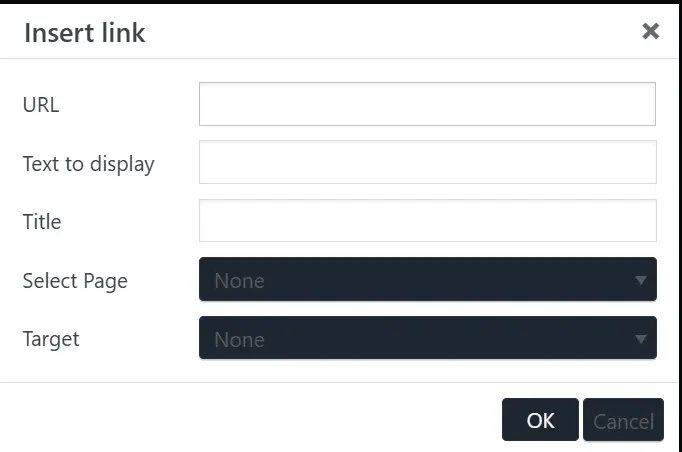
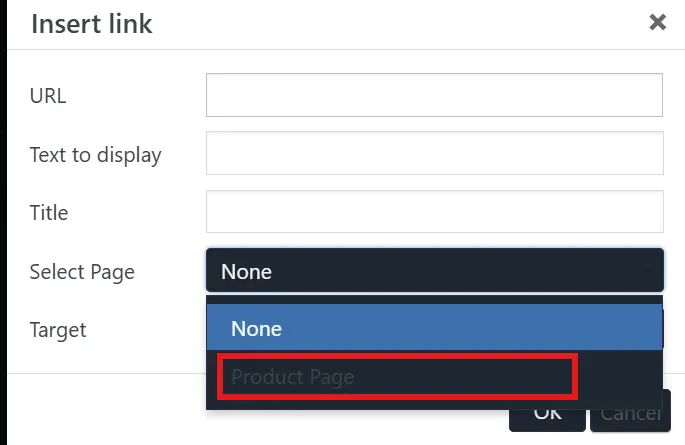
Hi. Please see the screenshots for the issues. "Select Page" is coming from code I wrote, but the issue is still there with Target, for example.