


When buying a subscription for a membership site you need to create a username and password to access it after you purchase. I would expect this to be part of the checkout process in FluentCart but I don't see anything in setting nor any way to add a username or password into the form via gutenberg blocks. How does a new member create their credentials to log in?

Hi everyone. I'm Nabin, co-founder of PayLexer.
We started PayLexer for WP Travel Engine users. Tour operators in Thailand, Kenya and Indonesia kept losing bookings because the gateway their customers use wasn't supported, and every fix meant custom development. So we built a middleware layer that connects a gateway to the plugin's existing checkout.
The same problem showed up outside travel, so we extended it to WooCommerce, Easy Digital Downloads and FluentCart. If you run a FluentCart store and your gateway isn't supported, PayLexer connects it. Around 88 gateways so far, including Revolut, Sumup, SSLCommerz, iyzico, Midtrans, PayU India and more.
Setup takes about five minutes, and it's free to start. Your credentials stay in an encrypted vault, and every charge goes straight to your gateway. We never hold the money.
FluentCart supported gateways list is here: https://paylexer.com/integrations/fluentcart/
Setup Docs: https://docs.paylexer.com/integrations/fluentcart
Official page on FluentCart: https://fluentcart.com/integrations/paylexer/
Mostly I'd like to know which gateways this community needs. Drop the gateway and the country you sell in, and we'll look at building it.

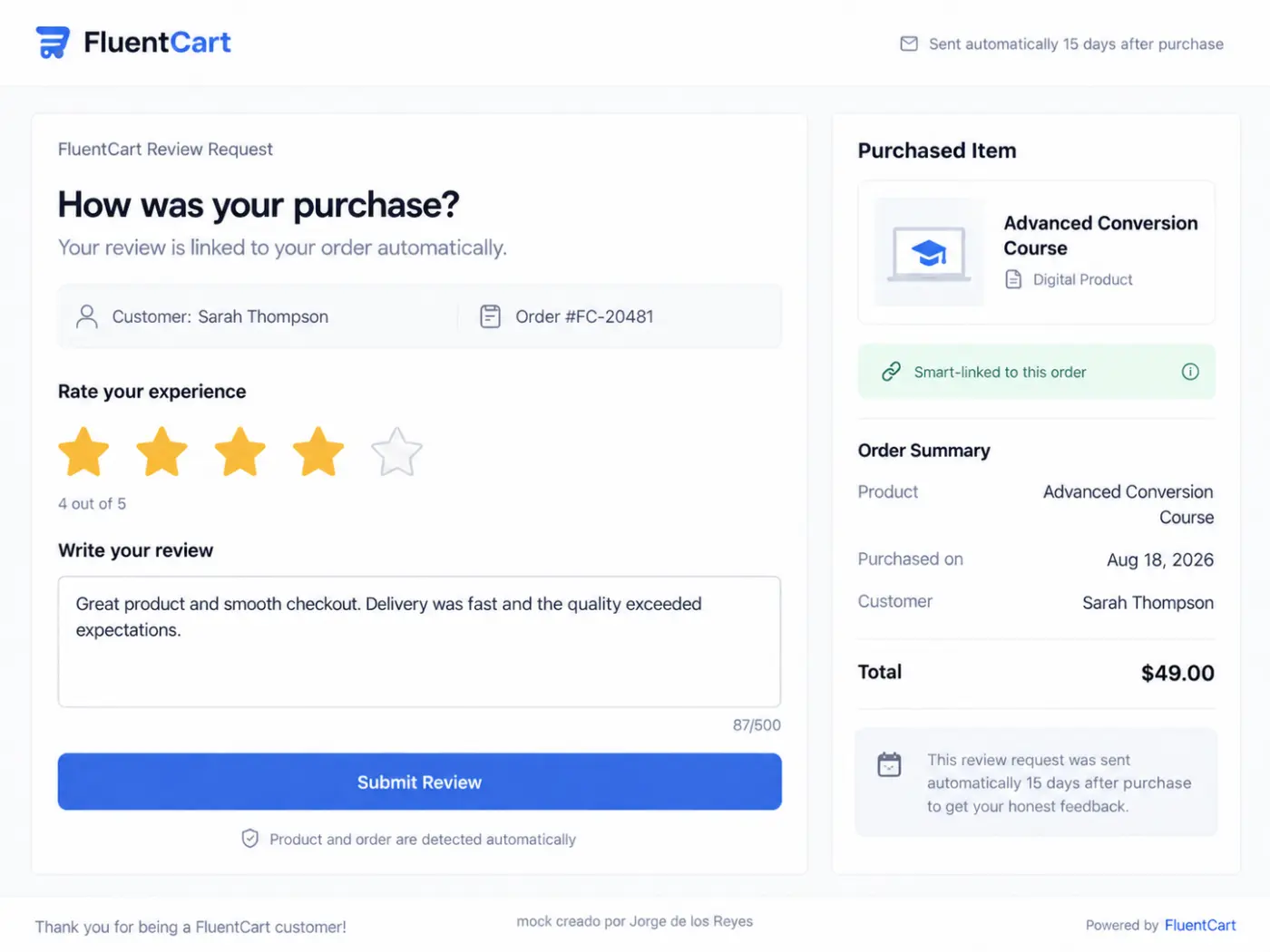
We can already use a FluentCart purchase trigger in FluentCRM to send a review request, collect responses through Fluent Forms, and even display them using WP Social Ninja. However, a native FluentCart solution would remove unnecessary complexity for stores that don’t need a separate reviews plugin.
The key feature wouldn’t be the email automation itself, but a smart review link automatically tied to the purchased product or service, the order, and the customer.
For example, a FluentCRM automation could send that link 15 or 30 days after purchase. Clicking it would open a simple form showing the purchased product on one side, with a 1–5-star rating and a short comment box on the other.
No manually selecting products, entering order details, or figuring out which purchase the request refers to—especially useful for stores with large catalogs and repeat customers.
Just click, rate, and submit, with everything automatically linked to the right purchase.
Of course, I could develop this myself, just as other developers could 😅. But I genuinely think it would be a fantastic addition to FluentCart’s core, rather than something each store has to build separately or piece together with additional plugins.
These small things are what make the difference. Is one of those features for which our users may ask you: hey what’s up? Where are you using for this workflow!
I’ve attached a mockup to illustrate the idea. 🙂

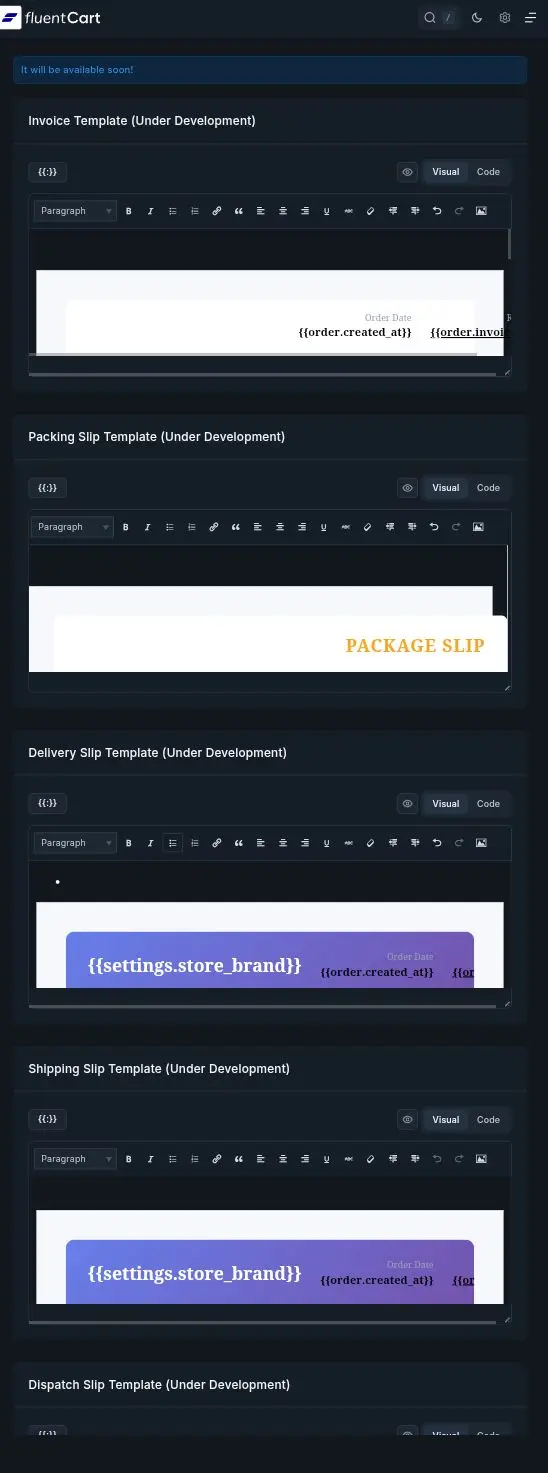
Would like to know when will the ability to edit invoice & packing templates be available as it's been say coming soon since the launch last year.

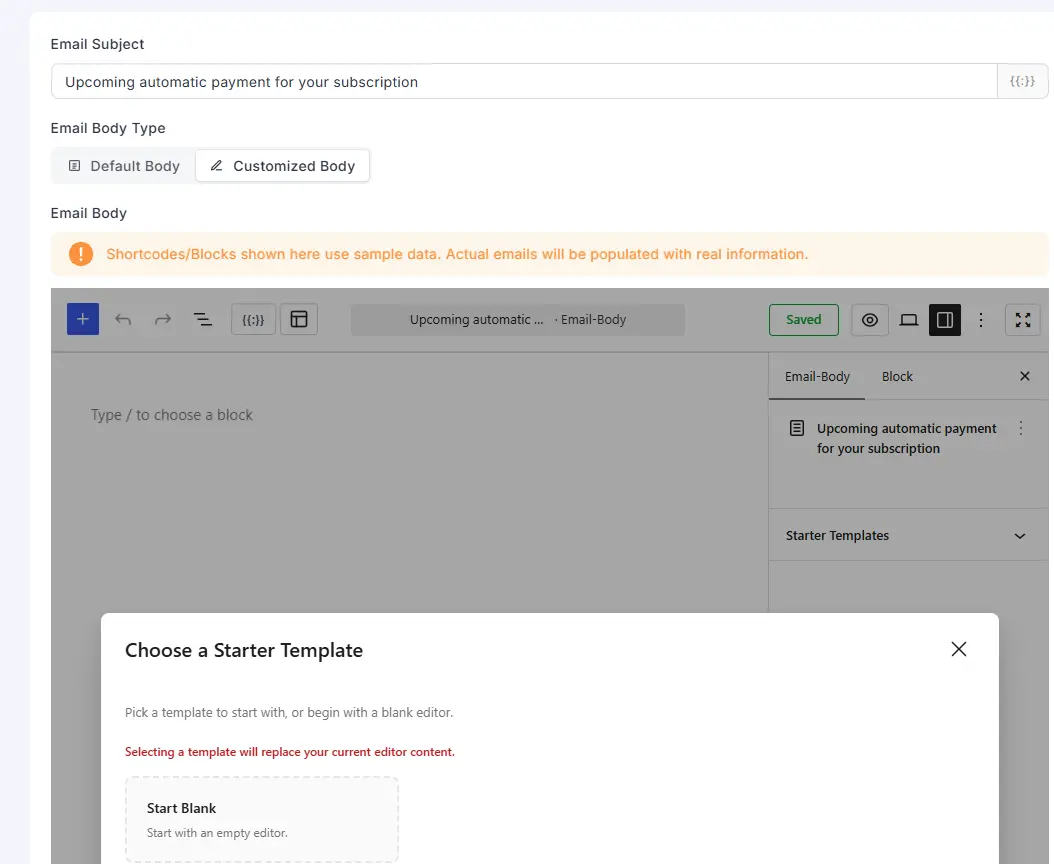
It would be very useful if you could have the option to copy the default email when customizing an email. For clients that aren't very proficient with these things and only want to change something or add a line in the email, the process is very difficult for someone who doesn't understand variables and such to create the emails from scratch.

Hi FluentCart team,
I run a subscription-based online academy in Italy and a meaningful share of my customers prefer to pay by bank transfer rather than card. Today FluentCart offers bank transfer only as a separate offline method, which means I have to check my bank account every day, match incoming transfers to orders manually and often re-check one or two days later. It's a real time sink and error-prone.
Stripe already solves this with its Bank Transfers payment method (customer balance / EUR bank transfers): Stripe issues a virtual IBAN per customer, reconciles the incoming transfer automatically and marks the payment as succeeded. I have enabled it in my Stripe dashboard, but it never shows up at FluentCart checkout.
From Stripe's docs, I believe two things are needed on FluentCart's side:
- Pass the Stripe Customer to the Checkout Session / PaymentIntent and allow customer_balance in the accepted payment method types (or use automatic payment methods), otherwise Stripe hides bank transfers.
- Handle the delayed-notification flow: keep the order in a pending state after checkout.session.completed with payment_status=unpaid, and complete it on checkout.session.async_payment_succeeded (or payment_intent.succeeded), with async_payment_failed marking it failed. These events are not in your recommended webhook list, so I assume they are not handled today.
Could you confirm whether Stripe Bank Transfers are on the roadmap, and if there is any workaround in the meantime (for example a hook to alter payment_method_types)? For EU merchants selling to EU customers this would be a big quality-of-life improvement, and it would also make Stripe Invoices with bank transfer instructions usable through FluentCart.
Thanks a lot for the great work on the plugin.
Best regards,
Giorgio

Something new for FluentCart is coming soon.
I've been developing Printfluently, an independent WordPress plugin designed to connect FluentCart with Printful for print-on-demand stores.
It's now in final testing, including product syncing, automated fulfillment, live shipping, tracking, fulfillment controls, and order management — while keeping FluentCart as the storefront and checkout.
The first integration is Printful, with additional print-on-demand providers planned for the future.
I'm getting close to launch and would be interested to hear from other FluentCart users: Is print-on-demand integration something you would use with FluentCart?
Coming soon — Printfluently. Connect. Sync. Fulfill.


There are a few features I'd love to see in FluentCart that don't quite exist yet. Is anyone using any third-party plugins (for pre-orders or wishlist for example) for fluent cart that they really enjoy? I'm looking for some features specifically but am also just looking to survey the landscape a bit.

Hello Team,
We would like to limit how many times a customer can download a file after purchase, and how long the download stays available.
The documentation already describes fct_order_download_permissions, with download_count, download_limit, and access_expires: dev.fluentcart.com/database/models/order…ownload-permission.html
The table exists on our site, but it does not receive any rows when a customer downloads a file from the customer portal. The API also accepts download_limit and download_expiry on downloadable files, but these fields are not shown in the product editor.
Could you let us know if download limits (count and expiry) are planned for a future FluentCart update, including a setting in the product editor?

Is anyone using Amazon FBA for their store fulfilment and require a direct integration with FluentCart?