


I am getting different procedures for this. What is the right way to do it?

I really want to set up a poll where users can add their own topics. Could this possible?
It would be great to have a central client dashboard with ALL fluent integrations in the menu sidebar and a unified profile. So in one place, my clients could access:
My Account Login:
# Purchase History
# Downloads
# Bookings
# Support
# Profile (Community Profile & FluentCart Profile)
Notes:
- From what I understand, my clients currently have a profile in FluentCart and a separate profile in Fluent Community. This is slightly confusing.
-
FluentCart has a FluentSupport integration. This is great.
-
However, Fluent Bookings is not currently integrated across all platforms.
-
Fluent Bookings dashboard seems to be standalone.
I've already mentioned this to the support team, but I also wanted to share the idea/request here.
What am I missing? What other integrations to a 'central client dashboard' would be useful?

Hey there, is there an option to offer a search bar in the feed of a space so that customers can search for specific topics?

Is there any way to send an email notification when somebody joins the community?

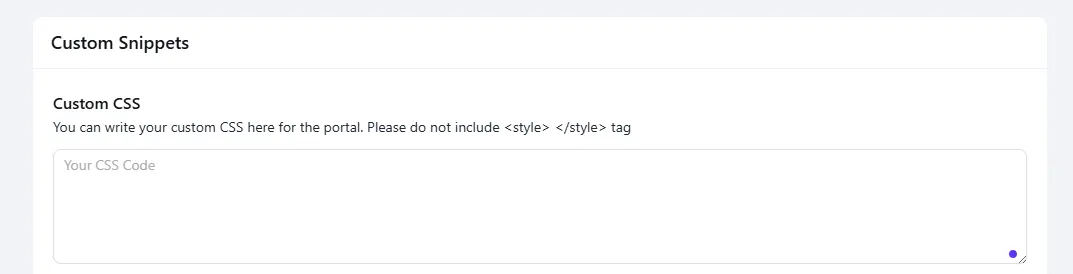
Hi, after the new update my custom CSS code disappeared and was lost 😢
Shahjahan Jewel I had great custom features but this update ruined them 😢

It’s incredible how much FluentCommunity has grown over the past few months. It has gained a huge number of features, and I really love seeing the ecosystem of products evolving across WPManageNinja. Huge thanks to Shahjahan Jewel for everything you do for users.
That said, I’d like to highlight a few things that I really miss directly in the plugin settings.
Login form
Tt works very well, but feels a bit clunky in terms of design, and the “forgot password” flow redirects to the default WP form. It would be amazing to see a major update here, because the login page itself is fantastic and almost visually (and partially technically) separates users from WordPress, which is great. This also ties into better two-factor authentication settings and the ability to completely block user access to the WP admin via standard routes. If there’s one area that deserves a lot of attention, it’s this.
Spaces
hey work great for structuring main topics, but why should users have to join them? If I’m using FluentCommunity as a community platform, I want new users to automatically have access to selected categories without any extra clicking or joining. It would be great to have an option to mark entire groups or individual spaces as permanently open to all users, without the ability to join or leave. For an open community, the only entry point should be registration, nothing more.
Feed and renaming
I noticed that it’s easy to rename it in the menu settings, but if I remove all other items, the word “Feed” comes back, which is incredibly frustrating. Please give us a simple way to separate and lock the menu label so it stays fixed.
Gutenberg template integration
it works well, but not perfectly. As seen on the official FluentCommunity forum, the layout with Gutenberg templates differs slightly, which is distracting, spacing shifts a bit, emojis behave differently, and rendering varies. It would be great to refine this further.
Email template manager and notifications
his is something I really miss. I’d like to manage all email templates from one place and fine-tune their design, add links, adjust elements, and so on.
That’s everything that currently bothers me about FluentCommunity. To be honest, the first two points are absolute must-haves for me to move back from Flarum to WordPress. I really hope this will happen soon and that FluentCommunity continues to grow with many new features. I’m convinced it will, because the team is putting an incredible amount of work into it.
I’d also like to mention that some of these features already exist in a hybrid form through hooks or other plugins from the same ecosystem. So there’s no need to point that out, I’m aware of it! :D
It would be great to have these features readily available without complicated setup or configuration.

videos dont stop when other one is started.
bad update for me the video site owner :)

I've disabled PeepSo, and FluentCommunity is working. Peepso uses its own theme called Gecko, which I'd also like to replace - which WordPress themes have FC users found to work really nicely with FluentCommunity?
all video thumbnails (or preload images) are gone!