(To follow up on https://community.wpmanageninja.com/portal/space/community-meta/post/mastodon-link, a 7 month old thread)
I love the social links feature, but the Mastodon field has a small conceptual issue: it hardcodes https://mastodon.social/ as a fixed prefix, the way the X or Facebook fields hardcode x.com/ and facebook.com/. That's the source of the problem: Mastodon isn't a single website like those are. It's open-source software that anyone can install on their own server, and each independent server (called an "instance") is its own community with its own URL. mastodon.social is just one of around 10,000 active instances, hosting only ~348k of the +10 million Mastodon accounts out there.
The analogy is email: you wouldn't hardcode @gmail.com in an email field, because people are spread across thousands of providers. Mastodon works the same way, it's decentralised by design, and a member's profile URL is https://instance.tld/@username.
It'd be lovely if the field were renamed "Fediverse" and simply accepted a full URL with no hardcoded prefix, the same way the Website field already works. That would also cover the rest of the Fediverse, but not Mastodon, such as Pixelfed, PeerTube, Lemmy, Friendica, etc. in one go. 💛
Related: there's also an older request in comments on my initial post for fully customisable social link fields (user-chosen icon, label and URL), which would cover any profile: eBay, Discord, Threads, Patreon, Canva, Behance, niche marketplaces (example I'm on ricardo.ch marketplace), or any profile (ie theWP.world, WPspeakers.com) and so on. See these comments by Ryan Alier, Artur Abakarov and Ceez Vision on my initial post https://community.wpmanageninja.com/portal/post/mastodon-link?comment_id=33604.
Worth doing both: the Fediverse fix addresses an existing default-on field, and custom fields cover everything that isn't built in.

I get the impression that it's not possible to set member profile fields like 'website' or some custom fields through the API.
Typically some fields would already be known to the CRM, so when connecting a member to it's first space, it would be nice to be able to pass some of the known fields from the CRM to FluentCommunity.
Is my understanding correct that this is currently not possible?

Hi, URGENT please!
After the latest FluentCart update, the FluentCommunity integration automation stopped working on our website.
Previously, everything worked correctly:
- after a successful subscription payment, a FluentCommunity account was automatically created,
- the user was automatically added to the correct Spaces and Courses,
- and after subscription cancellation, access was automatically removed.
Now, after the update:
- the FluentCommunity account is no longer being created automatically,
- users are not being added to Spaces or Courses,
- and the automation flow appears to be broken.
The payment itself works correctly, but the FluentCommunity user/account creation step no longer triggers.
Could you please check if this is a known issue related to the latest FluentCart update or integration changes?
Thank you.

in version 2.4.0 you made the zoomed photo on mobile movable. in version 2.4.01 this is gone again. could you please restore it?

I know Markdown is supported in FluentCommunity, but is there any chance of extending that support?
I'd like to display tables, but the current markdown implementation seems limited and does not support it(???)
Also, markdown links don't work i.e. [Link_Title](link_url) doesn't render
Is there a markdown guide available showing what is supported?

Big shoutout to the WPManageNinja team — Fluent Messaging 2.4.0 dropped Group Messaging on Apr 30, and we just rolled it into the native iOS/Android app we run on top of Fluent Community.
Quick clip of it in action 👇 (real app, ~1 min — group chat, live on a Fluent Community site)
One of the reasons we built on Fluent: when the team ships a feature, we can mirror it into the app fast. Group chat went from "released in the plugin" to "live in members' pockets" in about two weeks.
If you run a Fluent Community site and have wondered what a branded mobile app on top of it looks like — this is it. Happy to answer questions on how we approached the integration. 🙏

-
I have added custom fields to the profile is there any integration that will add to crm profile?
-
Building a second community lol yes a second that has multiple intructors. I am wondering if Development team could consider this issue?
Why? Roles as Instructor, an Instructor Dashboard, like Tutor LMS or others? etc
Business model is each instructor pays a platform fee monthly plus a revenue share based on a percentage. It would be nice where the instructor could connect their own stripe or payment accounts
I am looking at possibly building addons if dev is not interested lol

Hi everyone 👋
I have a question about how to structure lessons and courses in Fluent Community, and I would really appreciate your advice.
Is there a way to organize lessons in different ways at the same time?
For example:
- grouping lessons by topic, like Grammar, Speaking, Writing, etc.
- while also having the same lessons organized inside different courses or levels
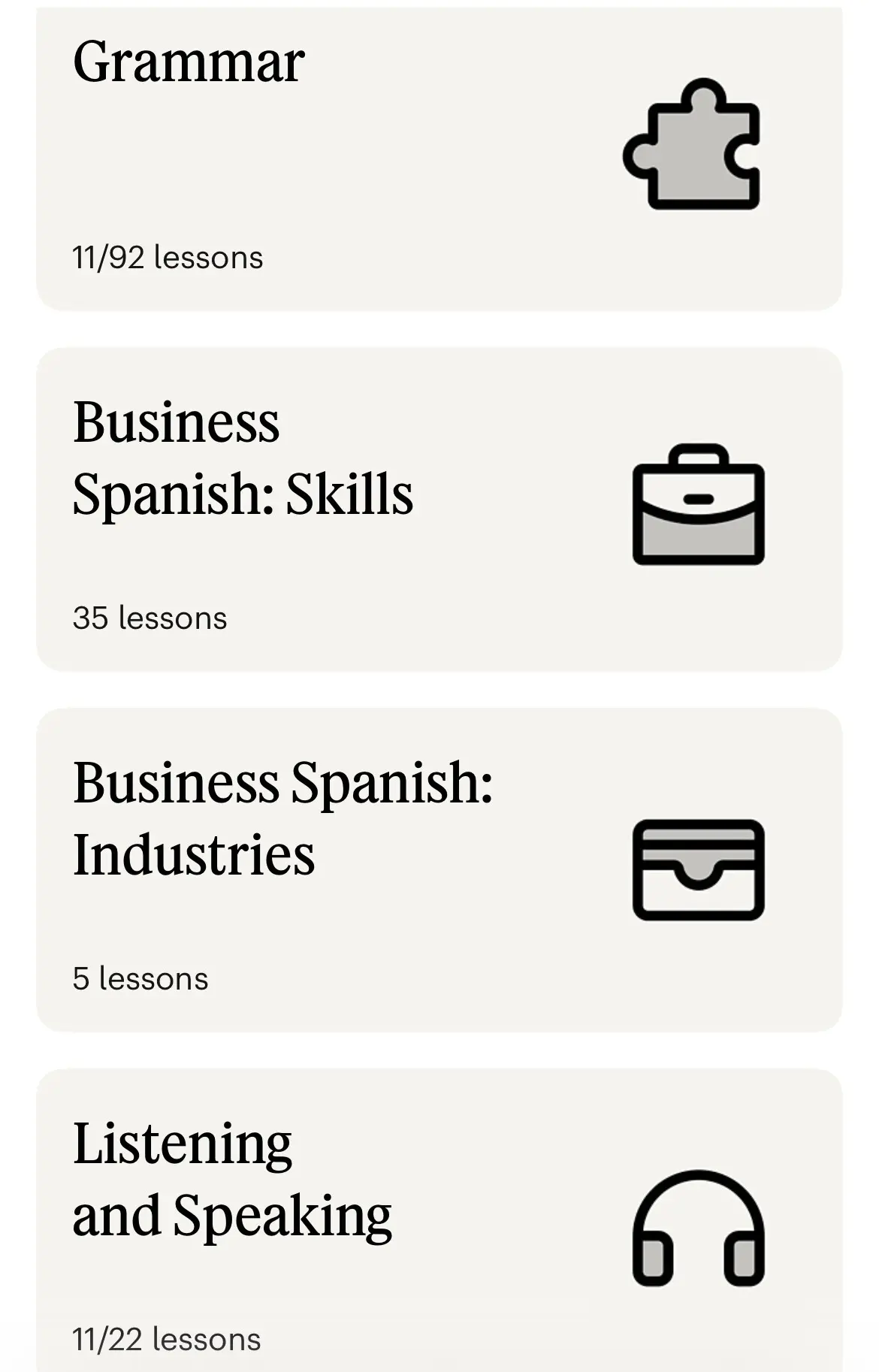
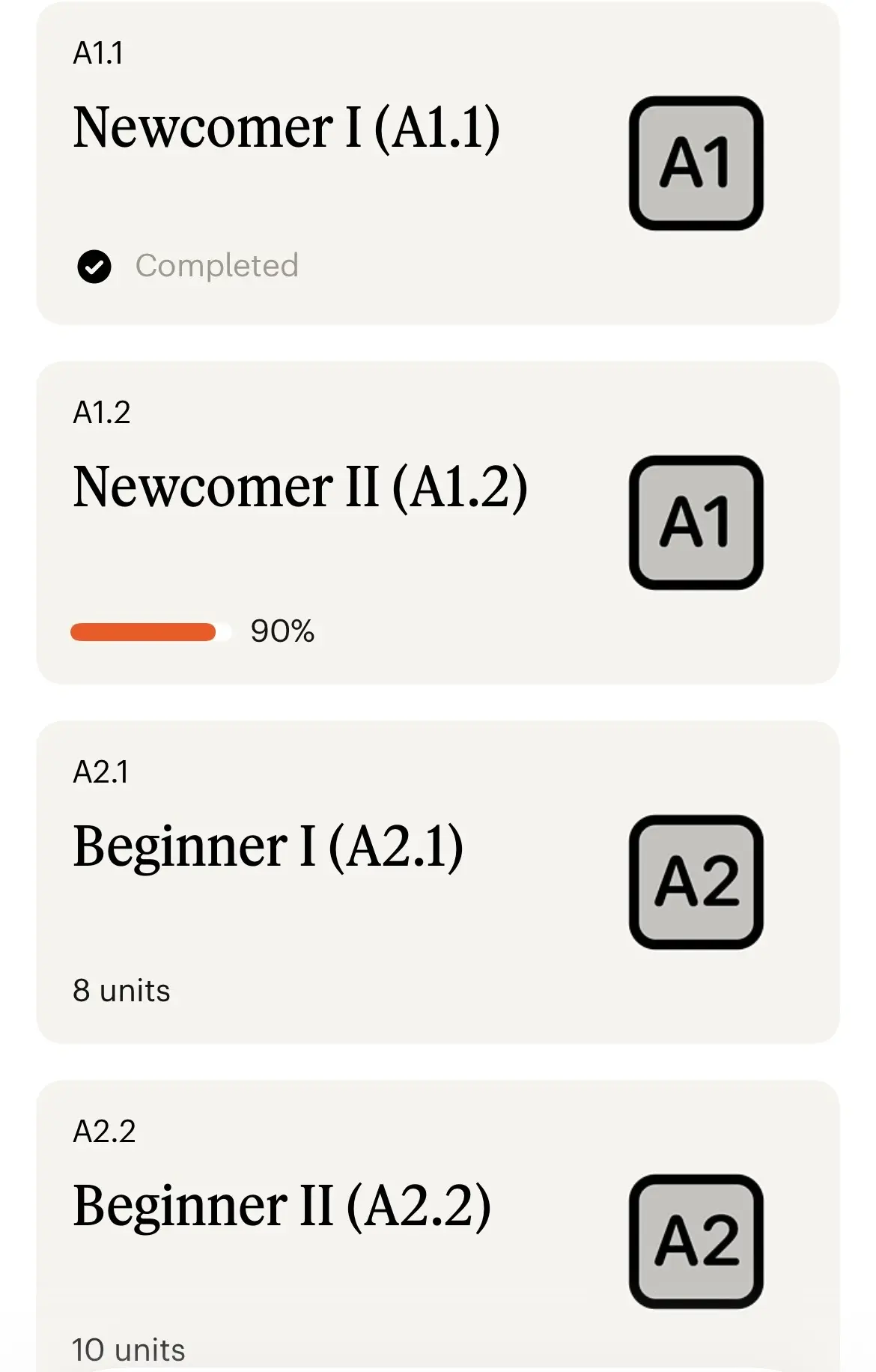
In the screenshots I attached from the app Babbel, lessons are grouped in two ways:
- by level
- and by topic/category
I really like this structure because it helps users find content more easily depending on what they need.
Has anyone tried something similar in Fluent Community?
What would you suggest when it comes to organizing, designing, or classifying lessons and courses?
I would love to hear your experience, ideas, or best practices. Thanks a lot for your help 🙏

A bit complex topic, but I'll try to keep it simple: I'm setting up a staging environment using xCloud so that I can keep enhancing my site even after the launch.
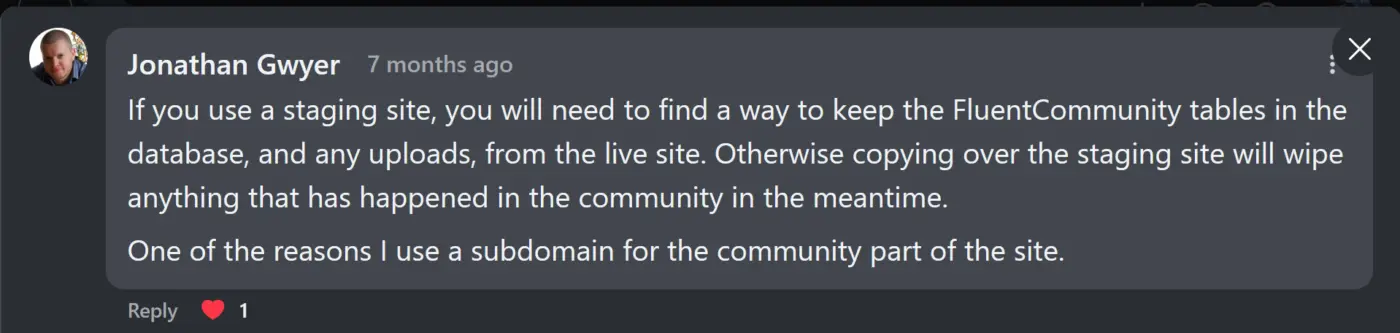
I've posted something about this a long time back — and the attached reply from Jonathan is still making me think how to approach the domain of my community, i.e., Subdirectory (example.com/community) vs. Subdomain (community.example.com).
The thing is — to be honest, I don't want to host my community on a subdomain, because "in my opinion", it can impact SEO as well as community branding, and both of them are quite crucial for me. (Am I the only one who thinks subdomain doesn't look quite credible from a branding perspective!?! 🫣)
But as Jonathan mentioned, the challenge is — since I'm hosting my community on a subdirectory (example.com/community), if I take a couple of days to make and push changes from staging to production site, all activities from the live community (for those 2 days) would be wiped out! 🥺😰
So, I wanna know how other community founders are approaching this.
What type of domain are you using to host your community? (Also, if you can, I would appreciate your thoughts in comments.) 💚🙏

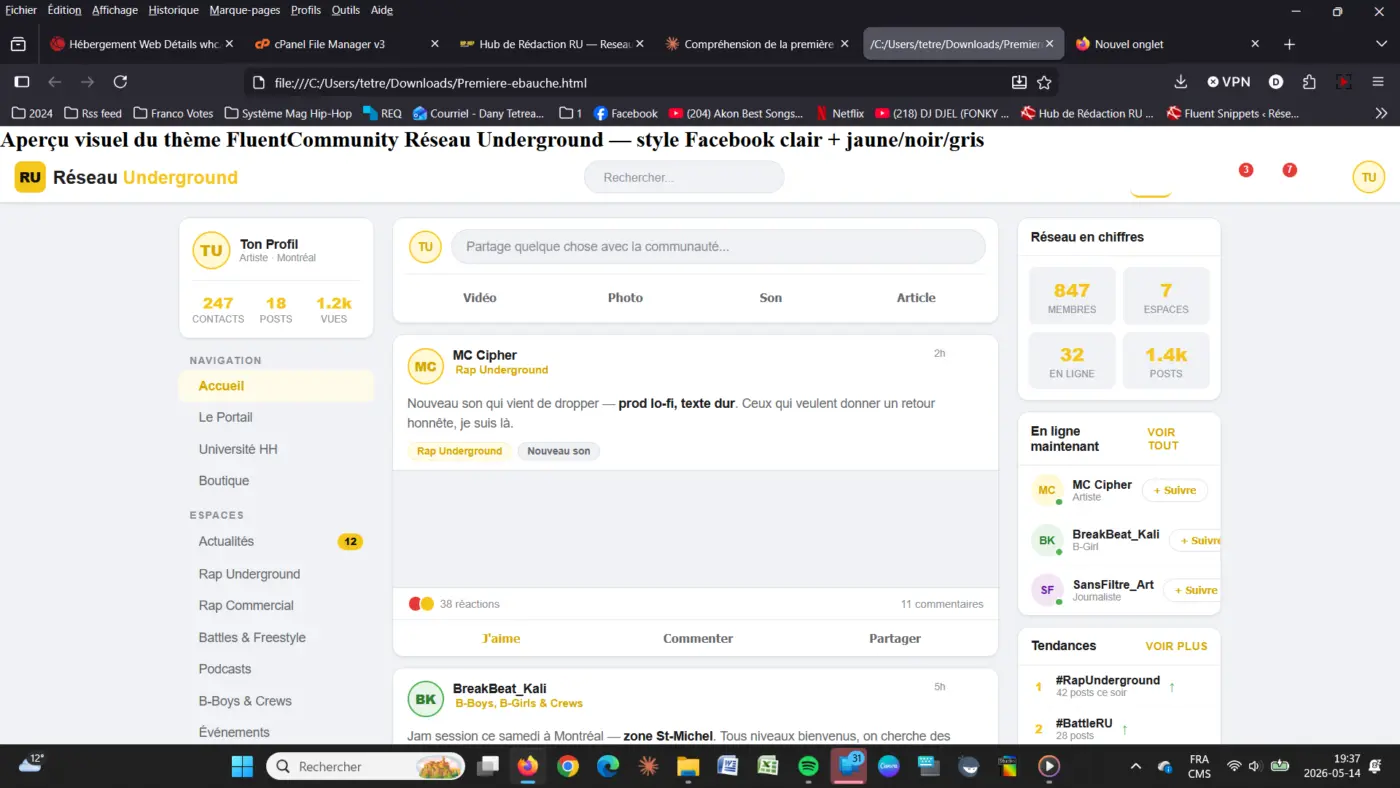
I knoiw the css are pretty bad, but it a first look, but i download te dev doc, but i can't figure out how to install it by sinippet (i dont like )