


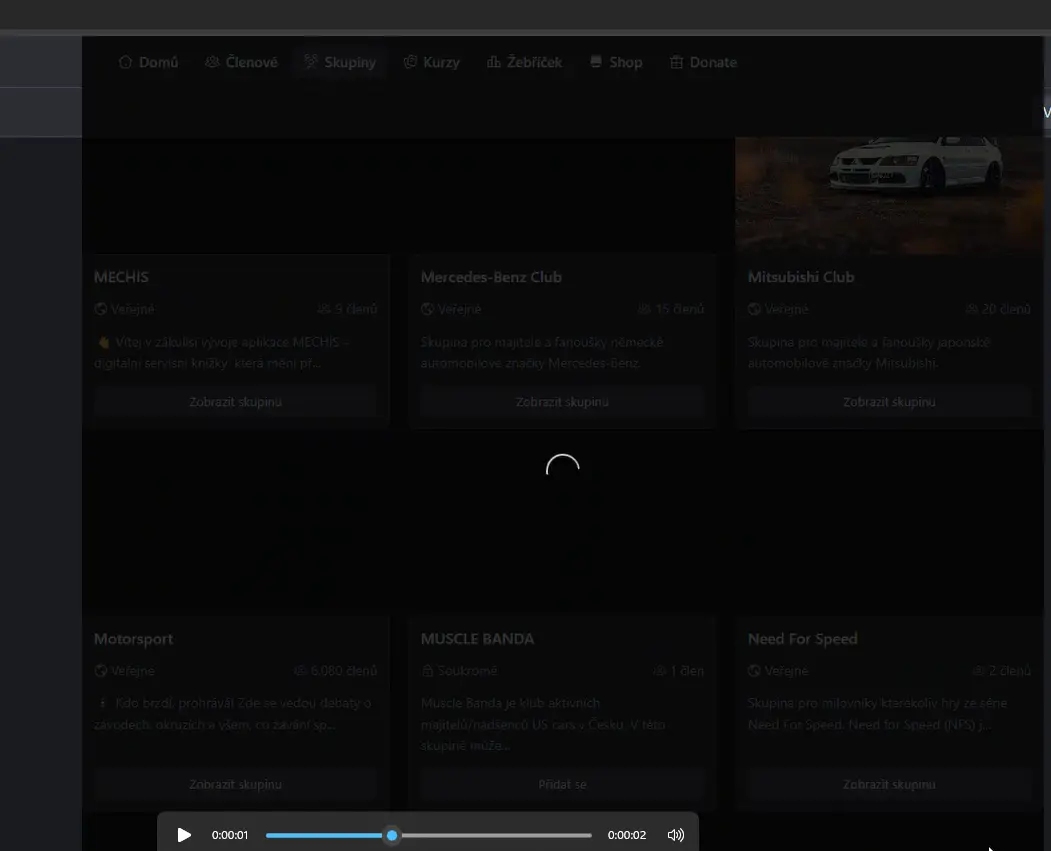
Ugly background while loading next page in spaces directory appears while switching pages. Any way how to prevent it? Can it be natively fixed? Maybe when it takes more time to load next page this appears only. Make make this background transparent?


Having just updated the Pro plugin, I am getting a heads-up warning that the base plugin needs updating. It is still showing version 2.5. Where is this update pleae?

Hi there,
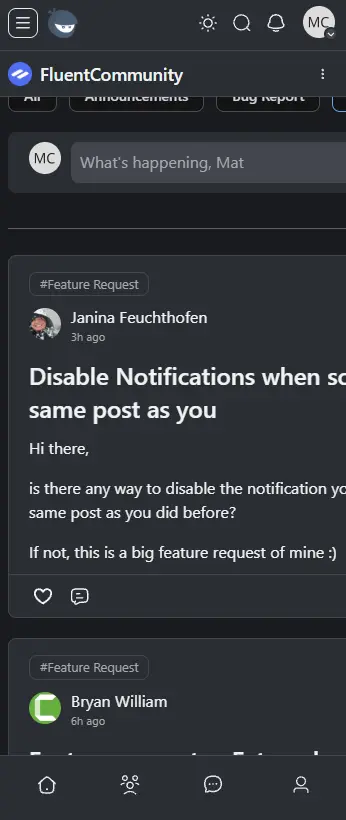
is there any way to disable the notification you get, when someone comments on the same post as you did before?
If not, this is a big feature request of mine :)

Still buzzing from meeting so many of you at WordCamp Europe. Now back to shipping, and this one's all about Courses. It's the first real answer to that "where should we take Courses next" thread we opened a few weeks back. You spoke, we shipped 🙌
Here's what's new 👇
🎬 Course Welcome Banners: Every course can now have its own welcome banner with two separate views. The Not Enrolled view turns your course into a proper landing page (bold image or intro video, headline, description, CTA buttons straight to enrollment or a free preview). The Enrolled view is for that personal welcome video or "start here" message once someone joins. Set both up from a dedicated tab in Course Edit, no page builder or theme files needed.
📋 Duplicate Lessons and Quizzes in one click: The one everyone's been asking for. Copy any lesson or quiz (full content, settings, and for quizzes every question and answer) and tweak only what's different. Build from a known-good lesson instead of starting from scratch.
✏️ A smoother Quiz Editor: Cleaner question modal, easier reordering, brand-colored inputs, and fully keyboard-accessible now.
🛡️ Require Approval for First Comment: Spam usually shows up on the first comment. This new Moderation option holds a member's first comment for review, then they comment freely. Works just like first-post approval.
✨ A feed that feels more alive New posts and comments glow when you publish, embedded videos get instant thumbnails, image galleries show a page indicator, and reply threads stay open while you keep replying.
Plus: Theme-aware status colors on course cards, German (de_DE) translation files in Pro, and a solid list of fixes (polls, notification privacy, lesson video loading, iPad Safari, Bunny Stream embeds, and more).
Full release notes 👉 https://fluentcommunity.co/blog/fluentcommunity-2-6-0/
More coming 🙌
A quick note on updating:
You may not see this latest version right away due to WordPress.org's new security cool-down period. After the 24-hour cool-down, the update will show up as normal.
If you want it instantly, you can use FluentHub (previously FluentKit) to grab the update right away.
FluentHub download: https://static.wpmanageninja.com/fluent-toolkit.zip

Hi Shahjahan Jewel ,
It would be amazing if Fluent Cart could support products that link to external URLs - just like WooCommerce’s affiliate/external products.
This would let users:
- Manage affiliate products without handling payments directly.
- Connect “Buy Now” buttons to external tools like Fluent Booking calendars or third-party stores.
This small addition could make Fluent Cart much more flexible and cover real-world use cases, while keeping the current payment system untouched.
Thanks for considering!!!

Hi Fluent Community team,
I have a member whose subscription payment failed, so her access was temporarily removed. She has now successfully renewed her membership and access has been restored.
The issue is that I am using drip content in my community. One of the modules is set to unlock after 30 days. Since her membership was reactivated, Fluent Community seems to treat her as a new member and has reset the drip schedule based on the new membership date.
Is there a way to:
- Keep or restore the member's original enrollment date?
- Manually unlock a specific drip module for this member only?
- Adjust the drip schedule for an individual member without affecting other members?
What is the recommended way to handle this situation?
Thank you!

I have been using FluentAuth to handle new user/community registration, but I would really like to have an option on the sign up form to have them check if they would like to be on my email list.
Also, if they sign up to the community using the FluentAuth sign up and I'm sending them emails via the community, doesn't that need to be disclosed and they opt-in somehow?

Does the system trigger email notification to users as they collect points? Or as they level up and rank between levels? Can we configure an email sequence to encourage users to return and engage a community?
Example;
- you are 182 points to level up to "Space Virtuoso"
- congratulations you just earn 500 points and leveled up to "Space Virtuoso"


Hi FluentCommunity team,
I'm running FluentCommunity Pro and noticed two issues with the post notification emails sent to members when a new post is created in a Space:
Issue 1 — Email subject line is truncated (shows "...")
The email subject line cuts off the post title and shows an ellipsis (...) when the title is long. This causes poor open rates because recipients can't see the full context of what the post is about.
Current behavior:
Cách tìm ý tưởng Video hút Vie... - Ninh Đôn [TubeMator AI]
Expected behavior:
The full post title should appear as the email subject, without truncation.
Request: Is there a way to allow the full post title to pass through as the email subject? Or at least increase the character limit significantly?
Issue 2 — Email subject includes Site Title and Space Name, which is unnecessary
The current email subject format appears to append the site title and Space name to the post title, like:
[Post Title] - [Site Title] [Space Name]
This adds noise to the subject line and contributes to the truncation problem above. Members already know which community they're in — the extra metadata reduces CTR.
Request:
- Option to disable the site title and/or space name from being appended to the email subject.
- Or allow a custom subject line template so admins can control the format (e.g., just the post title, or
[Space Name]: [Post Title]).
Environment:
- FluentCommunity Pro (latest version)
- WordPress / self-hosted
I've attached a screenshot showing the truncated subject as it appears in Gmail.
Thanks for building such a great plugin — these two small improvements would meaningfully improve email engagement for community admins.
Best,
Don Ninh