I would love an additional visibility-setting for spaces or even a more granular setup.
If you have a lot of Public spaces, the Feed gets cluttered quickly. That is especially frustrating, if you aren't interested in some topics and might become a reason to leave the community altogether since you are not ably to "unfollow" that space.
My idea would be a setting for a public room to still be easy to join but the posts inside are only visible to those who are in it.
Alternatively a private space with the option to auto-join without waiting for approval, maybe only a short questionaire like "have you read the rules and accept".
Hello there,
I have some mandatory spaces and would love an option to disable that members can leave them on their own.
For example: I have a community where the only way members can join is via an invite-link they get when subscribing to my newsletter. The link is tied to the "main space" and there are some automations depending on that.
When members leave that space accidentally and rejoin later, the automations would trigger again.
Is there any way to disallow members to leave selected spaces on their own?
If not, I would love to make a feature-request for a future update :)
Greetings and have a nice weekend

Hi people!
I was very happy to see this feature coming in to Fluent Community so I decided to give it a spin!
Check it out and have a Happy Friday! ☀️

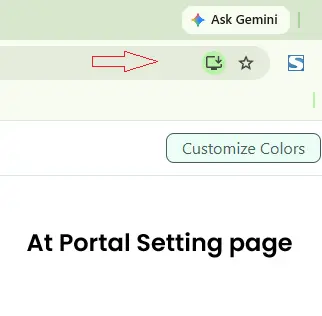
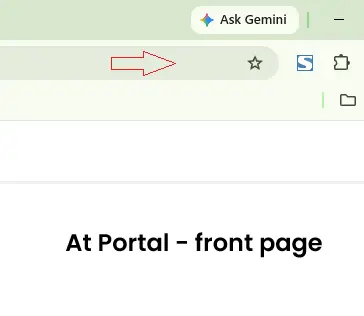
It seems that the option for frontend users to install FluentCommunity as a desktop PWA is not available. FC 2.8.1. The installation button does not appear anywhere in the Chrome browser, even though the button is visible in the Portal Settings on the backend. I may be overlooking something, so could you please let me know if I’m missing an obvious step? 👀🤔

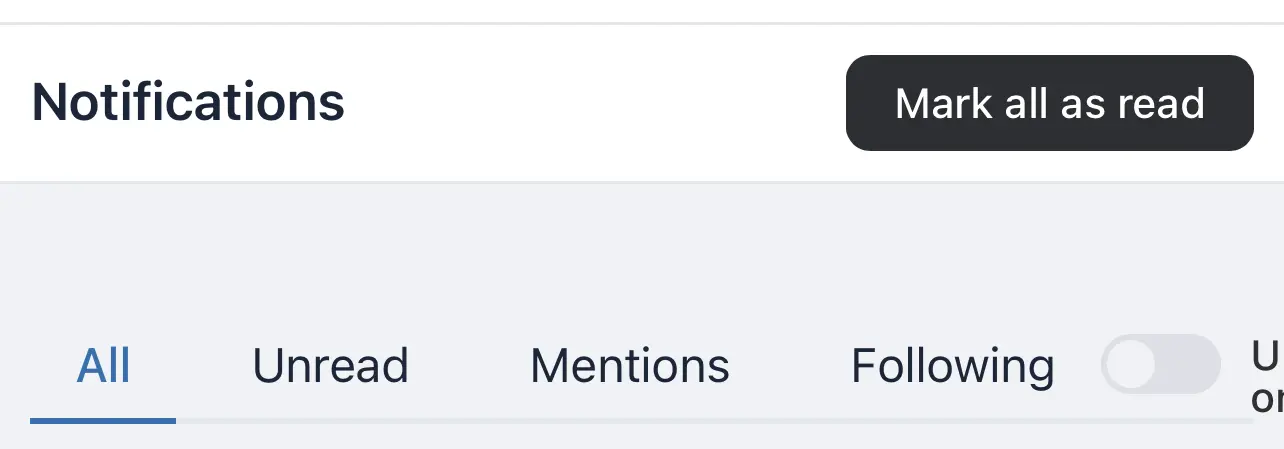
Notifications > View all > the “Toggl” for “Unread only” appears cropped.

Shahjahan Jewel! Just bringing this feature request up again as a reminder. 🙌
It would be amazing to have Content Dripping for Space Posts, similar to the existing Course Dripping feature.
For example:
- Day 1 → Welcome Post
- Day 3 → Getting Started
- Day 7 → Training #1
- Day 14 → Training #2
- Day 21 → Bonus Resources
The release schedule could be based on when a member joins the Space or when they receive a specific FluentCRM Tag.
This would be incredibly useful for onboarding, challenges, coaching programs, membership communities, and structured learning through Spaces.
Since content dripping already exists in Courses, bringing it to Spaces would be a fantastic addition.
This 2 videos explains it better...
https://www.youtube.com/watch?v=_oleJP3NtZ8&list=WL&index=9
https://youtu.be/WuaTTx2eXpE?si=xgowarWQBwGTeX_L
Would love to see this feature added! 🙏

First, I want to say you're doing an incredible job. Choosing to build within your ecosystem and rely on your plugins has genuinely been the best decision I've made since I started working with online platforms. You're an outstanding, creative team, and I hope you keep going for a long time. ❤️
I've been testing the new PWA on iOS and have a few questions:
1. Push notifications
I saw push notifications are coming in a future release. Is there a rough timeline?
2. Email links open in Safari, not the PWA
When I tap a link in a community email, it opens in Safari rather than the installed PWA. Is this expected behavior on iOS, or is there a way to make email links open inside the PWA?
3. Install button on iOS
I understand iOS doesn't allow a one-tap install (it shows the "Add to Home Screen" instructions instead). Just confirming: is this the final intended behavior, or are further improvements planned for the iOS install experience?
Thanks again for all the great work! 🙏

Quick follow-up to yesterday's release.
The Install App button in 2.8.0 worked great on Chrome and Edge. On Safari and on non-Chromium Android browsers, the browser does not hand us an install prompt, so there was nothing to tap. Now those members get clear step-by-step instructions instead. Same button, right guidance for whatever browser they are on. So if you shared your community yesterday and some members said nothing happened, this is why, and it is fixed.
There is also a new one worth knowing about. Spaces now have a Verified Members Only posting option. Turn it on and only members with a verified email can post in that space. Handy for spaces where you want a little friction before someone can start a thread.
The rest is polish and fixes:
- Sidebar link rows lay out properly now, and long titles truncate instead of breaking the layout.
- The gap above the sidebar when the PWA install button sits at the top is gone.
- Feed Customizer behaves on mobile.
- MemberPress no longer blocks portal signup.
- Card action popovers no longer render sideways, and the stuck popover on space member actions has been fixed.
- Better translator context on placeholder strings, plus some English source string cleanups our translators flagged. Thanks to everyone who reported those.
Update when you get a minute. If you hit anything else, drop it in the comments, and we will take a look.
We are going to release a big update next week. Watch out!
Cooking more 🙌
Hi there,
since I have some different Invite-Links I would love to see, which member comes via which link. Currently I can only see how often it was used, but not by whom.
Is there any way to see that?

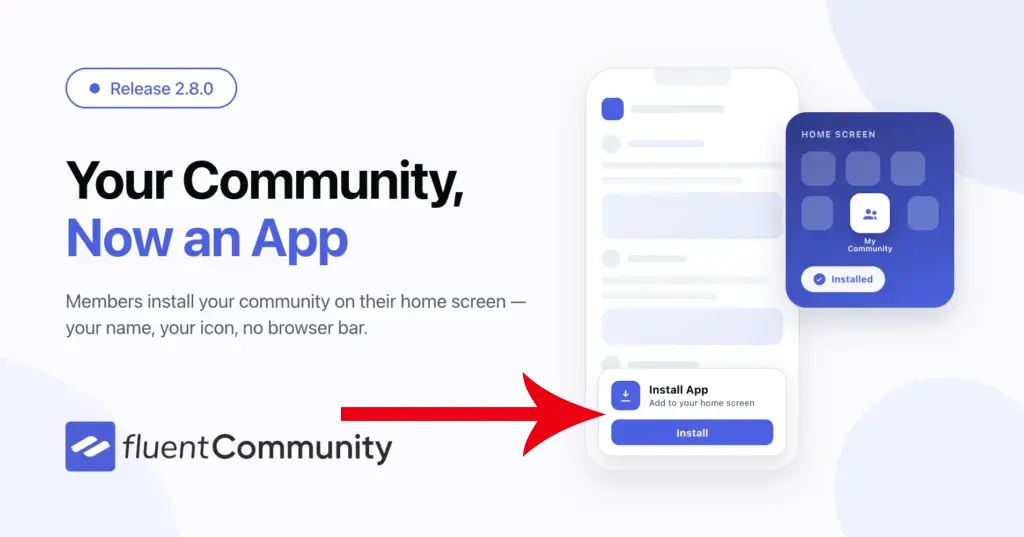
How to make the PWA install popup appear at the bottom of the community, as shown in the image?
The install button in the sidebar is easy to miss.