

FluentCommunity 2.8.1: Install App now works everywhere.
Quick follow-up to yesterday's release.
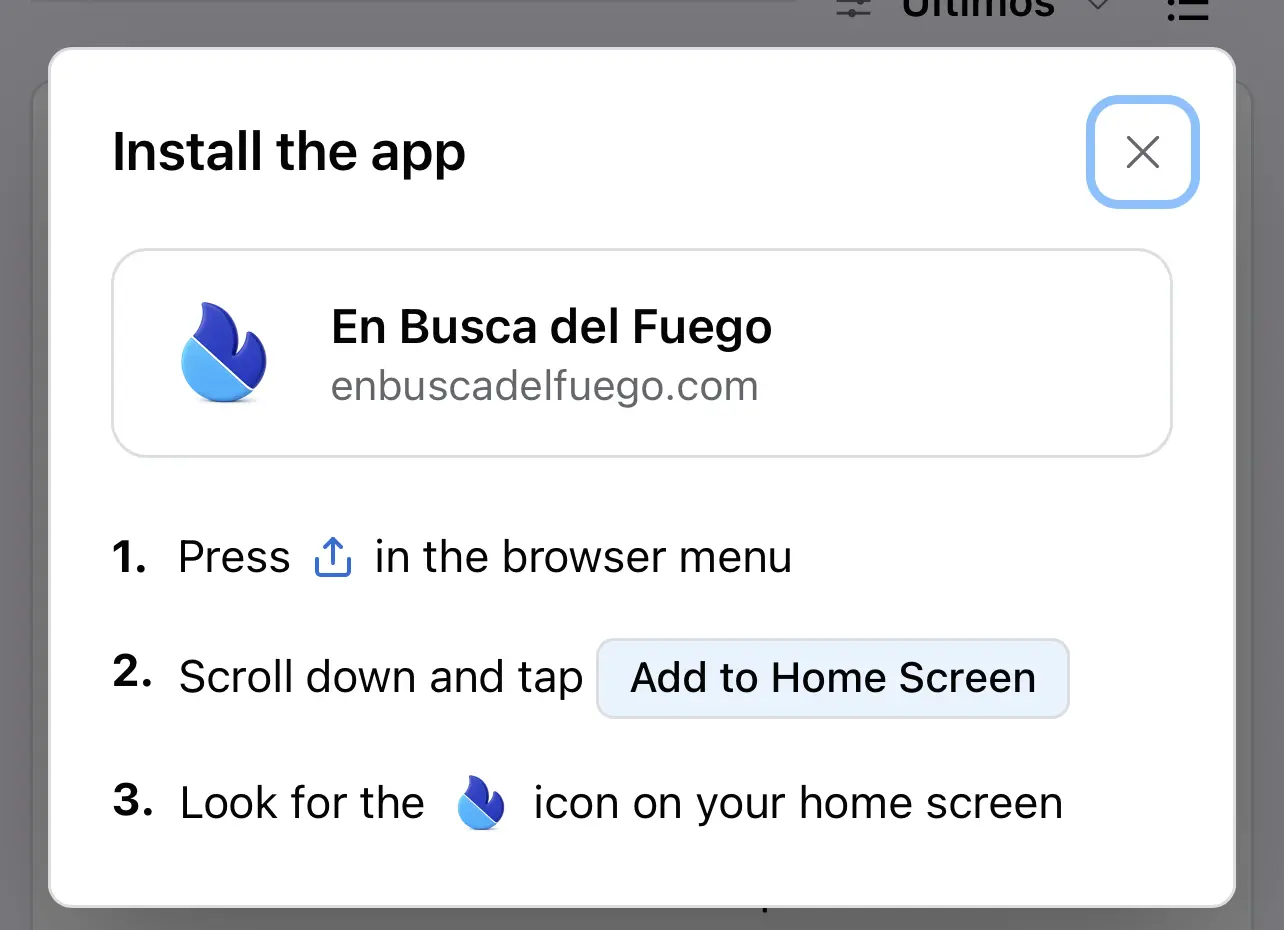
The Install App button in 2.8.0 worked great on Chrome and Edge. On Safari and on non-Chromium Android browsers, the browser does not hand us an install prompt, so there was nothing to tap. Now those members get clear step-by-step instructions instead. Same button, right guidance for whatever browser they are on. So if you shared your community yesterday and some members said nothing happened, this is why, and it is fixed.
There is also a new one worth knowing about. Spaces now have a Verified Members Only posting option. Turn it on and only members with a verified email can post in that space. Handy for spaces where you want a little friction before someone can start a thread.
The rest is polish and fixes:
- Sidebar link rows lay out properly now, and long titles truncate instead of breaking the layout.
- The gap above the sidebar when the PWA install button sits at the top is gone.
- Feed Customizer behaves on mobile.
- MemberPress no longer blocks portal signup.
- Card action popovers no longer render sideways, and the stuck popover on space member actions has been fixed.
- Better translator context on placeholder strings, plus some English source string cleanups our translators flagged. Thanks to everyone who reported those.
Update when you get a minute. If you hit anything else, drop it in the comments, and we will take a look.
We are going to release a big update next week. Watch out!
Cooking more 🙌

Great update!

Jorge de los Reyes By the way, we have enabled the PWA for this community. Check it out.
Shahjahan Jewel Thank you for adding the pop up with the instructions. Love it! :)
I think it will be worth exploring how we can enable this also in desktop, with different instructions. So as desktop-used users can also see this and discover that they have this option of using the PWA app!

Jorge de los Reyes for MacUsers this is also a great thing for desktop (add to dock) and use it as an app.....

Shahjahan Jewel Sure... I have seen it. Such an amazing feature

Manuel Müller The button to install doesn't show on desktop, but when I made it appear in css, I could install it as a Chrome app on my Dock in MacOS. That works well !

Any chance you've already done, or you could do a screen video of this, to show what it is and how it works? I've not heard of this tech before.

John Coonen It basically adds an app icon on your phone that opens the community. Instead of opening a web browser, visiting the site and then logging in, you just tap the app on your phone (or tablet) home screen and the community opens.

just installed this community on my phone. works great!
Thanks for the update

Translation strings are missing from the pop-up window 😅

Mat Kyc Well there is 1... out of 5 😂😂

still not working on Brave ios…

We're getting closer. Unfortunately the chosen icon does not show on the home screen when installing the app on iOS (26.6). It just shows a letter, which in my case is an M.
Shahjahan Jewel Any fix yet? Still no custom logo on the home screen icon (Now using iOS 26.6.1). Branding is super important and the generic "M" is boring and unattractive. Hoping for a quick fix. Thank you.

When I installed the app on my phone I had to go to my phone settings > apps > my app and turn on push notifications. They were turned off by default. I'd love it to be turned on per default. But now I still don't get notifications on my phone. (Samsung Galaxy S23, Android 16, One UI 8.5)

I still really wish there were an option to use the community without having to join individual spaces. I’d love for spaces to be open by default, without having to leave, join, and switch between them all the time.

Still not working for me on chrome iphone 17 pro. Dont know if Im doing something wrong or what should I do to show this button?.
Roberto Campos Arce update your chrome browser. That's all
Bryan William Thanks, its working now.
Roberto Campos Arce you welcome

Shahjahan Jewel "We are going to release a big update next week. Watch out!" Is it an update for the LMS? It's also lacking analytics.