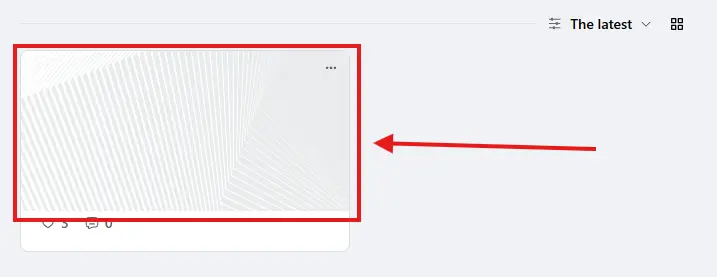
Hello, as I understand it, the current gallery function works well on desktop, but it is not mobile-friendly because it does not support swipe gestures. In fact, even on desktop, we do not need many of the toolbar functions.
I would like to know whether this is the default Vue version. Do you plan to use a more powerful plugin, such as PhotoSwipe (free, MIT license) or lightGallery (affordable)? Alternatively, can we easily replace the internal gallery function with one of these plugins?
Itβs been exactly one year since I launched my platform. Shifting to a community model was a move I thought about a lot, especially since my existing audience was entirely used to one-off seminars.
I took the leap with Fluent Community, and after a few months of dialing things in, it delivered exactly what I needed.
In the beginning, I was constantly tweaking settings, trying to make the community as "complete" and perfect as possible. But eventually, I realized something important: a community is a living, breathing organism that constantly evolves.
Today, my community sits at 972 active members. Trusting the Ninja team has completely paid off.
Challenges I've Faced
- Third-party Addons: I invested in some peripheral add-ons that got the job done initially but ultimately let me down in certain areas. I ll definitely be moving much slower and being more cautious before trusting external tools moving forward.
- PWA vs. Native App: We are currently operating as a PWA. I want to make the jump to a native mobile app, but I'm still running into some issues there.
- Mobile Media Display: Mobile needs a much more dynamic way to display videos and audiovisual material. I made an attempt using galleries, but users nowadays are conditioned by social mediaΓ’β¬βthey crave a more vibrant, visual experience rather than a traditional forum layout.
My Top Tips After Year One
- Set Clear Expectations: You need absolute clarity on your positioning and exactly what members should expect when they join.
- Nail the Onboarding: The onboarding process is the single most important part of your communityΓ’β¬βeven more crucial than your technical setup.
A massive thank you to the entire team of Ninjas!
*if you have a tip to share or your progress, please share β€οΈ
Feature request for PM on Fluent Community : mark as unread
This feature is really useful. It already exists in private messages on Facebook, Instagram, X, and other platforms. Sometimes you don't have time to reply to a private message, and if you can't mark it as unread, there's a good chance you'll forget about it completely.
Hi there, I currently have a space setup. The space has links etc. I would like to be able to duplicate a space, so I I don't have to repeat everything over again and over again. From what I can see this is not possible. What duplicating Groups as well? Perhaps I'm not looking in the right place.
Hi!
These aren't really feature requests, just a few questions and observations:
- Why can't we upload videos directly from our file manager, the same way we can upload images? I tried using FluentPlayer to embed a video, but instead of embedding the video itself, it embedded the entire page where the video was hosted.
- When I upload a file to my page's document manager and uncheck "Post as an article" (I'm not sure that's the exact wording in English, since half of my interface is suddenly in French // see my note below), the system says the document has been uploaded but is unlisted. Where can I find these unlisted documents?
- I find the Feed section quite cumbersome. I understand that it's useful from a backend perspective, especially since the three-dot menu on the right controls the banner area. However, would it be possible to at least hide it? It takes up a significant amount of screen space, and users can always return to the Feed by clicking the logo. Besides, we can enable the Feed link in the left bar.
- I find creating pages very frustrating. I don't understand why the FluentCommunity theme isn't the default for new pages. Every time I create one, I have to manually switch the theme; otherwise, my site's active theme adds its own header and footer, which doesn't look good.
About my interface suddently switching to French:
- My WordPress language is set to English, and I never browse the internet in French, even though I live in France. It's not a major issue...but why are both my backend and my frontend partially translated all of a sudden?
Jitsi β’ Zoom β’ Google Meet β’ Webex β’ Whereby β’ Live Tips β’ Analytics
β¨ New: Hosts can earn money during live sessions with the built-in Live Tips feature, allowing members to send instant tips and donations while meetings are in progress.
Perfect for coaches, creators, educators, consultants, and community owners who want to host meetings and monetize live eventsβall without leaving their community.
Bring meetings, classes, coaching sessions, webinars, and real-time collaboration directly into your FluentCommunity-powered website.
FluentCommunity Video Calls is a powerful video conferencing add-on built exclusively for FluentCommunity. It enables community members to create, schedule, join, and manage live meetings without leaving your website.
With support for Jitsi Meet, Zoom, Google Meet, Cisco Webex, and Whereby, you can choose the provider that best fits your community while keeping every meeting connected to your FluentCommunity Spaces.
Beyond video conferencing, the plugin introduces live tipping, attendance tracking, meeting analytics, provider scheduling, live meeting indicators, embedded meeting pages, and advanced space-level controls, making it one of the most complete communication solutions available for FluentCommunity.
About The Plugin
FluentCommunity Video Calls transforms every FluentCommunity Space into a modern collaboration hub.
Whether you're running a membership website, online school, coaching platform, private community, remote team, or customer portal, members can communicate through live video meetings without being redirected to external websites.
Administrators can decide which provider each Space uses, configure permissions, schedule meetings, monitor participation, and even allow members to financially support hosts during live sessions through integrated tipping.
Everything stays organized inside FluentCommunity, creating a seamless community experience.
What's New
This release introduces major upgrades that significantly expand the plugin beyond traditional video meetings.
New Multi-Provider Support
Choose from multiple meeting providers:
- Jitsi Meet
- Zoom
- Google Meet
- Cisco Webex
- Whereby
Each provider includes its own scheduling tools, meeting indicators, and provider-specific integrations.
Live Tips & Creator Support
Members can financially support meeting hosts while sessions are live(Only for Jitsi, Zoom & Whereby).
Perfect for:
- Coaches
- Trainers
- Teachers
- Content creators
- Mentors
- Guest speakers
- Community events
Features include:
- Live tipping
- Real-time notifications
- Tip history
- Meeting tip records
- Host earnings support
- Fluentcart is needed for Live Tip
Google Meet Integration
Create and manage Google Meet sessions directly inside FluentCommunity.
Includes:
- Scheduled meetings
- Meeting links
- Calendar-ready scheduling
- Live indicators
- Space integration
Cisco Webex Integration
Host professional meetings with Webex.
Supports:
- Scheduled meetings
- Meeting management
- Space integration
- Live meeting status
Whereby Integration
Simple browser-based meetings with Whereby.
Features include:
- Embedded rooms
- Scheduled sessions
- Live indicators
- Easy member access
Core Features
Multiple Video Providers
Unlike traditional meeting plugins, you are not locked into a single provider.
Supported platforms include:
- Jitsi Meet
- Zoom
- Google Meet
- Cisco Webex
- Whereby
Each Space can be configured independently.
Native FluentCommunity Experience
Members never have to search through emails for meeting links.
Everything lives inside your community:
- Meeting pages
- Space announcements
- Live badges
- Join buttons
- Meeting history
- Activity updates
One-Click Meeting Creation
Create meetings directly from FluentCommunity.
Perfect for:
- Community discussions
- Live classes
- Weekly meetings
- Team collaboration
- Workshops
- Office hours
Meeting Scheduling
Schedule meetings in advance with supported providers.
Members instantly know:
- Date
- Time
- Provider
- Meeting status
- Join availability
Live Meeting Indicators
Community members immediately see when a Space is active.
Displays include:
- LIVE badge
- Scheduled meeting badge
- Active meeting status
- Join now button
Attendance Tracking
Automatically monitor meeting participation.
Track:
- Join time
- Attendance
- Active participation
- Meeting history
Embedded Video Experience
Meetings can open:
- Embedded inside FluentCommunity
- Dedicated meeting pages
- Full-screen mode
- New browser tab
Per-Space Controls
Every Space can have its own configuration.
Administrators can:
- Enable or disable meetings
- Select meeting provider
- Configure room settings
- Restrict permissions
- Customize meeting behavior
Provider Scheduling
Schedule meetings for:
- Zoom
- Google Meet
- Webex
- Whereby
Keep members informed without leaving FluentCommunity.
Automatic Meeting Rooms
Automatically generate unique rooms based on your Space identity.
Benefits include:
- No room conflicts
- Cleaner organization
- Better privacy
- Consistent meeting links
Custom Room Names
Create memorable meeting rooms.
Supports:
- Custom names
- Private rooms
- Protected rooms
- Organization branding
Live Notifications
Keep members informed with automatic updates.
Notifications include:
- Meeting scheduled
- Meeting starting
- Live session alerts
- Provider updates
- Community announcements
Meeting Analytics
Understand how your community uses live meetings.
View:
- Meeting activity
- Attendance statistics
- Provider usage
- Active Spaces
- Community engagement
REST API
Developer-friendly REST endpoints make it easy to extend the plugin.
Includes APIs for:
- Meeting status
- Room information
- Heartbeats
- Active sessions
- Provider data
Role-Based Permissions
Control access using FluentCommunity roles.
Support for:
- Administrators
- Moderators
- Space managers
- Members
Self-Hosted Ready
Choose the deployment that matches your infrastructure.
Supports:
- Public Jitsi
- Self-hosted Jitsi
- 8x8 JaaS
- Cloud providers
Benefits
Keep Members Engaged
Instead of sending users across multiple services, every meeting stays connected to your community.
Support Multiple Meeting Platforms
Different organizations use different providers.
This plugin lets you choose the right platform without changing your community workflow.
Monetize Live Events
Allow community members to support hosts through live tips.
Perfect for:
- Paid communities
- Coaches
- Educators
- Creators
- Mentors
Improve Community Engagement
Real-time conversations increase:
- Member retention
- Participation
- Learning outcomes
- Community activity
Built for Learning Platforms
Excellent for:
- Online schools
- Membership sites
- Training organizations
- Coaching businesses
- Study groups
Enterprise Ready
Use enterprise-grade providers like:
- Zoom
- Webex
- Google Meet
or choose the flexibility of:
- Jitsi
- Whereby
Flexible Deployment
Run meetings using free public services or your own infrastructure for complete control over branding, privacy, and performance.
Perfect For
- Online Communities
- Membership Websites
- Coaching Businesses
- Learning Management Systems
- Universities
- Schools
- Study Groups
- Corporate Teams
- Customer Communities
- Internal Collaboration
- Webinars
- Live Workshops
- Community Events
- Support Communities
- Creator Communities
Requirements
- WordPress 6.0+
- PHP 7.4+
- FluentCommunity
- At least one configured meeting provider
Changelog
Version 4.0.0
New
- Added Google Meet integration
- Added Cisco Webex integration
- Added Whereby integration
- Added live tipping system for meeting hosts
- Added meeting tip notifications
- Added tip recording and history
- Added provider-specific schedulers
- Added Google Meet scheduled meeting indicators
- Added Webex scheduled meeting indicators
- Added Whereby scheduled meeting indicators
- Added Whereby live meeting indicator
- Expanded provider management framework
- Improved meeting analytics
- Enhanced REST API support
- Improved permission handling
- Better room management utilities
- Improved meeting status tracking
Improved
- Faster provider loading
- Better meeting scheduling workflow
- Improved Space integration
- Better meeting management
- Enhanced administrator controls
- Improved user experience
- Optimized performance
- Cleaner provider architecture
Fixed
- Various UI improvements
- General stability improvements
- Improved compatibility with newer FluentCommunity versions
- Minor bug fixes and code optimizations
π Launch Offer: Get it for just $50 Lifetime Deal(unlimited years, unlimited sites, 5 years full support and updates), if you're among the first 10 buyers. After that, the price increases.
https://www.youtube.com/watch?v=nZolSvG4TYE
ππGrab yours now
Don't miss your chance to be one of the first 10!
https://www.youtube.com/watch?v=jA-YaSh92SY
For Support: visit Mpaddi.com
Image 1:

Image 2:

Image 3:

Image 4:

Why Choose FluentCommunity Video Calls ?
Unlike generic video plugins, FluentCommunity Video Calls is designed specifically for FluentCommunity.
It combines multiple conferencing providers, intelligent scheduling, embedded meeting experiences, attendance tracking, analytics, and creator monetization into a single solution that feels like a native part of your community.
Whether you're hosting a classroom, coaching session, private mastermind, company meeting, or community event, everything happens where your members already areβinside FluentCommunity.
how do you do this ?
I'm about to upgrade my workflow, which might affect some of my open source plugins you use or will use... so, is php 8.3 still popular?
I think that can get some improvement..?
Hi,
A lot of community owners here in Europe keep asking the same question: how can we migrate to FluentCommunity?
They mainly run on Invision Community, XenForo, bbPress...
Do you currently have migration tools from those major community solutions to FluentCommunity? I only found BuddyPress.
If not, do you plan to release such migration tools soon? I truly believe it would be a game changer for FluentCommunity, as it would attract many community owners and generate a lot of word-of-mouth for FluentCommunity.
Thank you
Nicolas