Hi Shahjahan Jewel and FluentCommunity team,
we rely on the analytics pages to steer our community, so we checked every
number against the database (FluentCommunity and Pro 2.11.0, MySQL without
ONLY_FULL_GROUP_BY, site timezone Europe/Berlin). Most widgets count rows
created in the selected range, even where the label promises a total. Below
are the cases, each with the method responsible and a suggested fix.
1. Members → "Total Members" runs the same query as "New Members"
Members::getMemberWidget() builds $totalMembers and $newMembers with the
identical call (XProfile, created_at in range). On our site both show 11;
the community has 230 active profiles.
Fix: count XProfile with status = 'active' and no date filter (or
created_at <= end_date for a snapshot).
2. Activity charts always drop the last day
ReportGenerator::getModelDataBySequence() filters with
whereBetween($field, [from->format('Y-m-d'), to->format('Y-m-d')]). The end
is therefore midnight at the start of the last day. With the default range
ending today, today is never shown: for 30 days our comments chart sums to 369
while the widget above it says 388.
Fix: use to->format('Y-m-d') . ' 23:59:59' and include the end date in
the DatePeriod.
3. Ranges of 63–92 days: weekly buckets don't line up with the axis
The query groups by WEEK(created_at) but selects DATE(created_at), which
(without ONLY_FULL_GROUP_BY) is an arbitrary day of that week, while the
axis steps in 7-day intervals from the start date. For 2026-06-01 to
2026-08-20 the chart shows 22 points instead of 12, every other one zero.
Fix: select and group by a bucket start, e.g.
DATE_SUB(DATE(created_at), INTERVAL WEEKDAY(created_at) DAY), and build the
axis from the same rule.
4. Ranges over 92 days: months from different years are merged
The query groups by MONTH(created_at) without the year. For 2025-06-01 to
2026-09-25, "Jun 2025" shows 1,013 comments (618 from June 2025 plus 395 from
June 2026), and June to September 2026 show 0.
Fix: group by DATE_FORMAT(created_at, '%Y-%m').
5. Spaces → "Popular Spaces" mixes all-time comments into a range ranking
Spaces::getTopSpaces() filters posts and members by the range, but
comments_count is the sum over all published posts of the space. Since
the ranking adds the three, all-time comments dominate: spaces without a
single post, comment or join in the range rank in our top 10 (one space shows
3,484 comments; 177 of them fall into the range).
Fix: count comments with created_at in range, as for posts.
6. Smaller points
- "Top Members" (
Members::getTopMembers()) only includes members who
joined in the range, sorted by all-time points. It shows the newest
members, not the top ones. - "Active Members" counts profiles whose
last_activityis in the range.
Since that column holds only the latest visit, the number is right for a
range ending today and wrong for any past range; the comparison value
therefore compares against members who have not been back since. - Comparison percentage compares with the same range shifted by one
calendar month, not with the preceding period of equal length. For 7 days
that is a week a month ago; for 90 days the periods overlap. - Posts count every status of type
text, includingscheduledand
unlisted(77 instead of 71 published for us). - Spaces → "Total Members" counts new profiles (optionally filtered by
current membership), not space joins (11 vs. 153 joins). - Default dates use
gmdate(), so between midnight and 2 a.m. (CEST) the
default range starts a day early.
Happy to test a fix on our staging site.

I'm moving to Fluent Community from Skool and want to set up three levels of access in my Fluent Community that mirrors what I've done in Skool. I want to have a cheap/low-cost OPTION A that is restricted to one space and a few courses. I want to have a mid-range cost (OPTION B) that gets access to everything In OPTION A, plus additional courses/spaces. Finally, I want to have an OPTION C that has access to everything. What is the best way to setup/control access and is it possible to allow members to upgrade/downgrade from one level to another?

no user can register cause 2FA dosent sent to the email
im running fluentcommunity on wordpress 7.1.2 wasmer.io

I am setting up a community for an existing membership site that has many people with WordPress user accounts already. It looks like their name shows up as their email address when they are added to a space (so if you look at the display name, you'll see [First Last] but if you try to tag them or look at their profile, you'll see [nameexamplecom] with a simplified version of their email address.
Is there a way to change that in advance of adding people into the new community? I don't want to expose their email addresses by default, and for the last 14 years we've been setting up their accounts using their email address as their WordPress user name.
Or will I need to basically delete everybody's email accounts and then re-create them as I go along and import their billing data into FluentCRM? (We're currently on ThriveCart but are going to migrate into FluentCart for new subscriptions.)

I've recently seen how Circle handles two important privacy questions related to member visibility, and I found a couple of ideas that could be very useful for Fluent Community.
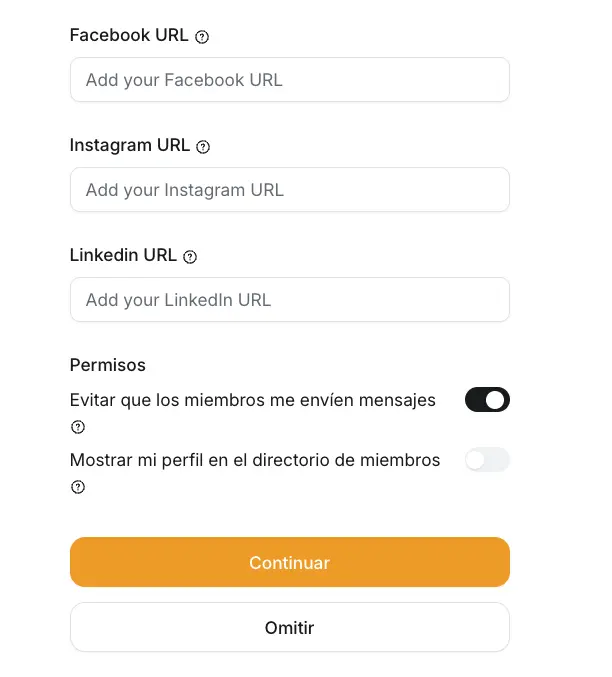
First, when a user joins, Circle prompts them to complete their profile on a dedicated full-page form.
That form includes two simple privacy options:
- Do you want your profile to be visible to other members?
- Do you want other members to be able to message you?
I found this approach really simple and effective.
It could be a great addition if Fluent Community eventually gets a much-needed proper onboarding feature.
Right now, "Complete your profile" feels quite optional. I think it would be much more effective if, on the user's first login, profile completion was presented as part of the onboarding process and remained more prominent until completed.
Of course, we can already recreate something similar with Fluent Forms and redirects, but having this natively integrated into Fluent Community would feel much more natural.
For public communities, this could also be very useful for consent collection and privacy preferences, especially when users haven't already accepted specific community terms as part of a purchase.
Second, Circle also allows you to display a Welcome pop-up when someone joins, with instructions or any important information for new members.
Again, I think this would fit perfectly into a broader onboarding feature.
Something like:
First login → Welcome message → Complete profile → Privacy preferences → Community introduction / next steps
That could make the initial experience much more intentional without adding much complexity for the user.
Is there any reason why the Messages tab (shown at the bottom-right of the screen on desktop) doesn’t work when using the Fluent Community template?
Pages using the FC template still seem to use the old messaging system, with Messages displayed in the top header instead of the new bottom-right tab.
Is this intentional, or is it something that hasn’t been implemented for the FC template yet?

I have a community the size of 300 members. I currently am using Hostinger VPS with the stats below but I don't like it. The Cyberpanel has so many issues and bugs. What hosting site is recommended for this type of setup.
CPU core: 4
Memory: 16 GB
Disk space: 200 GB
Bandwidth: 16 TB

Do you use Complianz? Cookie banner is not showing in /portal/ slug inside FC?
Feel free to use my snippet below. It should help.
<?php
/**
- DriveZone – Complianz Pro uvnitř FluentCommunity portálu
- Problém: FluentCommunity renderuje portál vlastní šablonou (SPA) a nevolá
- wp_head() / wp_footer(), takže Complianz nevloží CSS, JS ani HTML banneru.
- Řešení: na hooky portálu (fluent_community/portal_head + portal_footer)
- spustíme POUZE ty callbacky z wp_enqueue_scripts / wp_head / wp_footer,
- které pochází ze souborů Complianzu (+ WP Consent API), a vytiskneme jen
- jejich zařazené styly a skripty. Ostatní pluginy/šablona se do portálu
- nedostanou, takže SPA zůstane čisté a rychlé.
- Code Snippets: typ PHP, "Run everywhere" (frontend).
- Debug: jako admin otevři portál s ?cmplz_fc_debug=1 a v HTML najdi komentář
- "DZ Complianz FC".
*/
if (!defined('ABSPATH')) {
return;
}
if (!function_exists('dz_cmplz_fc_matches')) {
/** Řetězce, podle kterých poznáme Complianz soubory / handly. */
function dz_cmplz_fc_needles()
{
    return (array) apply_filters('dz_cmplz_fc_needles', ['complianz', 'cmplz', 'wp-consent-api']);
}

function dz_cmplz_fc_matches($str)
{
    $str = strtolower(wp_normalize_path((string) $str));
    foreach (dz_cmplz_fc_needles() as $needle) {
        if ($needle !== '' && strpos($str, $needle) !== false) {
            return true;
        }
    }
    return false;
}

/** Vrátí cestu k souboru, kde je callback definován (nebo ''). */
function dz_cmplz_fc_callback_file($fn)
{
    try {
        if ($fn instanceof Closure) {
            $r = new ReflectionFunction($fn);
        } elseif (is_string($fn) && strpos($fn, '::') !== false) {
            list($class, $method) = explode('::', $fn, 2);
            $r = new ReflectionMethod($class, $method);
        } elseif (is_string($fn)) {
            if (!function_exists($fn)) {
                return '';
            }
            $r = new ReflectionFunction($fn);
        } elseif (is_array($fn) && count($fn) === 2) {
            $r = new ReflectionMethod($fn[0], $fn[1]);
        } elseif (is_object($fn) && method_exists($fn, '__invoke')) {
            $r = new ReflectionMethod($fn, '__invoke');
        } else {
            return '';
        }
        return (string) $r->getFileName();
    } catch (\Throwable $e) {
        return '';
    }
}

/** Spustí jen Complianz callbacky daného hooku (každý hook max. jednou). */
function dz_cmplz_fc_run_hook($hook)
{
    static $done = [];
    global $wp_filter;

    if (isset($done[$hook]) || empty($wp_filter[$hook])) {
        return [];
    }
    $done[$hook] = true;

    $log       = [];
    $callbacks = $wp_filter[$hook]->callbacks; // WP_Hook, už seřazeno podle priority
    ksort($callbacks, SORT_NUMERIC);

    foreach ($callbacks as $priority => $items) {
        foreach ($items as $id => $cb) {
            $file = dz_cmplz_fc_callback_file($cb['function']);
            if ($file === '' || !dz_cmplz_fc_matches($file)) {
                continue;
            }
            try {
                // do_action('wp_head') předává jeden prázdný argument
                $args = array_slice([''], 0, max(0, (int) $cb['accepted_args']));
                call_user_func_array($cb['function'], $args);
                $log[] = "{$hook} @{$priority}: {$id}";
            } catch (\Throwable $e) {
                $log[] = "CHYBA {$hook} @{$priority}: {$id} – " . $e->getMessage();
            }
        }
    }
    return $log;
}

/** Handly zařazených assetů, které patří Complianzu. */
function dz_cmplz_fc_handles($deps)
{
    $out = [];
    foreach ((array) $deps->queue as $handle) {
        $src = isset($deps->registered[$handle]) ? (string) $deps->registered[$handle]->src : '';
        if (dz_cmplz_fc_matches($handle . ' ' . $src)) {
            $out[] = $handle;
        }
    }
    return $out;
}

function dz_cmplz_fc_log($lines)
{
    $GLOBALS['dz_cmplz_fc_log'] = array_merge($GLOBALS['dz_cmplz_fc_log'] ?? [], (array) $lines);
}

/* ---------------------------------------------------------------------
 * <head> portálu
 * ------------------------------------------------------------------ */
add_action('fluent_community/portal_head', function () {
    // Pokud portál běží přes hlavičku šablony, Complianz funguje nativně.
    if (did_action('wp_head')) {
        return;
    }

    dz_cmplz_fc_log(dz_cmplz_fc_run_hook('wp_enqueue_scripts'));
    dz_cmplz_fc_log(dz_cmplz_fc_run_hook('wp_head'));

    $styles = dz_cmplz_fc_handles(wp_styles());
    if ($styles) {
        wp_print_styles($styles);
    }
    dz_cmplz_fc_log('styles: ' . implode(', ', $styles));
    ?>
<style id="dz-cmplz-fc">
/* banner nad hlavičkou / modály FluentCommunity */
#cmplz-cookiebanner-container,
#cmplz-manage-consent {
display: block !important;
visibility: visible !important;
opacity: 1 !important;
transform: none !important;
filter: none !important;
contain: none !important;
}
.cmplz-cookiebanner.cmplz-show {
display: grid !important;
visibility: visible !important;
opacity: 1 !important;
position: fixed !important;
z-index: 2147483000 !important;
pointer-events: auto !important;
/* ukotvení do pravého dolního rohu viewportu */
top: auto !important;
left: auto !important;
right: 10px !important;
bottom: 10px !important;
transform: none !important;
margin: 0 !important;
max-width: calc(100vw - 20px) !important;
max-height: calc(100dvh - 20px) !important;
overflow-y: auto !important;
}
<a data-user_name="media" class="fcom_mention fcom_route" href="https://community.wpmanageninja.com/portal/u/media/">Media Rocketeer</a> (max-width: 768px) {
.cmplz-cookiebanner.cmplz-show {
right: 10px !important;
left: 10px !important;
width: auto !important;
}
}
#cmplz-manage-consent .cmplz-manage-consent { z-index: 2147482999 !important; }
</style>
<?php
}, 20);
/* ---------------------------------------------------------------------
* Patička portálu – HTML banneru + skripty
* ------------------------------------------------------------------ */
add_action('fluent_community/portal_footer', function () {
if (did_action('wp_footer')) {
return;
}
// Pojistka, kdyby portal_head neproběhl
dz_cmplz_fc_log(dz_cmplz_fc_run_hook('wp_enqueue_scripts'));
// HTML banneru a případné footer výstupy Complianzu
dz_cmplz_fc_log(dz_cmplz_fc_run_hook('wp_footer'));
$styles = dz_cmplz_fc_handles(wp_styles());
if ($styles) {
wp_print_styles($styles); // už vytištěné se znovu netisknou
}
$scripts = dz_cmplz_fc_handles(wp_scripts());
if ($scripts) {
wp_print_scripts($scripts); // včetně lokalizace (objekt complianz)
}
dz_cmplz_fc_log('scripts: ' . implode(', ', $scripts));
?>
<script id="dz-cmplz-fc-js">
(function () {
// Přesune kontejnery Complianzu na konec <body>, pryč z wrapperů portálu
// (overflow:hidden / transform / contain u předka rozbíjí position:fixed).
// MutationObserver hlídá, kdyby je SPA znovu přesunula nebo zahodila.
var ids = ['cmplz-cookiebanner-container', 'cmplz-manage-consent'];
function lift() {
ids.forEach(function (id) {
var el = document.getElementById(id);
if (el && el.parentNode !== document.body) {
document.body.appendChild(el);
}
});
}
lift();
document.addEventListener('DOMContentLoaded', lift);
window.addEventListener('load', lift);
try {
new MutationObserver(lift).observe(document.body, { childList: true });
} catch (e) {}
// Odkaz na znovuotevření banneru funguje i v SPA:
// - libovolný prvek s třídou .cmplz-show-banner
// - odkaz s URL končící na #cookie-nastaveni (např. vlastní položka menu ve FC)
document.addEventListener('click', function (e) {
var t = e.target.closest && e.target.closest('.cmplz-show-banner, a[href$="#cookie-nastaveni"]');
if (!t) return;
e.preventDefault();
e.stopPropagation(); // ať to nechytí router FluentCommunity
var btn = document.querySelector('.cmplz-manage-consent');
if (btn) btn.click();
}, true);
})();
</script>
<?php
if (
isset($_GET['cmplz_fc_debug']) &&
is_user_logged_in() &&
current_user_can('manage_options')
) {
echo "\n<!-- DZ Complianz FC\n" . esc_html(implode("\n", $GLOBALS['dz_cmplz_fc_log'] ?? [])) . "\n-->\n";
}
}, 20);}

If your community lives on Fluent Community, this one is for you.
Client Vault is a WordPress plugin that gives each of your clients a secure private space: their files, their documents, their messages and a guided journey. All of it hosted on your own WordPress.
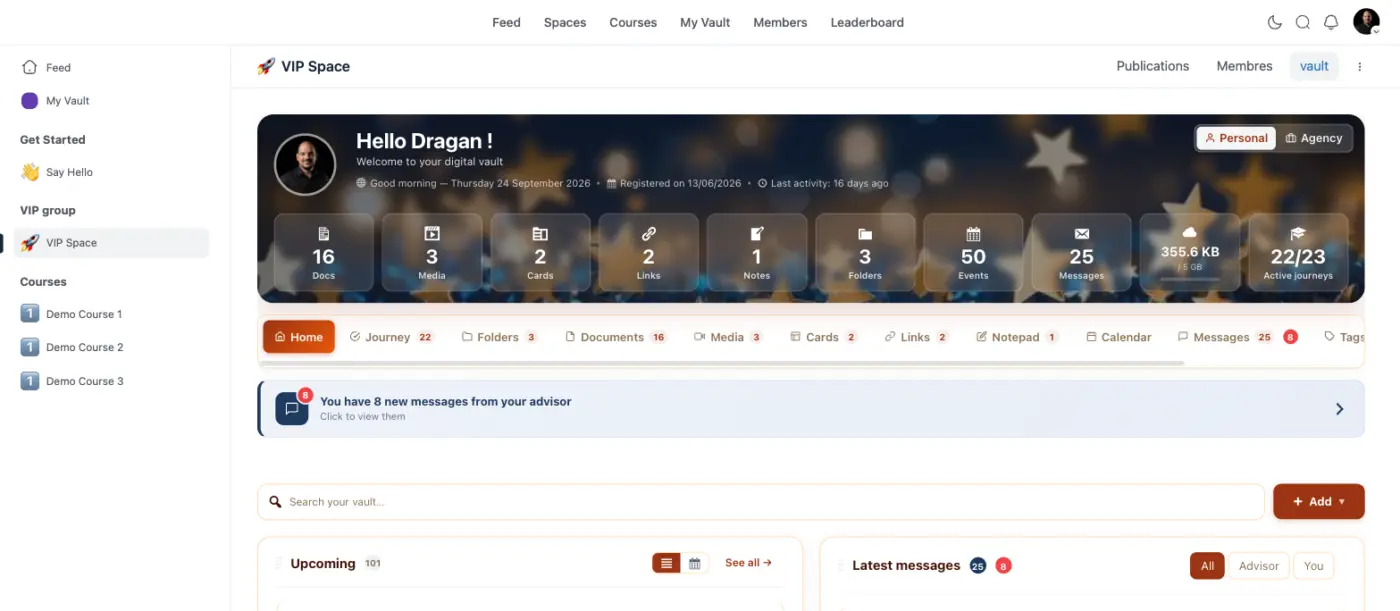
With 20.33, you add the Client Vault block to any Fluent Community space page. Your members get their full vault, full width, right where they already spend their time.
It fits the rest of the Fluent stack too. In FluentCRM, one Client Vault tab shows each contact's contents, activity and messages. And access can open automatically with a FluentCart purchase or a FluentCRM tag.
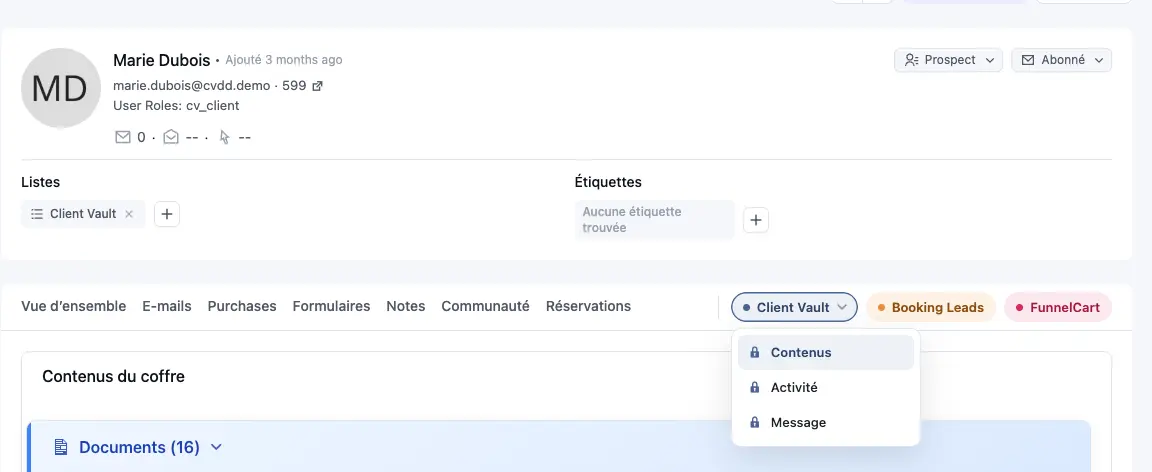
Each member sees their vault in their own language. Your other pages stay light.
See it in action: https://clientvault.pro/en/client-vault-becomes-compatible-with-native-fluent-community-pages/
Founder offer: a few days left. Lifetime licenses, and your licenses are doubled. After that, prices go up.
Get your founder license here: https://clientvault.pro/en/pricing/
Happy to answer your questions below.

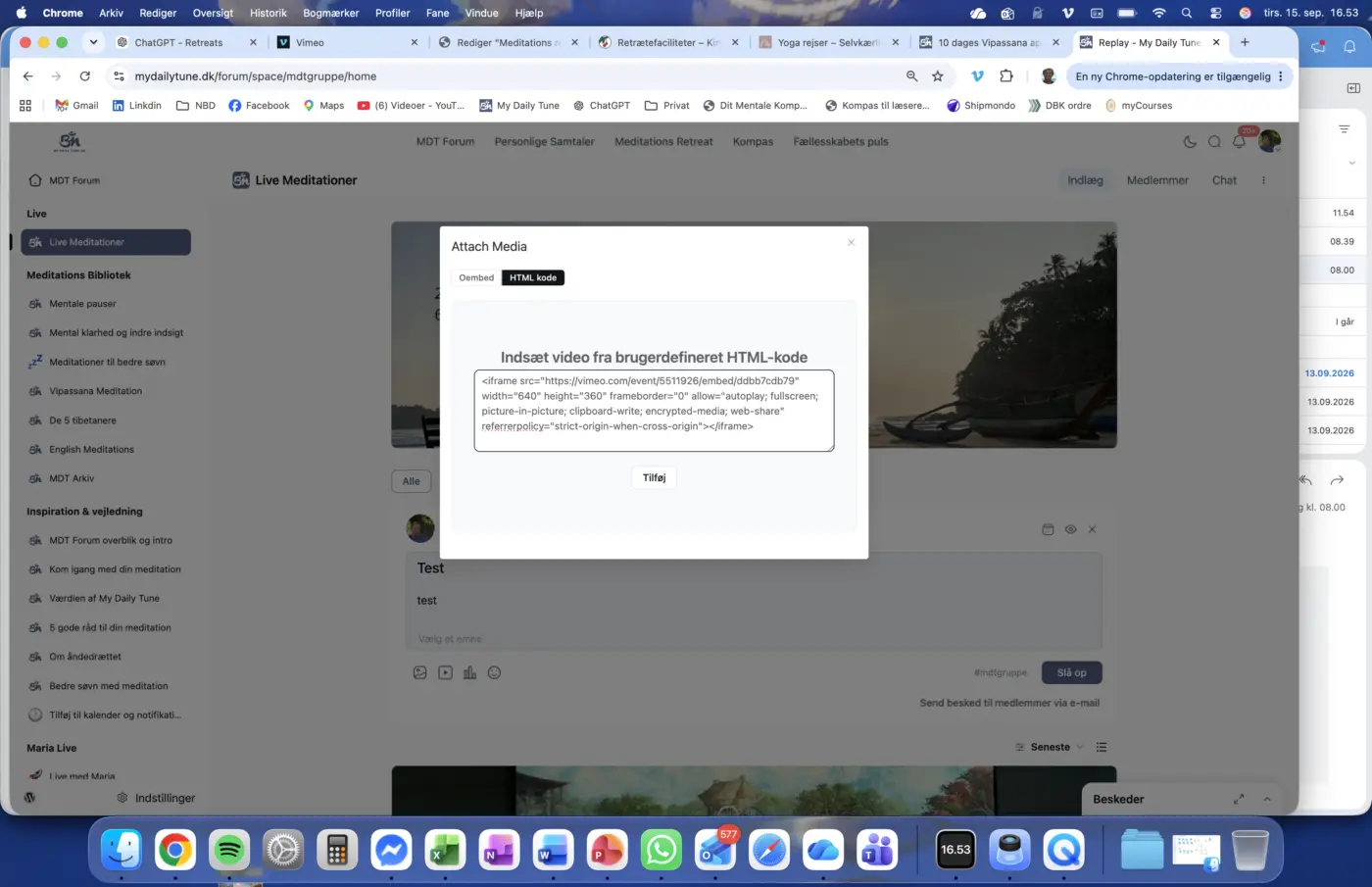
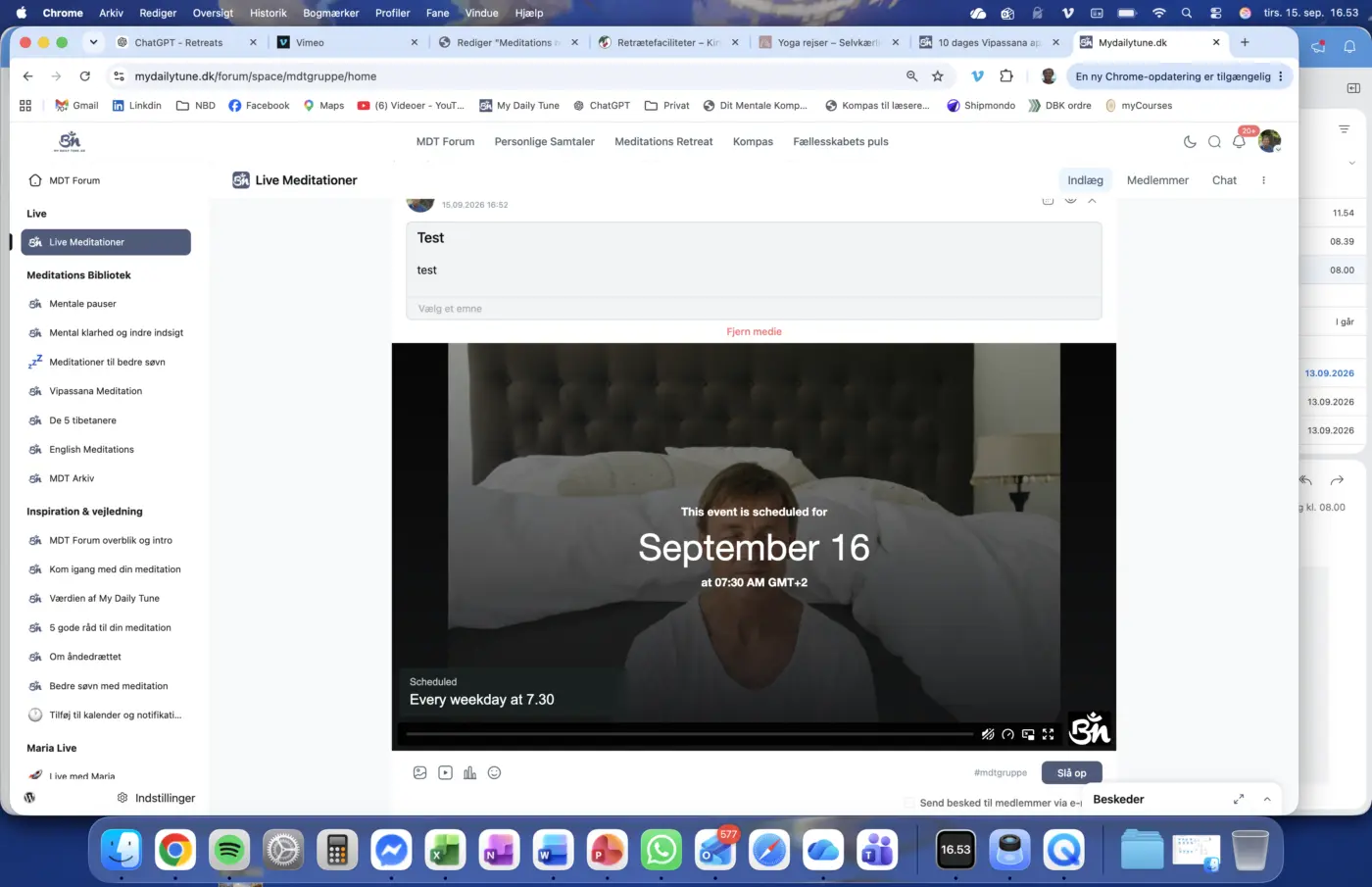
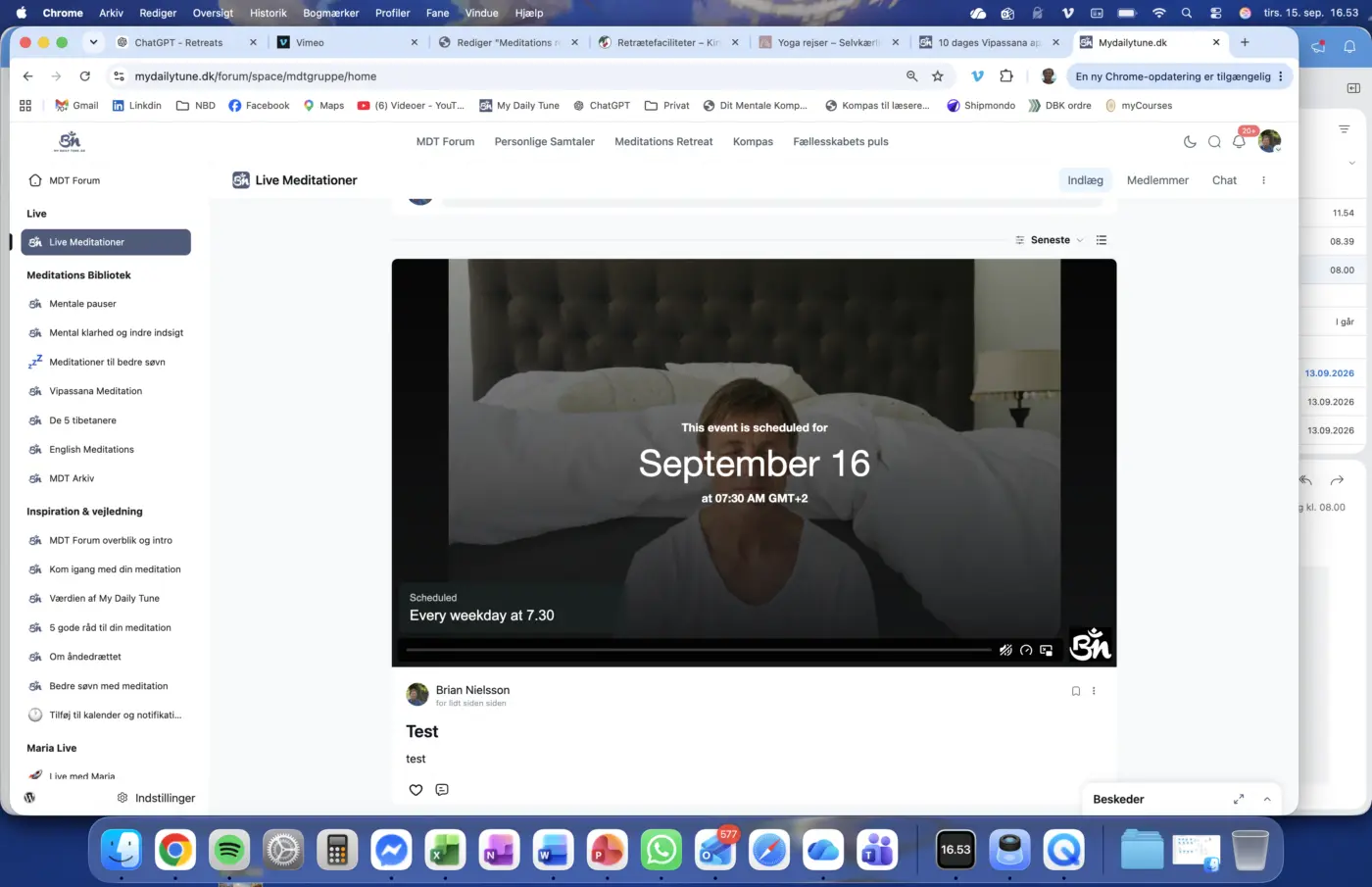
I am wondering why my Vimeo embedded code for live streaming is being stripped for full screen view in my FC?
As you can see in the screenshots the embedded code contains fullscreen and just after inserting this the icon is also shown in the player in FC. But as soon as I post this the full screen is gone?!
Any advice is highly appreciated.