With Meta’s official WhatsApp Cloud API, integration has become technically straightforward. Notably, Meta now allows existing WhatsApp Business App numbers to be connected to the Cloud API and used simultaneously on mobile and via API. This means:
- Businesses can continue using the native WhatsApp mobile app inbox
- FluentBooking only needs to send outbound template messages via the Cloud API
- No requirement for FluentBooking to build or maintain a custom inbox
From an implementation perspective, this is primarily:
- Template-based outbound message triggering
- Webhook delivery status handling
- Simple configuration UI for API credentials and template mapping
This feature would significantly improve booking show-up rates, especially in regions like India where WhatsApp is the preferred communication channel.
I have unticked the "Enable google calendar notifications", still google calendar is sending invitation emails to guests. I am using a shared calendar. Is this a bug, or some settings issue, please suggest.

I have a team of 4 members who are scheduling group demo meetings from a common booking form, is there a way to track the team member who scheduled a meeting through a hidden field in the form. Are there any URL parameters other than the UTM parameters which can help me track the team member name.

Hi!
I'm setting up a meeting type where my students will be able to choose if they want to be tutored with me for 60 minutes, 90 minutes, etc.
It's working really well and I'm really happy! There's one improvement that I think would be fantastic, though.
I'd really like to be able to name each of the durations. It would be great for clarity and marketing purposes if they had custom names attached to each duration.
The use case is that I'm using the Bookings plugin to allow students to book feedback sessions with me for their coursework. Sometimes, students pick durations that just don't work for them. For example, they might pick the 2-hour duration when we just need to tidy things up and do a quick proofread. Other times, they'll book only 60 mins and then be disappointed because we didn't get through the whole thing.
So, I'd like to make it clear with a name and perhaps a description for each duration that each duration allows for different levels of support, and get them to think about which one is suitable for where they're at with their coursework.
At the moment, my workaround is just to include those details in the description of the actual booking option, but it would be a nice addition!
What are your thoughts Shahjahan Jewel?

I would like to use Fluent booking to schedule on-location classes. gym. Every day is a different class - different class name. I would like to use one calendar, a signup for on location - option to pay each class individually, or give credit for sign up if part of a package. Can this be done, and how should I start it?

Dear Fluent Booking Team and Community,
I hope this message finds you well. I'm reaching out because I've been struggling to configure the Zoom integration with Fluent Booking, and I would greatly appreciate your assistance.
Issues I'm experiencing:
-
Outdated Documentation & Videos:
The setup videos and documentation no longer match Zoom's current interface. Many of the menu items and options shown in your tutorials can't be found in the current Zoom Marketplace interface, making it extremely difficult to follow along. -
Unexpected error from remote API message:
After creating a Zoom Server-to-Server OAuth app and entering all three credentials (Account ID, Client ID, and Secret Key) into Fluent Booking, I consistently receive an error message. I've attempted the setup multiple times following different approaches, but the connection fails every time. -
Request for Updated Resources:
Would it be possible to create a new tutorial video or update the documentation to reflect Zoom's current interface? The existing screenshots and instructions are outdated and no longer correspond to what users see when setting up the integration today.
Why this matters to me:
I'm a lifetime Pro license holder and a genuine fan of your company's work. Your plugins are exceptionally practical and well-designed, which is why I invested in the lifetime license. I have full confidence that your team and this wonderful community will help me resolve this issue.
What I need:
- Step-by-step guidance for the current Zoom Marketplace interface
- Clarification on which specific Zoom scopes are required for Fluent Booking
- Troubleshooting help for the API connection error
I truly appreciate any help, guidance, or resources you can provide. Thank you in advance for your time and support.
Wishing you all a successful day!
Best regards,
Martin R.
Technical Details:
- Fluent Booking Pro (Lifetime License)
- WordPress Version: [6.9]
- Zoom Account Type: [Free]
- Error Message: "Unexpected error from remote api"

Use case:
Three hosts. 4 Different types of group events (1:many). Most of the events do not have a specific time and day or repeating pattern for when or who does the event.
Activity 1 - Always hosted by Host 1, different day/time each month
Activity 2 - Always hosted by Host 2, different day/time each month
Activity 3 - Always hosted by Host 3 (this is the only one with a repeating pattern)
Activity 4 - Hosted by either 1 or 2, different day/time each month
If Host 3 cannot host due to personal time off, either host 1 or host 2 will do the sessions.
Everything done online via Zoom so the host is important as it is connected to their account.
End users will sign up with a public facing link to the group events.
There are a total of 8 monthly group events. An assistant would be going in to set up all the events for the team each month.
Recommendations?

it would be great if we could automate booking followups in FluentCRM automations depending on the booking-start and end-date.
We have the ability to start an automation when it is booked, or the booking is completed, but I miss an option to wait until let's say 2 days before or an hour before the start of an appointment or one-off event.
It would also be nice to be able to select more than one event as a trigger

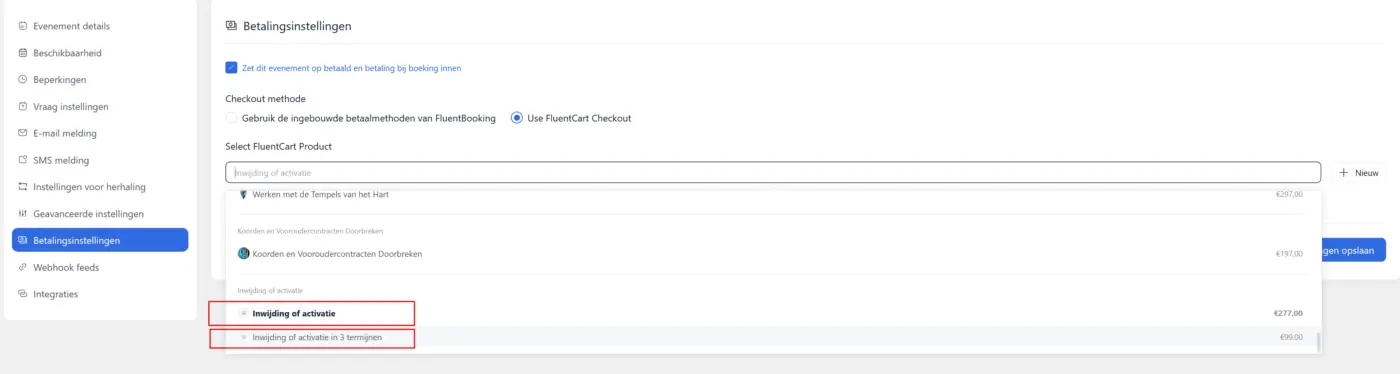
I have been testing FluentBooking with FluentCart. Unfortunately the number of products for a checkout is only one. I cannot add multiple product variants.
Option 1: Pay once
Option 2: 3 installments
This reduces the usability of FluentCart drastically.
Sorry for the Dutch translated image, but you get my grip.
Hi, I've asked this before, but here again (🙂 never give up!)
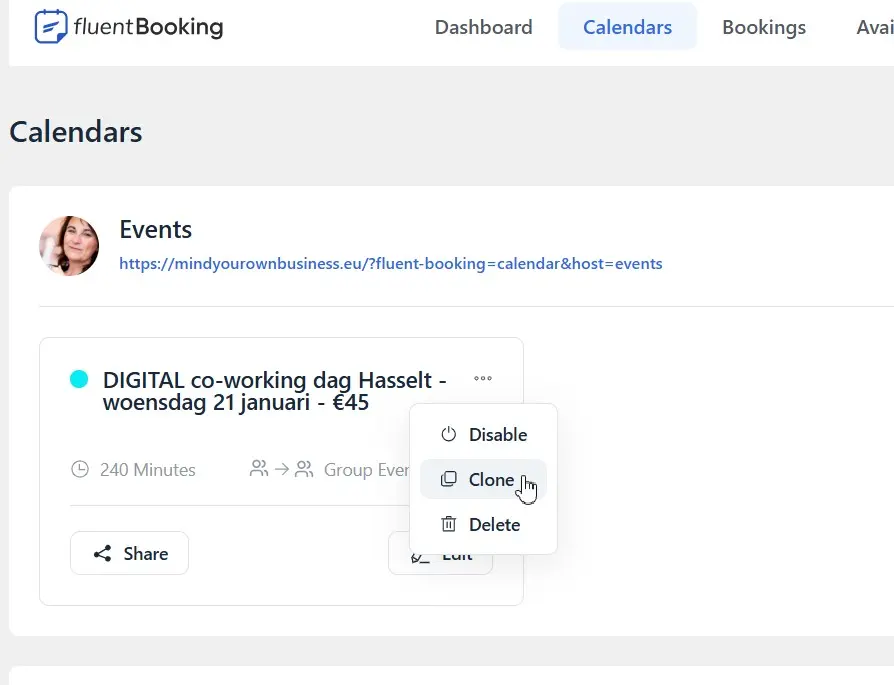
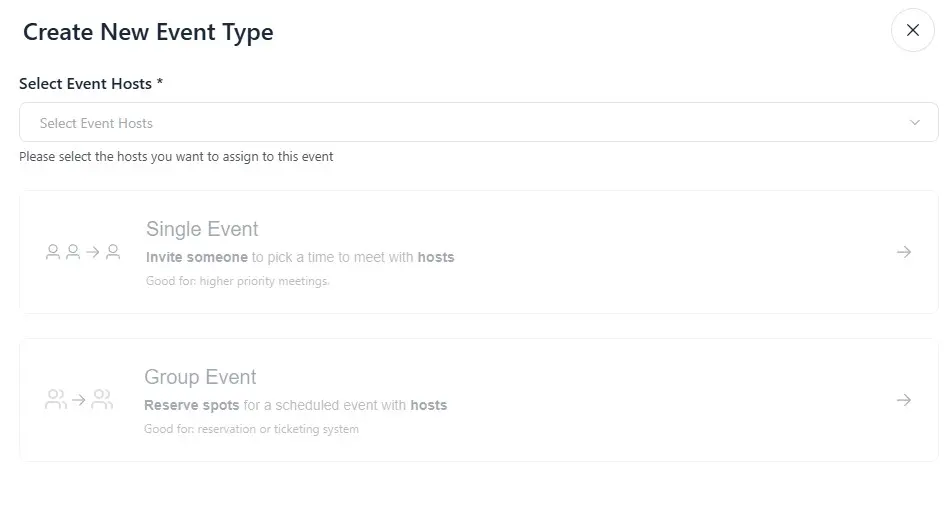
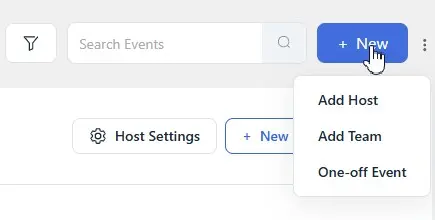
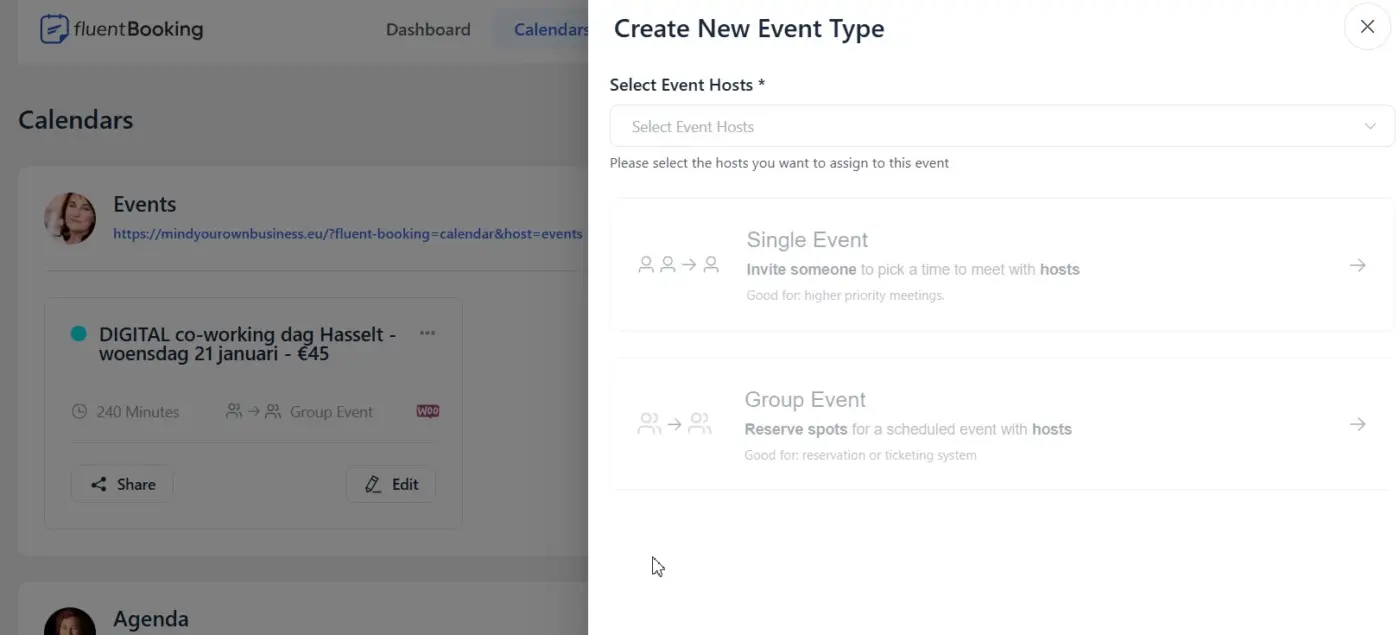
For one-off events, when I click on 'new', I can select 'One-off event'. BUT, when I allready have a calendar for one-off events, and in that calendar I click on 'new event type' it does not allow me to add another one-off event.
The only way I can add another event in the same calendar, is by cloning an existing one. This is not really user friendly
Raiyan Marzan can you please look into this and make it more straight forward? 🙂
Thanks in advance