Please help. Is anyone else experiencing this?

No matter how I set the grid layout to 2 columns, it doesn't respondβ€”it stays at 3.

Also, the whole thing isn't responsive on mobile; you can't click on the elements because they're so tiny.

Hello Fluent Player team,

I previously reported this bug in the Fluent Community. You can find the original post here if needed:
https://community.wpmanageninja.com/portal/space/community-meta/post/mobile-responsivness-audio-control-iss

Unfortunately, the issue regarding the poster/logo display still hasn't been fixed.

As shown in the screenshot, when I add my logo inΒ General Settings β†’ Cover Settings, it is displayed multiple times. Sometimes it appears twice, and other times it appears three times, alongside the logo configured in theΒ Video Settings.

However, if I remove the logo fromΒ General Settings β†’ Cover Settings, no logo is displayed at all. Instead, only the default music note image appears, even though my logo is already uploaded on the same content page.

Based on this behavior, it seems that the player does not use the uploaded logo unless it is also added as the cover image, which results in the logo being displayed multiple times.

1.00

Hey everyone,

I’ve just published a video built around one simple question:

Could I delegate the entire FluentPlayer workflow to an AI agent: building the landing page, configuring Bunny.net, setting up the player and timed content, using its features, and generating reports?

The answer is a resounding yes.

To me, this is another sign that before long we’ll spend very little (perhaps no) time inside dashboards. But great tools will matter more than ever: especially those that make complex things simple and can work seamlessly with AI.

The video is in Spanish (English Dubbing), but the experiment speaks for itself:
https://www.youtube.com/watch?v=2xj6YuMcij8

I invite you to give it a try!

Great work, Shahjahan JewelΒ  and team. FluentPlayer is exactly the kind of tool that fits this future. And with the recent confirmation of Habibur Rahman DelwarΒ , that we will have FCRM event tracking integration soon, this will be a super nice feature for enhancing profiles.

Full disclosure: the YouTube video description contains my affiliate link. This is not a tutorial because the goal was not to walk through every setting, but to test how far a fully configured AI agent could take the process on its own. It’s an overview of the idea and the kind of end result an agent can produce in minutes, from a prompt as simple as: β€œCreate a landing page for a VSL using FluentPlayer’s Timed Content feature.”

Hope you enjoy the idea and feel inspired to experiment with it yourself!

Update: Thank you JFΒ now the issue fixed.

change "header('Referrer-Policy: same-origin');". toΒ "header('Referrer-Policy: strict-origin-when-cross-origin');" maybe can help people with similar problem.

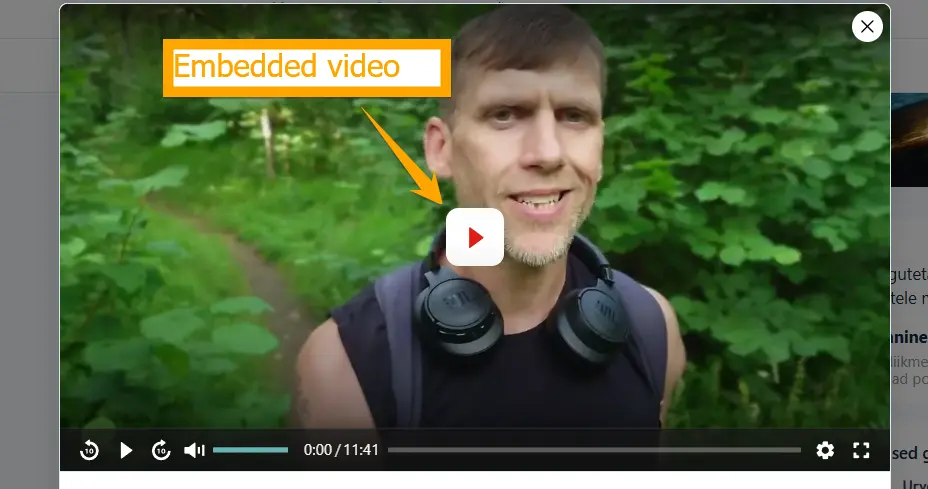
Is anyone else in the EU/Germany experiencing the same issue? If I add a YouTube video via the media library, the player can’t load. If I insert the video directly into a post, the original YouTube player is shown after a few seconds, although I have already enabled the option β€œPlay Embedded Videos With FluentPlayer.”

Hello!
The Fluent Player on mobile does not offer a full screen view. This option is unavailable. The same videos opened in a lesson in the FluentCommunity course on a computer have the full screen option. What is the cause? How to change it? How to make full screen available on mobile? :)
Shahjahan JewelΒ 
Nishat ShahriyarΒ 

I’m preparing my next Fluent Player video, and while experimenting with some AI-powered workflows, a technical question came to mind.

This Sunday I’m publishing a video in Spanish (with YouTube’s AI dubbing into multiple languages) about combining Fluent Player with AI and the workflows this can enable.

As I understand it, Fluent Player already offers powerful automation capabilities, especially for logged-in users. What I’m wondering is whether video engagement can also become part of FluentCRM’s Event Tracking architecture.

More specifically, could Fluent Player record events such as Started, 25%, 50%, 75%, Completed or CTA Clicked and associate them with:

  1. A logged-in WordPress user.
  2. An existing FluentCRM contact who is not currently logged in, but has previously been legitimately identified through a Smart Link or another first-party mechanism.

I’m not asking about Fluent Player’s automation features themselves. What interests me is whether playback activity could appear in the same first-party behavioral timeline as website visits, email interactions and other FluentCRM events. (this will enrich a lot the CRM profile, the AI summaries, and not just the FP report section).

My questions are:

  1. Is this already supported today?
  2. If not, could it be implemented using FluentCRM’s existing Event Tracking architecture?
  3. Does Fluent Player expose hooks or events that developers could use to send playback milestones to FluentCRM?

One additional thought: Fluent Player already provides native analytics and a GA4 integration. If identifiable playback tracking were added, it would be particularly valuable if it could respect each visitor’s consent state rather than relying only on a global on/off setting.

That would allow sites to avoid associating viewing behavior with contacts who have not provided the required consent, while enabling useful first-party workflows where the appropriate legal basis and consent state exist.

I’d love to know whether this capability already exists, whether it is technically feasible with the current architecture, or whether it is something you would consider for the roadmap.

Looking forward to hearing your thoughts. And I hope you enjoy Sunday’s video about how an AI agent actually works with Fluent Player!

cc: Shahjahan Jewel

Thank you for FluentPlayer, it is amazing.

I host my videos on Vimeo. For Vimeo and also YouTube videos, in their native video players there is a Quality option that is usually set to Auto by default, however a user can change the video resolution if they need to.

How does FluentPlayer handle video quality resolution, is it always Auto by default?

What happens if a users streaming bandwidth changes during a viewing, and they want to adjust the resolution?

Will FluentPlayer also be able to have a Quality selection option in the future?

Thank you.

Livid is a new and very good video hosting service. I'd greatly appreciate native Livid video block support inside Fluent Community, or failing that, Fluent Player support (free tier, not pro). Thank you

Nishat ShahriyarΒ 

https://docs.fluentplayer.com/playlist-layouts

Playlist / Grid Options – : β€œEnable Search” Displays a search field above the grid so visitors can find a video by title.
β€œEnable Filters” Displays filter options above the grid to narrow down the videos shown."

But I can’t find anything like that in the Pro plugin either. Thanks.