I have some videos in unusual aspect ratios, very wide.
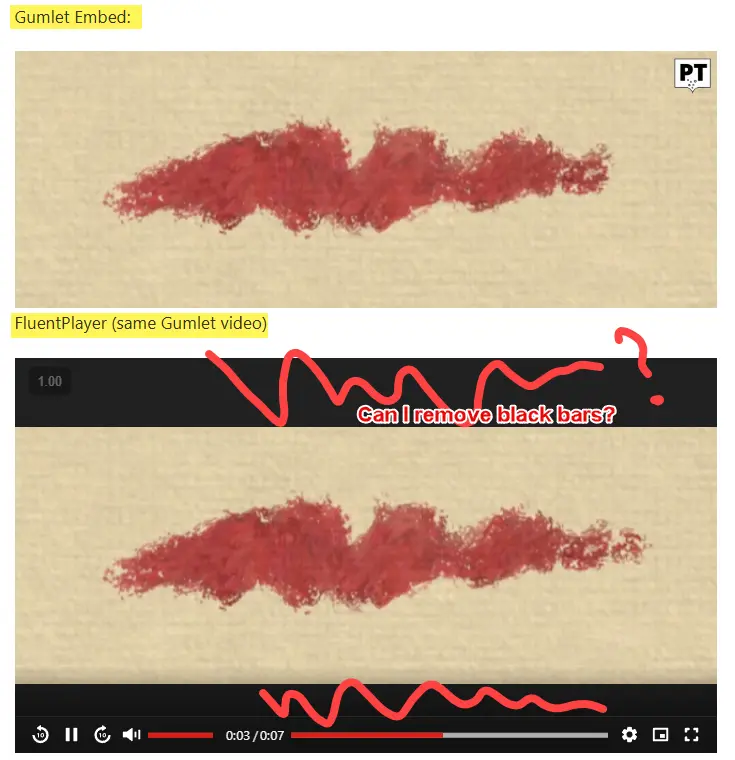
Fluentplayer adds letterboxing, black bars above and below the video to make it conform to a standard aspect ratio.
To show you what I mean. Here is a screenshot that shows the video playing as I would like it to
(embedded using Gumlet embed code)
And below that, the same video as it appears when in a fluent player (Ambient preset).
I would like to remove those black bars in FluentPlayer. Is that possible?

How can I keep the red button and black control panel for my video player, but have my audio players a different colour and with different button colour. I have checked in branding settings, but does not seem possible
How can I make the audio player different colours to video player?

I love the timestamp links, but hate to add every link by hand. I've created a snippet that automatically creates a timestamp link list for all available chapters
/**
- FluentPlayer — Auto Chapter Links
- Genereert automatisch [fluentplayer_timestamp] links uit de chapters van een media.
- Gebruik: [fluentplayer_auto_chapters id="129"]
*/
defined( 'ABSPATH' ) || exit;
add_action( 'init', function () {
if ( ! class_exists( '\FluentPlayer\App\Models\Media' ) ) {
return;
}
add_shortcode( 'fluentplayer_auto_chapters', function ( $atts ) {
    $atts = shortcode_atts( [
        'id'       => '',
        'media_id' => '',
    ], $atts );

    $mediaId = absint( $atts['id'] ?: $atts['media_id'] );
    if ( ! $mediaId ) {
        return '';
    }

    $media = \FluentPlayer\App\Models\Media::findVisible( $mediaId );
    if ( ! $media ) {
        return '';
    }

    $chapters = (array) ( $media->settings['chapters'] ?? [] );
    if ( empty( $chapters ) ) {
        return '';
    }

    usort( $chapters, fn( $a, $b ) => ( $a['startTime'] ?? 0 ) <=> ( $b['startTime'] ?? 0 ) );

    $items = '';
    foreach ( $chapters as $chapter ) {
        $title = trim( (string) ( $chapter['title'] ?? '' ) );
        if ( $title === '' ) {
            continue;
        }
        $timeLabel = fp_auto_chapters_format_time( (float) ( $chapter['startTime'] ?? 0 ) );
        $items    .= sprintf(
            '<li class="fp-auto-chapter-item"><fluentplayer-timestamp time=\'%s\' media_id=\'%d\'>%s</fluentplayer-timestamp></li>',
            esc_attr( $timeLabel ),
            $mediaId,
            wp_kses_post( $title )
        );
    }

    return $items ? '<ul class="fp-auto-chapters-list">' . $items . '</ul>' : '';
} );
} );
if ( ! function_exists( 'fp_auto_chapters_format_time' ) ) {
function fp_auto_chapters_format_time( $seconds ) {
$seconds = max( 0, (int) round( $seconds ) );
$h = (int) floor( $seconds / 3600 );
$m = (int) floor( ( $seconds % 3600 ) / 60 );
$s = $seconds % 60;
return $h > 0 ? sprintf( '%d:%02d:%02d', $h, $m, $s ) : sprintf( '%d:%02d', $m, $s );
}
}

Hi Support,
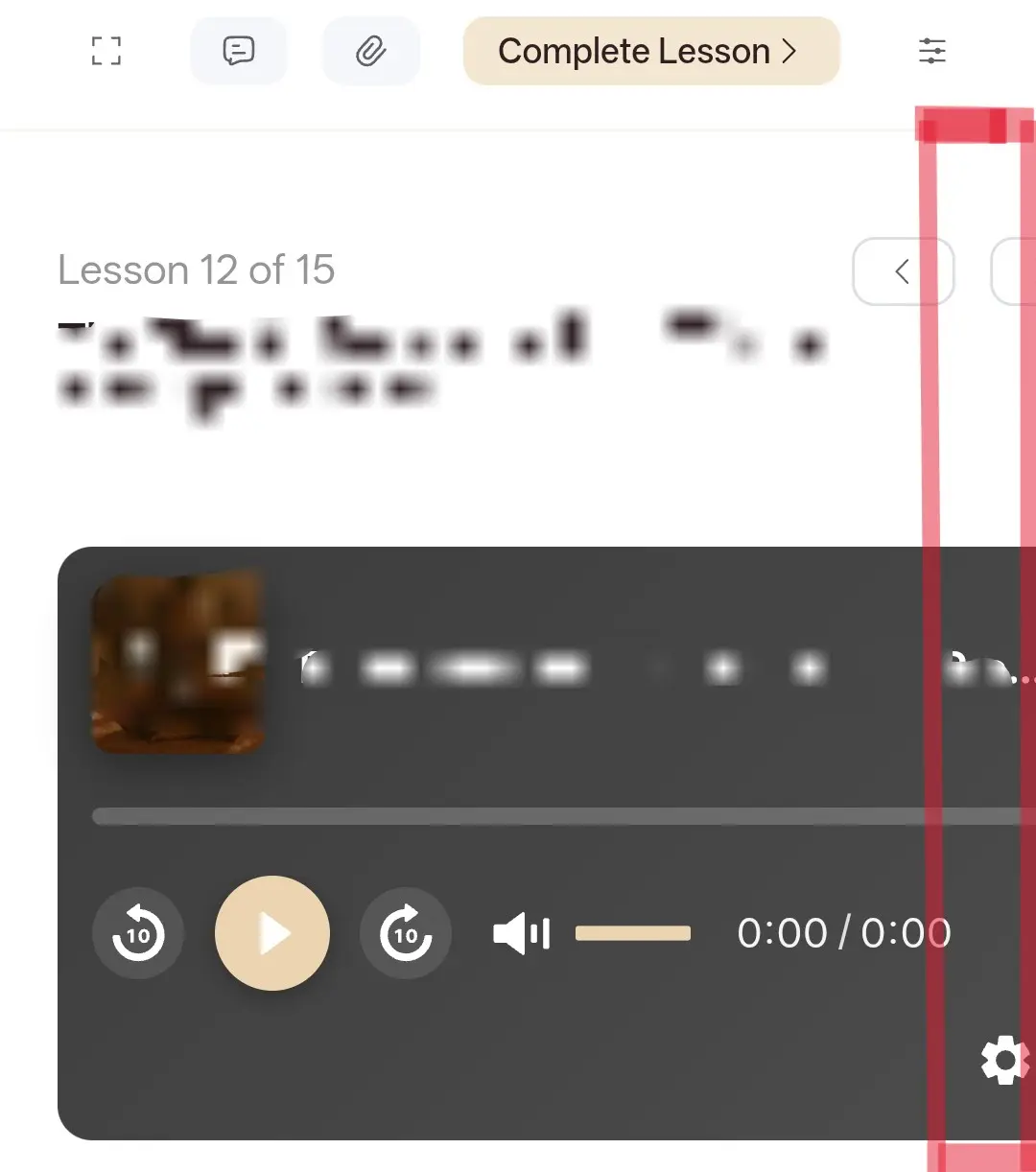
I'm using the FluentCommunity course module and have an audio lesson using the FluentPlayer. On mobile, the player extends beyond the screen width on the right side, causing horizontal overflow.
Is this a general bug, or could you please let me know how I can fix it?
Thank you!
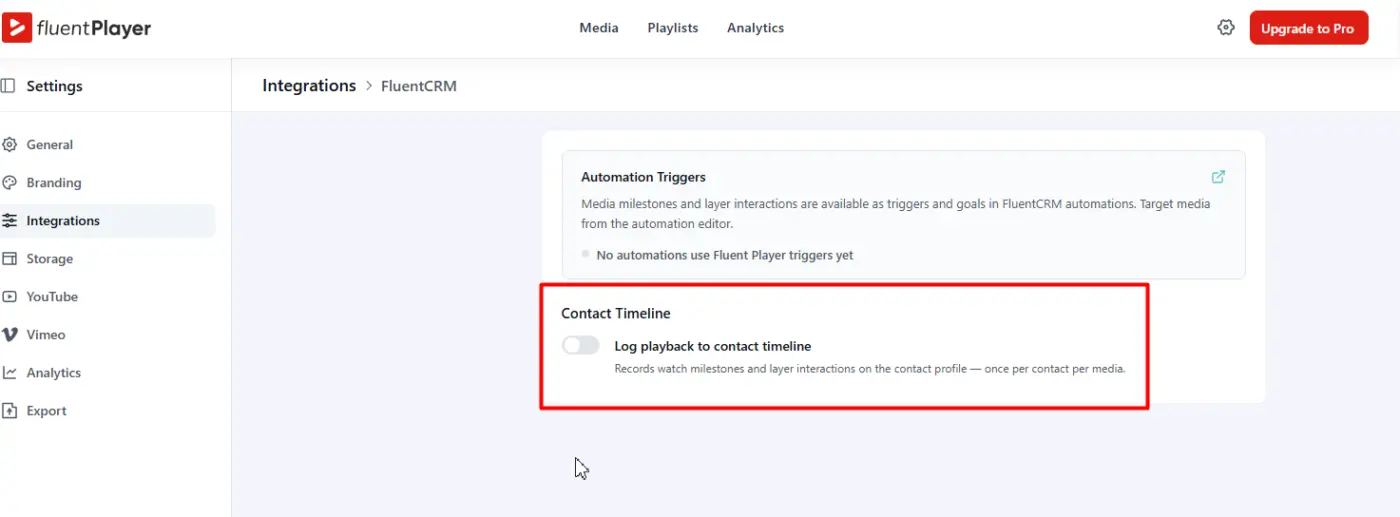
It looks like I can not switch this on. There is no save button, and when I leave this tab, switch is off again.
Is this core or pro functionality?

I’m seeing a small issue with captions in FluentPlayer when using a Gumlet-hosted video.
When captions are turned on, the entire video appears to darken slightly while a caption is displayed. In the brief gap between one caption line ending and the next one appearing, the video returns to normal brightness. Because of that, the video has a noticeable flicker throughout playback.
This only seems to happen with captions enabled. The brightness change affects the whole video frame, not just the black background behind the caption text.
Setup is FluentPlayer inside FluentCommunity, Gumlet video source, WebVTT captions, Firefox on macOS.
Has anyone else noticed this, or is there a setting/CSS rule that could be causing the player to dim while caption cues are active?

fluent-player/vendor/composer/ in the 1.4.0 package contains two leftovers:
autoload_classmap.php 8-00-56-387 PM.php
autoload_static.php 8-00-56-388 PM.php
They are older generations of the two files beside them. The character before
PM is U+202F, a narrow no-break space, so they hide from most searches – the
packing machine seems to have a Windows or OneDrive working copy, which might be
worth a look for other files too.
Nothing loads them, so there is no visible effect. Two reasons to drop them
anyway: the stale autoload_static.php declares the same class as the real one
(ComposerStaticInite225e5c2f238500e04febbf6be1b78d1), so anything that ever
included both would fatal; and they are publicly addressable PHP inside the
plugin directory.

Hi,
This is either a feature request or a question about a possible workaround for an "issue" I'm experiencing.
I create tutorials that usually consist of many video parts. Each tutorial has its own title (which would become the name of the playlist), but some video parts across different tutorials have the same titles. For example:
- 001 – Introduction
- 002 – Painting Plan
These sections are included in almost every tutorial. I use this naming system for my videos and host them on Vimeo.
The problem arises when I add all the videos to the Media Library. Many videos end up having identical names, such as "001 – Introduction." When creating a playlist, I can't easily tell which "001 – Introduction" belongs to which tutorial and, therefore, which playlist.
The only workaround I can think of at the moment would be to keep a separate note for myself, for example:
Media ID #19233 – "001 – Introduction" → Lighthouse tutorial
This way, when creating the Lighthouse playlist, I would know which specific video to select. However, this would become quite difficult to manage when I have over 100 tutorials.
Another option: I could use tags for each media file—that's fine—but when adding media to a playlist, we can't search by tags :/
It would be great if we could create folders in the Media Library. This way, I could organize videos by tutorial, and even videos with identical titles would have their own clear location and would be much easier to identify.
For example:
Lighthouse
- 001 – Introduction
- 002 – Painting Plan
- 003 – ...
Sunflower
- 001 – Introduction
- 002 – Painting Plan
- 003 – ...
I think this would make organizing a large video library much easier.
Thank you!

In the frontend URLs, FluentCommunity currently uses Fluent-branded slugs such as:
/fluent-player-media/
/fluent-playlist/
Because these URLs are visible to end users, they expose the Fluent branding rather than the branding of the website or community using the plugin.
Is there currently a way to change, customise, or completely remove these slugs?
Ideally, administrators should be able to define their own frontend URL structure, for example:
/media/
/playlist/
or another custom slug relevant to their own brand.
If this is not currently possible, could this be added as a setting?

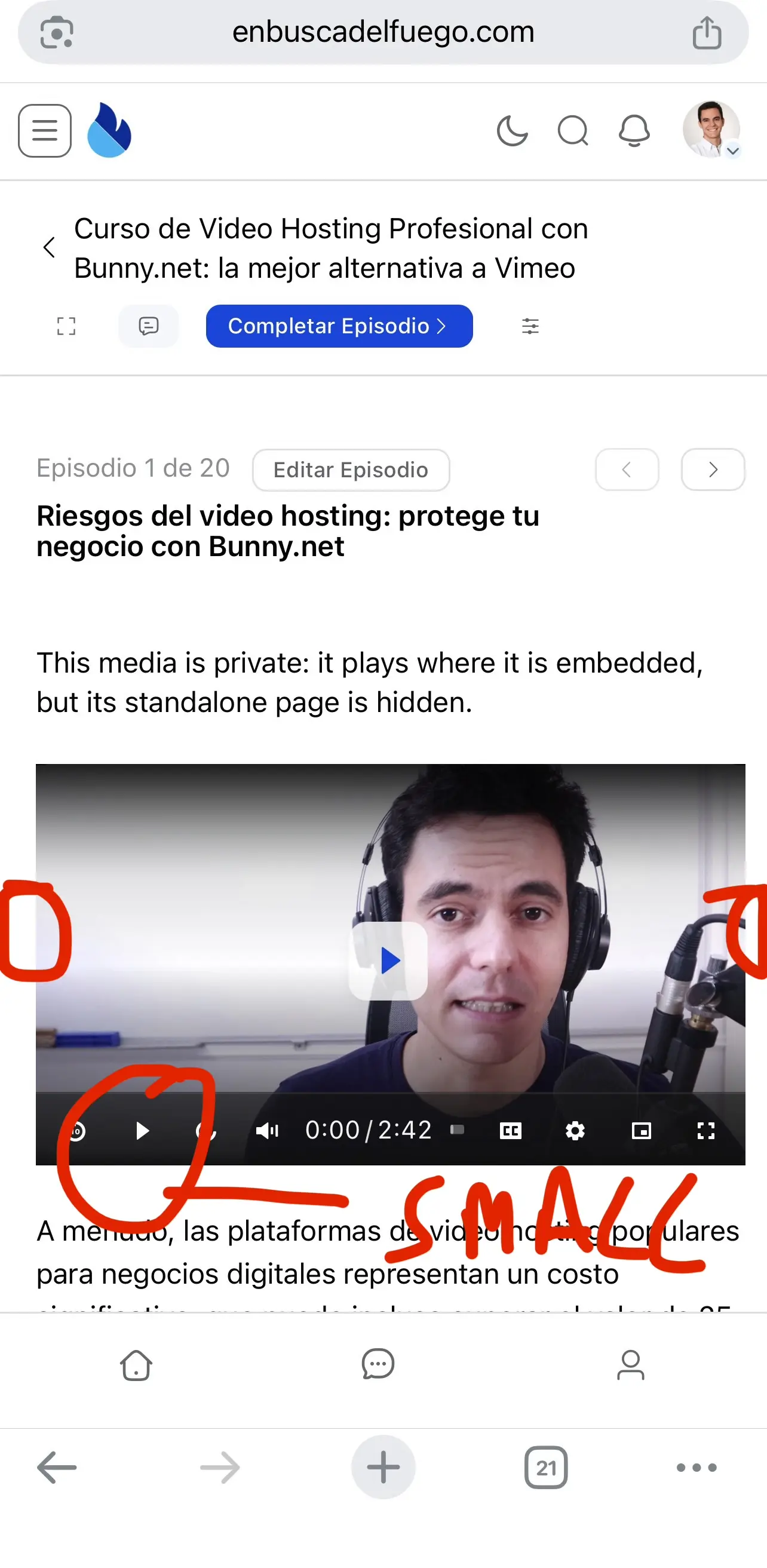
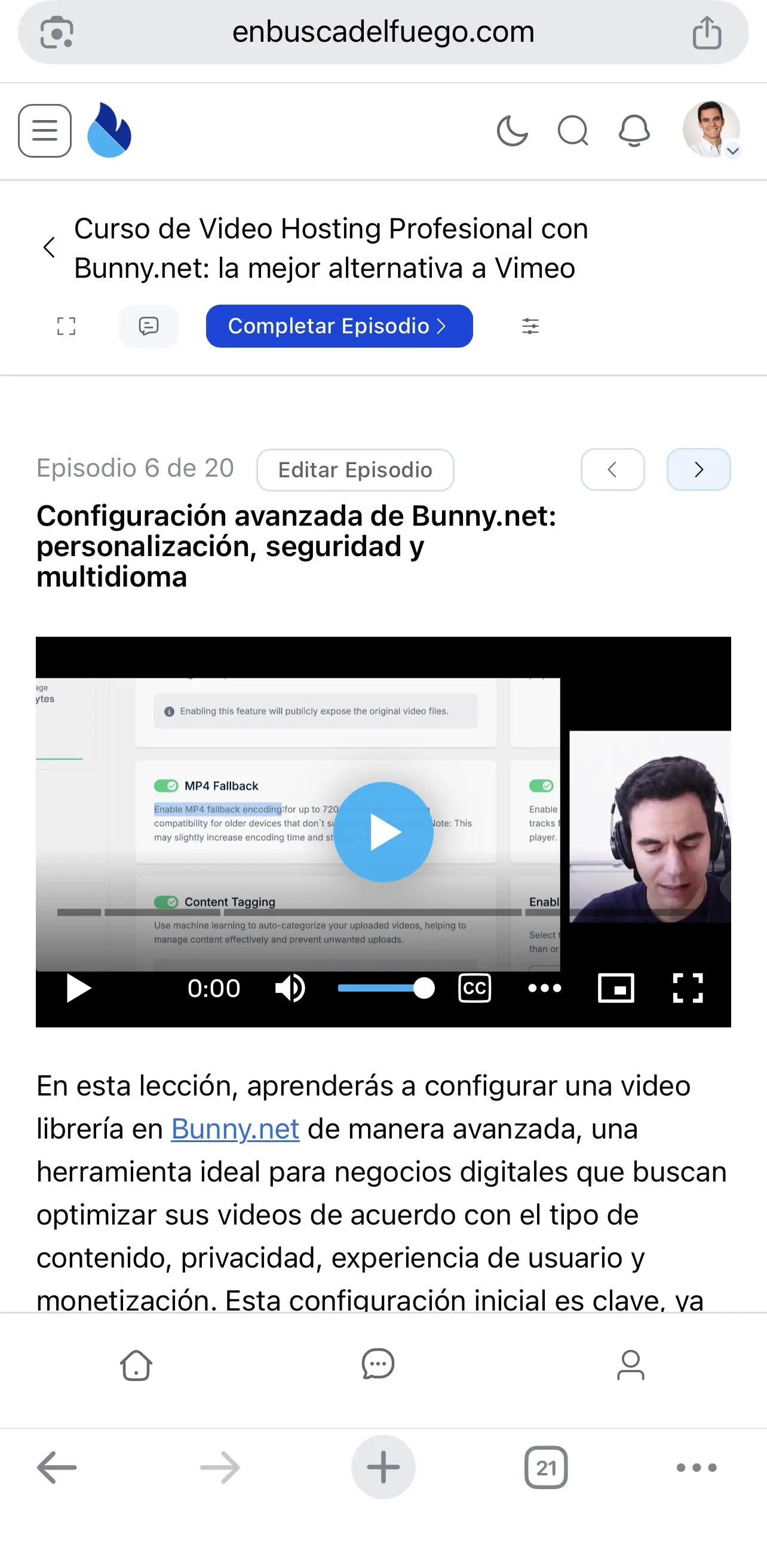
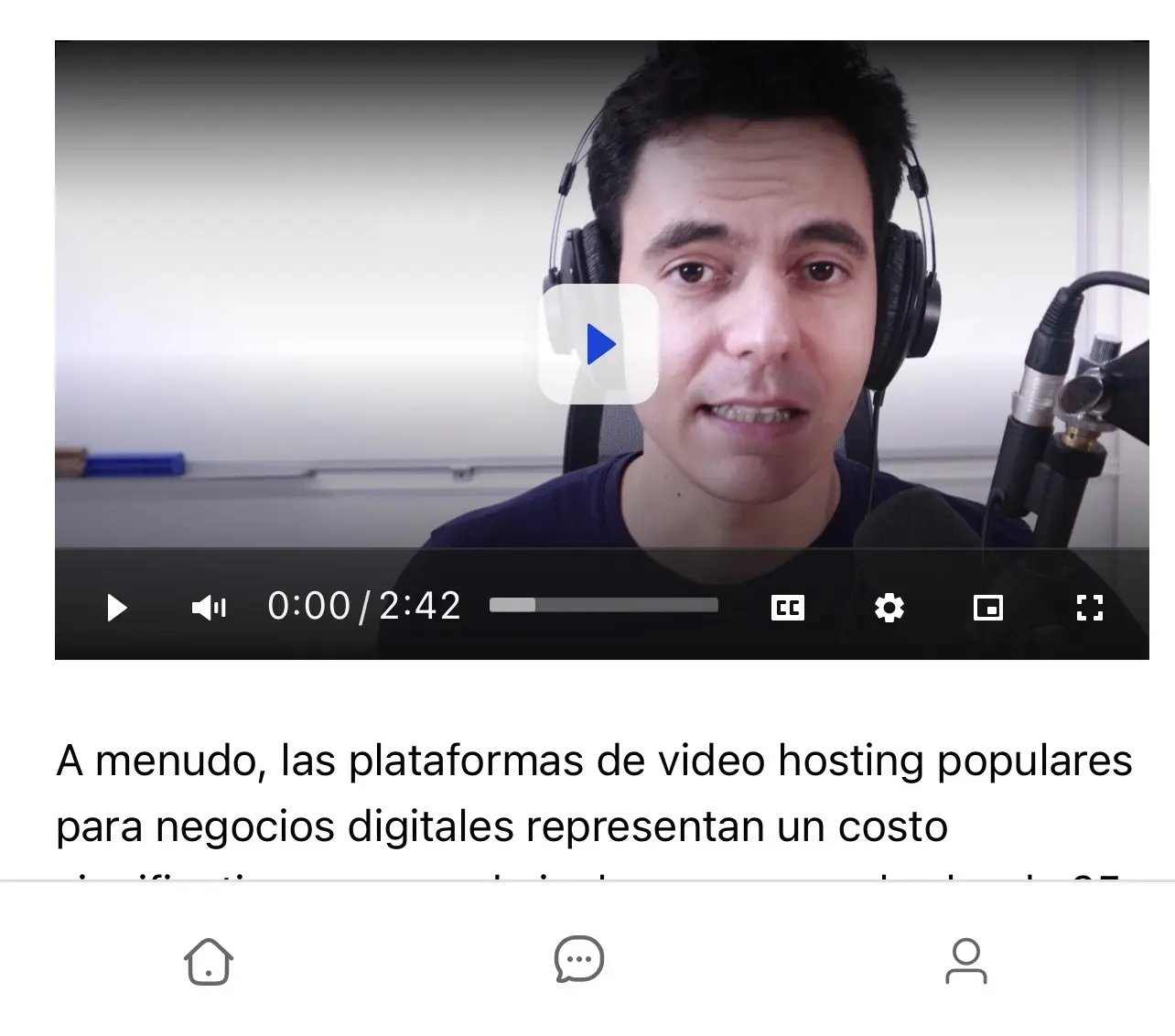
I’d like to report a few issues and potential improvements regarding the mobile experience with FluentPlayer.
1.Player controls are too small on mobile
Currently, the play button and other player controls appear quite small on mobile devices, especially when compared to other players such as Bunny.net’s native player.
Making these elements larger and more touch-friendly would significantly improve usability on mobile.
Screenshots for comparison:
🔵 Blue player = Bunny.net native player
⚪ White player = FluentPlayer
Removing the 10-second forward/backward controls doesn’t seem to increase the size of the remaining elements either, so it doesn’t really solve the issue.
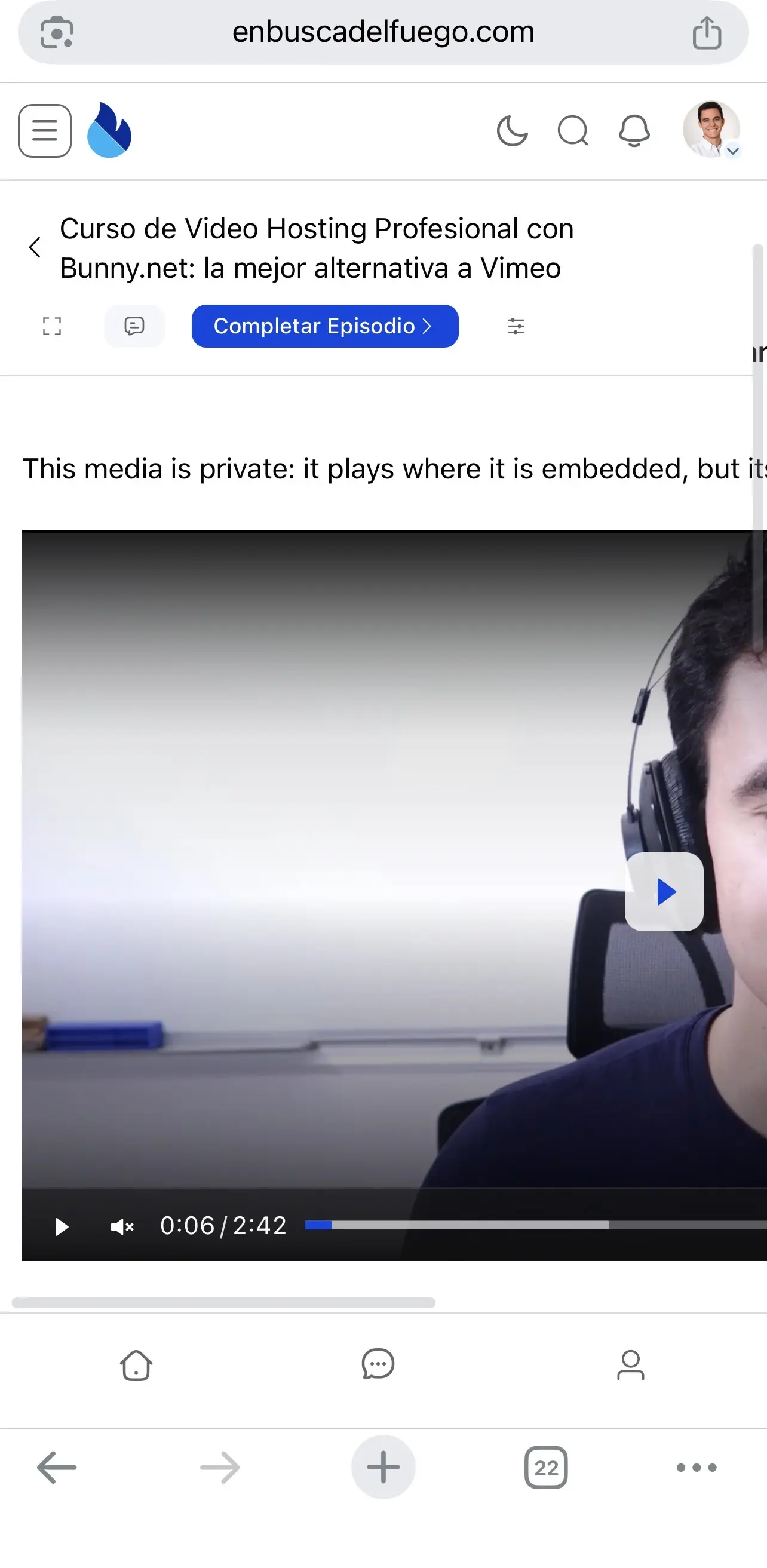
2.Uneven lateral padding in FluentCommunity lessons
I’ve also noticed that, within FluentCommunity lessons, the lateral padding around the player seems uneven. There is noticeably more space on one side than on the other.
It would be great if the player could be properly centered and use the available mobile width consistently.
3.Fullscreen → portrait mode breaks the page
There also seems to be an issue when using fullscreen mode on mobile.
If you open a video in fullscreen, rotate the device to watch it in landscape mode, and then rotate it back to portrait / exit fullscreen, the FluentCommunity lesson page layout breaks.
This is probably the most important issue, as it directly affects the viewing experience and requires the user to recover from a broken page layout.
Overall, I think FluentPlayer could benefit from some additional mobile optimization. The player itself works great, but improving these details would make the experience feel much more polished and native on mobile devices. 😄