Hi team!
Whenever I edit in the visual editor (which I love), the editing row moves with my email. This might sound nice, but it blocks a part of my screen which makes it very annoying. Is it possible to just put this editing row at the top of the screen instead of floating? It would help very much.

Currently, you have to add a separate step for each course or space you want to remove or unenroll.

This one is mostly about stability. We fixed a lot of small things across contacts, campaigns, automations, and reports, and spent some good time on the Contacts screen.
What’s new on Contacts
- Quick status filters with counts, plus pinned lists and favorite tags
- Search by a specific field, custom fields included
- A cleaner floating toolbar for bulk actions, so it’s clear what you’ve selected
- Shortcuts for new sites to import contacts, add one, or start collecting signups
A few other nice bits
- You can now preview the double opt-in email and confirmation page before going live
- Email previews show the sender and subject
- Dashboard cards look more consistent and dark mode is easier to read
Fixes and hardening
Lots of fixes for campaign scheduling, sequences, bounce handling, SMS/WhatsApp campaigns, automation edits, and WooCommerce/EDD/LMS integrations. We also tightened security in several places, so please update when you get a chance.
Full changelog here: https://fluentcrm.com/blog/fluentcrm-3-2-6/
Thanks to everyone who reported these edge cases. Most of the fixes in this release came from your reports. Please keep them coming.
More cooking 🎉

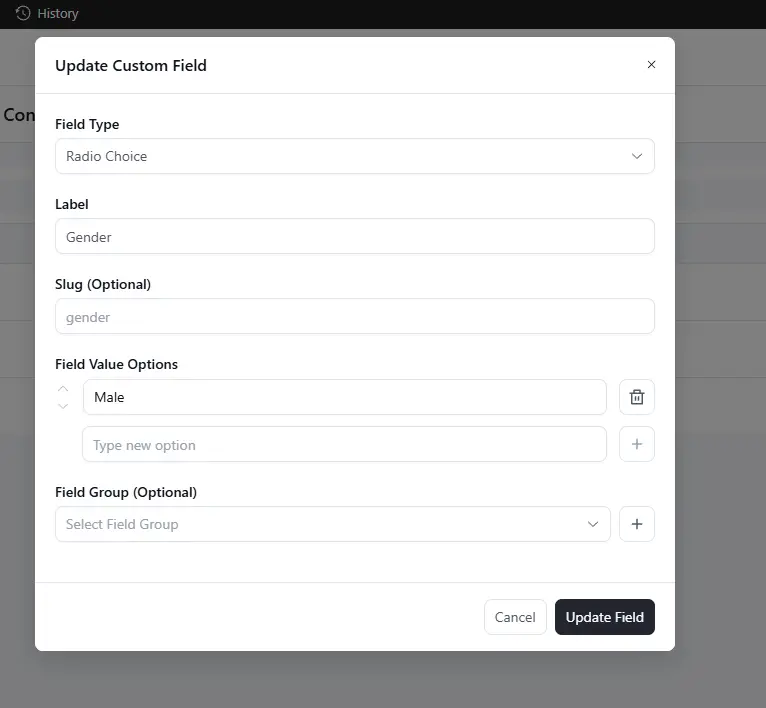
In the Custom Field settings, the Radio Choice field does not retain additional option values. Although a second option can be added and the Update Field button can be clicked successfully, the newly added option disappears after refreshing the page, leaving only the original option.

I'm experiencing a bug where consistently my site isn't sending a preview email from anywhere it's able to. It'll send campaign emails, and FluentSMTP is logging successful sends, but the preview never makes it out somehow. Is this something that others have noticed? Running 3.2.5
Found the following error messages in our error log:
[10-Oct-2026 08:45:19 UTC] PHP Warning: Undefined array key "title" in /home/mysite/public_html/wp-content/plugins/fluent-crm/app/Http/Controllers/DocsController.php on line 51
[10-Oct-2026 08:45:19 UTC] PHP Warning: Trying to access array offset on null in /home/mysite/public_html/wp-content/plugins/fluent-crm/app/Http/Controllers/DocsController.php on line 51
[10-Oct-2026 08:45:19 UTC] PHP Warning: Undefined array key "content" in /home/mysite/public_html/wp-content/plugins/fluent-crm/app/Http/Controllers/DocsController.php on line 52
[10-Oct-2026 08:45:19 UTC] PHP Warning: Trying to access array offset on null in /home/mysite/public_html/wp-content/plugins/fluent-crm/app/Http/Controllers/DocsController.php on line 52
[10-Oct-2026 08:45:19 UTC] PHP Warning: Undefined array key "link" in /home/mysite/public_html/wp-content/plugins/fluent-crm/app/Http/Controllers/DocsController.php on line 53
[10-Oct-2026 08:45:19 UTC] PHP Warning: Undefined array key "id" in /home/mysite/public_html/wp-content/plugins/fluent-crm/app/Http/Controllers/DocsController.php on line 54
[10-Oct-2026 16:41:06 UTC] PHP Warning: Undefined array key "title" in /home/mysite/public_html/wp-content/plugins/fluent-crm/app/Http/Controllers/DocsController.php on line 51
[10-Oct-2026 16:41:06 UTC] PHP Warning: Trying to access array offset on null in /home/mysite/public_html/wp-content/plugins/fluent-crm/app/Http/Controllers/DocsController.php on line 51
[10-Oct-2026 16:41:06 UTC] PHP Warning: Undefined array key "content" in /home/mysite/public_html/wp-content/plugins/fluent-crm/app/Http/Controllers/DocsController.php on line 52
[10-Oct-2026 16:41:06 UTC] PHP Warning: Trying to access array offset on null in /home/mysite/public_html/wp-content/plugins/fluent-crm/app/Http/Controllers/DocsController.php on line 52
[10-Oct-2026 16:41:06 UTC] PHP Warning: Undefined array key "link" in /home/mysite/public_html/wp-content/plugins/fluent-crm/app/Http/Controllers/DocsController.php on line 53
[10-Oct-2026 16:41:06 UTC] PHP Warning: Undefined array key "id" in /home/mysite/public_html/wp-content/plugins/fluent-crm/app/Http/Controllers/DocsController.php on line 54

I know that this is not included with FluentCRM automation, but I would love for WP Ninja Team to consider adding post notification into the automation for us to set up. This really is a great way to keep people engaged on the site.
Recurring campaign is not the answer for this in case anyone suggests it. 🙂
I currently use Icegram Express for this feature, but would love to drop that altogether. Thank you for the consideration.
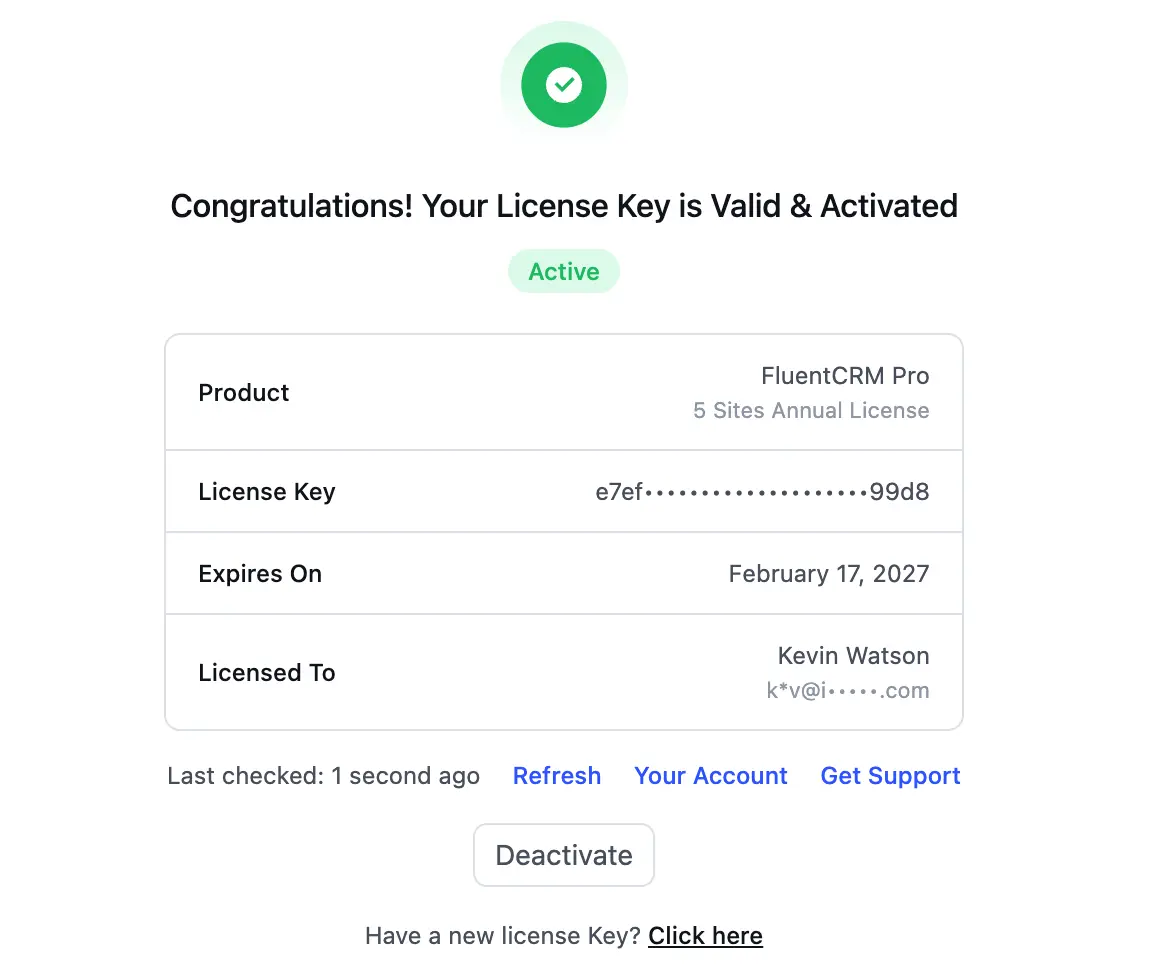
Is there a chance you all can enable the ability for the owners of your licensed products to hide the licensing information to other admins on the website? Maybe the admins can optionally add their own licensing to replace ours? Our clients want admin access, but they should not really get the details themselves.
I just don't like all the details of the licensed information to be available to the other admins of the site.
I have successfully created and implemented two sites NOT using MemberPress for access privileges to content with the above subject title combination. It works great, thanks to advice from a few people on here.
What I missed about MemberPress was that people can go to their account page and download their PDF paid receipt. I currently do not have a solution for that. It gets emailed to them, but I need a solution that I don't have to get involved with resending receipts.
Does anyone have a working solution that provides people with self-serve access to stuff like this without getting into the range of what MemberPress cost me?
Thanks for sharing your experience with me.
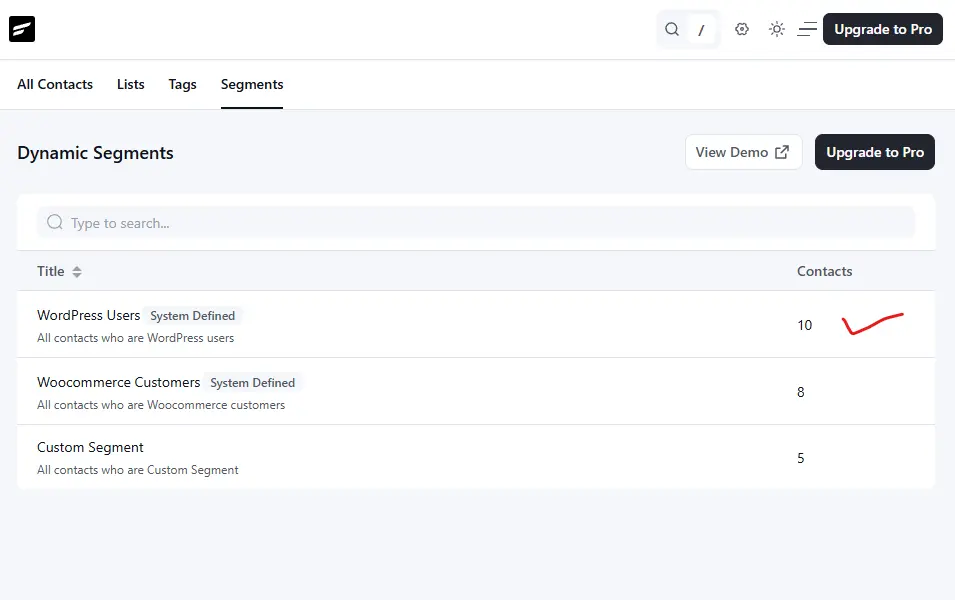
In my development site, under Dynamic Segments, the Contacts column shows 10 WordPress Users. Could you kindly clarify what this number represents?
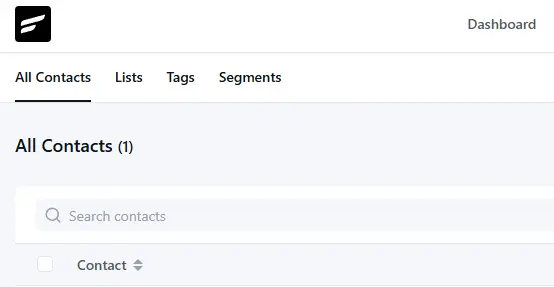
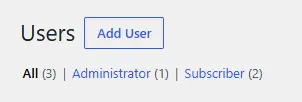
Currently, there are only 3 WordPress users on the development site, including the administrator account. As such, it is not clear how the total of 10 WordPress users is being calculated. Any clarification would be greatly appreciated ☺️