I'm testing FluentCart with digital downloads. As I add WP Plugin versions, in the account downloads, they list in ascending order they were added in. So the latest version is at the bottom.
It would be great if we could DnD the order of downloads in the "Downloadable Asset(s)" editor.
It doesn't seem to work. It displays in the product page editing field, but not on the live site.
UPDATE: Further testing reveals that FluentCart seems to strip video (or at least YouTube URLs and embeds) from the Product Long Description, even when using the native content editor.
Bug? Workaround?
Is anyone successfully using Toolset (it's similar to Advanced Custom Fields) with FluentCart to add custom fields to products (and display them)?
If so, please share your best practices, with my grateful thanks!
Hello team! π
Quick question that might help a lot of us in the community:
Any updates on a migration path from SureCart to FluentCart?
We work with both tools: and theyβre both great in their own ways.
SureCart has served us (and our clients) really well, but some teams are now exploring FluentCart more seriously thanks to its native integrations with the Fluent ecosystem.
It was mentioned that if there was enough interest, a plug-and-play migration tool (especially for subscriptions) could eventually be considered.
From what Iβm seeing in the community, the interest is clearly there.
Any news or direction you can share?
It would be incredibly helpful for agencies and service-based businesses planning their tech stack for 2025.
And as always: thank you for the amazing work, ninjas.
Youβre building something really special.
After further testing, taxes are still not being added to manual orders.
This remains a critical blocker for anyone using FluentCart to sell services or work with B2B clients.
1. Tax calculation should trigger automatically once the customer is selected
When creating a manual order in the backend:
- If the customer already exists, and
- Their billing address is already stored in their profile,
β¦then FluentCart should automatically calculate the correct taxes the moment the customer is selected β exactly as it happens during a normal checkout flow.
This behaviour is standard across most platforms and is essential for generating legally compliant invoices without manual edits.
2. Manual entry of Tax ID is required (as in SureCart and others)
Other platforms (e.g., SureCart) allow entering or editing a customerβs Tax ID directly inside the manual order creation interface.
FluentCart should support the same.
This is especially important because tax calculation depends on the Tax ID in many B2B scenarios.
3. Missing custom fields in checkout: impossible to operate B2B correctly outside the EU
At the moment, FluentCart:
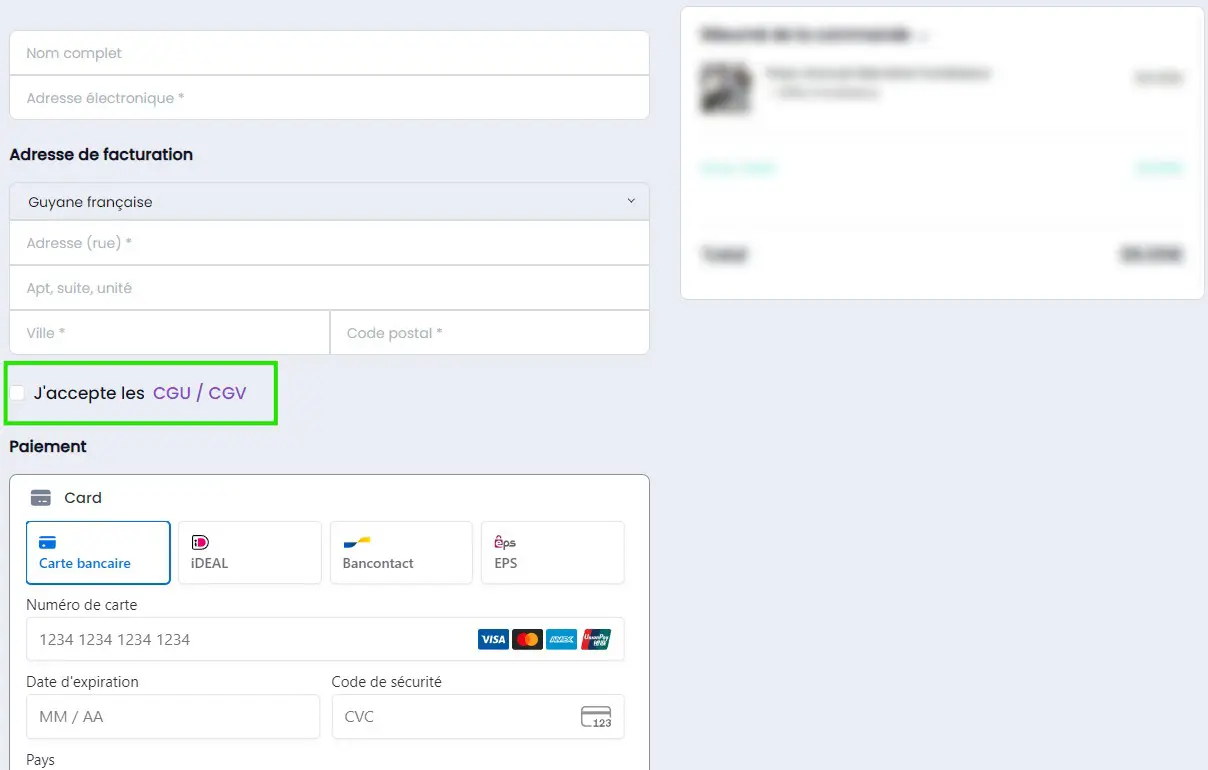
- Does not support custom fields on checkout (not even a basic text field).
- Does not include a native Tax ID field.
- Only supports EU VAT validation, which is useful, but limited to EU businesses.
For non-EU companies, the Tax ID is still required, and there is currently no way to request, validate, or store it during checkout.
This makes proper international B2B invoicing impossible today.
4. Manual Orders: inability to delete or keep as draft
When creating manual orders, the system currently only allows marking an order as cancelled.
However, in real workflows:
- Sometimes an order is created by mistake.
- Sometimes you start drafting an order but it should not be recorded yet.
- Sometimes an order must be deleted entirely, not simply marked as cancelled.
Other platforms allow deleting manual orders or keeping them as drafts.
FluentCart should support both options to reflect real use cases and avoid cluttering the order history with unwanted records.
Currently, deletion is only possible after marking an order as cancelled (which occupies an ID unnecessarily).
Why this matters
For service-based businesses, consultants, agencies, and B2B sellers, these features are not βnice to haveβ.
They are foundational:
- Taxes must be calculated accurately β not only on checkout, but also when creating manual orders (e.g., when closing a deal and sending an invoice directly).
- The platform must collect all mandatory legal identifiers (Tax ID).
- Manual orders must allow creation, editing, and deletion just like in any professional invoicing workflow.
- Compliance must be ensured across invoices and tax reports.
Without this, FluentCart cannot be safely used in B2B contexts β especially international ones.
Additional legal note on tax identification
As mentioned in previous discussions:
Taxes must be clearly identified on both checkout and invoice. A generic βtax estimateβ is not legally compliant in many jurisdictions.
Identification such as βES VATβ, βDE VATβ, βUS Sales Taxβ, etc. is required.
Does anyone use geodirectory and Fluent cart, if so how?
I am trying to complete my stack, but i cant send $400 on fcart and faffiliate until i find a way to get everything integrated.
Bit-integrations.com comes close.
Geodirectory
Fluentcrm [supported]
FluentSupport [supported]
AffiliateWP [supported]
FluentAffiliate [not supported]
Fluentcart [not supported]
FluentCart appears to be the missing link, but im not sure it would even work as fcart would also need geodirectory free and monthly recurring subscriptions for membership.
At this point, GeoDirectory only supports Woocommerce and woo subscriptions and a few other options i cant really use. π€
Any ideas?
I figured out that I needed to edit my template for basic layout for a product to layout correctly on the front end, but I don't see any block for short description. I didn't find any user documentation for this.
I'm trying to add the short description (post_excerpt) to my single product page template in the Site Editor.
I found that the fluent-cart/shopapp-product-excerpt block exists, but it's not available when editing the Single Product template. Looking at the code, it appears the block's parent array only includes shopapp-product-loop and shopapp-product-image, but not product-info.
Could you add 'fluent-cart/product-info' to the parent array in InnerBlocks.php line 126-129 ? That would allow us to add the excerpt block to the single product template like we can with title, price, and stock.
to have the option to change how long Toastify appears or to let it appear for a longer period.
I'm not sure if this is planned or if there are currently any 3rd party plugins that integrate with Fluent Cart but one thing I'd love to see are advanced discounts. I currently use FlyCart's Advanced Discount Rules plugin for Woocommerce and it's great for creating highly complex scenarios. I'd like to eventually remove Woo from my stack and replace it with something like FC so having advanced discount capabilities is a must!