


We’re closing FluentCart lifetime sales on October 30. After that, FluentCart Pro will be available on yearly plans only.
For me, building a product is a long-term commitment. We don’t want to just launch something and move on. A store platform has to keep improving for the next 5 or 10 years and beyond, and for that, a sustainable recurring revenue model makes sense.
There’s still a lot we want to do with FluentCart. Better support for physical stores, more design flexibility, built-in marketing tools, and many more improvements.
If you already have a lifetime license, nothing changes. Thank you for trusting us early. ❤️ You can upgrade to a higher plan by paying the difference within this deal time.
I wrote more about this decision and our plans for year two here:
https://fluentcart.com/blog/the-end-of-lifetime-plans/
And as always, I’d love to hear what you think and what you’d like us to improve next.

Feature request: a provider-agnostic shipping layer (with broad geographic coverage)
Shipping is the biggest gap I see for stores selling physical products on FluentCart. Weight and dimension fields already exist, and the webhooks and REST API are excellent. What’s missing is a standard way to connect a shipping provider. The roadmap lists “Third-Party Shipping Carrier Integrations”, so I’d like to suggest how to build it so it covers as many regions as possible.
Core idea: build a shipping framework first, then add providers as adapters
No single provider covers every region, so one hard-coded integration helps only some stores. A documented provider interface (hooks and a PHP interface) would let FluentCart, third-party developers and agencies add providers quickly. Suggested first adapters:
- Europe: Sendcloud and MyParcel (Benelux, DACH, France and beyond), plus Packlink for Southern Europe.
- Global / US: ShipStation, EasyPost or Shippo.
- Regional: local aggregators for FluentCart’s strong markets (for example India), as the framework allows.
Core features of the framework
- Shipment record per order: carrier, service, tracking number, label URL, status, and support for several parcels per order.
- Order status sync: a webhook or callback from the provider updates “shipped” and “delivered”, with events that automations (FluentCRM) can use.
- Tracking in customer emails and the customer account page.
- Checkout options: rates mapped to FluentCart’s shipping zones and classes, and a service/pickup point selector. Pickup points are very common in Europe.
- Returns: return labels linked to the Refunds module.
- Customs data: HS code and country of origin per product, plus the required export documents, for non-EU and cross-border shipping.
- Bulk actions in the admin: create labels for several orders at once and print them.
- Label and parcel data from the existing product attributes (weight, dimensions) and packaging settings.
Suggested order
- Phase 1 (quick win): the shipment data model, tracking fields, status sync, customer emails and documented hooks. Even without official adapters, the community can then build and maintain connectors.
- Phase 2: the first European and global adapters, with pickup points.
- Phase 3: returns, customs and bulk label printing.
I’m happy to help test, especially for Benelux/EU shipping.

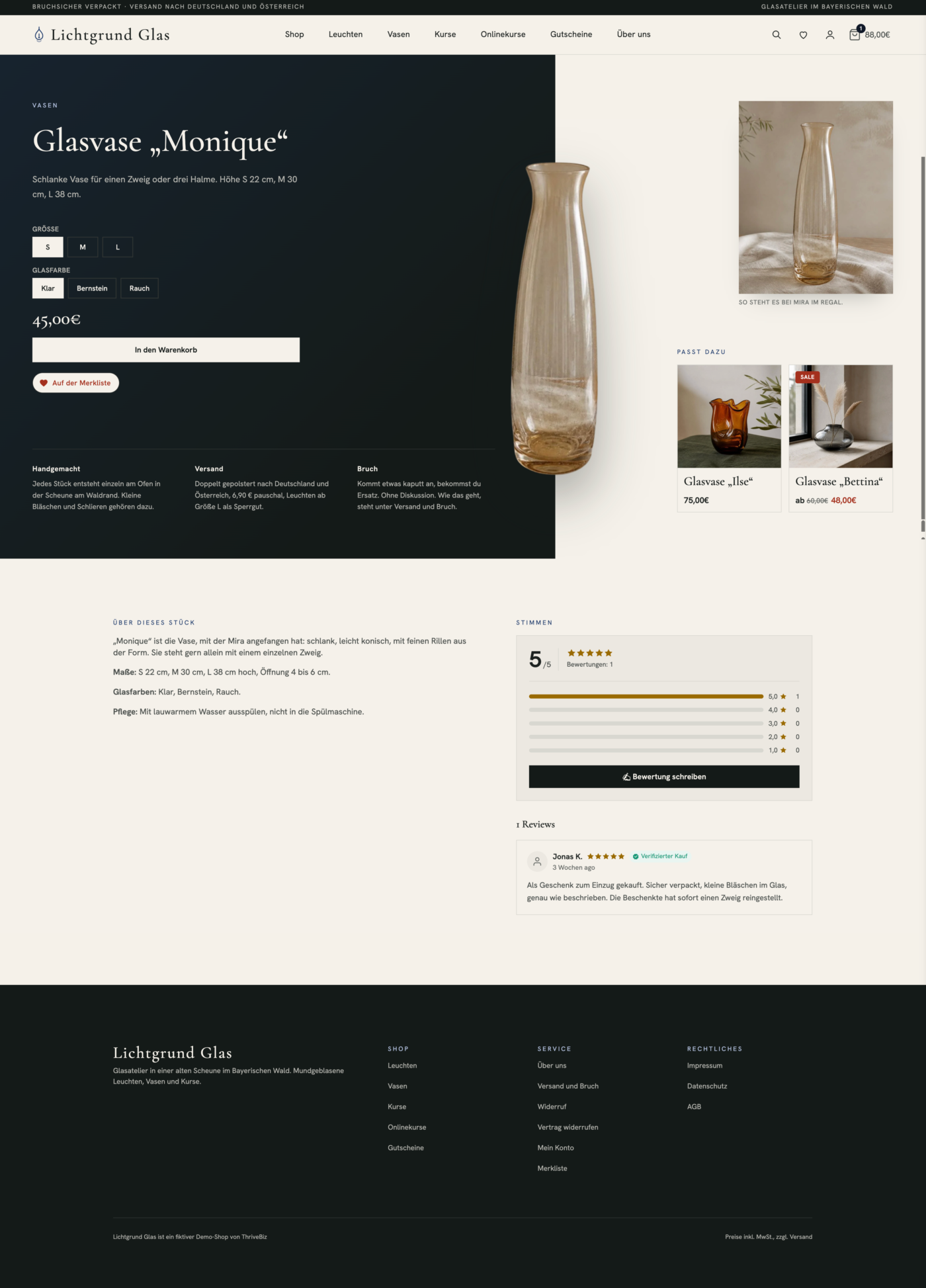

TL;DR: EU VAT validation succeeds and the server removes VAT, but the native popup keeps displaying the previous price and VAT breakdown. Reproduced on an isolated staging site with Core + Pro 2.2.0, including with our relevant customizations disabled. No live payments were involved.
HOW TO REPRODUCE
• Use a digital product priced at €67 including 21% VAT (€55.37 base + €11.63 VAT).
• Open the native modal checkout.
• Select another EU country and validate a genuinely valid VAT number through VIES.
ACTUAL RESULT
• VAT validation succeeds: the field is marked valid and becomes read-only.
• The server cart correctly contains €0 tax and an estimated total of €55.37.
• The popup product card and summary still show €67 and the previous 21% VAT.
EXPECTED RESULT
The product card, tax breakdown and total should all refresh immediately to the same €55.37 amount, with the reverse-charge treatment clearly reflected.
TECHNICAL FINDING
TaxModule::handleVatValidation() returns a fragment for [data-fluent-cart-checkout-page-cart-items-wrapper], which does not exist in the modal. The modal instead uses [data-fct-modal-checkout-summary] and [data-fct-modal-checkout-summary-group]. Our temporary adapter refreshes those two fragments using the native renderer, without changing tax calculations or editing Core. This resolves the display mismatch in our test.
RELATED PRESENTATION ISSUE
The modal also did not visually strike through the original tax badge marked .is-reversed. Please check that the reverse-charge styling is loaded consistently in the popup.
We have separately reported that zero-rate territorial overrides do not display their fiscal reason in checkout/invoices. That is a different issue: here the immediate problem is a stale visible total after successful VAT validation.
Could you confirm and fix the native modal fragments? We would prefer to remove our temporary compatibility adapter rather than maintain checkout fixes long-term. We have not tested a payment with the stale VIES summary, so this report does not claim that the wrong amount was charged.
For reference, our separate native VAT/refund Revenue report is already tracked here, so I am not duplicating its reproduction in this post:
https://community.wpmanageninja.com/portal/space/fluent-cart/post/full-refund-still-leaves-negative-revenu

This post is just to say a big THANK YOU to Shahjahan Jewel and team for the GREAT Fluent Cart's API documentation.
Your docs make my work easier 🙏🏼


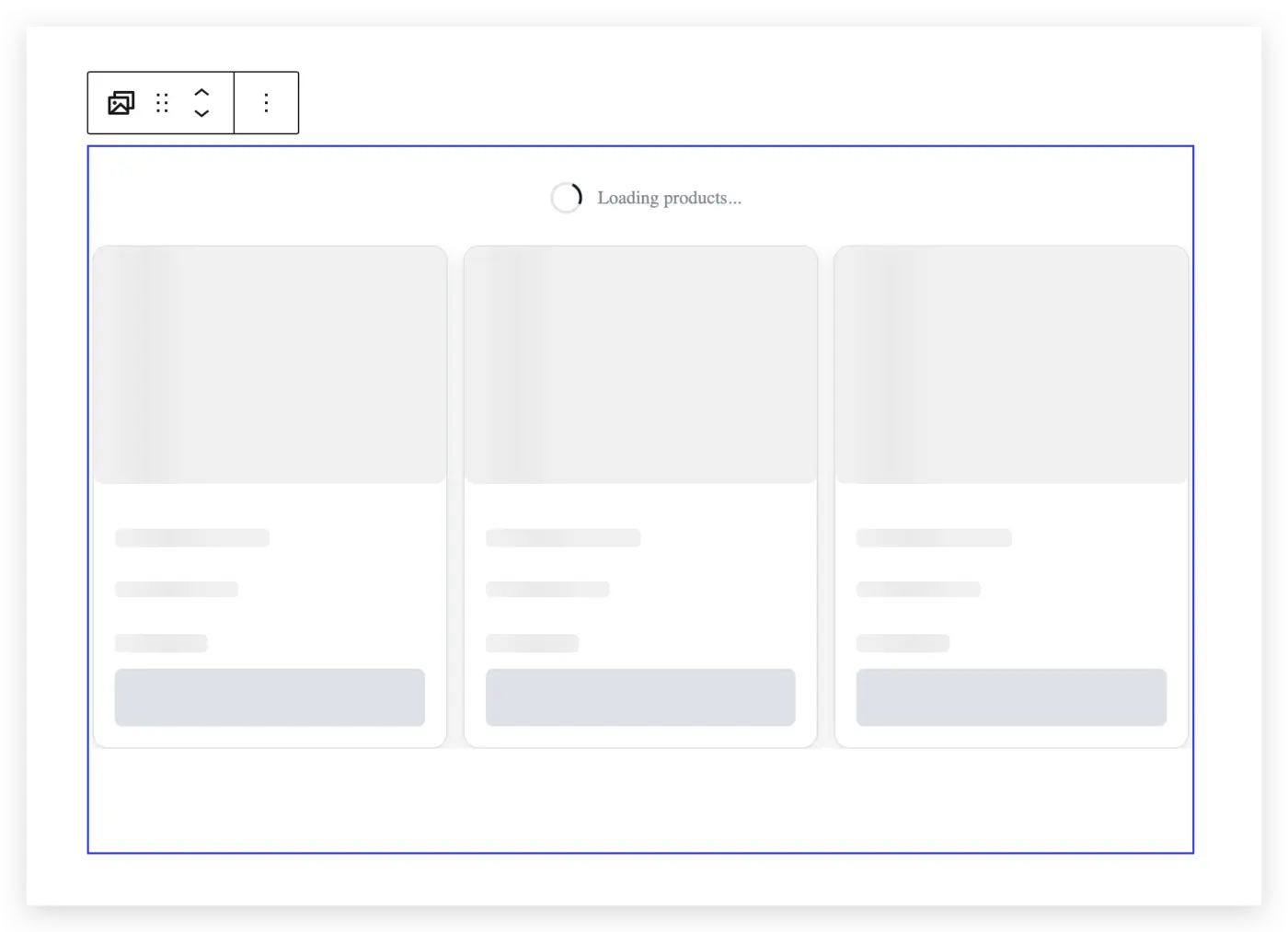
Any thoughts on what could be causing the product carousel to just keep loading? When I try to add a product, the sidebar just goes gray.

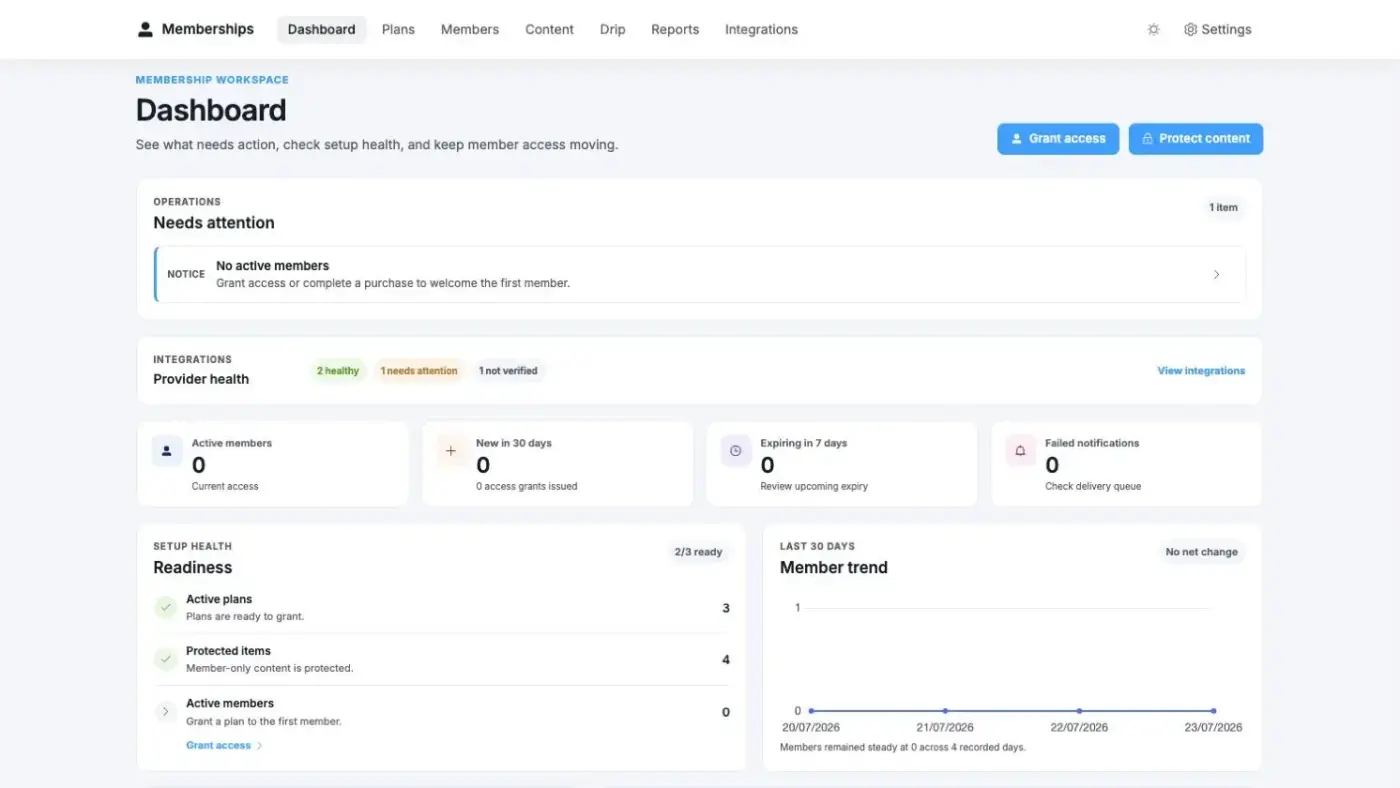
A complete membership workspace for FluentCart — create plans, protect content, look after members, automate communication, and keep every connection healthy.

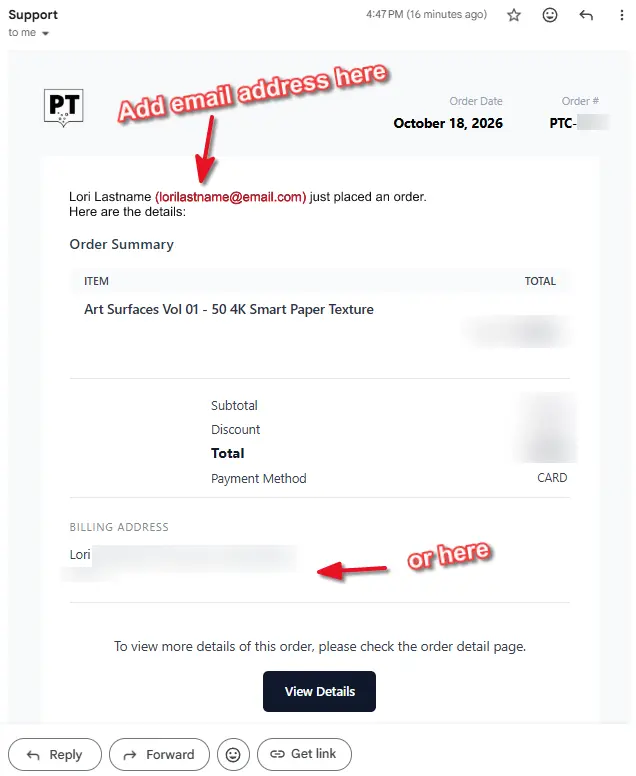
One thing I miss is having the customer email included in the purchase notification email.
I get emails from people and they say something about a purchase they made in the past and it's really useful to be able to search for their email address and find their previous purchases in Gmail rather than have to log in to Wordpress and search their name to find out what the bought when.
I can't do that with Fluent Cart as the email notifications don't include the customer's email address, just their name.
If their email address was on the notifaction they would be searchable in Gmail.
Maybe there is a good reason not to do this, but it's VERY useful.
EDIT: Seems this is already possible. See Amimul's reply.
Go to YOURWEBSITE... /wp-admin/admin.php?page=fluent-cart#/settings/email_notifications
and you can customise it any way you like by adding dynamic data.
Sometimes I want to give a user one of my products for free as a thank you (or an apology😬)
The way I do it now is to send them a coupon, which they like of course, but sometimes I wish it could just appear in their account.
Is there a way to do that?

Hi FluentCart Team,
I would like to suggest a collaboration between FluentCart and Blocksy to create an official eCommerce Starter Site powered by FluentCart, similar to what Blocksy has already done with FluentBooking.
Currently, Blocksy offers several beautiful eCommerce Starter Sites, but they are all built around WooCommerce.
As a user of Blocksy Pro and FluentCart Pro, I would love to see a ready-to-import Starter Site designed specifically for FluentCart, without requiring WooCommerce.
This would offer several benefits:
- Make FluentCart more accessible to beginners and WordPress users.
- Allow users to launch a complete online store in just a few clicks.
- Showcase FluentCart as a serious alternative to WooCommerce.
- Encourage adoption among Blocksy's existing user base.
- Strengthen the relationship between the Blocksy and WPManageNinja ecosystems.
My suggestion: Could the FluentCart team reach out to the Blocksy team to explore the possibility of creating at least one official FluentCart eCommerce Starter Site?
I believe this collaboration would be beneficial for both teams and their communities.
Thank you for considering this suggestion!
Best regards